


Enterprise Resource Planning (ERP) Systems: A Guide to Successful Selection and Implementation

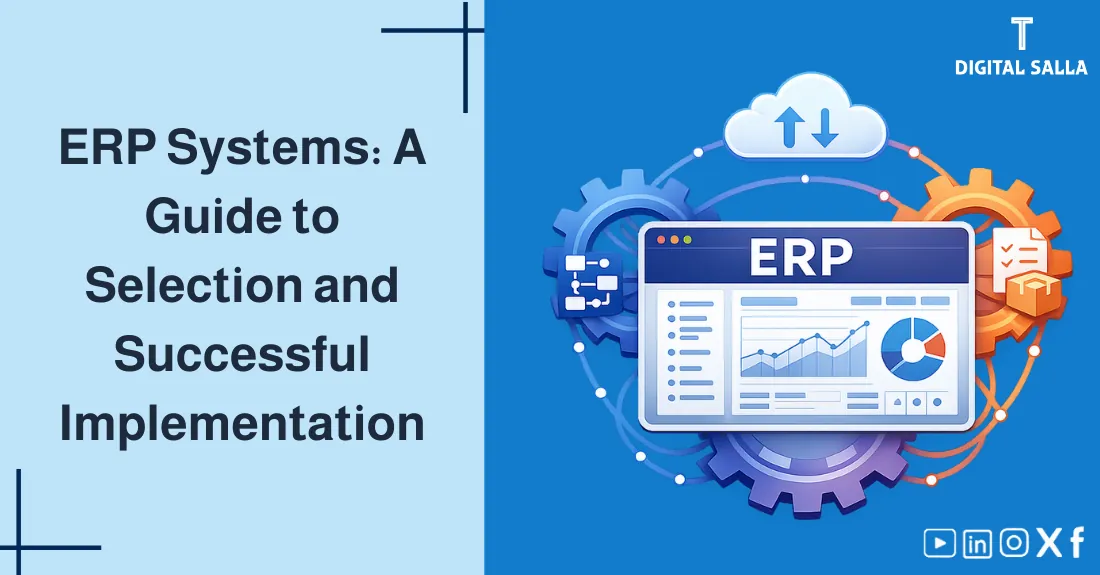
Enterprise Resource Planning (ERP): A Guide to Successful Selection and Implementation
ERP Systems: A comprehensive professional guide on selecting and implementing Enterprise Resource Planning successfully, comparing Accounting Software vs. Integrated Systems, and ensuring real ROI—Digital Salla.
- What is an ERP System and why do companies need it?
- Comparison: Basic Accounting Software vs. Full ERP.
- Selection Strategy: Cloud vs. On-Premise systems.
- The 5 Stages of Implementation: Planning to Go-Live.
- The Implementation Trap: Why projects fail and how to prevent it.
- Data Migration and Business Process Reengineering (BPR).
1) The Concept of ERP Systems
Enterprise Resource Planning (ERP) is a type of software system that organizations use to manage day-to-day business activities such as accounting, procurement, project management, risk management and compliance, and supply chain operations.
2) Accounting Software vs. Full ERP
Most small companies start with accounting software (like QuickBooks or Xero), but as they grow, they hit a “Digital Ceiling.”
| Aspect | Accounting Software | ERP System |
|---|---|---|
| Scope | Finance & Invoicing only. | Finance, HR, Production, CRM, etc. |
| Data Source | Manual entry / Imports. | Single integrated source. |
| Automation | Basic. | High (Automated workflows). |
| Reporting | Financial statements only. | Cross-departmental BI dashboards. |
3) Strategic Selection Criteria
Don’t buy the “Prettiest” system; buy the one that fits your processes. Consider:
Opening Balances Templates - Excel Files
- Scalability: Can the system handle 10x your current volume?
- Local Compliance: Does it support ZATCA E-invoicing and local tax laws?
- User Experience: Is it easy for employees to use without 6 months of training?
- Total Cost of Ownership (TCO): Including licenses, implementation, and future maintenance.
4) The ERP Integration Path (Visual Logic)
How an ERP removes “Data Silos” to create a unified entity?
5) Stages of a Successful Implementation
- Discovery: Documenting current “As-Is” vs. desired “To-Be” processes.
- Design & Build: Configuring the system and customizing workflows.
- Testing (UAT): Users testing the system to find bugs before go-live.
- Migration: Cleaning and moving legacy data into the ERP.
- Go-Live & Support: The system goes active with intensive support for staff.
6) Deployment Models (Cloud vs. Local)
- Cloud ERP (SaaS): Lower upfront cost, accessible from anywhere, automatic updates. (e.g., Oracle Netsuite, Odoo Cloud).
- On-Premise: Full control over the server and data, better for extremely complex security needs. Requires a dedicated IT team.
7) Avoiding the Failure Trap
According to Gartner, 55-75% of ERP implementations fail to meet objectives. Why?
- Bad Data: Moving “Trash” from the old system to the new one.
- Over-customization: Changing the code so much that you can’t update the system later.
- Resistance to Change: Employees fearing for their jobs and refusing to use the system correctly.
8) Operational Controls & Readiness Checklist
To ensure your ERP Project is on track:
Implementation Quality Gate
- Is there a Steering Committee chaired by the CEO?
- Has a Data Cleansing exercise been performed on old records?
- Is User Acceptance Testing (UAT) signed off by every department head?
- Are Segregation of Duties (SoD) rules built into the system roles?
- Is there a “Rollback Plan” in case the go-live fails?
9) Common Errors and How to Prevent Them
- Selecting by Price alone: The cheapest software often has the highest “Hidden Implementation Costs.”
- Skipping Training: Giving employees a complex tool without teaching them how to use it leads to errors.
- Lack of BPR: Trying to force a modern system to work exactly like your old manual system. Adopt, don’t just adapt.
- Undershooting Timeline: Expecting a full ERP implementation in 30 days. Be realistic (6-12 months is average).
10) Frequently Asked Questions
How much does an ERP implementation cost?
It varies greatly, but usually costs 3-5% of annual revenue for the first year (Licenses + Implementation + Training).
What is ‘Data Migration’?
It is the process of extracting, cleaning, and uploading your historical data (Customers, Balances, Inventory) into the new ERP system.
Can I implement an ERP in stages?
Yes. This is called a “Phase-In” approach (e.g., Finance first, then HR). It is safer than the “Big Bang” approach where everything goes live at once.
11) Conclusion
Implementing an ERP System is the most significant digital milestone for any growing organization. By moving beyond scattered Accounting Software and embracing a unified, integrated system, you build a foundation for Institutional Excellence and real-time decision-making. While the journey is challenging, a successful implementation—grounded in senior management support and disciplined process reengineering—will yield a massive return on investment and ensure your entity is ready for the future of global digital competition.
Action Step Now (30 minutes)
- List your top 3 Operational Bottlenecks (e.g., “Manual inventory tracking”).
- Ask: Can our current software fix these, or do we need an Integrated System?
- If the answer is ERP, begin drafting your “Functional Requirements” document today.