


Corporate Setup Kit – Excel & Word Files
183.24 $
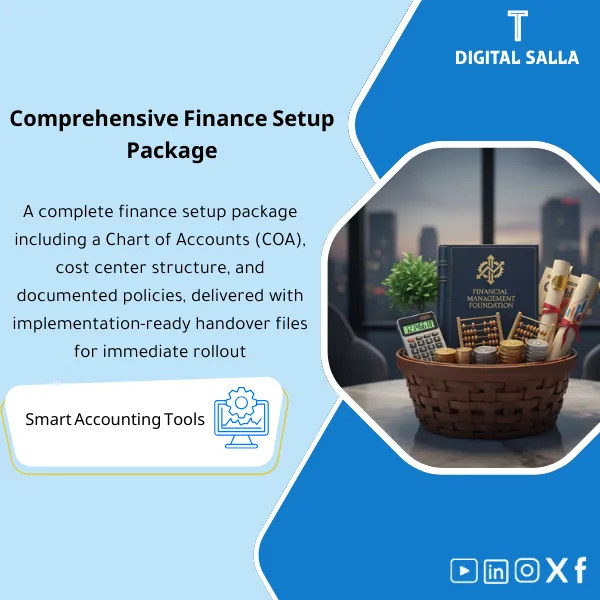
Finance Function Setup Pack: Includes a Chart of Accounts (CoA), cost centers, coding policies, and accounting treatment guidelines, plus data organization files. Delivers an ERP-ready account structure and analytical dimensions, with an operating guide and reporting handover from month one.
Financial Management Foundation Package
COA + Cost Centers + Accounting Policies + Master Data Organization + Handover Pack for Delivery
Value Proposition: Establishing financial management for companies as an applicable and deliverable system: a coded chart of accounts linked to the statements + cost center structure + written operational policies + data organization + a delivery file (Handover Pack) suitable for the team or the ERP implementer.
In 20 Seconds: What Will You Get?
- Coded COA (main/sub-accounts) + clear coding rules for use within GL.
- Direct mapping from accounts to statement items (P&L / BS) to reduce reclassification.
- Downloadable Cost Centers structure (departments/branches/projects) with practical usage definitions.
- Written operational accounting policies for recurring cases (Accruals/Prepaids/Fixed Assets… according to your company’s scope).
- Master Data organization rules (Customers/Vendors/Assets/Items) to reduce duplication and random codes.
- Organized Handover Pack for delivery to the team or the ERP implementer without loss of knowledge.
CTA related to deliverables: Download the package to receive COA + Cost Centers + Policies + Handover Pack ready for application and delivery.
Suitable For
- Financial Manager / Financial Controller looking to establish a Reporting Structure before operational pressure.
- Head of Accounting / GL Lead needing COA + Cost Centers + policies to prevent processing discrepancies among accountants.
- Company preparing to implement ERP wanting to deliver a clear structure before data migration.
Not Suitable For
- Those looking for a “report template” only without restructuring COA / Cost Centers or documenting policies.
- Those wanting detailed tax/Zakat compliance processing as a core product (separate compliance packages are available).
Without the Package / With the Package (Quick Comparison)
| Item | Without the Package | With the Package |
|---|---|---|
| COA | General accounts + repeated reclassification when preparing statements | Coded COA + Mapping to statements (P&L/BS) + Coding rules |
| Cost Centers | Mixed expenses on a single account | Cost Centers structure + loading definitions for profitability analysis by department/project |
| Policies | Processing varies by person/time | Written policies for recurring cases + fixed reference |
| Delivery | No unified file when changing employees/implementing ERP | Indexed Handover Pack: COA + CC + Policies + Master Data |
Before Use: 5 Symptoms Indicating Incomplete Establishment
- The same expense is recorded in multiple accounts (Misclassification) and reclassifications appear in reports.
- Department/project expenses are mixed, making it impossible to extract P&L by Cost Center.
- Processing discrepancies among accountants (Prepaids/Accruals/Fixed Assets) due to lack of written policy.
- Uncontrolled Master Data (duplicate vendors/customers/codes) making tracking and analysis difficult.
- When handing over work/implementing ERP, there is no “Handover file” outlining the structure and usage rules.
Establishing Financial Management for Companies: Application Method (3 Steps Without Gaps)
Step 1: Gather Company Context and Master Data
- Identify revenue sources/types of recurring expenses + operational method (branches/projects/departments).
- Define reporting needs: What does management want to see monthly (P&L by what?)
- Inventory core Master Data: Customers/Vendors/Services/Assets (according to the nature of the activity).
Step 2: Build COA + Cost Centers + Policies + Databases
- Design a coded COA and link it to the statements (Mapping) + define account nature and usage rules (GL Coding).
- Design Cost Centers Hierarchy (Cost Centers tree) + practical loading definitions within the company.
- Draft operational policies for cases that cause discrepancies later (classification of expenses/assets/periodic adjustments).
- Define Master Data rules (codes/labels/reference lists) to reduce duplication during entry.
Step 3: Quick Testing + Deliver Handover Pack
- Test coding a set of typical transactions (Sales / Purchases / Payroll / Opex) to ensure that COA and Cost Centers serve the required reports.
- Finalize the structure and usage details.
- Compile an indexed Handover Pack for delivery to the team/ERP Implementer.
Package Components (Clear Inventory)
-
COA Blueprint + Account Coding
- Practical Purpose: Create a chart of accounts used in daily entries without overlap between items.
- When to Use: Before starting operations or before data migration/Go-Live for the ERP.
- Resulting Guide: Final coded COA file + account usage rules (GL Coding Rules).
-
Financial Statements Mapping (P&L / BS)
- Practical Purpose: Link accounts to statement items to reduce reclassification when preparing reports.
- When to Use: When designing COA and before issuing the first periodic report.
- Resulting Guide: Mapping Sheet showing the linkage of each account to the report item.
-
Cost Centers Hierarchy + Loading Definitions
- Practical Purpose: Separate expenses/costs by departments/branches/projects to enable analysis.
- When to Use: From the first expense/cost entry intended for analysis by department/project.
- Resulting Guide: Coded Cost Centers structure + usage definitions (when do we use CC? How?).
-
Accounting Policies Pack (Written Operational Policies)
- Practical Purpose: Standardize processing for recurring cases to prevent discrepancies between accountants and periods.
- When to Use: Before the first closing, and when training the team/handover tasks.
- Resulting Guide: Short and clear policy document (when to record? how to close? what supporting documents are needed?).
-
Master Data Rules + Data Organization Templates
- Practical Purpose: Standardize codes/labels for customers, vendors, services/assets to reduce duplication and conflicts.
- When to Use: Before entering Master Data into the system or when cleaning data before migration.
- Resulting Guide: Data Dictionary + Templates for entering/cleaning Master Data.
-
Handover Pack (Delivery and Application File)
- Practical Purpose: Organized delivery explaining “What was built? How is it used? What is the decision reference?” to reduce operational reliance on a single person.
- When to Use: When handing over financial management to a new team or when starting to implement ERP/accounting system.
- Resulting Guide: Indexed delivery package that can be applied/downloaded/trained on by the team.
CTA related to deliverables: COA + Cost Centers + Policies + Master Data + Handover Pack.
What Should Be Included in the Delivery?
- Final COA File: Account codes + account names + account nature + usage rules + important notes for sensitive accounts.
- Mapping File for Statements: Linking accounts to P&L and BS items + any notes for expected reclassification during reporting.
- Cost Centers File: Cost Centers tree + codes + definitions + loading/usage rules (when do we use CC and when do we not?).
- Operational Policies Document: Processing items for recurring cases + what supporting documents are needed for each case + Cut-off/classification points.
- Data Dictionary File: Naming and coding rules + required Master Data fields (Customers/Vendors/Items/Assets according to your activity).
- Master Data Templates: Templates for preparation/cleaning before entry or migration.
- Brief Application Memo: Steps for loading/applying the structure within the system + verification points before approval.
- Approval and Handover Checklist: What has been approved? Who approves? What is the final reference version?
What Will You Have After Application (Outputs)
- Coded and structured COA supporting daily entry recording without overlap between items.
- Clear mapping from accounts to statement items to reduce “reclassification after aggregation.”
- Cost Centers usable for analysis (expenses/costs by department/project/branch).
- Written operational policies reducing processing discrepancies in recurring items.
- Controlled Master Data (codes/rules) reducing duplication and improving tracking during analysis.
- Indexed Handover Pack facilitating application within the finance team or during system implementation/change.
After Application (Two Points Only)
- Operational Result for the Team: Transaction recording becomes “repeatable” as coding and policies are standardized, reducing classification discrepancies between periods.
- Control/Audit Result: Higher traceability: every item in reports is linked to its definition in COA/Mapping and a written policy, not a momentary judgment.
FAQ — Questions Before Purchase
Is the package suitable for any accounting system or ERP?
Yes. The outputs (COA / Cost Centers / Mapping / Policies / Master Data) are foundational elements applicable to any system that supports accounts and dimensions (Cost Centers/Dimensions). The only difference is in the input method within the system.
Is it suitable for multi-branch or project companies?
Yes. The Cost Centers Hierarchy is designed in a way that allows for expansion (branches/departments/projects) without breaking reports or rebuilding COA.
Is it suitable for companies already operating and wanting to restructure?
Yes. It serves as a restructuring framework: cleaning the current COA, building clearer Mapping, and resetting Cost Centers and policies, then preparing the Handover Pack for organized transition.
Does it include policies for fixed assets and prepaid and accrued expenses?
It includes a framework of operational policies for recurring cases (such as Fixed Assets/Depreciation and Accruals/Prepaids) in a practical formulation: when to record? what is the supporting document? and how to close? with adaptability to your company’s reality.
What is the minimum information required to start?
A description of the activity and revenue sources, types of recurring expenses, administrative/operational structure (departments/branches/projects), and any reports you want management to see periodically (analysis by what?).
Is there a delivery file for the system implementer or new team?
Yes. The Handover Pack is a core component: COA + Mapping + Cost Centers + Policies + Data Dictionary + Approval Checklist.
Does the package guarantee that the statements will be generated automatically without any processing?
No. The package establishes the structure (COA/Mapping/Policies/Data) that makes aggregation and analysis logical. Preparing the statements remains linked to the quality of entry, adherence to policies, and availability of supporting documents.
Is the package tailored to a specific sector?
Designed to be multi-sector. Its adaptability is achieved through selecting account groups and cost centers and the required presentation method for reports according to the nature of your activity.
Ready to Adopt the Foundation Your Accounting Team Will Rely On?
You will receive: COA + Cost Centers + Policies + Master Data + Handover Pack as an applicable delivery package.
| المسمّى الوظيفي | |
|---|---|
| Duration | |
| المستوى | |
| التحديثات | |
| القطاع | |
| الصيغة |
Related products





Reviews
Clear filtersThere are no reviews yet.