


Zakat & VAT Compliance – Tools & Working Templates
297.61 $
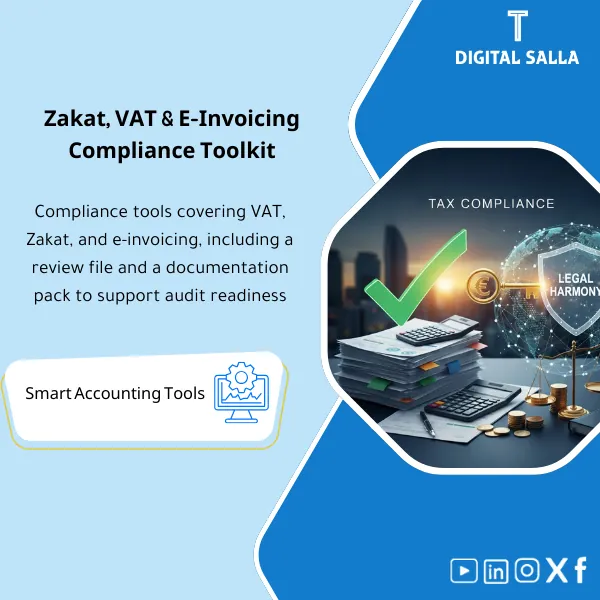
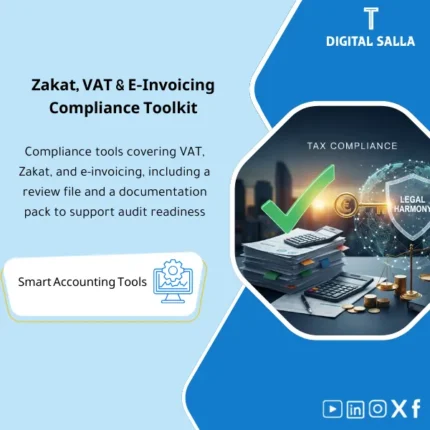
VAT Reconciliation Pack: Links the general ledger (GL) to invoice registers and VAT return references, supported by an audit file and review checklists. Delivers explained VAT variances and inspection-ready schedules for KSA compliance (ZATCA, e-invoicing, and Zakat-related readiness).
Compliance Package (VAT + Zakat)
VAT Reconciliation + Audit File + e-Invoicing Readiness + Zakat Workpapers
Value Proposition: The VAT Reconciliation Package connects VAT ledgers (Output/Input) with invoices and reports, producing VAT Return Support + Audit File + Exception Inventory + Verifiable Delivery Documents.
In 20 Seconds: What Will You Get?
- VAT Reconciliation links Sales/Purchases with VAT Ledger/GL and processes clear differences.
- Exception Report: Missing/Duplicate Invoices/ Inconsistent VAT Rates/Out-of-Period Dates (Cut-off).
- VAT Return Support: Summary of declaration figures + linking each item to its source (Schedules/Reports).
- Audit File Template: Ready-to-deliver audit file structure (Index + Attachments + Explanations of Differences).
- e-Invoicing Checklist: Inventory of e-invoice fields/requirements + Verification points before submission/archiving.
- Zakat Working Papers: Supporting schedules for preparing the Zakat base and adjustments (based on your data).
- Sign-off & Version Control: Approval/delivery page preventing multiple copies upon submission.
CTA related to outputs: Download the package to prepare VAT Reconciliation and produce VAT Return Support + Audit File instead of figures unlinked to their sources.
Suitable For
- Tax Accountant needing VAT Reconciliation + Audit File before submission.
- Head of Accounts wanting to establish a VAT matching trail and reduce recurring discrepancies between reports and ledgers.
- Financial Controller wanting to deliver a Compliance Pack suitable for internal/external audit.
Not Suitable For
- Those without Sales/Purchases reports or unable to extract VAT Ledger/GL for the period (reconciliation cannot occur without source data).
- Those wanting a “ready-to-submit declaration” without reviewing VAT policies or addressing exceptions within their data.
Without the Package / With the Package (Quick Comparison)
| Item | Without the Package | With the Package |
|---|---|---|
| VAT Reconciliation | VAT figures aggregated from multiple sources without linkage | Reconciliation linking Sales/Purchases with VAT Ledger/GL + interpreting differences |
| Exceptions | Missing/Duplicate invoices discovered post-submission or during review | Exception Report shows: Missing/Duplicates/Rate Issues/Cut-off |
| Audit File | Unindexed attachments + searching upon any audit request | Indexed Audit File: Schedules + Guides + Linking to the declaration |
| e-Invoicing | Delayed manual verification of fields/numbering/archiving | Readiness Checklist + Inventory of verification points before submission/archiving |
| Zakat | Delayed annual preparation without standardized Workpapers | Zakat Working Papers + Traceable Adjustment Schedules |
Before Use: 5 Symptoms Indicating Non-Auditable Compliance
- Recurring discrepancies between VAT in the Sales/Purchases report and VAT Accounts in GL/VAT Ledger.
- Missing/Duplicate invoices or out-of-period dates affecting the declaration (Cut-off).
- Inconsistent VAT rates used (Standard/Zero/Exempt) without a clear exceptions record.
- Upon audit request: No file linking the declaration number to supporting documents (no Index or Schedules).
- Discrepancies between e-invoices and records (numbering/fields/archiving) causing operational notes during review.
VAT Reconciliation: Application Method (3 Steps Without Gaps)
Step 1: Preparation and Report Gathering
- Extract the Sales and Purchases report for the period + Invoice file if available.
- Extract VAT Ledger or VAT Accounts entries/balances from GL for the period.
- Define the scope of reconciliation: companies/branches/activities + submission period (Monthly/Quarterly).
Step 2: Reconciliation + Exceptions + Adjustment Entries (if needed)
- Execute VAT Reconciliation: Linking invoices and reports with VAT Ledger/GL.
- Generate Exception Report: Missing/Duplicates/Rate Issues/Cut-off + compile reasons for discrepancies.
- Document processing: Is the difference “known” (Timing) or “recording error”? If necessary, prepare a VAT adjustment entry and document it in the VAT Adjustments Log.
Step 3: VAT Return Support + Audit File + Compliance Delivery
- Compile VAT Return Support: Declaration summary + linking each item to its source (Schedule/Report).
- Prepare Audit File: Indexing attachments and linking them to reconciliations, exceptions, and adjustments.
- Add e-Invoicing Checklist + (if annual cycle) compile Zakat Working Papers within the same delivery package.
Package Components (Clear Inventory)
-
VAT Reconciliation Workbook
- Practical Purpose: Linking Output VAT and Input VAT between reports (Sales/Purchases) and VAT Ledger/GL.
- When Used: Every VAT submission cycle (Monthly/Quarterly).
- Resulting Guide: Reconciliation Schedule showing the final figure + linkage paths + explained differences.
-
Exception Report (VAT Gaps & Issues)
- Practical Purpose: Identifying missing/duplicate invoices, incorrect VAT rates, and out-of-period dates (Cut-off).
- When Used: Before approving the declaration figure, and before preparing the audit file.
- Resulting Guide: Closeable exceptions list (Issue → Reason → Action → Outcome).
-
VAT Return Support Summary
- Practical Purpose: Transforming reconciliation into a summary of figures ready to link to declaration items (without being a “substitute” for your system).
- When Used: At the end of the reconciliation cycle and before submission/sending.
- Resulting Guide: Summary of declaration items + reference for each item to Schedule/Report within the compliance file.
-
VAT Adjustments Log
- Practical Purpose: Documenting any adjustments/entries made to VAT Accounts (reason for adjustment + supporting document + impact on declaration).
- When Used: When discrepancies require accounting treatment before final figure approval.
- Resulting Guide: Adjustments Log with document references linked to reconciliation.
-
Audit File Template
- Practical Purpose: Preparing an indexed audit file linking the declaration number to reconciliations and attachments instead of searching through disparate files.
- When Used: Every submission cycle (as an internal file) + upon any audit/request for review.
- Resulting Guide: Audit File Index + list of attachments + linkage to figures (Traceable Support).
-
e-Invoicing Compliance Checklist
- Practical Purpose: Inventory of verification points for e-invoicing (mandatory fields, numbering, archiving, linking invoice to entries/reports).
- When Used: When issuing invoices and during the reconciliation cycle as a quality check of invoice data.
- Resulting Guide: Readiness Checklist + closeable operational notes.
-
Zakat Working Papers
- Practical Purpose: Supporting schedules for preparing the Zakat base and adjustments based on company data (not a substitute for your advisor’s guidance).
- When Used: End of the year/Zakat cycle, and after closing the main financial statements.
- Resulting Guide: Workpapers + Adjustment Schedules that can be linked to financial statement/balance data.
-
Sign-off & Version Control
- Practical Purpose: Establishing an “approved version” of reconciliation figures, declaration, and supporting file.
- When Used: Before sending/submitting and before delivering the file to the manager/auditor.
- Resulting Guide: Approval page and issue date + version reference + period scope.
You will use it to produce VAT Reconciliation + VAT Return Support and prepare an indexed Audit File before any audit.
What Should Be Included in the Delivery?
- Source Data Section: Sales/Purchases reports for the period + (if available) Invoice file/Invoice archive matching the reports.
- VAT Ledgers Section: VAT Ledger or VAT Accounts statement from GL for the period + any supporting reports (AR/AP VAT if available).
- Reconciliation Section: VAT Reconciliation Workbook (Output/Input) + brief explanation of differences for each item.
- Exceptions Section: Exception Report + status of each exception (Closed/Open) + its impact on the final figure.
- Adjustments Section: VAT Adjustments Log + any entries/supporting documents related to adjustments.
- Return Support Section: VAT Return Support Summary linking declaration figures to their sources within the file.
- Audit File Section: Index of attachments + arrangement of documents according to reference (Invoice number/Entry/Report) for easy traceability.
- e-Invoicing Section: e-Invoicing Checklist + closeable operational notes (if any).
- Zakat Section (if annual cycle): Zakat Working Papers + Adjustment Schedules linked to financial statement data.
- Approval Section: Sign-off page (period, approved version, who approved, date of approval).
After Application (Two Key Outcomes)
- Operational Outcome for the Team: The final VAT figure comes from a single pathway: Reports → Reconciliation → Exceptions/Adjustments → Return Support (instead of manual aggregation from multiple files).
- Control/Audit Outcome: Traceability: Each item in the declaration figure linked to a reconciliation schedule and an attachment within the Audit File with a clear Index.
FAQ — Questions Before Purchase
Is the package suitable for any accounting system or ERP?
Yes, provided it can extract Sales/Purchases reports and VAT Ledger or VAT Accounts from GL for the period.
Is it suitable for multi-branch companies?
Yes. You can perform reconciliation for each branch/entity and then compile them into a single summary, maintaining a separate or consolidated audit file based on your reporting style.
Does it include Reverse Charge/Import VAT or special cases?
The package includes a framework for classifying VAT items and showing exceptions. Applying processing to special cases depends on your company’s approved VAT policy and available data sources.
Does it fully include e-Invoicing?
It includes a Readiness Checklist and operational verification points within invoices and archiving, with detailed requirements varying by regulatory authority in your country.
What is the minimum data required to get started?
Sales/Purchases report for the period + VAT Ledger/GL + VAT Accounts statement. Having an invoice file/archive enhances reconciliation strength and reduces exceptions.
Is it suitable for monthly submissions only or quarterly as well?
For both. It uses the same reconciliation approach, with differences in period scope and report sources.
Is there a template for delivering an “Audit File”?
Yes. The Audit File Template includes an Index + fixed sections for reconciliation, exceptions, adjustments, and return support.
Does it include Zakat?
Yes, at the level of supporting Workpapers (Zakat Working Papers) for preparing the base and adjustments based on your data. It is not a substitute for your advisor’s opinion/approval in case of differing treatments.
Can it be used for internal review before sending the file to a tax advisor?
Yes. It produces an organized file: Reconciliation + Exceptions + Support, making the review faster since each figure has a source within the package.
Ready to receive the VAT number with an organized audit file instead of “ad-hoc aggregation”?
Outputs: VAT Reconciliation + VAT Return Support + Audit File + e-Invoicing Checklist + Zakat Workpapers (if annual need).
| المسمّى الوظيفي | |
|---|---|
| Duration | |
| المستوى | |
| التحديثات | |
| القطاع | |
| متوافق مع | |
| الصيغة |
Related products

3-Way Match Toolkit – Excel File
Reviews
Clear filtersThere are no reviews yet.