




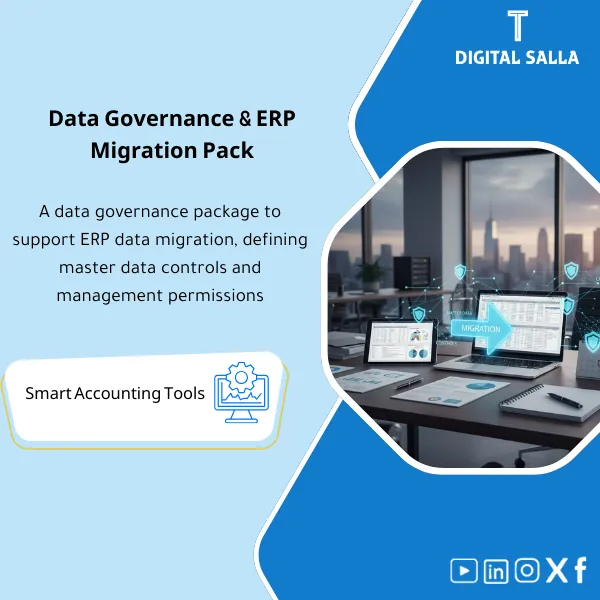
Data Migration & ERP Controls – Working Templates
156.65 $
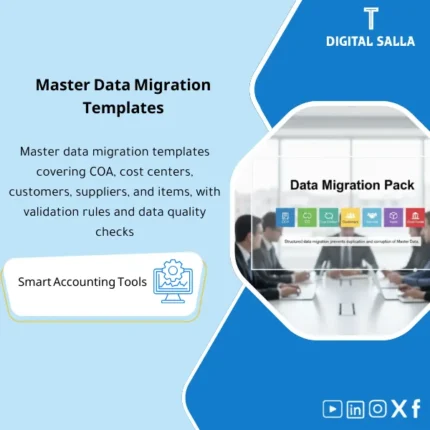
ERP Data Migration Pack: Includes migration templates, data cleansing, source-to-target mapping, and master data controls—plus a cutover plan and runbook. Delivers load files, tie-out reconciliations, and post–go-live operating steps for ERP and finance implementation teams.
Financial Data Governance and ERP Package
Data Migration Pack + Master Data Controls + Cutover Runbook (Deliverable Migration that is Reviewable)
Value Proposition: The ERP Data Migration package organizes “migration” as deliverable work files: Mapping + Templates + Validations + Reconciliations + Runbook, resulting in an Opening TB and Sub-ledgers that are matched and documented instead of relying on disparate files and efforts.
In 20 Seconds: What Will You Receive?
- Migration Scope & Tracker: Migration scope list + Status of each file/entity + Trial/Cutover dates.
- COA/Dimensions Mapping Sheet: Linking the current COA to the new COA + Coding Rules.
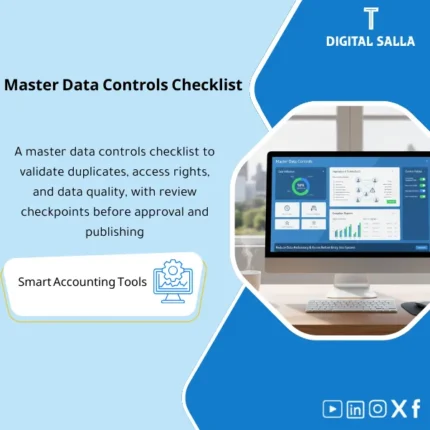
- Master Data Controls: Controls for entering/cleaning Customers/Vendors/Items/Assets (Data Dictionary + Duplicate Checks).
- Opening Balances Templates: TB/GL Opening templates + Sub-ledgers (AR/AP) with Cut-off rules.
- Validation Checklist: Mandatory checks before loading (Completeness/Format/Required fields).
- Reconciliation Pack: Matching Opening TB + AR/AP + Banks + (FA/Inventory if available) against the source.
- Cutover Runbook: Hour-by-hour Cutover steps (Freeze → Extract → Load → Validate → Sign-off).
CTA related to outputs: You will receive Migration Tracker + Mapping + Validation/Reconciliation Pack + Cutover Runbook as a ready-to-deliver file for the team or system implementer.
Suitable For
- Head of Accounting / GL Lead who wants Opening TB and Sub-ledgers “matched” before Go‑Live.
- Financial Controller who needs a reviewable migration deliverable with Sign-off and audit trail.
- ERP Implementation Lead who wants clean Upload files + Runbook to reduce Cutover errors.
Not Suitable For
- Those looking for a “migration service” executed within the ERP on their behalf (this is a package of templates, controls, and deliverables).
- Those without organized source data or unable to extract TB/AR/AP basic reports (matches will not be completed without a source).
Without the Package / With the Package (Short Comparison)
| Item | Without the Package | With the Package |
|---|---|---|
| Mapping | COA migration/mapping “as per file” without rules | COA/Dimensions Mapping + Coding Rules + Approved version |
| Master Data | Duplicate Customers/Vendors + Missing fields appearing after Go‑Live | Master Data Controls + Data Dictionary + Duplicate/Format checks |
| Opening TB | Opening balances loaded then differences understood later | Opening TB Templates + Validation + Reconciliation before approval |
| Cutover | Cutover steps within messages/meetings without Runbook | Cutover Runbook + Checkpoints + Sign-off (Freeze/Load/Validate) |
| Evidence | No file linking source to upload | Reconciliation Pack + Support Index for Traceability |
Before Use: 5 Symptoms That Increase Migration Risks
- No clear Mapping between old and new COA, resulting in Opening TB differences after loading.
- Duplicate/Incomplete Master Data (Customers/Vendors) leading to unmatched AR/AP Aging.
- Unspecified Cut-off: What is migrated as Opening? What remains as activity after Go‑Live?
- Trial migration repeats without a record of differences (no Issue Log detailing what was fixed).
- When requested by management/audit: No Reconciliations or Evidence proving that balances match the source.
ERP Data Migration: Implementation Method (3 Steps Without Gaps)
Step 1: Preparation and Scope Definition
- Define migration scope: Master Data (Customers/Vendors/Items/FA) + COA/Dimensions + Opening balances + Sub-ledgers.
- Establish Cut-off rules: Date of freezing the old system (Freeze) + Opening date in the new system.
- Set up Migration Tracker: Required files, owner of each file, status of preparation/review/loading.
Step 2: Trial Migration + Validations + Reconciliations
- Prepare extraction/loading Templates (Extract/Load) according to the fields of the target ERP.
- Execute Validation Checklist before loading (Required fields / Formats / Duplicates / Referencing).
- Implement Reconciliation Pack after Trial: Opening TB against the source + AR/AP Aging + Banks (+ FA/Inventory if available) and record differences in Issue Log.
Step 3: Cutover Runbook + Sign-off
- Run the Runbook: Freeze → Final Extract → Final Load → Final Validations → Reconciliations.
- Document the approved version of Opening TB and Sub-ledgers within the new system (Version Control).
- Compile Handover Pack and deliver Sign-off (who approved, what was approved, date of approval).
Package Components (Clear Inventory)
-
Migration Scope & Tracker
- Practical Purpose: Control “what will be migrated? When? Who is responsible?” instead of managing migration through disparate messages.
- When Used: From the start of the project until Cutover.
- Resulting Evidence: Tracker showing the status of each file + Version log (Version/Date) + Issue notes.
-
COA & Dimensions Mapping Sheet
- Practical Purpose: Link the old COA to the new and connect dimensions (Cost Center/Branch/Project/…) with fixed Coding Rules.
- When Used: Before preparing Opening TB and before any trial loading.
- Resulting Evidence: Approved Mapping + Coding Rules + List of sensitive accounts (Cash/AR/AP/Taxes).
-
Master Data Controls (Data Dictionary + Quality Checks)
- Practical Purpose: Prevent duplication and missing fields in Customers/Vendors/Items/FA through entry and cleaning rules.
- When Used: Before Trial migration and at every re-upload of Master Data.
- Resulting Evidence: Data Dictionary + Duplicate Check + List of missing data (Missing fields report).
-
Opening TB & GL Templates
- Practical Purpose: Prepare Opening Trial Balance/GL according to the new COA with documentation of the source of each number.
- When Used: Trial then Final at Cutover.
- Resulting Evidence: Opening TB file + linked to source reports + Cut-off points.
-
Sub-ledger Templates (AR/AP Aging + Details)
- Practical Purpose: Migrate receivable balances with their details (Customer/Vendor level) so they can be matched after Go‑Live.
- When Used: Trial then Final at Cutover.
- Resulting Evidence: AR/AP Aging files + Control totals + linked to AR/AP accounts in TB.
-
Validation Checklist (Pre‑Load & Post‑Load)
- Practical Purpose: Mandatory checks before and after loading (Formats/Required fields/Referential integrity).
- When Used: Every Trial and every final load.
- Resulting Evidence: Validation results + Closeable error list (Error log).
-
Reconciliation Pack (Post‑Load Evidence)
- Practical Purpose: Match balances after loading: Opening TB + AR/AP + Banks (+ FA/Inventory if available) against the source.
- When Used: After every Trial then after Final cutover.
- Resulting Evidence: Reconciliation schedules + Explanation of differences + Processing decision (Fix/Reload/Adjust).
-
Cutover Runbook + Sign-off
- Practical Purpose: Execute Cutover as an implementation plan: Freeze → Extract → Load → Validate → Reconcile → Sign-off.
- When Used: Week/Days of Cutover + Go‑Live day.
- Resulting Evidence: Completed Runbook checklist + Approval log (Sign-off) for the approved version.
You will receive Templates + Controls + Reconciliations + Runbook as a delivery package, not just separate upload files.
What Should Be Included in the Delivery?
- 01-Scope & Tracker: Migration scope file + Tracker of file statuses + Version log (Version/Date/Owner).
- 02-Mapping: COA Mapping + Dimensions Mapping + Coding Rules + List of sensitive accounts/dimensions.
- 03-Master Data: Data Dictionary + Templates (Customers/Vendors/Items/FA) + Data quality reports (Duplicates/Missing fields).
- 04-Opening Balances: Opening TB/GL templates + Control totals + Cut-off date specification.
- 05-Sub-ledgers: AR Aging + AP Aging + Linking Control totals to AR/AP accounts in TB.
- 06-Validations: Pre-load validation + Post-load validation + Error logs with closure status.
- 07-Reconciliations: TB/AR/AP/Banks reconciliation schedules (+ FA/Inventory if available) + Explanation of differences + Processing decision.
- 08-Runbook & Sign-off: Cutover Runbook + Checklist of checkpoints + Final version approval page (who approved/when/what was approved).
- 09-Support Index: Index linking each number/table to the source report (Exports/Statements) to facilitate Traceability.
After Implementation (Two Points Only)
- Operational Outcome for the Team: You have one “approved Opening version”: TB + Sub-ledgers + Mapping, instead of repeating uploads due to undocumented formatting/coding errors.
- Audit/Review Outcome: Traceability: Every Opening balance can be traced back to its source through Reconciliation schedules and Support Index within the Handover Pack.
FAQ — Questions Before Purchase
Is the package suitable for any ERP?
Yes. Because it relies on the principle of Templates + Mapping + Validation + Reconciliation. The application only depends on whether the target ERP allows for import or has ETL/Uploads.
Is it suitable for multi-entity or branch migration?
Yes. Files are separated by Company/Branch/Dimension with Control totals for each scope, then each scope is matched before aggregation.
Does it include Master Data migration only or balances as well?
It includes both: Master Data Controls + Opening TB and Sub-ledgers templates, with Reconciliation Pack to prove matching.
What is the minimum data required to start?
Current COA + Trial Balance/GL at Cut-off date + AR/AP Aging + Bank balances/statements. (And if available: Fixed Assets schedule / Inventory reports).
Does it include a Runbook for Cutover?
Yes. There is a Cutover Runbook that specifies the execution order (Freeze/Extract/Load/Validate/Reconcile/Sign-off) and checkpoints for each phase.
Do you need ETL tools or Power Query?
Not necessarily. The package provides templates, organization, and controls. If you have ETL, it helps with automation, but the approach and outputs do not depend on a specific tool.
Does it “guarantee” no differences after Go‑Live?
There is no absolute guarantee as it depends on the quality of source data and adherence to the Cut-off. The package reduces risks through Validation + Reconciliations + Sign-off on the approved version.
Is there a deliverable file ready for internal/external review?
Yes. An indexed Handover Pack that includes Mapping, Opening files, Reconciliations, Support Index, and Sign-off.
Ready for an organized migration delivery instead of “uploading and then searching for differences”?
Outputs: Migration Tracker + Mapping + Validation/Reconciliation Pack + Cutover Runbook + Sign-off for the approved version.
| المسمّى الوظيفي | |
|---|---|
| Duration | |
| المستوى | |
| التحديثات | |
| القطاع | |
| الصيغة |

Reviews
Clear filtersThere are no reviews yet.