



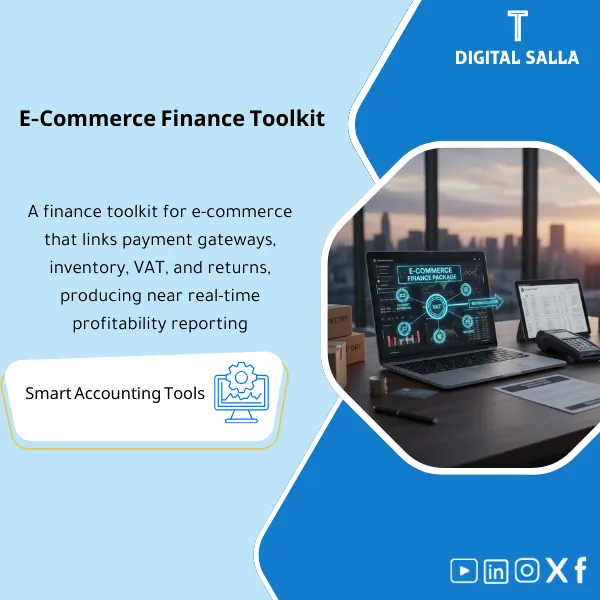
E-Commerce Finance Toolkit – Excel Files
111.44 $
E-Commerce Accounting Pack: Links sales orders to payment gateway settlements, fees, refunds, VAT, inventory, COGS, and returns. Delivers bank-to-collection reconciliation and channel/product profitability reporting for month-end close in online stores.
E-commerce Financial Package
Payment Gateways + VAT + Inventory + COGS + Returns (Month-End + Closing Pack)
Value Proposition: The E-commerce Accounting package connects orders with payment gateways, returns, inventory, and VAT, producing Reconciliations + JE Log and then Adjusted TB and a Closing Pack monthly for delivery and review instead of discrepancies between “Settlement vs Sales” at month-end.
In 20 seconds: What will you get?
- Orders-to-Revenue Schedule confirming Gross Sales / Discounts / Shipping / VAT by channel.
- Payment Gateway Settlement Reconciliations (Orders vs Settlements vs Bank) with clear variance explanations.
- Fees & Chargebacks Log: Commissions/Fees/Chargebacks/Refund fees with their impact on profits and liquidity.
- VAT Reconciliation: Linking VAT on orders and returns to VAT accounts in GL + supporting the return number.
- Inventory Valuation + Inventory-to-GL Reconciliation (if you have inventory/warehouse).
- COGS Schedule linked to inventory/sales movements (based on your method: FIFO/Avg/Periodic) + cost exceptions.
- Month-End Checklist + JE Log + Adjusted TB + Closing Pack for delivery.
CTA related to outputs: Prepare Closing Pack + Adjusted TB monthly with Reconciliations for payment gateways and VAT and inventory.
Suitable for
- E-commerce Accountant needing to link Orders to actual collections (Settlements) before closing.
- Head of Accounts wanting to substantiate Revenue/VAT/COGS with reviewable outputs instead of unexplained variances.
- Financial Controller needing a unified monthly delivery for management/internal review.
Not suitable for
- Those unable to extract Orders/Settlements/Bank reports for the period (Reconciliations cannot be done without sources).
- Those without any inventory tracking (no movements or balances) but wanting “accurate” COGS at the SKU level.
Without the package / With the package (short comparison)
| Item | Without the package | With the package |
|---|---|---|
| Sales vs Settlements | Sales figures do not match bank collections (variance in fees/delays/returns) | Settlement Reconciliations + variance explanations + logs for fees/returns |
| VAT | VAT on orders and returns not linked to VAT accounts in GL | VAT Reconciliation + VAT Return Support + impact of returns/settlements |
| COGS | COGS is an aggregated figure without linking to inventory movement or valuation | COGS Schedule + Inventory Valuation + exceptions (Zero/Negative/Unknown) |
| Returns/Refunds | Returns are processed after closing or without linking to inventory/VAT | Returns/Refunds Log + linking to impact (Revenue/VAT/Inventory) |
| Delivery | Scattered files upon management/review request | Indexed Closing Pack: Reconciliations + JE Log + Adjusted TB |
Before use: 5 symptoms of e-commerce closing failure
- Discrepancy between total sales in Orders report and total collections in Settlements/Bank.
- Payment gateway commissions and fees recorded as “aggregated” or forgotten, resulting in net collection variances.
- Returns/Refunds not linked to the period (Cut-off), causing numbers to change after month-end approval.
- VAT on sales and returns does not match VAT accounts in GL or support for the return.
- COGS cannot be explained: no clear link between inventory movement/valuation and cost of sales.
E-commerce Accounting: Implementation Method (3 Steps Without Gaps)
Step 1: Preparation and Report Collection
- Extract Orders/Invoices reports for the period (Sales/Discounts/Shipping/VAT) by channels.
- Extract Settlement reports from payment gateways + bank statements for the period (Bank statements).
- Extract Returns/Refunds/Chargebacks data (as available from the platform/gateway).
- Extract inventory movement/valuation reports (if available): Receipts/Issues/Valuation.
Step 2: Reconciliations + Settlements + JE Log
- Perform Payment Reconciliations: Orders (Gross) → Settlements (Net) → Bank (Actual) with separation of fees, delays, and returns.
- Prepare Logs: Fees/Chargebacks/Refunds with impact of each item identified (Revenue/VAT/Cash).
- Perform VAT Reconciliation: VAT on sales and returns against VAT Accounts in GL + document any adjustments.
- If you have inventory: Inventory-to-GL Reconciliation + prepare COGS Schedule and show exceptions.
- Record adjusting entries in JE Log: reason + support + impact + approval.
Step 3: Adjusted TB + Reports + Closing Pack
- Issue Adjusted TB after entering adjustments and closing discrepancies.
- Generate Month-End Summary: Revenue (Net) + Fees + VAT + COGS + Returns impact based on your scope.
- Compile indexed Closing Pack: Reconciliations + Logs + JE Log + Adjusted TB + Support Index + Sign-off.
Package Components (Clear Inventory)
-
Orders-to-Revenue Schedule
- Practical Purpose: Confirm sales figures from the source (Orders/Invoices) with separation of Discounts/Shipping/VAT by channel.
- When Used: Every Month-End before any payment matching.
- Resulting Evidence: Revenue schedule + Control totals for each channel.
-
Payment Gateway Settlement Reconciliations
- Practical Purpose: Link Gross (Orders) to Net (Settlements) and then link Net to bank collections (Bank) and show variances.
- When Used: Monthly, and before approving any “collection” or cash movement number.
- Resulting Evidence: Reconciliation for each gateway/channel + variance explanations (Timing/Fees/Refunds/Chargebacks).
-
Fees & Chargebacks Log
- Practical Purpose: Document payment gateway commissions, bank fees, and chargebacks and link them to settlements instead of losing them within variances.
- When Used: Monthly in conjunction with Settlement reconciliation.
- Resulting Evidence: Detailed Log + reference for each item to the gateway/bank report.
-
Returns & Refunds Reconciliation
- Practical Purpose: Link returns to their impact on Revenue/VAT and collections, and link “Refund” to the execution period (Cut-off).
- When Used: Monthly, and more precisely when there is a high volume of returns.
- Resulting Evidence: Returns/Refunds schedule + status of each order (Initiated/Approved/Completed) + financial impact.
-
VAT Reconciliation + VAT Return Support
- Practical Purpose: Link VAT on sales and returns to VAT accounts in GL and prepare support for the return number.
- When Used: Monthly/Quarterly based on VAT submission cycle.
- Resulting Evidence: VAT reconciliation + Support summary linking figures to sources.
-
Inventory Valuation + Inventory-to-GL Reconciliation
- Practical Purpose: Confirm ending inventory (Qty/Value) and link it to the inventory account in GL and show any variances.
- When Used: Monthly (Month-End) + expanded at Year-End during delivery for audit.
- Resulting Evidence: Valuation schedule + Reconciliation sheet + variance explanations.
-
COGS Schedule (Cost of Sales)
- Practical Purpose: Calculate cost of sales and link it to inventory movement/valuation, showing exceptions needing resolution (Zero/Negative/Unknown cost).
- When Used: Monthly after confirming inventory movement and before approving P&L.
- Resulting Evidence: COGS schedule + Exception list + linked to Inventory valuation.
-
Month-End Checklist + JE Log + Closing Pack Template
- Practical Purpose: Transform closing into a fixed path: Reconciliations → Adjustments → Adjusted TB → Closing Pack.
- When Used: Every Month-End (and expanded at Year-End).
- Resulting Evidence: Completed Checklist + JE Log + Closing Pack Index + Support Index + Sign-off.
You will use it to produce Reconciliations + JE Log → Adjusted TB → Closing Pack monthly.
What should be included in the delivery?
- 01-Inputs: Exports/Reports for the period (Orders/Settlements/Bank/Returns/Inventory) + Assumptions schedule (Cut-off/Rules).
- 02-Orders & Revenue: Orders-to-Revenue schedule (Gross/Discounts/Shipping/VAT) + Control totals by channel.
- 03-Gateways: Settlement reports for each gateway + Reconciliations (Orders vs Settlements) + Fees/Chargebacks breakdown.
- 04-Bank: Bank statements + Bank reconciliation/tie from Settlements to Bank (Actual cash in).
- 05-Returns/Refunds: Returns & Refunds schedule + execution statuses + impact on Revenue/VAT/Cash.
- 06-VAT: VAT reconciliation + VAT return support summary + any related adjustments/entries.
- 07-Inventory & COGS: Inventory valuation + Inventory-to-GL reconciliation + COGS schedule + exception list.
- 08-JE Log: Log of adjusting entries (reason + support + approval + impact) + linked to attachments.
- 09-Adjusted TB: One final copy after adjustments (Adjusted TB) + clear Cut-off point.
- 10-Pack Index: Closing Pack index + Support index linking each schedule to its source for easier Traceability.
- 11-Sign-off: Approval page for the version (period/channels/gateways) + who approved + approval date.
After Implementation (Two Points Only)
- Operational Outcome for the Team: Monthly closing becomes a single path that closes discrepancies before approving results: Orders → Settlements → Bank → VAT → Inventory/COGS → Adjusted TB.
- Control/Audit Outcome: Traceability: Any figure (Sales/Fees/VAT/COGS/Refunds) can be traced back to the source report within the Closing Pack via the Support Index instead of searching through files and channels.
FAQ — Questions Before Purchase
Is the package suitable for any e-commerce platform?
Yes, as long as you can extract Orders/Invoices and Returns reports, Settlement reports from payment gateways, and bank statements. The approach relies on reports, not the platform name.
Does it work with multiple payment gateways or marketplaces?
Yes. Reconciliations are done for each gateway/channel separately and then a Month-End summary is compiled, maintaining Control totals for each channel.
Does it cover payment gateway fees, bank fees, and chargebacks?
Yes. There is a Fees & Chargebacks Log that links fees to the gateway/bank reports and shows their impact on net collections and results.
Does it include VAT on sales and returns?
Yes. VAT reconciliation links VAT on Orders/Returns to VAT accounts in GL and produces support for the return number. Handling specific VAT cases depends on your data and your company’s approved policy.
Does it require an inventory system?
For the Inventory/COGS part, a minimum of inventory data (movement/valuation/balance) is required. If you do not track inventory, you can apply the payments/VAT/Returns part, but COGS will be limited to what your data provides.
What is the minimum data required to get started?
Orders report + Settlement reports + Bank statements + Returns/Refunds data. And if you have inventory: movement/valuation of inventory or Valuation report + balance of the inventory account in GL for reconciliation.
Does it support multi-currency?
Yes, if Settlements, banks, and Orders are separated by currency/account. Separation is done and then aggregated according to management’s display policy.
Is there a ready delivery template for internal review?
Yes. The Closing Pack Template includes: Reconciliations + Logs + JE Log + Adjusted TB + Support Index + Sign-off.
Ready to close the month with traceable e-commerce numbers?
Outputs: Gateway Reconciliations + VAT Support + Inventory/COGS then Adjusted TB + Closing Pack for monthly delivery.
| المسمّى الوظيفي | |
|---|---|
| Duration | |
| المستوى | |
| التحديثات | |
| القطاع | |
| الصيغة |
Related products





Reviews
Clear filtersThere are no reviews yet.