



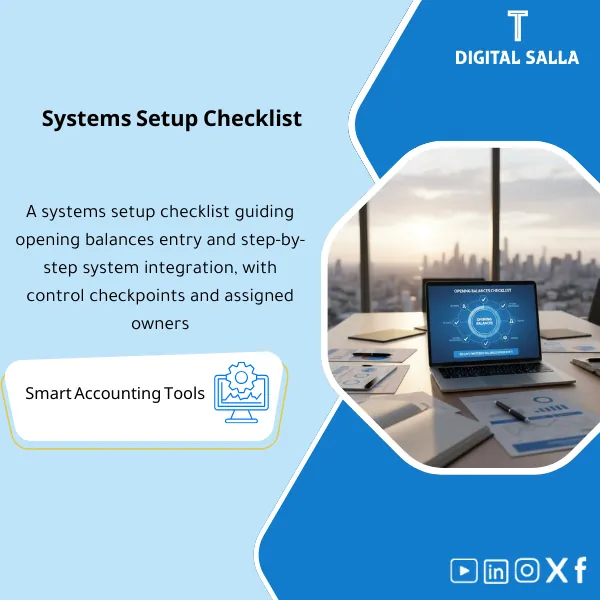
System Setup Checklist – Excel File
34.31 $
ERP Opening Balances Checklist: Controls migration of GL/AR/AP/Inventory opening balances and tie-out steps between the GL and subledgers. Delivers a complete pre–go-live checklist with integration tests to prevent opening variances.
Opening Balances Checklist
Subline: Opening Balances + Setup + System Interfaces (Checklist + Workpapers + Cutover Runbook)
Value Proposition: The ERP Opening Balances Checklist organizes the Go-Live journey from “pulling balances and uploading them” to documented delivery: Templates for balances (TB + Sub-ledgers) + Reconciliations + JE Log for adjustments + Cutover Runbook + Checklist for system integrations (Payroll/POS/E-commerce/Bank) — resulting in an approved Opening TB that is traceable.
In 20 Seconds: What Will You Get?
- Checklist for establishing Opening Balances: Scope of balances + Cut-off + Data sources + Owners.
- Ready Templates: Opening TB + AR/AP + Bank + (FA/Inventory if applicable) with Control Totals.
- Reconciliations: Tie-out from source → Upload file → Post-upload within ERP.
- JE Log: Opening adjustments (Reclass/Adjustments) with reason, support, and approval.
- Interfaces Setup Checklist: Mapping and linking (POS/E-com/Payroll/Bank) + Checkpoints before Go-Live.
- Cutover Runbook: Freeze → Extract → Load → Validate → Sign-off.
- Go-Live Validation Pack: Tests for the first week/month to ensure transactions are recorded on the correct Opening.
CTA related to outputs: You will receive Opening TB Pack + Reconciliations + Cutover Runbook as a single deliverable instead of uploading balances “without evidence”.
Suitable For
- Head of Accounting / GL Lead wants the Opening TB and Sub-ledgers to match the source before approval.
- Financial Controller needs Sign-off and an Evidence trail for any post-Go-Live review.
- ERP Implementation Lead wants a clear Checklist for system integrations and to reduce conversion errors.
Not Suitable For
- Those who want a “fully executed migration within ERP” without providing source reports or participating in reconciliations.
- A company that cannot define a Cut-off date or does not have an organized TB/AR/AP from the legacy system (the tie-out phase will be disrupted).
Without the checklist / With the checklist (Short Comparison)
| Item | Without Checklist | With Checklist |
|---|---|---|
| Opening TB | Upload balances then discover discrepancies after Go-Live | Opening TB Template + Tie-out + Sign-off before Go-Live |
| Sub-ledgers | AR/AP fails because customer/vendor details do not match the GL | AR/AP Packs + Control totals linking Sub-ledger to GL accounts |
| Reconciliations | Opening entries undocumented (no JE Log or support) | JE Log + Support + Approval + Clear impact on Opening TB |
| Interfaces | Linking POS/Payroll/E-com occurs post-Go-Live when errors appear | Interface checklist + Mapping + Checkpoints before Go-Live |
| Evidence | No file explaining “where the balance came from?” | Indexed Opening Pack + Support Index + Traceability |
Before Use: 5 Symptoms That Increase Go-Live Risks
- Opening balances do not match between TB and Sub-ledgers (AR/AP/Bank) and there is no explanation for discrepancies.
- Cut-off date is unclear: What is being migrated as Opening? What is recorded as a transaction after Go-Live?
- Master Data is disorganized (Customers/Vendors/Items) causing Templates to fail or show duplicates after upload.
- Adjustment entries are done “on the fly” without JE Log and support, disrupting the review later.
- Connected systems (Payroll/POS/E-com) lack Mapping or testing before Go-Live.
ERP Opening Balances: Implementation Method (3 Steps Without Gaps)
Step 1: Preparation and Gathering Balance Sources and Linking Systems
- Define the Opening Scope: GL + AR/AP + Bank + (FA/Inventory if applicable) + any other balances (Accruals/Prepaids).
- Establish Cut-off date and Freeze rules for the legacy system.
- Identify data sources (Reports/Exports) and label each source within the Support Index.
- List integrated systems: POS / E-commerce / Payroll / Bank feeds… and define “what is sent?” and “to where?”.
Step 2: Templates + Reconciliations + JE Log
- Fill Templates for balances (Opening TB + Sub-ledgers) with Control totals.
- Execute Reconciliations: Source → Template → Upload file, and record discrepancies in Issue/Exception Log.
- Document any adjustments/reclassifications in JE Log with reason, support, and approval.
Step 3: Cutover Runbook + Post-Load Validations + Sign-off
- Run the Runbook: Final extract → Load → Post-load checks within ERP (Trial/Final).
- Issue an “Approved Opening Copy” (Opening TB + Sub-ledgers) and link it to the Support Index.
- Conduct Go-Live validation: Tests for the first week/month (Posting + interfaces + first reconciliations).
Checklist Components (Clear Inventory)
-
Opening Scope & Cut-off Checklist
- Practical Purpose: Define what will be included as Opening and what remains as a transaction after Go-Live, with clear Owners and sources.
- When Used: At the project start and before the first Trial migration.
- Resulting Evidence: Scope memo + Cut-off rules + Source list (Report list).
-
COA / Dimensions Mapping Sheet
- Practical Purpose: Link the old COA to the new and connect dimensions (Cost Center/Branch/Project…) to avoid classification discrepancies during upload.
- When Used: Before preparing the Opening TB and before any upload.
- Resulting Evidence: Approved mapping + Coding rules + Sensitive accounts list.
-
Opening TB Template + Control Totals
- Practical Purpose: Prepare the Opening Trial Balance in an uploadable format with proof of balance and link each number to the source.
- When Used: Trial then Final during Cutover.
- Resulting Evidence: Opening TB file + tie-out to source TB + approved copy.
-
AR Opening Pack (Customers + Aging + Control)
- Practical Purpose: Migrate customer balances with their details and link them to the AR account in GL to prevent Sub-ledger discrepancies.
- When Used: Trial/Final before Go-Live.
- Resulting Evidence: AR aging template + control total = AR GL balance + exception list.
-
AP Opening Pack (Vendors + Aging + Control)
- Practical Purpose: Migrate vendor balances and link them to the AP account in GL, separating disputed items if any.
- When Used: Trial/Final before Go-Live.
- Resulting Evidence: AP aging template + control total = AP GL balance + open items.
-
Bank Opening & Cash Controls
- Practical Purpose: Establish bank/cash balances and link them to bank statements and the Cut-off point, to start the first Bank Reconciliation from a correct number.
- When Used: Just before Go-Live (with the latest available bank statement).
- Resulting Evidence: Bank opening schedule + statement references + outstanding items list (if any).
-
Fixed Assets / Inventory Opening Packs (Optional)
- Practical Purpose: Migrate FA register or inventory balances/valuation and link them to GL accounts to avoid discrepancies post-Go-Live.
- When Used: If the target ERP manages FA/Inventory at the sub-ledger level.
- Resulting Evidence: FA/Inventory templates + tie-outs + reconciliation to GL.
-
Interfaces & System Link Checklist (POS/Payroll/E‑com)
- Practical Purpose: Define data flows (What/From/To/Frequency) and Mapping rules and checks before Go-Live.
- When Used: Before Go-Live + during the first week of operation (confirming results).
- Resulting Evidence: Interface mapping sheet + test cases + sign-off on successful linking.
-
Reconciliation Pack + Exception Log
- Practical Purpose: Match Opening TB/Sub-ledgers before and after upload and record discrepancies and closure plans.
- When Used: After each Trial and after Final load.
- Resulting Evidence: Reconciliation schedules + exception log (Open/Closed) + source references.
-
Cutover Runbook + Sign-off
- Practical Purpose: Execute the Cutover day(s) as an implementation plan: Freeze → Extract → Load → Validate → Approve.
- When Used: Go-Live week until the final version is approved.
- Resulting Evidence: Completed Runbook checklist + Approval log (Sign-off) + Approved Opening copy.
The final output you will deliver internally: Opening TB + Sub-ledgers + Reconciliations + Runbook + Sign-off.
What Should Be Included in the Delivery?
- 01-Inputs: TB/GL exports from the legacy system + AR/AP aging + bank statements + vendor/customer master. Without these sources, Reconciliations will not be complete.
- 02-Mapping: COA mapping + Dimensions mapping + coding rules + Sensitive accounts list.
- 03-Opening TB: Opening TB template + Control totals + Tie-out to source TB + Approved copy.
- 04-AR Pack: AR aging template + customer list + control totals + linking to AR account in GL.
- 05-AP Pack: AP aging template + vendor list + control totals + linking to AP account in GL.
- 06-Bank Pack: bank opening schedule + statement references + list of outstanding items (if any) + Cut-off point.
- 07-FA/Inventory: (Optional) FA register/Inventory valuation + tie-outs + linking to GL.
- 08-Interfaces: interface mapping sheet + test cases + test results + sign-off.
- 09-Reconciliations: before/after upload + exception log + explanation of discrepancies + processing decision (Fix/Reload/JE).
- 10-JE Log: Opening adjustments/reclassifications with reason, support, and approval + impact on TB.
- 11-Runbook: cutover runbook + checklists + timestamps/owners + Checkpoints.
- 12-Sign-off: Final version approval page (period/entities/who approved/date of approval) + Support Index linking each file to its source.
After Implementation (Two Points Only)
- Operational Outcome for the Team: Go-Live starts with “one reference number” (Opening TB + Sub-ledgers) making the first Bank reconciliation and first Month-End based on a correct foundation.
- Control/Audit Outcome: Traceability: Every Opening balance can be traced back to its source through Reconciliations + Support Index + JE Log with Sign-off.
FAQ — Questions Before Purchase
Is the checklist suitable for any ERP?
Yes, as long as there are Import/Uploads or ETL, and TB/AR/AP/Bank can be extracted from the legacy system. The approach relies on reports and reconciliations, not the system name.
Is it suitable for multi-entity or branch companies?
Yes. Templates are separated by Entity/Branch/Dimensions and then Control totals are aggregated, with Sign-off on each scope.
Does it include inventory and fixed assets?
Yes, as optional packs within the same approach (Templates + tie-outs). The success of implementation depends on the availability of Inventory valuation and Fixed assets register from the source.
What is the minimum data required to start?
TB/GL extract as of the Cut-off date + AR/AP aging + bank statements + vendor/customer master. Without these sources, Reconciliations will not be complete.
Is it only for Go-Live or does it help post-implementation?
It is primarily Pre-Go-Live, but it includes Go-Live validation to test the first week/month (Posting + interfaces + first reconciliations) to confirm that operations started on a correct Opening.
Does it include a Cutover Runbook?
Yes. The Runbook specifies the sequence (Freeze/Extract/Load/Validate/Approve) and checkpoints and responsibilities for each step.
Does it replace the need for an ERP implementation partner?
No. It organizes the team’s work and provides Workpapers for delivery. Execution within the system (Imports/ETL/configuration) is typically done by the implementation team or ERP admin.
Does it support linking systems like Payroll or POS or E-commerce?
Yes, as a Checklist, Mapping, and Test cases. It requires the technical team/implementer to provide integration files or data flow diagrams to document and test the linkage.
Ready to approve the Opening TB without discrepancies post-implementation?
Outputs: Opening TB Pack + Reconciliations + JE Log + Cutover Runbook in an indexed delivery with Support Index and Sign-off.
| المسمّى الوظيفي | |
|---|---|
| Duration | |
| المستوى | |
| التحديثات | |
| القطاع | |
| الصيغة |






Reviews
Clear filtersThere are no reviews yet.