



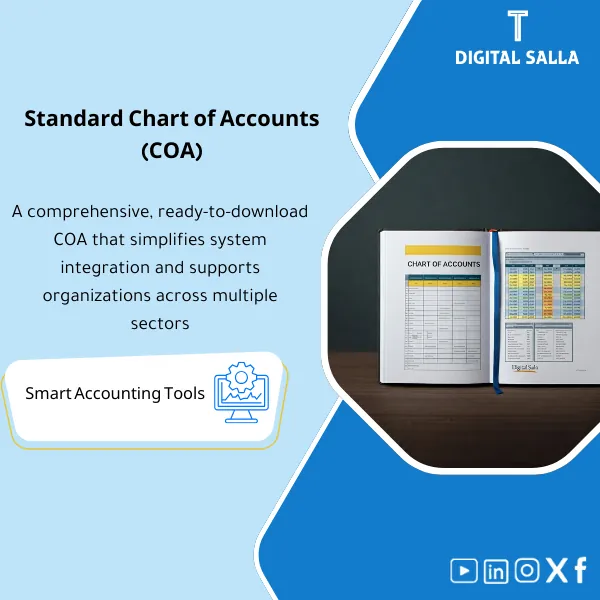
Standard Chart of Accounts – Excel File
84.84 $
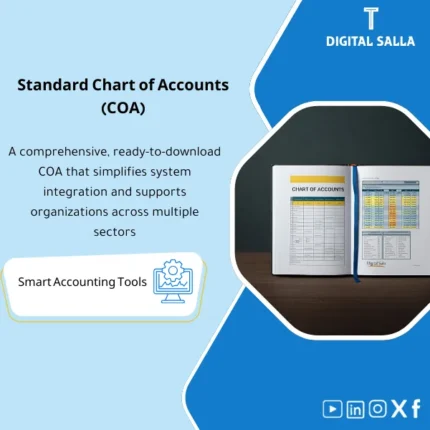
Chart of Accounts Template (Excel): A professionally structured and flexible CoA aligned with IAS/IFRS, including clear guidance and practical use cases for each account. Enables accurate posting, reliable financial statements, and KPI-driven performance analysis.
Chart of Accounts Template
COA Template + Account Coding + Posting Rules + Importable Outputs for ERP
Value Proposition: The Chart of Accounts Template is the file that prevents “account chaos” before it turns into discrepancies in the TB and difficulties in closing: it establishes account coding, the type of each account (BS/P&L), posting rules, control accounts, and links accounts to line items—making the company’s accounting books operational and auditable instead of relying on repetitive or inconsistent account names.
In 20 Seconds: What Will You Get?
- A clear account coding structure (Segments/Code ranges) that prevents account duplication under different names.
- Definition of each account type: BS vs P&L + Normal balance + Whether posting is allowed or if it is a control account.
- Identification of control accounts (AP/AR/Inventory/FA) and linking them to the subledger operating principle.
- Rules for creating new accounts (Account creation rules) to prevent “opening a new account for every case.”
- A preliminary FS Mapping skeleton to prepare the setup of the statements from the TB.
- Import-ready sheet for delivery to the ERP team or vendor.
- Change log + Sign-off: Documentation of the approved version of the COA before operation.
CTA related to outputs: Receive COA Master + Posting Rules + FS Mapping as a deliverable file that is reliable and importable.
Suitable For
- Chief Accountant / Financial Controller: You want to stabilize the chart of accounts before it expands and complicates the TB interpretation.
- ERP Finance Lead: You need a clear COA file to deliver to the vendor/IT as a system setup input.
- Account Management: You want operational rules that prevent the opening of duplicate accounts and maintain the ability to prepare statements.
Not Suitable For
- Those looking for management of Beautiful Instagram Accounts or Apple Store Accounts or Fortnite Accounts — this is an accounting template for a chart of accounts (GL) and not for platform/game accounts.
- Those wanting a “ready-made activity-based guide” without design/customization — this template builds the structure and sets the rules, after which the guide can be filled according to your activity.
Without the Template / With the Template (Short Comparison)
| Item | Without a Proper COA | With Chart of Accounts Template |
|---|---|---|
| Account Coding | Illogical codes + Similar accounts | Code ranges + Segments + Account opening rules |
| Reports | TB difficult to convert to statements without significant reclass | FS Mapping skeleton + BS/P&L classification from the start |
| Control | Opening new accounts “on demand” | Posting rules + Approval/Change log |
| ERP | Unclear import file + Adjustments during implementation | Import-ready sheet + Definition of account properties before upload |
Before Use: 5 Symptoms That Your Company’s Accounting Books Are “Unstable”
- Duplicate accounts for the same meaning (e.g., multiple expenses without a rule), leading to discrepancies and conflicting classifications when preparing statements.
- No separation between control accounts and posting accounts, resulting in users entering entries on accounts that should not be restricted.
- Control accounts (AP/AR/Inventory) are unclear, leading to recurring monthly reconciliations to correct outputs.
- No policy for opening new accounts or approval log, causing the guide to grow without governance.
- When implementing ERP, the COA file changes during execution because requirements were not finalized early on.
Chart of Accounts Template: How Does It Work Practically?
Step 1: Preparation and Gathering Reports and Requirements
- Extract the current TB/list of existing accounts + examples of recurring entries.
- Define management outputs: What do you need in P&L? What do you need in the balance sheet? And what level of detail is required?
- Identify required dimensions (if any): Branches/Departments/Projects—this is where the need for multi-entity (Multi-entity/Segments) arises if applicable.
Step 2: Designing the Guide (Coding + Account Properties + Creation Rules)
- Define coding convention: Segments/Range for each category (Assets/Liabilities/Equity/Revenue/Expenses).
- Fill in account properties: BS/P&L, Normal balance, Posting allowed, Control account (Yes/No).
- Activate rules for opening new accounts: When do we open? Who requests? Who approves? And how do we document the reason.
Step 3: Linking to Reports and Import (FS Mapping + ERP Import)
- Prepare a preliminary FS Mapping skeleton to reduce reclassification later.
- Output an import sheet for the ERP with the required properties for each account.
- Issue an “Approved COA” version with sign-off + change log to establish the guide before operation.
Template Components (Clear Inventory)
-
COA Master Sheet
- Practical Purpose: Build the guide hierarchically with codes, account names, and account groups.
- When Used: Before operating any system/before uploading COA, and when adding new accounts.
- Resulting Guide: COA master with account status (Active/Inactive) and approval date.
-
Account Properties & Posting Rules
- Practical Purpose: Define properties for each account: BS/P&L, Posting allowed, Control accounts, Currency/Tax flags (as per your environment).
- When Used: When designing input controls and when interpreting incorrect entries.
- Resulting Guide: Auditable properties table + its impact on entries and reports.
-
Coding Convention & Range Map
- Practical Purpose: Define the range for each group of accounts and the numbering logic to prevent conflicts.
- When Used: When opening a new account or when merging/splitting accounts.
- Resulting Guide: Range map + approved coding rules.
-
FS Mapping Skeleton
- Practical Purpose: Prepare the financial statement setup from the TB by linking each account to a statement item.
- When Used: During the preparation of the first statements after operating the guide/system, and during reclassification.
- Resulting Guide: Mapping table + reclassification log if needed.
-
ERP Import Sheet
- Practical Purpose: Deliver a clear import file to the ERP team instead of manually rebuilding the guide.
- When Used: In the system setup phase or when transferring COA to a new environment.
- Resulting Guide: Import-ready sheet + loaded evidence if documented.
-
Change Log + Approval
- Practical Purpose: Document who requested to open/modify the account, why, when, and who approved the change.
- When Used: With every modification to the guide + monthly/quarterly review.
- Resulting Guide: Change log + sign-off that confirms the approved version.
-
Operational Link with Journal Entry Template (Optional Operationally)
- Practical Purpose: Standardize how daily entries are recorded on the correct GL accounts according to the guide’s properties.
- When Used: When standardizing the format of entries/input rules for the team or when designing journal entry templates.
- Resulting Guide: A reference linking “transaction type” to allowed accounts (Posting guidance).
What Should Be Included in the Deliverable?
- 01-Pack Index: Scope of the guide + version copy + Owners + Policy for opening/modifying accounts.
- 02-COA Master: Accounts + codes + groups + account status.
- 03-Properties & Posting Rules: Account properties + posting restrictions + control accounts.
- 04-Coding Convention: Numbering rules + code ranges + account naming.
- 05-FS Mapping: Preliminary linking of statement items + reclassification log if needed.
- 06-ERP Import Sheet: Import template for ERP + required fields for import.
- 07-Change Log: Log of account openings/modifications + reason + approver + effective date.
- 08-Sign-off: Prepared/Reviewed/Approved + readiness criteria for “Approved COA.”
After Implementation (Two Points Only)
- Operational Outcome for the Team: Daily entries are recorded on specific accounts with clear properties (Posting allowed/Control accounts), reducing “correction entries” resulting from selecting an inappropriate account.
- Control/Audit Outcome: Any new account or modification has a documented impact: Change log + Approval + approved COA version, allowing for tracking the reason for the account’s existence and linking it to a statement item.
FAQ — Questions Before Purchase
Is the Chart of Accounts Template suitable for any ERP system?
Yes. Because the template documents the design of the COA and account properties, then outputs an import sheet that can be aligned with the fields of any ERP.
Is it suitable for multi-branch or multi-account companies?
Yes, through the design of segments/code ranges and linking them to dimensions (Entity/Branch/Department) as per your needs, while maintaining a clear natural account.
Does it include linking the trial balance to the statements (FS Mapping)?
It includes an FS Mapping skeleton as a preliminary linking structure that helps in preparing statements from the TB and reduces reclassification work later.
Does it replace a “ready-made activity-based chart of accounts”?
No. This is a design and rule-setting template. The ready-made activity-based guide provides prepared account content. Many teams start with this template and then choose account content based on their activity.
Does it integrate with a Journal Entry Template?
Yes, as an operational concept: the guide defines the accounts allowed for entry, and then the journal entry template uses the same codes to standardize input.
Is this product related to Instagram accounts or Apple Store accounts or Fortnite accounts?
No. These are “platform accounts” and not ledger accounts. The product is dedicated to an accounting chart of accounts (GL/COA) within the company’s accounting books.
What is the minimum data required to get started?
A list of current accounts or TB, the required reporting level (statements/management), and any dimensions you want (branches/departments/projects).
Can it be used to restructure an existing guide?
Yes: you use it to define the new guide, then perform mapping/reclassification from the old accounts to the new ones within a change log and approval record.
Ready to Establish the Account Structure Before It Grows Without Governance?
Outputs: COA Master + Posting Rules + FS Mapping + Change Log as a deliverable file that is reliable and importable.
| المسمّى الوظيفي | |
|---|---|
| Duration | |
| المستوى | |
| التحديثات | |
| القطاع | |
| الصيغة |
Related products

Reviews
Clear filtersThere are no reviews yet.