



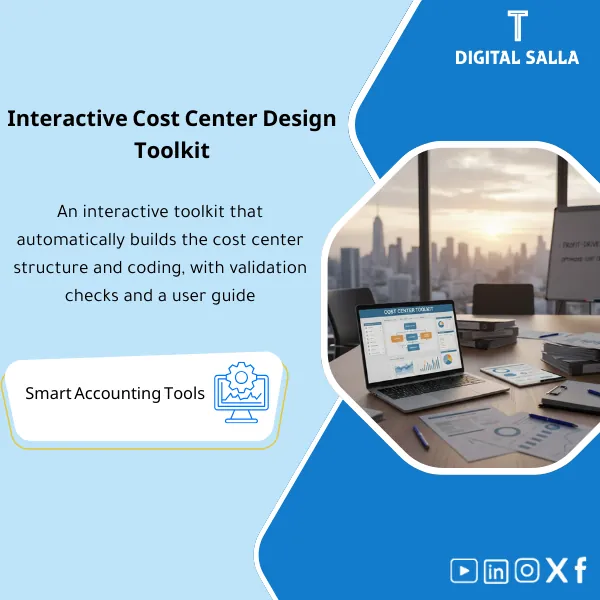
Design Toolkit – Interactive Excel File
63.56 $
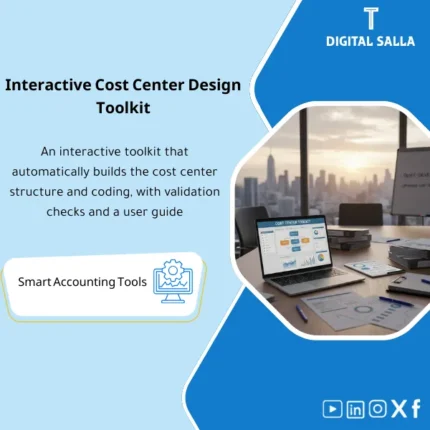
Cost Center Design Toolkit: Defines structure and coding, budget ownership, rules for creating new centers, and cost allocation methods. Delivers an ERP-ready cost center hierarchy for reporting and budgeting—profitability by department/branch/project.
Cost Center Design Tool
Cost Center Structure + Mapping + Allocation Rules (Toolkit for ERP Implementation)
Value Proposition: The Cost Center Design tool transforms cost centers from a “list of names” into a practical and measurable structure: defining the Cost Centers tree, linking it to operations/departments/branches, identifying Cost Objects, establishing allocation rules and drivers, and then producing Cost Center Register + Mapping + Allocation JE Templates as a Setup Pack ready for upload into the ERP and monthly follow-up.
In 20 Seconds: What Will You Get?
- Cost Center Tree: Clear levels (Company/Region/Branch/Dept/Function) based on your activity.
- Cost Center Register: Code/Name/Level/Owner/Active dates + Addition/Deactivation rules.
- Mapping: Linking accounts/operations to cost centers (Expense accounts → CC).
- Allocation Rules: Rules for allocating shared costs (IT/HR/Rent/Utilities) with drivers.
- Allocation JE Templates + JE Log for documenting monthly allocations.
- Reporting Structure: Report aggregations (Cost center groups) for departmental P&L.
- Governance: Request for creating a new CC + Approvals + Controls to prevent inflation/duplication.
CTA related to outputs: Receive Cost Center Register + Mapping + Allocation Rules as a Setup Pack ready for upload into the ERP and operation at Month-End.
Suitable For
- Financial Controller needing departmental/branch P&L with documented allocation rules.
- FP&A wanting to link budget and actuals within the same cost center structure to facilitate BvA.
- ERP Finance Lead wanting to design Dimension/Segment before Go-Live or before restructuring.
Not Suitable For
- A company that does not allocate expenses to cost centers and lacks owners for the centers (the value of the structure will not be evident without input commitment).
- Those seeking a detailed manufacturing costing system (BOM/Orders/Variance) — this is a costing area for factories, not administrative cost centers.
Without the Tool / With the Tool (Short Comparison)
| Item | Without Toolkit | With Toolkit |
|---|---|---|
| Structure | A list of cost centers without levels or owners | Tree + Register + Owners + Active/Inactive rules |
| Reports | Expenses appear aggregated and cannot be interpreted by department | Departmental P&L by CC groups with clear mapping |
| Allocation | Shared costs thrown to one center or manually divided | Documented allocation rules + drivers + JE templates |
| Governance of Additions | Inflation in the number of centers + name duplication + flawed reports | Request workflow + Naming rules + Sign-off on CC changes |
| Linking to Budget | Budget in one structure, and actuals in another | One structure (Budget & Actual) + Easier BvA |
Before Use: 5 Symptoms That Cost Centers Are “Not Reportable”
- Too many meaningless cost centers (Misc/Other/General) leading to a lack of accountability.
- The same department has multiple centers due to the absence of naming rules or owners.
- Shared costs (Rent/IT/HR) recorded on one center and then “interpreted” verbally.
- Expenses recorded without a cost center (or with errors) because there is no mapping or input controls.
- FP&A cannot perform Budget vs Actual by departments because the structure is unstable.
Cost Center Design: Implementation Method (3 Steps Without Gaps)
Step 1: Preparation and Gathering Inputs
- Define the reporting objective: Departmental P&L (Departments/Branches/Functions) + What are the management questions?
- Gather Org chart + Locations/Branches + Cost owners + Sources of drivers (Headcount/Area/Revenue…)
- Determine the required dimensions: Cost center only? Or with Project/Channel/Customer segment?
Step 2: Build Structure + Mapping + Governance
- Design the Cost Center Tree with logical levels + Coding rules to prevent inflation.
- Issue the Cost Center Register (Owner/level/status) + Workflow for requests to add/deactivate centers.
- Design Mapping: Expense/operation accounts to CC + Input controls (Mandatory rules).
Step 3: Allocation Rules + Month-End JE + Reporting
- Define allocation rules for shared costs (Allocation rules) with measurable drivers.
- Run monthly allocations through Allocation JE Templates and document them in the JE Log.
- Produce management reports: CC P&L + CC group summaries + Variance analysis (BvA) if you have a budget.
Components of the Tool (Clear Inventory)
-
Cost Center Tree Builder (Hierarchy Template)
- Practical Purpose: Design tree levels (Level 1..n) and link them to the entity/branch/department.
- When Used: During setup or restructuring.
- Output Guide: Approved tree + Coding rules + Level definitions.
-
Cost Center Register (Code/Name/Owner/Status)
- Practical Purpose: An official record for each cost center: Code, Name, Owner, Activation/Deactivation dates, and notes.
- When Used: Throughout the year when adding/deleting centers.
- Output Guide: Register + Change log + Sign-off.
-
Naming & Coding Rules (Governance)
- Practical Purpose: Prevent duplication and inflation of centers through naming, coding rules, and approvals.
- When Used: Before creating any new center.
- Output Guide: Concise policy + Request form for creating a center + Approval pathway.
-
Expense-to-CC Mapping + Posting Controls
- Practical Purpose: Link expense accounts to the required cost centers + Define where CC should be mandatory.
- When Used: During ERP setup + Review after the first month of operation.
- Output Guide: Mapping sheet + List of input controls + Approved exceptions.
-
Allocation Rules Matrix (Drivers & Basis)
- Practical Purpose: Document allocation rules: Cost source → Recipients → Driver → Frequency → Journal accounts.
- When Used: Before the first Month-End allocation + Update when drivers change.
- Output Guide: Allocation matrix + Driver sources + Compliance with management policy.
-
Allocation JE Templates + JE Log
- Practical Purpose: Execute monthly allocations through fixed journal templates and document them instead of “free” entries.
- When Used: Every Month-End after finalizing expenses and before issuing management reports.
- Output Guide: Allocation JEs + JE log (Reason/Support/Approval) + Tie-outs.
-
Reporting Groups (CC Grouping for Management P&L)
- Practical Purpose: Group cost centers into report groups (Departments/Functions) for presenting departmental P&L.
- When Used: During setup + Update with changes in organizational structure.
- Output Guide: Grouping matrix + Definition of each group + Linking to reports.
-
Month-End CC Pack (Closing Support)
- Practical Purpose: A monthly delivery file that verifies that expenses are recorded correctly on CC and that allocations have been executed and documented.
- When Used: Monthly with management reports.
- Output Guide: CC completeness check + allocation evidence + CC P&L outputs + Sign-off.
Outputs: CC Tree + Register + Mapping + Allocation rules + Documented monthly allocation JE templates.
What Should Be Included in the Delivery?
- 01-Inputs: Org chart + List of branches/locations + List of cost owners + Sources of drivers (Headcount/Area/Revenue…)
- 02-Tree: Cost center hierarchy template + Coding rules + Tree level definitions
- 03-Register: Cost center register (Code/Name/Owner/Status/Active dates) + Change log
- 04-Governance: Naming/coding policy + Request form for creating/deactivating a center + Approval pathway
- 05-Mapping: Expense-to-CC mapping + Posting controls + List of exceptions
- 06-Allocations: Allocation rules matrix + Driver sources + Journal accounts + Allocation frequency
- 07-JE Templates: Allocation JE templates + JE log + References for allocation evidence
- 08-Reporting: CC grouping matrix + Management P&L reports (templates) + Definitions
- 09-Month-End Pack: CC completeness check + allocation evidence + Monthly sign-off
- 10-Sign-off: Structure approval page (version/date/who approved) + Version control for the structure
After Implementation (Two Points Only)
- Operational Outcome for the Team: Expenses are read by department/branch because Posting controls and Mapping prevent “expenses without CC,” and shared allocations are done with fixed rules each month.
- Control/Audit Outcome: Traceability: Any allocation is documented through JE templates and JE log and can be traced back to the driver source, with sign-off on structure changes.
FAQ — Questions Before Purchase
Is the tool suitable for any ERP?
Yes. As long as the system supports Cost centers or Dimensions/Segments and can implement input rules or at least extract CC reports.
Is it suitable for multi-branch companies?
Yes. You can design levels for branches and then departments, or vice versa, depending on the reporting method required by management.
What is the minimum input needed to design a good structure?
Org chart + List of locations/branches + Identification of Cost owners + Decision on available drivers (Headcount/Area/Revenue). Without these, centers will turn into names that are not analyzable.
Does it include rules for allocating shared costs?
Yes: Allocation rules matrix + Drivers + JE templates, with documentation of the driver source to ensure auditability.
Does it make the cost center mandatory in input?
The tool provides a Posting controls matrix that specifies where the cost center should be mandatory. The actual enforcement depends on your ERP capabilities and settings.
Is this an alternative to a costing system for factories?
No. Cost centers here are for managing expenses and administrative allocations (SG&A/Overheads). Detailed factory costs require BOM/Production orders/variances.
Can it be linked to budgeting and financial planning?
Yes. The goal is for the same cost center structure to be the basis for Budget inputs and Budget vs Actual, reducing reporting discrepancies.
Is there a monthly delivery file after operation?
Yes: The Month-End CC pack verifies the completeness of entries on CC and the execution of allocations with their evidence (JE log + driver sources) and sign-off.
Ready to Adopt a CC Structure That Serves Reporting Instead of Complicating It?
Outputs: Cost Center Register + Mapping + Allocation Rules + Documented monthly allocation JE templates.
| المسمّى الوظيفي | |
|---|---|
| Duration | |
| المستوى | |
| التحديثات | |
| القطاع | |
| الصيغة |
Related products


FS Mapping Model – Excel File

Reviews
Clear filtersThere are no reviews yet.