




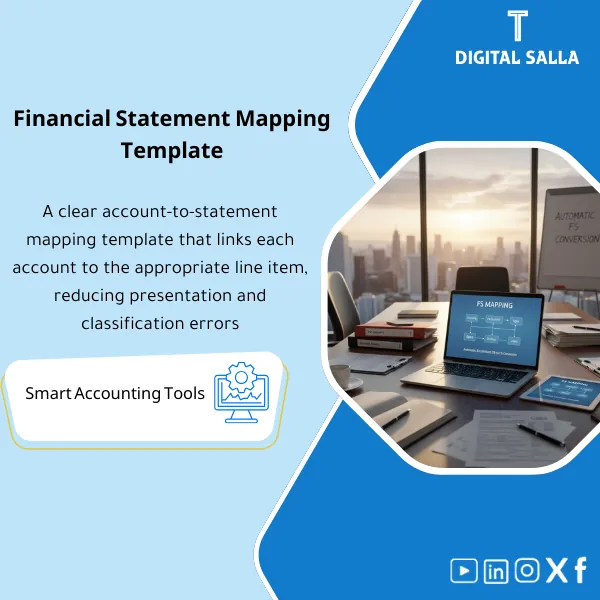
FS Mapping Model – Excel File
84.84 $
Trial Balance-to-Financial Statements Mapping Template: Maps CoA accounts to P&L, balance sheet, and cash flow lines, including reclass rules and sign logic. Delivers consistent financial statements from the TB—without manual regrouping.
FS Mapping Template
COA → FS Lines | P&L + Balance Sheet | Reclass Log | Pack Index + Sign-off
Value Proposition: The Trial Balance to Financial Statements template transforms the preparation of financial statements from “manual aggregation from TB” into a clear workflow: adopting a Financial Statement Line Structure, linking the Chart of Accounts to the financial statement items within FS Mapping Excel, documenting any Reclassifications in a separate decision log, and then producing P&L and balance sheet statements with tie-outs and an approved deliverable copy.
In 20 Seconds: What Will You Get?
- Financial Statement Line Structure (FS Lines) with clear levels (Main lines / Sub-lines) to standardize presentation across periods.
- FS Mapping Excel sheet: linking Account → FS Line with presentation/reference rules as needed.
- Outputs for Mapping P&L and Balance Sheet: aggregating profit and loss and balance sheet from the same TB with the same linking reference.
- Preparing Financial Statements from TB: FS Rollups ready for presentation (P&L + BS) with Control totals.
- Reclass Log: decision (from/to/reason/support/approval) instead of “last-minute adjustment.”
- Operational Checks: Unmapped accounts + Duplicate mapping + Tie-out for total TB and balance sheet.
- Pack Index + Sign-off: a “Final” version for the period to avoid the issue of multiple versions.
CTA related to outputs: FS Output + Reclass Log + Tie-outs will be prepared as a single delivery package instead of late adjustments at closing.
Suitable For
- Financial Controller who wants deliverable statements with traceability from financial statement items to TB accounts.
- Head of Accounting who needs standardized classifications and closing Reclass decisions with documented logs.
- Reporting Accountant preparing monthly/quarterly Pack and needing checks before approval.
Not Suitable For
- Those expecting “final statements + written Notes” without an internal disclosure and presentation policy framework.
- Companies that do not have a clean TB/COA or cannot establish a clear closing date (tie-out will not succeed without a stable source).
Without the Template / With the Template
| Item | Without the Template | With the Template |
|---|---|---|
| Statement Aggregation | Manual aggregation from TB each period (varies by person) | Aggregation of financial statement items through fixed Mapping + ready Rollups |
| New Accounts | Account appears in TB with no clear place in the statements | Unmapped check + linking decision + Version/Sign-off |
| Reclass | Reclassification at delivery without a decision log | Reclass Log (reason/support/approval) + clear impact on items |
| Review | Tie-out built manually upon auditor request | Tie-outs and Checks within Pack before approval |
Before Use: 5 Symptoms Delaying Statement Preparation
- The same account moves between different items because the classification is not fixed and not documented.
- Each period a new statement sheet is built without a Mapping reference or Version.
- There is no clear Tie-out between total TB and total statements after aggregation.
- Presentation/Reclassification occurs within the statement file without a Reclass log.
- Auditor requests start from a simple question and end with “show me the accounts that made up the item” because there is no clear Roll-up.
Preparing Financial Statements from TB: Implementation Method (3 Steps Without Gaps)
Step 1: Preparation and Gathering TB + COA + Item Structure
- Establishing the period source: TB or Adjusted TB (as of the closing date) + complete COA list.
- Defining the Financial Statement Line Structure: item levels for P&L and balance sheet (Main/Sub) and presentation criteria (Operating/Non-operating or Current/Non-current if necessary).
- Identifying sensitive accounts that require presentation rules (Cash/AR/AP/Taxes/Equity) before starting the linking.
Step 2: FS Mapping + Reclass Decisions (Documented)
- Executing FS Mapping Excel: linking each Account to one FS line (Account → FS Line).
- Opening Reclassifications in a separate log: from item to item + reason + support + approver name and approval date.
- Running Checks: Unmapped accounts + Duplicate mapping + classification rules for sensitive items.
Step 3: Rollups + Tie-outs + Approved Copy
- Producing Mapping P&L and Balance Sheet: automatically aggregating items from TB to FS lines.
- Executing Tie-outs: total TB against total outputs + balance sheet balance + basic cross-check reviews.
- Compiling Pack: Outputs + Checks + Reclass log + Version register + Sign-off (Final).
Template Components (Clear Inventory)
-
FS Lines Structure
- Practical Purpose: Standardizing presentation format (items and levels) so it does not change every month.
- When Used: During establishment + review when reporting requirements change.
- Resulting Evidence: FS structure sheet (Codes/Levels/Definitions) approved.
-
COA-to-FS Mapping Sheet (FS Mapping Excel)
- Practical Purpose: Linking COA to financial statement items so that aggregation of financial statement items from TB becomes a fixed operational step.
- When Used: Every Month/Year-End + when adding new accounts.
- Resulting Evidence: Completed Mapping + Unmapped accounts report (if any) + closing decision.
-
TB Import + Control Totals
- Practical Purpose: Standardizing TB before aggregation and preventing import errors (code mismatch/unbalance).
- When Used: In every statement preparation cycle after receiving TB/Adjusted TB.
- Resulting Evidence: TB import + control totals + extraction date reference.
-
FS Rollups Outputs (P&L + Balance Sheet)
- Practical Purpose: Producing outputs for preparing financial statements from TB so that each item is composed of a clear roll-up of its accounts.
- When Used: Every period (Month/Quarter/Year-End).
- Resulting Evidence: FS outputs + roll-up tables linking items to their accounts.
-
Reclass Log
- Practical Purpose: Documenting reclassification decisions instead of modifying statements without impact.
- When Used: When there are “marginal” accounts or presentation changes.
- Resulting Evidence: Reclass register + approvals + impact on items.
-
Validation Checks + Tie-outs
- Practical Purpose: Preventing errors before approval: Unmapped, Duplicate mapping, Tie-out totals, and balance sheet balance.
- When Used: Before issuing a Final version for each period.
- Resulting Evidence: Check results + list of discrepancies (Open/Closed) + review signature.
-
Pack Index + Version Control + Sign-off
- Practical Purpose: Establishing the period version and defining delivery files instead of multiple versions.
- When Used: During internal delivery or before sending files to the auditor.
- Resulting Evidence: Pack index + version register + sign-off page.
Outputs you will deliver: FS Mapping Excel + Rollups + Checks + Reclass Log + Sign-off in one approved copy.
What Should Be Included in the Delivery?
- 01-Inputs: TB/Adjusted TB export + COA list + closing date + any Dimensions (Entity/Branch) if applicable.
- 02-FS Structure: Financial Statement Line Structure sheet (P&L/BS) + item definitions.
- 03-FS Mapping: FS Mapping Excel sheet (Account → FS Line) + account status (Mapped/Unmapped).
- 04-Reclass: Reclass log + reason + support + approval + impact on items.
- 05-Checks: Unmapped report + duplicate mapping check + tie-out totals + BS balance check.
- 06-Outputs: Aggregation of financial statement items (P&L/BS) + roll-up tables for each item as needed.
- 07-Pack Index: Delivery index outlining file/sheet names and their scope.
- 08-Version & Sign-off: Version number + approval date + approver name + period/entity scope.
After Implementation (Two Points Only)
- Operational Result for the Team: Issuing statements becomes “update TB then run mapping then review checks” instead of manually rebuilding statements each period.
- Control/Audit Result: Traceability: each item in the statements can be broken down to TB accounts through mapping, and each Reclass decision is documented and approved within the Pack.
FAQ — Questions Before Purchase
Does the template work with any accounting/ERP system?
Yes. As long as TB and COA can be extracted in Excel/CSV format. The linking is done within a standalone Workbook.
Does it support multi-entity or branch companies?
It supports that if the TB contains Entity/Branch or if the TB is separated for each entity and then aggregated. The mapping can be unified or entity-specific depending on COA differences.
Does it cover the Cash Flow Statement?
The primary focus is on P&L and the balance sheet. Cash flows require an additional layer (Direct/Indirect + cash movement) and can be built on top of the same FS structure if desired.
How does it handle new accounts during the year?
They appear in the Unmapped check. They are linked to an appropriate item and then a new version is approved (Version + Sign-off) to keep the classification consistent.
Does Reclass in the template mean an accounting entry?
Not necessarily. Reclass can be “presentation” or “reclassification within closing” depending on your approach—the important thing is that the decision is documented with reason and support and approval.
What is the minimum data required to get started?
TB/Adjusted TB for one period + COA list + required financial statement line structure (even if a preliminary version). Without FS lines, mapping will not be systematic.
Is it suitable for monthly use and not just annual?
Yes. Using it monthly solidifies the classification and closes Reclass early, then Year-End becomes “aggregation and delivery” instead of redoing work.
Is there a delivery template for the auditor?
Yes: Pack Index + Checks + Tie-outs + Reclass log + Sign-off for the period version, so the answer is ready for the question “which account is included in which item and why?”.
Ready to Establish Statement Classification and Close Reclass Before Delivery?
Outputs: FS Mapping Excel + Financial Statement Line Structure + Rollups + Checks + Reclass Log in an indexed Pack with Version and Sign-off.
| المسمّى الوظيفي | |
|---|---|
| Duration | |
| المستوى | |
| التحديثات | |
| القطاع | |
| الصيغة |




Reviews
Clear filtersThere are no reviews yet.