




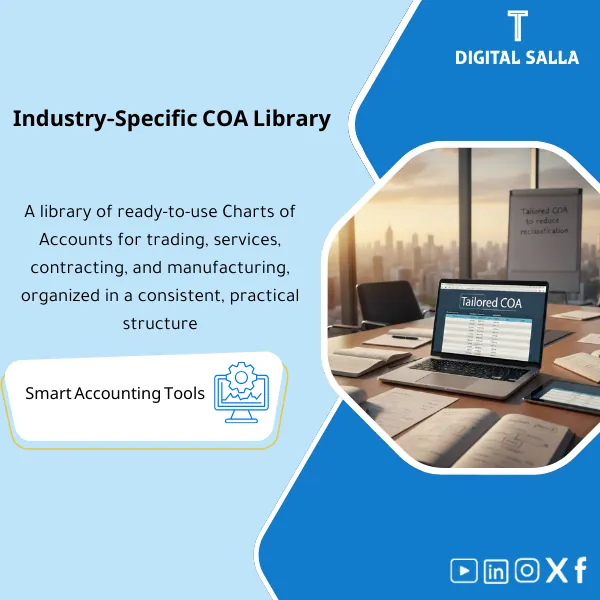
Sector COA Library – Ready-to-Use Excel Files
111.44 $
Industry-Ready Chart of Accounts: Provides CoA structures for trading, services, contracting, and manufacturing, with clear levels and classifications ready for migration. Delivers a CoA that reduces month-end reclasses for new setups or restructures.
Ready Chart of Accounts Guide
Subtitle: COA by Activity (Trade/Services/Contracting/Manufacturing) + Preparation for Saudi Companies (Excel ready for ERP upload)
Value Proposition: Ready Chart of Accounts Guide is used when the issue is not “recording entries” but “where to record the entries?”. Instead of generating a random TB and repeatedly reclassifying during the close, you receive a pre-prepared Chart of Accounts based on your activity (COA for trade/services/contracting/manufacturing) with coding rules and an account usage guide, resulting in an organized TB that can be linked to financial statements and operational reports from the first month.
In 20 Seconds: What Will You Get?
- Pre-prepared Chart of Accounts with clear levels (Assets/Liabilities/Equity/Revenue/COGS/Opex) that is expandable.
- Templates by Activity: COA for Trade / COA for Services / COA for Contracting / COA for Manufacturing (with sensitive accounts for each activity).
- Account Dictionary: Definition of each account “when to use it” + Entry Examples + What should not be included.
- Posting Rules: Practical rules that prevent mixing COGS with expenses or mixing revenue with discounts and returns.
- Control Accounts list: Control accounts for the Sub-ledgers (AR/AP/Inventory/FA) to facilitate Month-End reconciliations.
- Chart of Accounts Guide for Saudi Companies (when selecting the Saudi version): Common organizational accounts for VAT/Zakat/Withholding/Payroll as per your needs.
- Upload-ready version: Excel ready for coding/upload to ERP with Version + Sign-off.
CTA related to outputs: Receive COA Master + Account Dictionary + Posting Rules ready for upload and operation instead of building a guide from scratch under Go‑Live pressure.
Suitable For
- New Company / ERP Setup: Needs an applicable COA before the first close.
- Growing Company: Current COA has “grown” in a disorganized manner and needs restructuring without breaking reports.
- Multi-activity/Branch Company: Needs to unify coding and reporting with the ability to separate branches/projects.
Not Suitable For
- Sectors with mandatory regulatory COA (such as banks/insurance) or need a guide linked to a specific regulatory scheme.
- Those wanting a “complete replacement” of ERP Configuration (Taxes/Inventory costing/Projects) without an implementation team—this is a Chart of Accounts, not a system setup project.
Without the Guide / With the Guide (Brief Comparison)
| Item | Without Ready Guide | With Ready Chart of Accounts Guide |
|---|---|---|
| Entry Classification | Entries are recorded to general accounts and then reclassified at Month-End | Specific accounts + Posting rules reduce reclassification |
| TB and Reports | TB is “unreadable” and shows Other/Misc items frequently | Organized TB that is easy to link to statements and BvA later |
| Reconciliations | AR/AP/Inventory do not easily reconcile because Control accounts are unclear | Clear Control accounts support Reconciliations |
| Multi-activity | Mixing one activity with another within the same account | Template by activity (Trade/Services/Contracting/Manufacturing) reduces mixing |
Before Use: 5 Symptoms That the Current COA Causes Rework
- General accounts like “Miscellaneous Expenses” inflate and become a catch-all.
- Mixing COGS and Opex (especially in trade and manufacturing) results in an unanalytical Gross Margin.
- AR/AP accounts do not match Aging because Control accounts are unstable or not separated.
- Projects/Contracting are recorded on general accounts without separating WIP/Retention/Variations, leading to lost profitability analysis.
- Report presentation changes every month because there is no Dictionary clarifying “when to use the account”.
Ready Chart of Accounts: Implementation Method (3 Steps Without Gaps)
Step 1: Choose the Template and Define the Operational Scope
- Identify the primary activity type: Trade/Services/Contracting/Manufacturing, and whether there are multiple activities within the same entity.
- Determine elements that must appear in the COA: Inventory? Projects? Manufacturing/WIP? Fixed Assets? Payroll? Taxes/Zakat?
- Define the reporting dimension: Branches/Departments/Cost Centers (if they will be managed as Dimensions separate from the COA).
Step 2: Customize Accounts + Dictionary + Posting Rules
- Modify account names/codes according to company policy (Naming/Coding) without breaking the level structure.
- Establish Control accounts for AR/AP/Inventory/FA and link them to the operational mechanism in ERP.
- Activate Posting rules: Where to record discounts/returns/shipping costs/project expenses… etc.
Step 3: Upload to ERP + Test TB + First Month Closing Pack
- Upload the COA to the system (Import/Setup) with documentation of Version and Approval Date.
- Run simple transactions (AP/AR/Inventory/Payroll) and then extract a trial TB and review it against expectations.
- Issue the “First Month Pack”: TB + List of new accounts + Improvement notes for the Dictionary before final installation.
Components of the Guide (Clear Inventory)
-
COA Master Tree (Ready Chart of Accounts)
- Practical Purpose: Provide a GL structure with logical levels that prevent randomness (BS/P&L) and allow for expansion.
- When to Use: ERP establishment or COA restructuring before closing.
- Resulting Guide: COA master file with codes and levels + Approved Copy (Version).
-
Industry Pack (COA by Activity)
- Practical Purpose: Ready sensitive accounts based on the nature of the activity to reduce reclassification later.
- When to Use: When selecting a Trade/Services/Contracting/Manufacturing template.
- Resulting Guide: Additional/activated account set based on activity + Usage notes.
- COA for Trade: Inventory/Purchases/COGS/Discounts/Returns/Shipping Costs/Payment Gateways (if needed).
- COA for Services: Service Revenue/Cost of Service/Prepaids/Accruals/Unbilled (as per your model).
- COA for Contracting: WIP/Retention/Variations/Certified vs Uncertified + Trackable Project Expenses.
- COA for Manufacturing: Raw materials/WIP/Finished goods + Overheads + (if needed) Variance/Absorption accounts.
-
Account Dictionary (Account Definitions)
- Practical Purpose: Reduce interpretation discrepancies among the team: When do we use the account? What should not be included?
- When to Use: During daily operations + as a reference when onboarding new employees.
- Resulting Guide: Dictionary for each account (Purpose/Examples/Do-Not-Use).
-
Posting Rules & Control Accounts
- Practical Purpose: Establish control accounts for Sub-ledgers and rules for directing entries (AP/AR/Inventory/Payroll).
- When to Use: Before Go‑Live + in the first month of operation to adjust behavior.
- Resulting Guide: List of Control accounts + Posting rules + Closing checkpoints.
-
Saudi Add-on (Chart of Accounts for Saudi Companies)
- Practical Purpose: Add common regulatory accounts needed for operations in Saudi Arabia (VAT/Zakat/Withholding/Payroll) as applicable to your company.
- When to Use: When selecting the Saudi version or when there are local tax/insurance obligations.
- Resulting Guide: Additional accounts + Reporting display rules + Notes on linking them to the AP/Payroll cycle (as per your system).
-
Versioning + Change Log (Modification Governance)
- Practical Purpose: Prevent account explosion and duplication: each new account has a reason, Owner, and approval.
- When to Use: When adding new accounts or modifying the structure.
- Resulting Guide: Change log + Version register + Sign-off on the version.
You will receive: COA Master + Industry Pack + Dictionary + Posting Rules as an applicable and reviewable setup package.
What Should Be Included in the Delivery?
- 01-COA Master: Chart of accounts (Codes/Levels/Names) + Account status (Active/Inactive).
- 02-Industry Pack: Activity templates (Trade/Services/Contracting/Manufacturing) + Sensitive accounts for each activity.
- 03-Dictionary: Account definitions + Brief entry examples + What the account should not be used for.
- 04-Control Accounts: List of control accounts (AR/AP/Inventory/FA/Payroll) + Operational notes.
- 05-Posting Rules: Entry direction rules + Approved exceptions (if any).
- 06-Saudi Add-on: (if selected) Common regulatory accounts for Saudi Arabia + Application notes.
- 07-Versioning: Version register + Change log + Approval page (Sign-off).
After Implementation (Two Points Only)
- Operational Outcome for the Team: Entries are recorded to their correct accounts from the start (COGS/Revenue/Opex/Control accounts), reducing the volume of reclassification at closing.
- Control/Audit Outcome: TB becomes auditable because accounts have definitions and rules, and changes to the COA are documented through Change log and Sign-off.
FAQ — Questions Before Purchase
Is the guide suitable for any ERP?
Yes, as long as the system allows for the setup/import of GL accounts (Excel/CSV). The guide is delivered as a ready-to-upload COA file with a Dictionary and operational rules.
Will I choose only one template (Trade/Services/Contracting/Manufacturing)?
It is best to choose the template closest to the primary activity and then add parts from another template when there is a secondary activity, while maintaining Change log governance to avoid account inflation.
Does it appropriately include inventory and COGS for trade and manufacturing?
Yes. In COA for Trade, inventory/purchases/COGS and discounts/returns are separated. In COA for Manufacturing, Raw/WIP/FG and Overheads are separated (and variances if needed).
Does it include WIP and retention items for contracting?
Yes, within COA for Contracting (WIP/Retention/Variations) in a way that aids profitability analysis and reconciliations at Month-End.
Is it a complete “Chart of Accounts for Saudi Companies”?
There is an Add-on for common regulatory accounts for Saudi Arabia (VAT/Zakat/Withholding/Payroll) as applicable to your company, with application notes. Final approval will be according to your company policies and your advisor’s review if needed.
Does it include Mapping for financial statements?
This product focuses on building the COA and operations. If you need to link the TB to statement items (FS Mapping), there is a separate product for that.
What is the minimum information required to choose the correct template?
Type of activity, presence of inventory/projects/manufacturing, number of branches/entities, and whether you need Dimensions (Cost center/Project) alongside the COA.
How do I prevent the guide from inflating after operation?
By using a Change log and Owner for each new account request, and defining “when to add an account” versus “when to use a Dimension/Cost center” to avoid unnecessary account proliferation.
Ready to Start with an Organized COA Instead of Rebuilding the TB Every Month?
Outputs: Pre-prepared Chart of Accounts + Activity Templates + Dictionary + Posting Rules + Change Log in a deliverable Excel format.
| المسمّى الوظيفي | |
|---|---|
| Duration | |
| المستوى | |
| التحديثات | |
| القطاع | |
| الصيغة |
Related products

Customer Contracts Register – Excel Template
Customer Contract Management Template is a comprehensive Excel-based program to manage customer contracts effectively, including contract data, payments tracking, completion percentages, delivery dates, and project profitability—supported by automated reports that improve contract oversight and customer relationships.




Reviews
Clear filtersThere are no reviews yet.