





Financial Calendar & Deadlines – Excel Planner
42.29 $
Annual Finance Calendar: Sets timelines for close, reporting, taxes, and compliance obligations with task owners and dependencies. Delivers a yearly execution plan that prevents delays and clarifies submission dates.
Annual Financial Calendar
Finance Calendar for Closures/Reports/Taxes/Obligations + Clear Delivery Schedule (Owners + Evidence + Sign-off)
Value Proposition: Annual Financial Calendar is used when the issue is not a “lack of tasks” but a “lack of deadlines, accountability, and delivery.” This Finance Calendar transforms the fiscal year into an operational schedule: Monthly closing dates, Financial reporting dates, VAT/WHT tax deadlines, and other obligations—with an Owner for each deliverable, what evidence is required, and when the version is approved (Sign-off). The result: the closure does not surprise the team, taxes are not submitted at the last minute, and reports are released at the same rhythm every month.
In 20 Seconds: What Will You Get?
- Finance Calendar for the entire year: Monthly/Quarterly/Annual with clear task breakdown.
- Monthly closing dates as a Day Plan (Day 0 → Day X): Recs/Accruals/JE review/Adjusted TB/Closing pack.
- Reporting delivery schedule: TB, P&L/BS, KPIs, Management reports, Branch/Entity reports (as per your scope).
- VAT/WHT tax deadlines: Data collection → Review → Approval → Submission/Payment (with Evidence for each stage).
- Financial obligations Calendar: Recurring obligations (Bank recs, supplier statements, payroll runs, confirmations…).
- Annual closing plan: Year-End additions (Audit requests, extended cut-off, provisions/impairment, confirmations).
- Columns for Owners/Backups + Approval level (Prepared/Reviewed/Approved) for each deliverable.
CTA related to outputs: Receive Calendar + Close Plan + Tax/Reporting Deadlines + Owners as a single operational file.
Suitable For
- Financial Controller: Wants to streamline closures and reports on a consistent rhythm and assign Owners for each deliverable.
- Chief Accountant: Wants a monthly closing plan (Day-by-Day) managed as an operation rather than an emergency.
- Tax/Compliance Owner: Wants VAT/WHT deadlines and stages along with evidence and signatures.
Not Suitable For
- Those who want “ready legal deadlines” without specifying the country/tax system—the package provides an operational framework, and tax dates are filled in according to your country and regulatory calendar.
- A company that does not want Owners/Backups and does not treat reports as formal outputs— the calendar will not work without responsibilities and approvals.
Without Calendar / With Calendar (Brief Comparison)
| Item | Without Calendar | With Calendar |
|---|---|---|
| Closure | Starts late and tasks appear suddenly | Monthly closing plan (Day-by-Day) with outputs and accountability |
| Reports | Inconsistent delivery and changes in format and timing | Reporting delivery schedule with fixed dates and evidence and approvals |
| Taxes | Data collection at the last minute + review pressure | VAT/WHT stages (Gather/Review/Approve/Submit) within the calendar |
| Accountability | No clear Owner or Sign-off | Owners/Backups + Prepared/Reviewed/Approved for each deliverable |
Before Use: 5 Symptoms That the Year is Managed “Reactively”
- Closing dates change every month, leading to lost comparisons and planning.
- Reports are delayed because there is no defined and approved delivery schedule.
- VAT/WHT is prepared under pressure because data collection stages are not distributed throughout the month.
- Year-End becomes a separate project because there is no early annual closing plan.
- Absence/vacation of one person halts delivery because there is no Backup in the calendar.
Annual Finance Calendar: Implementation Method (3 Steps Without Gaps)
Step 1: Establish Year Dates and Output Scope
- Define the start/end of the fiscal year + target closing dates (Day X for each month).
- Identify the reports required for delivery: Financial (TB/FS) + Management (KPIs) + Branch/Entity reports.
- Determine tax obligations (VAT/WHT and others as per your country) and their steps.
Step 2: Build the Schedule and Link it to Owners and Evidence
- Fill the calendar at the monthly level: Cut-off → Recs → Accruals → JE review → Adjusted TB → Close pack.
- Add columns: Owner/Backup + Evidence required + Sign-off level + Evidence storage location.
- Insert taxes as stages (Gather/Review/Approve/Submit/Pay) instead of just a “deadline.”
Step 3: Run Monthly Follow-up and Quarterly Update
- Use Status tracking: On track/At risk/Late + Reasons + Corrective actions.
- Compile “Monthly Copy” within the Closing pack (Calendar snapshot + sign-off).
- Quarterly update: Adjust deadlines/Owners when team/system/commitments change.
Calendar Components (Clear Inventory)
-
Annual Calendar Master (Financial Obligations Calendar)
- Practical Purpose: View the entire year: Closures/Reports/Taxes/Recurring obligations.
- When to Use: Annual reference + update upon any change.
- Resulting Evidence: Calendar master with Owners and Deadlines.
-
Monthly Close Timetable (Monthly Closing Dates)
- Practical Purpose: Daily closing plan (Day 0..Day X) with outputs and signatures.
- When to Use: Every month before Day 0 and during the closing.
- Resulting Evidence: Close timetable + status + sign-off.
-
Reporting Deliverables Schedule (Reporting Delivery Schedule)
- Practical Purpose: Define what is delivered, when, and in what version (TB/FS/KPIs/Management pack).
- When to Use: Monthly/Quarterly based on reports.
- Resulting Evidence: Deliverables schedule + evidence links.
-
Tax Deadlines & Workplan (VAT/WHT Tax Deadlines)
- Practical Purpose: Turn tax into a plan: Data collection → Review → Approval → Submission/Payment.
- When to Use: Monthly/Quarterly based on tax type and your country’s requirements.
- Resulting Evidence: Tax workplan + evidence checklist + sign-off before submission.
-
Year-End Close Plan (Annual Closing Plan)
- Practical Purpose: Add year-end tasks: confirmations, provisions, impairment, audit PBC list, and more.
- When to Use: Weeks/months before Year-End + during the annual closing.
- Resulting Evidence: Year-end plan + owners + PBC tracker.
-
Status Tracker + Sign-off
- Practical Purpose: Monitor execution and record “who approved the deliverable” instead of verbal tracking.
- When to Use: Weekly during closing and tax seasons.
- Resulting Evidence: Status tracker + sign-off per deliverable.
Delivery: Annual closing plan + Reporting delivery schedule + Tax workplan with Owners, Evidence, and Sign-off.
What Should Be Included in the Delivery?
- 01-Calendar Master: Complete Annual Financial Calendar (Monthly/Quarterly/Annual) + Owners/Backups.
- 02-Month-End Plan: Monthly closing dates Day-by-Day + outputs for each day + Sign-off.
- 03-Reporting Schedule: Financial reporting dates + reporting delivery schedule (TB/FS/KPIs/Management pack).
- 04-Tax Workplan: VAT/WHT tax deadlines as stages + Evidence checklist + reviewer sign-off.
- 05-Year-End: Annual closing plan + PBC tracker (auditor requests) + deadlines.
- 06-Status Tracker: Execution monitoring (On track/At risk/Late) + reasons for delays + actions.
- 07-Version & Sign-off: Version number + scope of application + approval date + next review date.
After Implementation (Only Two Points)
- Operational Outcome for the Team: Closures, reports, and taxes become a clear operational schedule with Owners and Backups, reducing surprises and making follow-up objective (Status).
- Control/Audit Outcome: Each deliverable has a deadline, evidence, and approval, and compliance with the annual plan can be demonstrated through the Tracker and Sign-off instead of relying on memory.
FAQ — Questions Before Purchase
Does the calendar include ready legal tax dates?
The calendar is delivered as an operational framework. VAT/WHT dates vary by country and registration period, so they are filled in the calendar according to your country’s requirements.
Can it be used for multi-branch or entity companies?
Yes. You can add an entity/branch column for each deliverable or issue a copy for each entity and then compile them into the Master.
Does it cover annual or only monthly closures?
It covers both: Monthly closing dates + Annual closing plan with additional tasks for the year and follow-up on auditor requests (PBC).
Does it include a reporting delivery schedule for management?
Yes: Financial reports (TB/FS) and Management reports (KPIs/Management pack) as per your defined scope.
How do I ensure compliance with the calendar?
By assigning Owners/Backups + Status tracker + Sign-off for each deliverable. The calendar without follow-up and acknowledgment of responsibility becomes an unused file.
Does it integrate with the Closing Pack or SOPs?
Yes. The calendar specifies “when” and “who.” The Closing pack specifies “what we deliver as evidence.” SOPs explain “how we execute.”
What is the minimum input required?
Start/end of the fiscal year, target closing dates, list of required reports, tax obligations (VAT/WHT and others), and names of Owners/Backups.
Can it be printed or used as a tracking board?
Yes. It is delivered in a printable format and can also be used as a tracking board within Excel/Sheets with execution statuses.
Ready to Transform the Fiscal Year into an Operational Plan Instead of “Closure Surprises”?
Outputs: Monthly closing dates + Financial reporting dates + VAT/WHT tax deadlines within the Finance Calendar with Owners, Evidence, and Sign-off.
| المسمّى الوظيفي | |
|---|---|
| Duration | |
| المستوى | |
| التحديثات | |
| القطاع | |
| الصيغة |
Related products


Expected Credit Losses Assessment Service (IFRS 9)


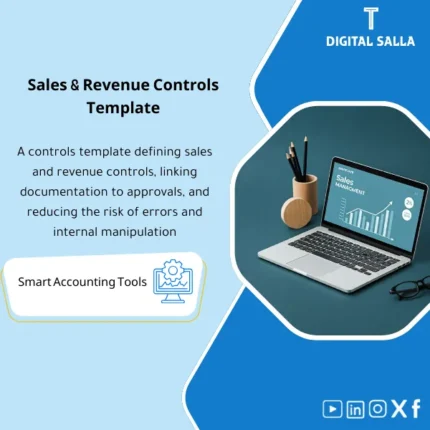
Sales Controls Template – Excel Template
Sales Control Template is an effective Excel tool to manage and monitor sales invoices and revenue contracts with automated workflows, analytical reports, and charts to help you understand sales performance. Highly flexible and editable to fit your needs—strengthening sales controls and improving performance.

Reviews
Clear filtersThere are no reviews yet.