


Master Data Migration Pack – Excel Templates
156.65 $
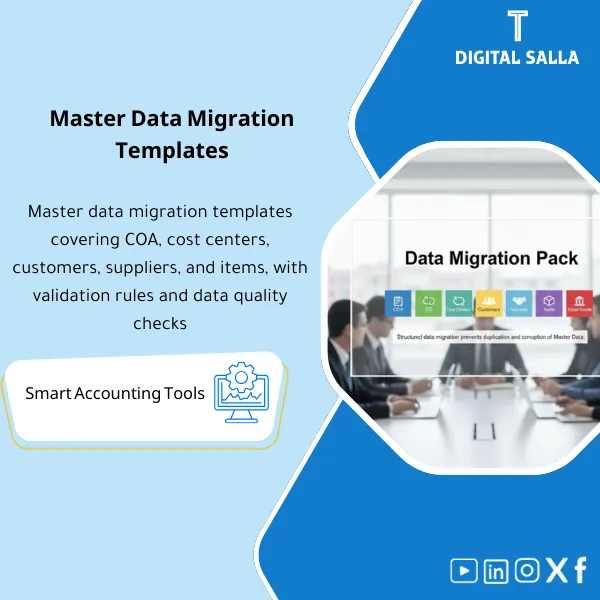
ERP Data Migration Templates: Covers CoA, cost centers, customers, vendors, items, fixed assets, and employees with mandatory fields and validation rules. Delivers load-ready master data files and error logs to reduce duplicates during implementation.
ERP Data Migration Templates
Data Migration Pack for Master Data (COA/CC/Customers/Vendors/Items/FA/Employees) + Mapping + Validation + Load Evidence
Value Proposition: In ERP projects, the issue is not “Excel migration” but the lack of organized delivery: Where will we extract the data from? How do we clean it? How do we perform Mapping? And how do we prove that what has been loaded equals what has been approved? This Data Migration Pack provides ready-to-use ERP Data Migration Templates for core Master Data templates (COA/Cost Centers/Customers/Vendors/Items/Fixed Assets/Employees) with Validation rules, an Error log, Tie-out outputs, and Load evidence that can be reviewed before Go-Live.
In 20 seconds: What will you receive?
- Ready Data Migration Excel: Templates for all Master Data with core columns + customizable Target system columns.
- COA Migration: Account structure + Account properties + FS mapping readiness + Status (Active/Blocked).
- Cost Center Migration: CC hierarchy structure + Entity/Branch linkage + Effective dates + Responsibilities.
- Customer and Vendor Migration: Profile data + Payment terms + Tax/VAT fields + Bank details (if needed) with checks.
- Item and Asset Migration: Items/UoM/Valuation fields + Fixed Assets master + Depreciation settings (basics) with Checks.
- Employees master (Finance-relevant): Employee data/Cost Center/Payroll structure (within the scope of master and not Payroll engine).
- Validation: Duplicate checks, Mandatory fields, Format rules, Cross-reference (COA ↔ CC ↔ Entity).
CTA related to outputs: You will receive Master Data Templates + Mapping + Validation + Load Logs ready for trial and Cutover.
Suitable for
- New ERP Project/System Replacement: Requires repeatable ERP Data Migration templates before Go-Live.
- Multi-branch/Entity Company: Needs to configure Entity/Branch/CC and link them before loading Master Data.
- Finance/Operations: Aims to reduce Master Data errors that trigger AP/AR/Inventory issues post-implementation.
Not Suitable for
- Those seeking “automatic migration” without cleaning source data or without data Owners—the templates help you organize and validate, but they do not fix your data for you.
- Those wanting to migrate large historical transactions (Full transactional migration)—this Pack focuses on Master Data and can be expanded based on your project.
Without Pack / With Pack (Short Comparison)
| Item | Without Clear Templates | With Data Migration Pack |
|---|---|---|
| Preparation | Each team sends a different Excel | Unified Master Data templates + Pack index |
| Cleaning | Errors discovered during loading | Validation checks before loading + Error log |
| Mapping | Mapping done in emails/meetings | Documented mapping tables + Owners + Sign-off |
| Evidence | No evidence that loaded = approved | Load log + Tie-outs + Version/Sign-off before Go-Live |
Before Use: 5 Symptoms That Data Migration Will “Surprise You” at Go-Live
- COA is not finalized or changes during execution, breaking all mappings.
- Cost Centers lack hierarchy or there is no clear Entity/Branch linkage.
- Customer/Vendor data contains duplicates or missing fields (VAT/Payment terms/Bank).
- Items or assets are managed with unstructured codes (UoM/Valuation/Depreciation inputs are inconsistent).
- There is no Owner signing off on the data before loading, and no record proving what has been loaded.
ERP Data Migration Templates: Implementation Method (3 Steps Without Gaps)
Step 1: Preparation and Data Source Collection
- Identify the source for each Master: COA from the current system, CC from the structure, Vendors/Customers from AP/AR, Items from Inventory, FA from the asset register, Employees from HR.
- Establish numbering and naming rules (Code rules) for each Master to avoid code duplication/conflict.
- Identify Owner and Reviewer for each file (Who prepares? Who reviews? Who approves?).
Step 2: Mapping + Cleaning + Checks (Validation)
- Perform Mapping from the source to the required columns for the ERP (Target fields) within the same template.
- Run checks: Mandatory fields, Duplicates, Formats (IBAN/Tax ID), and link CC/Entity.
- Record errors in the Error log and resolve them before any loading (Clean → Ready to Load).
Step 3: Test Loads then Cutover with Load Evidence
- Conduct a test load for each Master and record loading results (Success/Reject reasons).
- Establish Version “Ready for Cutover” after review and sign-off by Owners.
- Document the final load: Load log + Tie-outs + Post-load fixes list.
Components of Data Migration Pack (Clear Inventory)
-
COA Template (COA Migration)
- Practical Purpose: Load structured COA (Account code/name/type/status) and link it to reporting requirements.
- When Used: Early in the project before any report building or Posting.
- Resulting Evidence: COA file with Validation + sign-off + mapping notes.
-
Cost Centers Template (Cost Center Migration)
- Practical Purpose: Load CC hierarchy and link it to the entity/branch and operational responsibilities.
- When Used: Before Budgeting/Reporting and before loading transactions dependent on CC.
- Resulting Evidence: CC file + hierarchy checks + owner sign-off.
-
Customers & Vendors Templates (Customer and Vendor Migration)
- Practical Purpose: Load profile data, payment terms, and tax/collection/banking details to prevent AP/AR issues post-implementation.
- When Used: Before testing O2C/P2P and UAT.
- Resulting Evidence: Master data files + duplicate checks + VAT/Bank validation + change log.
-
Items Template (Item Migration)
- Practical Purpose: Load items with UoM and Valuation attributes and usage restrictions (Active/Blocked).
- When Used: Before Inventory testing and COGS scenarios.
- Resulting Evidence: Items file + UoM/valuation checks + unmapped items log.
-
Fixed Assets Template (Asset Migration)
- Practical Purpose: Load asset register (classes/cost/opening NBV) with basic depreciation settings.
- When Used: Before Month-End UAT (Depreciation run) and before Go-Live.
- Resulting Evidence: FA file + reconciliation to FA register + depreciation inputs validation.
-
Employees Template (Employees Master)
- Practical Purpose: Load Master for employees (Finance-relevant) and link them to Cost Centers/Entities for Payroll/Expenses preparation.
- When Used: Before Payroll/Expense testing and User assignments (if within your scope).
- Resulting Evidence: Employees file + validations + sign-off.
-
Mapping & Validation Library (Validation Rules)
- Practical Purpose: Ready rules to ensure that data is “load-ready” before sending it to the ERP.
- When Used: In every preparation/re-preparation cycle (Iteration).
- Resulting Evidence: Validation results + error log + remediation actions.
-
Load Log + Tie-outs + Sign-off (Loading Evidence)
- Practical Purpose: Prove that what has been loaded = what has been approved, and document any exceptions or modifications.
- When Used: In Test loads and during the final Cutover.
- Resulting Evidence: Load log + reconciliation/tie-out + final version “Ready for Go-Live.”
Final delivery: ERP Data Migration Templates + Validation + Load evidence to reduce Go-Live errors and link data with Owners’ signatures.
What should be included in the delivery?
- 01-Pack Index: File index + Scope (Entities/Modules) + Version.
- 02-COA: COA Migration Template + validations + sign-off.
- 03-CC: Cost Center Migration Template + hierarchy checks + sign-off.
- 04-Customers: Customers Template + Payment terms/Tax + duplicate checks.
- 05-Vendors: Vendors Template + Tax/Bank details + validations.
- 06-Items: Items Template + UoM/valuation fields + unmapped log.
- 07-Fixed Assets: Assets Template + linkage to asset register + depreciation inputs.
- 08-Employees: Employees Template (Finance relevant) + linkage to CC/Entity.
- 09-Validation: Validation Rules Library + Error log + remediation actions.
- 10-Load Evidence: Load log + Tie-outs + Reject reasons list + version Ready for Cutover.
- 11-Runbook: Steps to prepare/load each Master + who signs at each stage.
- 12-Versioning: Version register + Change log + Approval page.
After Implementation (Two Key Points)
- Operational Outcome for the Team: Preparing Master Data becomes clear Iterations: Source → Clean → Validate → Load → Fix rejects, instead of gathering different files from each team.
- Control/Audit Outcome: There is Evidence that the approved data is what has been loaded (Sign-off + load log + tie-outs), reducing post-Go-Live discrepancies.
FAQ — Questions Before Purchase
Are the templates suitable for any ERP?
Yes, as a methodology: the templates organize source data and prepare it for loading, then adapt the Target columns according to Vendor/ERP requirements.
Does it include historical transaction migration (Invoices/POs)?
No by default. This Pack focuses on Master Data Templates. Migrating historical transactions requires separate design based on data volume and system.
Does it include Opening balances?
The Pack prepares Master Data and facilitates the readiness of opening balances (COA/CC), and an Opening balances template can be added as an extension based on your project.
How do I handle duplicates in customers/vendors?
There are checks for duplicates and standardization criteria (Name/Tax ID/IBAN) and a decision log (Merge/Keep) before loading.
Does it cover tax fields (VAT/WHT)?
They are included as fields within Customers/Vendors when needed, but the specifics vary by your country and system—they are filled according to your established rules.
Is there an error log (Rejects) after loading?
Yes: The Load log records the loading result and reasons for rejection and corrective actions, making reloading traceable.
Can it be used across multiple entities/branches?
Yes. Through Entity/Branch columns within the templates or by issuing a copy for each entity, with a unified Pack index.
What is the minimum input required?
Exports from the current system for each Master + numbering/naming rules + Owners for review and approval + Target ERP field requirements.
Ready to finalize the Master Data file before Go-Live instead of discovering errors post-implementation?
Outputs: COA Migration + Cost Center Migration + Customer and Vendor Migration + Item and Asset Migration within Data Migration Excel with Validation and Load evidence.
| المسمّى الوظيفي | |
|---|---|
| Duration | |
| المستوى | |
| التحديثات | |
| القطاع | |
| الصيغة |
Related products

FS Mapping Model – Excel File

Reviews
Clear filtersThere are no reviews yet.