



Opening Balances Templates – Excel Files
84.84 $
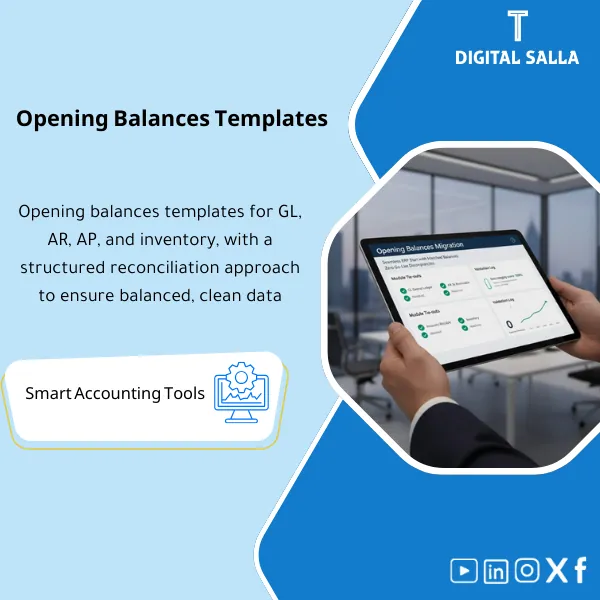
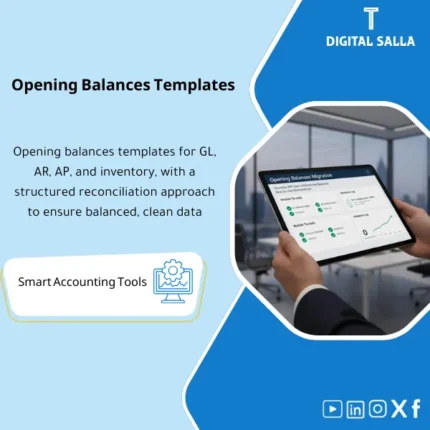
Opening Balances Migration Template: Prepares GL, AR, AP, and inventory opening balances with tie-outs between the GL and subledgers. Delivers upload files and verified opening balances for a clean go-live.
Opening Balances Migration
Opening Balances Migration Template for GL / AR / AP / Inventory + Tie-out + Load Evidence (Ready for Cutover and Go‑Live)
Value Proposition: Opening Balances Migration is not just a “Load File”; it is a reconciliation process: fixing the last closed period (Month-End) and then migrating GL balances along with details of customer and vendor balances and inventory balance in a manner that produces a clear reconciliation (Old system → Template → New ERP). This Opening Balances Template provides you with templates + checks + tie-outs + load log so that you have a verifiable record that the opening balances in the new system = the approved balances after closing (Adjusted TB) in the old system.
In 20 Seconds: What Will You Get?
- GL Balances Migration: Organized opening TB template (Account/Entity/Currency) with total Debit/Credit checks linked to the Adjusted TB.
- Customer AR Balances Migration: Open invoices/receivables template (Customer/Invoice/Due date/Tax) instead of just migrating a total amount.
- Vendor AP Balances Migration: Open invoices/payables template (Vendor/Invoice/Due date/WHT/VAT fields if needed).
- Inventory Balance Migration: Quantities + Cost/Valuation + Warehouse/Location with tie-out to the inventory value in GL.
- Opening Balances Reconciliation: Tie-out report proving Old system = Template = Post-load reports.
- Reconciliations Pack: Control items (AR control/AP control/Inventory/GRNI if applicable) with clear variance explanations.
- Load Evidence: Load log + Reject reasons + Re-load + Final sign-off before Go‑Live.
CTA related to outputs: Receive Templates + Tie-out + Load Log + Sign-off ready for Cutover delivery.
Suitable For
- Go‑Live on a New ERP: Need to migrate Opening balances with evidence and link to the Adjusted TB.
- Multi-entity/Currency Companies: Need to adjust Entity/Currency and conversion method before loading.
- Finance Teams Seeking Traceability: Want to prove that AR/AP/Inventory are detailed and equal to control accounts in GL.
Not Suitable For
- Those wanting to migrate “total only” without open items for AR/AP or without an inventory valuation report—will not achieve a verifiable reconciliation.
- Those who do not validate the last Month-End (Adjusted TB) before migration—will show unexplained variances in the first Closing Pack after Go‑Live.
Without Template / With Template (Brief Comparison)
| Item | Without Structured Template | With Template |
|---|---|---|
| GL | Opening TB without link to Adjusted TB | Migration of GL Balances with tie-out and control totals |
| AR/AP | Total amounts without open items | Migration of customer AR and vendor AP as open items with aging |
| Inventory | Inconsistent inventory value between inventory report and GL | Migration of inventory balance (Qty/Value) + tie-out to inventory account in GL |
| Evidence and Audit | No load evidence or reject log | Load log + exception register + sign-off (verifiable) |
Before Use: 5 Symptoms That Cutover Will Result in Variances
- No approved Adjusted TB for the last period before Go‑Live (Month-End/Year-End).
- AR/AP exist as totals without a list of open invoices (Reconciliations cannot be performed post Go‑Live).
- Inventory report does not match the inventory account in GL or there is no valuation report.
- Currency/exchange rate discrepancies or lack of a clear definition of how to translate balances.
- No load log: What was loaded? What did the system reject? What was fixed?
How Are Opening Balances Migrated Practically?
Step 1: Preparation and Gathering Reports from the Last Closed Period
- Set Cutover date: The last day of the closed period that will become “before Go‑Live.”
- Extract Adjusted TB (TB after adjustments) + GL details for sensitive accounts.
- Extract Sub-ledger reports: AR aging/open invoices, AP aging/open invoices, Inventory valuation (Qty/Value) + GRNI reports if applicable.
Step 2: Fill in Templates + Reconciliations + JE Log for Necessary Adjustments
- Fill in Opening Balances Template for each scope (GL/AR/AP/Inventory) with validation rules.
- Prepare Reconciliations: Link AR/AP control accounts to open items, and link inventory value to the inventory account in GL.
- Record any reclassifications/aggregations required before migration within the JE Log (e.g., reclass between accounts or handling GRNI variances) with evidence showing the impact on TB.
Step 3: Load + Post-load Reconciliation + Deliver Cutover Pack
- Load data into the new system (Test load then Final load) and record results in the load log.
- Extract Post-load reports from the new ERP (TB/AR/AP/Inventory) and perform Opening Balances Reconciliation against the templates.
- Issue Cutover/Opening Closing Pack: Tie-out report + exceptions + Prepared/Reviewed/Approved signatures as a reference for the first Month-End after Go‑Live.
Template Components (Clear Inventory)
-
GL Opening Template (GL Balances Migration)
- Practical Purpose: Create an organized opening TB (Account/Entity/Currency) linked to the Adjusted TB for the last closed period.
- When to Use: Before loading any sub-ledger or before running the first Month-End on the new system.
- Resulting Evidence: GL opening file + control totals + tie-out with Adjusted TB.
-
AR Open Items Template (Customer AR Balances Migration)
- Practical Purpose: Migrate receivables as open invoices (Customer/Invoice/Due date/Tax) to ensure aging and reconciliations post Go‑Live.
- When to Use: Before testing O2C and UAT and after setting up Customer master.
- Resulting Evidence: AR open items + aging tie-out + link to AR control account in GL.
-
AP Open Items Template (Vendor AP Balances Migration)
- Practical Purpose: Migrate payables as open invoices (Vendor/Invoice/Due date) to ensure correct payment run post Go‑Live.
- When to Use: Before testing P2P/Payments and UAT and after setting up Vendor master.
- Resulting Evidence: AP open items + aging tie-out + link to AP control account in GL.
-
Inventory Opening Template (Inventory Balance Migration)
- Practical Purpose: Load Qty/Value by Warehouse/Item to ensure that the inventory balance in the new system equals the approved valuation.
- When to Use: Before the first run of COGS and before the first Month-End after Go‑Live.
- Resulting Evidence: Inventory valuation tie-out + link to inventory account in GL + variance register (if any).
-
Tie-out & Reconciliations Workbook (Opening Balances Reconciliation)
- Practical Purpose: Prove that the total AR/AP/Inventory from the templates equals the control accounts in GL and matches the Adjusted TB.
- When to Use: Before and after loading (Pre-load & Post-load) as final evidence.
- Resulting Evidence: Tie-out report + control totals + variance explanations + corrective actions.
-
Load Log + Rejects/Exceptions Register
- Practical Purpose: Record the outcome of each load (Success/Rejected) and reasons for rejection, along with the method of fixing and reloading.
- When to Use: During Test load and at Final cutover.
- Resulting Evidence: Load evidence + list of closed/open exceptions before Go‑Live.
-
Cutover Sign-off Sheet (Prepared/Reviewed/Approved)
- Practical Purpose: Confirm the approved version of the opening balances, the date, and who approved it (Finance/PM/Owners).
- When to Use: Before Go‑Live and after completing the Post-load tie-out.
- Resulting Evidence: Sign-off + version + ready/not ready criteria.
Final delivery: GL/AR/AP/Inventory Templates + Reconciliations + Load Log + Sign-off as a verifiable Cutover package.
What Should Be Included in the Delivery?
- 01-Pack Index: Component index + entity/currency scope + cutover date + version.
- 02-GL: GL balances migration file + control totals + tie-out to Adjusted TB.
- 03-AR: Customer AR balances migration file (open items) + aging tie-out + link to AR control account.
- 04-AP: Vendor AP balances migration file (open items) + aging tie-out + link to AP control account.
- 05-Inventory: Inventory balance migration file (Qty/Value/Warehouse) + valuation tie-out + link to inventory account in GL.
- 06-Reconciliations: Workpapers for reconciliations (AR/AP/Inventory/GRNI if applicable) + variance explanations + corrective actions.
- 07-JE Log: Record of any necessary adjustments/reclassifications before migration or to finalize Adjusted TB (with attachments).
- 08-Validation: Checks for mandatory fields/duplicates/formats + list of closed/open errors.
- 09-Load Evidence: Load log + reject reasons + retest/reload history + post-load reports references.
- 10-Sign-off: Prepared/Reviewed/Approved + ready criteria + date of approval.
- 11-Runbook: Operating steps: What is extracted from the old system? What is loaded? What do we reconcile post-load?
Post-Implementation (Two Key Points)
- Operational Outcome for the Team: Cutover becomes an organized delivery: ready templates + load log + list of explained variances, thus the first Month-End after Go‑Live does not start from “unknown variances.”
- Control/Audit Outcome: You have evidence: Adjusted TB → Templates → Post-load reports with tie-outs and signatures, and any variances or exceptions can be traced (Traceability).
FAQ — Questions Before Purchase
Is the template suitable for any ERP?
Yes, as a methodology. The templates organize source data and prepare it for loading, then adapt the target columns according to the requirements of the new system (Upload format).
Is it sufficient to migrate GL only without AR/AP open items?
Typically no, if you want aging, collections, and a correct payment run. Migrating only the total creates difficulties in reconciliations and tracking invoices post Go‑Live.
What is the relationship between the template and Month-End and Closing Pack?
The template establishes the starting point. After Go‑Live, you will need Month-End reconciliations, JE Log, and Adjusted TB. Having a tie-out for the opening balances reduces variances in the first Closing Pack.
Does the inventory balance migration include quantities only or value as well?
It supports both quantities and value (Qty/Value) to ensure Opening Balances Reconciliation with the inventory account in GL and the valuation report, which is crucial for COGS later.
How do I handle GRNI or receipt/invoicing variances?
They are documented within the Reconciliations pack and linked to control accounts in GL, with the processing decision (keep/reconcile/reclassify) recorded in the JE Log.
Is it suitable only for Year-End?
No. It is suitable for any cutover (Mid-Year or Year-End). The key requirement is to have an approved Adjusted TB for the period prior to Go‑Live.
What is the minimum data required?
Adjusted TB + AR/AP Aging or open items + Inventory valuation report (Qty/Value) + definition of cutover date + definition of entities/currencies.
Is there an error log after loading?
Yes: Load log + reject reasons + retest/reload, to ensure the loading cycle is traceable instead of “oral fixes.”
Ready to Establish Opening Balances with Evidence Before Go‑Live?
Outputs: GL Balances Migration + Customer AR Balances Migration + Vendor AP Balances Migration + Inventory Balance Migration with tie-out, load evidence, and sign-off.
| المسمّى الوظيفي | |
|---|---|
| Duration | |
| المستوى | |
| التحديثات | |
| القطاع | |
| الصيغة |
Related products



Reviews
Clear filtersThere are no reviews yet.