



Data Mapping Sheet – Source-to-Target Template
55.59 $
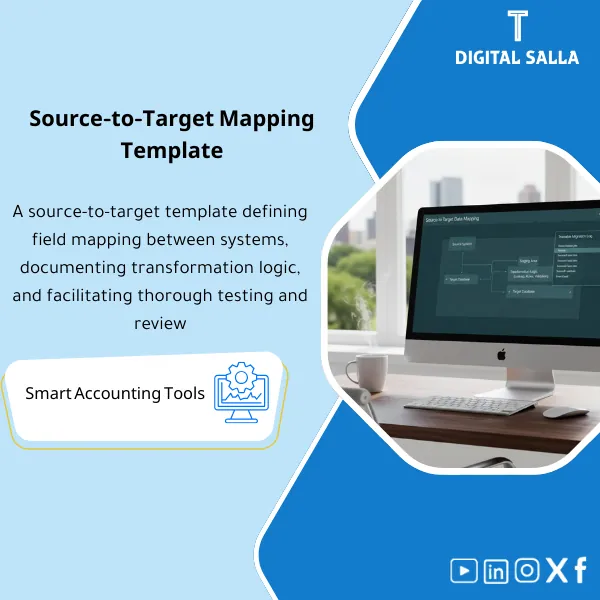
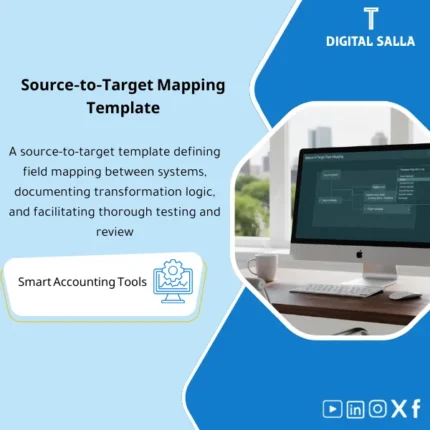
Source-to-Target Mapping Template: Maps legacy system fields to ERP fields with transformation rules (lookup/split/format) and exception handling. Delivers a traceable conversion file to reduce migration errors during transformation and load.
Source to Target Mapping
Documentation Sheet for Mapping + Transformation + Lookup Tables — to deliver transformation decisions in a reviewable format before loading and UAT.
Value Proposition: Source to Target Mapping is the document that answers the question “Where does this go?” before the project turns into rejects and reloads. Instead of transformation rules becoming amendments within loading files or undocumented code, this Source-to-Target Template establishes: the source of the field, its destination in the new system, the Transformation Rule, any required Lookup Tables, and who approved the decision—making the migration iterations repeatable and evidence-based (Mapping Matrix + Rule Log + Sign-off).
In 20 seconds: What will you get?
- Data Mapping Sheet at the field level: Source field → Target field + Data type + Mandatory/Optional.
- Record of Transformation Rules (Rule IDs): Trim/Normalize/Date parsing/Derivations/Sign conventions.
- Lookup Tables for codes (Old code → New code) + Record of Unmapped values before loading.
- Mapping between systems with definitions of Keys/Joins and Deduplication decisions when multiple sources exist.
- Data Transformation Plan (Sequence & Dependencies): What loads first and what depends on what.
- Validation Rules: Mandatory/Formats/Uniqueness/Referential integrity + Control totals.
- Sign-off Page: Prepared/Reviewed/Approved + Version + Effective date for each Dataset.
The download is linked to the outputs: you will receive a Mapping Matrix + Transformation Rules + Lookup Tables ready for approval and then implementation within migration/ETL files.
Suitable for
- ERP/Data Migration teams needing a single reference to solidify transformation decisions before Test loads and UAT.
- Finance/Accounting when Mapping COA/Tax/Terms/Dimensions between systems in a way that leaves no room for “interpretations” later.
- Multi-entity projects where differing codes between branches cause repeated Unmapped/Rejects.
Not suitable for
- Those without a Target model/Upload template or unable to define Target fields — Source-to-Target cannot be done without clear endpoints.
- Those seeking a “quick load” without documentation and approval — the product is designed to reduce the risks of reloading and UAT discrepancies through documented decisions.
Without the Sheet / With the Sheet (Brief Comparison)
| Item | Without Source-to-Target | With Source-to-Target |
|---|---|---|
| Transformation Decisions | Rules within loading files/code without a record | Rule Log + Rule IDs + Examples + Approval |
| Codes | Unmapped appears as Rejects during loading | Lookup Tables + Unmapped list before loading |
| UAT | Discrepancies in results with unknown causes (Data vs System) | Traceability: Field → Rule → Expected output → Result |
| Review | No “who approved the decision” | Versioning + Sign-off + Change log |
Before Use: 5 Symptoms That Migration is Managed by Effort
- Every Iteration raises the same questions: “Where does this go?” because Mapping is undocumented.
- Repeated Rejects due to Mandatory/Formats without a validation rule before loading.
- Divergence of source and target codes (Tax/Terms/UoM/Status) without Lookup Tables.
- Merging two sources (Old ERP + CRM for example) results in Duplicates/Drop records because Keys are not defined.
- Discrepancies in UAT reports because Transformation (date/reference/currency) is inconsistent or unknown.
How Does Source to Target Mapping Work Practically?
Step 1: Preparation and Gathering Source and Target Specifications
- Document Source exports: report/file name + extraction date + Owner.
- Document Target fields: Upload template or API fields + Data types + Mandatory + Constraints.
- Define Domains (COA/Customers/Vendors/Items/Opening balances…) and assign an Owner for each Domain.
Step 2: Mapping + Transformation + Lookup Tables
- Fill out the Data Mapping Sheet: For each Target field, what is its source? What is the transformation Rule? What is the Default value if needed?
- Record Transformation Rules as Rule IDs with Input/Output examples.
- Set up Lookup Tables for codes and classify Unmapped values (Map/Add/Block) by Owner decision.
Step 3: Validation + Tie-outs + Version Approval
- Run Validation: Mandatory/Format/Uniqueness/Referential integrity + Identify Duplicates after merging.
- Issue Control totals (Counts/Amounts) before/after transformation and before/after loading (if possible).
- Issue Version with Sign-off: Prepared/Reviewed/Approved so these are the rules executed in Iteration/Cutover.
Components of the Sheet (Clear Inventory)
-
Source-to-Target Mapping Matrix
- Practical Purpose: Document Mapping between systems at the field level (Source → Target) with data type and its mandatory status.
- When to Use: Before any Test load, and with any change in the Target template.
- Resulting Evidence: Mapping matrix with Owners and Status for each field (Mapped/Unmapped/Needs decision).
-
Transformation Rules Log (Data Transformation)
- Practical Purpose: Establish transformation rules as numbered rules (Rule IDs) instead of “transformations within the loading file.”
- When to Use: When preparing migration/ETL files and when interpreting UAT discrepancies.
- Resulting Evidence: Rule ID + Rule description + Example input/output + Owner approval.
-
Lookup Tables Library
- Practical Purpose: Link values between systems (Old code → New code) and identify Unmapped before loading.
- When to Use: Before loading and when new Code appears in the source.
- Resulting Evidence: Lookup tables + Unmapped list + Owner decision for each value.
-
Keys & Merge Logic
- Practical Purpose: Document linking keys (Keys) and merge/priority logic (Source precedence) to avoid Duplicates or Drop records.
- When to Use: When there are multiple sources, or when merging the same Master from different departments.
- Resulting Evidence: Key definition + Merge rules + Dedup criteria + Exception cases.
-
Validation & Control Totals
- Practical Purpose: Acceptance checks before loading + Tie-outs after transformation to reduce Rejects and unexplained discrepancies.
- When to Use: In every Iteration (Test load 1/2/3) and before Cutover.
- Resulting Evidence: Validation results + Error list + Control totals (Counts/Amounts).
-
Versioning + Change Log + Sign-off
- Practical Purpose: Control the approved version and prevent rule conflicts between teams and between Iterations.
- When to Use: When any changes occur in mapping/rules/lookups or when updating Target fields.
- Resulting Evidence: Version register + Change log + Prepared/Reviewed/Approved.
What Should Be Included in the Delivery?
- 01-Pack Index: Scope of Datasets + Owners + Version + Effective date.
- 02-Source Register: Record of data sources (Export name/date/owner/location).
- 03-Data Mapping Sheet: Source → Target mapping + Mandatory/Type/Format + Default values.
- 04-Transformation Log: Data transformation plan and Transformation rules (Rule IDs + Examples + Approval).
- 05-Lookup Tables: Codes mapping (Lookup Tables) + Unmapped list + Processing decisions.
- 06-Keys & Merge: Key definitions + Join logic + Rules for removing duplicates after merging.
- 07-Validation: Validation rules + Results + Error/Exception register.
- 08-Control Totals: Counts/Amounts before/after transformation + Tie-out rules (when financial/quantity data is available).
- 09-Change Log: Record of changes in mapping/rules between versions + Reason + Impact.
- 10-Sign-off: Prepared/Reviewed/Approved + Ready criteria for each Dataset before loading.
After Implementation (Two Key Points)
- Operational Result for the Team: Migration iterations become a fixed path: Update Source exports → Apply Mapping/Transformation/Lookups → Validation → Load, instead of manual adjustments within each loading file.
- Audit/Control Result: Any value in the Target can be traced back to a documented decision: Field mapping + Rule ID + Lookup + Version + Sign-off, supporting the interpretation of UAT discrepancies or Post-Go-Live differences.
FAQ — Questions Before Purchase
Is this product suitable for any ERP system?
Yes. Because the outputs “Mapping and Transformation specifications” can be applied whether loading via Upload templates, API, or ETL regardless of Vendor.
Is it an alternative to Data Migration Templates?
No. This precedes them: it documents Source-to-Target + Transformations + Lookups. Then migration files are built according to these rules.
Does it support Mapping between systems in case of multiple sources?
Yes, through the Keys & Merge logic section to define source priorities and merge rules and deduplication criteria.
When do we use Lookup Tables?
When codes differ between systems (Tax/Payment terms/UoM/Status/Groups). The goal is to close Unmapped before loading instead of discovering it as Reject.
How do we document Transformation Rules without complication?
Each rule is recorded as a Rule ID with an Input/Output example and Owner approval, then used in execution within Power Query/ETL/transformation files.
Does it support multiple entities and currencies?
Yes, by adding Entity/Currency in mapping and documenting specific transformation rules when needed (such as Defaults or Translation codes) with Versioning for each scope.
What is the minimum input required to get started?
Source exports from the old system + definition of Target fields/loading constraints + identification of Owners for decisions + definition of Keys for linking.
How does it assist in UAT?
Any discrepancies in results can be linked to Mapping/Rule/Lookup instead of assuming it’s a “system issue,” thus diagnosis becomes evidence-based.
Ready to solidify Mapping decisions before starting the load?
Outputs: Source to Target Mapping + Data Transformation + Lookup Tables with Validation and Version/Sign-off.
| المسمّى الوظيفي | |
|---|---|
| Duration | |
| المستوى | |
| التحديثات | |
| القطاع | |
| الصيغة |
Related products

Customer Contracts Register – Excel Template
Customer Contract Management Template is a comprehensive Excel-based program to manage customer contracts effectively, including contract data, payments tracking, completion percentages, delivery dates, and project profitability—supported by automated reports that improve contract oversight and customer relationships.


Reviews
Clear filtersThere are no reviews yet.