



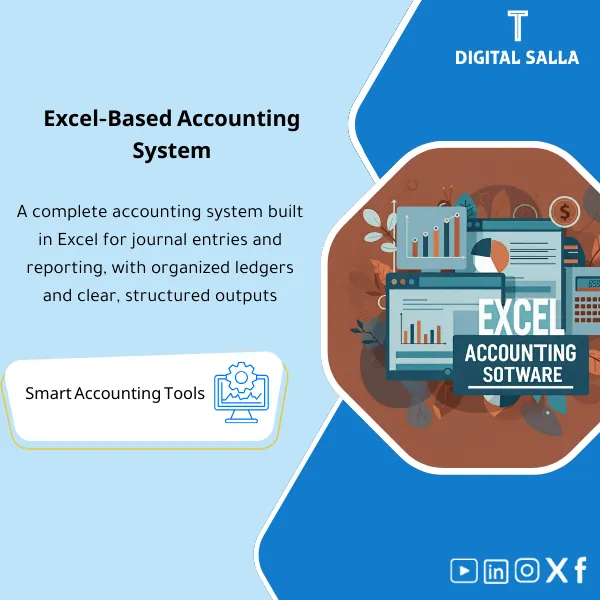
Excel Accounting Program – Excel File
90.16 $
Excel Accounting Program: A simple, effective workbook to enter journal entries and generate a trial balance, general ledger, and other print-ready reports—ideal for small businesses and freelancers.
Accounting Excel
Journal + Ledger + Trial Balance + Bank Reconciliation + Closing Pack — within Excel as an operational and delivery file
Value Proposition: Accounting Excel is designed as an “Operational Workbook” rather than disparate sheets: you receive monthly transactions, record them in a structured Journal, generate Ledgers, perform Reconciliations, and close the month with a Closing Pack that includes a JE Log + Bank Rec + Adjusted TB + traceable attachments/references.
In 20 seconds: What will you get?
- One Workbook functioning as an Excel Accounting Program: Journals + Ledgers + TB.
- Unified JE Log: Entry number, reference, attachments, review/approval status.
- Monthly Bank Reconciliation + Outstanding Items Register.
- Accrual/Prepaid/Depreciation Schedules linked to clear entries.
- Adjusted TB ready for closing after adjustments are entered and reviewed.
- Closing Pack Index: Delivery index outlining the required files/ledgers for each month.
- Sign-off page (Prepared/Reviewed/Approved) to confirm the delivery version.
CTA related to outputs: Receive JE Log + Bank Recs + Adjusted TB + Closing Pack as an operational and delivery file.
Suitable for
- Accountant/Head of Accounts in a Small-Medium Company: Looking for structured accounting operations within Excel instead of disparate files.
- Team using a simple or partial system: Needs a Closing Pack and ledgers outside the system (Reconciliations/JE support).
- Task Delivery/Receipt Environment: Wants a file that can be easily delivered and reviewed (Pack Index + Sign-off).
Not Suitable for
- Those seeking an ERP with Workflow and multi-user permissions and bank integrations — this is an Excel Accounting System within a file.
- Those looking for free Excel accounting software download — this is a paid product because it includes an operational structure + records + delivery ledgers (not a generic uncontrolled file).
Without the program / With the program (Short Comparison)
| Item | Without Structured Excel | With Accounting Excel |
|---|---|---|
| Entries | Disparate entries without a fixed JE Log | JE Log + Reference ID + Review/Approval Status |
| Reconciliations | Delayed or undocumented bank reconciliation | Bank Rec + Outstanding items + Evidence links |
| Closing | Month-End relies on personal memory | Adjusted TB + Schedules + Closing Pack Index |
| Delivery | No fixed Pack for review | Pack Index + Sign-off confirms the month’s version |
Before Use: 5 Symptoms You Need a Structured “Excel Accounting Program”
- The entry exists but there is no JE Log linking the entry to attachments/references, causing reasons to be lost after two weeks.
- Bank reconciliation is done “as needed” with no record of outstanding items or reasons for discrepancies.
- Closing adjustments (Accrual/Prepaid/Depreciation) are built from scratch every month without fixed Schedules.
- The Trial Balance is produced but there is no clear Adjusted TB after adjustments are entered and reviewed.
- When delivering/receiving tasks, there is no single file indicating where the evidence is and where the last version of the month-end closing is.
How does Accounting Excel work practically?
Step 1: Preparation and Report Collection and Foundation Building
- Establish COA (Chart of Accounts) or simplified account groups based on your activity.
- Input/import opening balances if available and link them to the COA.
- Establish a Reference ID method and link it to archiving (so each entry/document has a clear reference).
Step 2: Daily Operations + Supporting Records
- Record entries in the Journal and then post them within the file to Ledgers and update the JE Log.
- Update operational records (based on your environment): AP/AR or Cashbook/Bankbook and link each transaction to its reference.
- Prepare an Exception list for any transactions missing classification/reference before they accumulate by month-end.
Step 3: Month-End (Adjustments + Reconciliations + Adjusted TB + Closing Pack)
- Perform Reconciliations (Bank/AR/AP as available) and document outstanding items.
- Input closing adjustments from Schedules (Accrual/Prepaid/Depreciation) and document their attachments within the JE Log.
- Generate Adjusted TB and close the month with a delivery package: Closing Pack Index + Sign-off.
Program Components (Clear Inventory)
-
COA / Account Groups
- Practical Purpose: Establish account classification before operations to prevent entries from becoming “labels” without structure.
- When Used: Before the first entry + when adding a new account/modifying a group.
- Resulting Guide: COA/Account groups with Versioned copy + Change log.
-
Journal Entry Module + JE Log
- Practical Purpose: Record daily entries and link each entry to a reference, attachments, and review status.
- When Used: Daily + closed monthly as part of Month-End.
- Resulting Guide: JE Log (Reference IDs) + Prepared/Reviewed status + attachment links.
-
General Ledger & Ledgers Views
- Practical Purpose: Track the movement of each account (Opening/Movements/Closing) and link it to entries.
- When Used: During the month and when analyzing discrepancies in a specific account before closing.
- Resulting Guide: Ledger views traceable to the entry number within the JE Log.
-
Trial Balance + Adjusted TB
- Practical Purpose: Generate TB before adjustments and then Adjusted TB after entering and reviewing adjustments.
- When Used: Monthly (Month-End) and annually (Year-End).
- Resulting Guide: TB/Adjusted TB with Tie-out to total entries and adjustment records.
-
Bank Reconciliation + Outstanding Items Register
- Practical Purpose: Reconcile the bank statement with the register and document outstanding items and their reasons and closure plan.
- When Used: Monthly (or weekly based on transaction volume).
- Resulting Guide: Signed/Reviewed Bank Rec + Outstanding items register with item age.
-
Month-End Schedules (Accrual/Prepaid/Depreciation)
- Practical Purpose: Convert adjustments into fixed schedules: basis of calculation, period, resulting entry.
- When Used: End of each month + annual review for Year-End.
- Resulting Guide: Schedules + brief memos + Reference within JE Log.
-
Closing Pack Index + Sign-off
- Practical Purpose: Specify what is delivered at month-end as an organized package of evidence.
- When Used: When closing the month/year.
- Resulting Guide: Pack Index + Prepared/Reviewed/Approved + “Locked” version for the month.
What should be included in the delivery?
- 01-Workbook.xlsx: The system file (Journals/GL/TB/Recs/Schedules/Pack Index).
- 02-Guide.pdf: Brief operational guide: data entry, month update, closing procedures.
- 03-COA Sheet: Chart of Accounts/Account groups + rules for adding accounts + Change log.
- 04-JE Log: Entry log + Reference IDs + Links to attachments + Review status.
- 05-GL/TB Outputs: TB and Adjusted TB for the month with Tie-out checks.
- 06-Bank Rec Pack: Bank reconciliation + Outstanding items + Closure plan for items.
- 07-Schedules: Accrual/Prepaid/Depreciation schedules + their supporting entries.
- 08-Evidence Index: Evidence index (Document → Reference → Entry → Storage location).
- 09-Sign-off: Version approval page (Prepared/Reviewed/Approved) + Version.
After Implementation (Two Points Only)
- Operational Outcome for the Team: The month becomes a fixed path: Daily entries → Bank Reconciliation → Adjustments → Adjusted TB → Closing Pack, with a clear record of what has been done and what has not.
- Control/Audit Outcome: Any number can be traced: TB/Adjusted TB ↔ JE Log ↔ Reference ID ↔ Attachment/Document, with Sign-off confirming the delivery version.
FAQ — Questions Before Purchase
Is this really an “Excel Accounting Program” or just a sheet?
It is a structured Workbook as an Excel Accounting Program: Journal + JE Log + Ledgers + TB + Reconciliations + Schedules + Closing Pack Index.
Can it be considered an Excel Accounting System instead of ERP?
It can be used as a simplified alternative for a small-medium company or as a layer of ledgers alongside a simple system. However, it does not provide multi-user permissions or integrations like ERP.
Is it suitable for Month-End and Year-End?
Yes, from a closing perspective: Reconciliations + Schedules + Adjusted TB + Closing Pack. For Year-End, you may need to add disclosure/reserve schedules based on your environment.
Does it support multiple branches/cost centers?
It supports that if you add a Branch/Cost Center column in the Journal/Registers and then generate reports based on the column. (The file keeps the linkage clear without excessive complexity).
Is there a JE Log with attachments?
Yes: A core part is the JE Log with Reference IDs and links to attachments within the archiving, facilitating review and proving the reason.
Is it free? (Free Excel Accounting Software Download)
No. You may find generic free files, but this product is paid because it is built as an operational and delivery package (Closing Pack + Recs + Sign-off) and not a generic uncontrolled file.
Does it work on a “Ready Excel Accounting Program” without macros?
The core idea is to have an auditable accounting operation within Excel. If your environment prevents macros, the package can be run as a formula and schedule file while maintaining closing outputs (depending on your version design).
What is the minimum data required to get started?
COA/Item classification + Bank Statement + Transaction documents (Invoices/Receipts) + Opening Balances if available. After that, entries, reconciliations, and schedules are built progressively.
Ready to complete Month-End with a delivery file instead of disparate sheets?
Outputs: JE Log + Bank Recs + Adjusted TB + Closing Pack Index with Evidence/Sign-off.
| المسمّى الوظيفي | |
|---|---|
| Duration | |
| المستوى | |
| التحديثات | |
| القطاع | |
| الصيغة |
Related products






Reviews
Clear filtersThere are no reviews yet.