



JE Correction Workflow – Excel Template
34.31 $
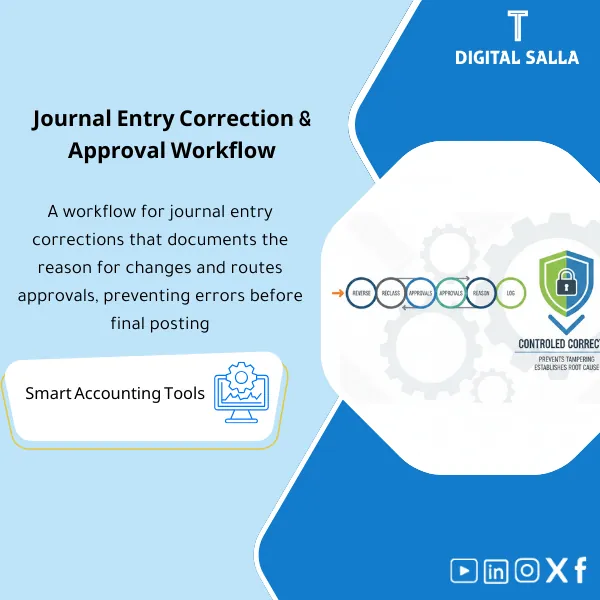
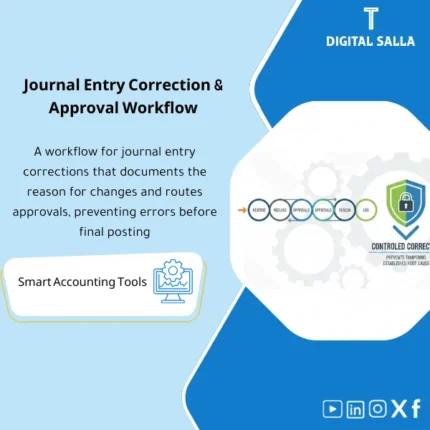
Journal Entry Correction Template: Documents reversals/reclasses with root cause, links original entries to corrections, and enforces a clear approval workflow. Delivers an approved corrections register suitable for audit files when close errors are discovered.
Correction of Journal Entries
Correction & Approval Workflow for Managing Reverse Journal Entry + Reclass + Error Log + Reconciliations — in reviewable Excel/Doc format
Value Proposition: Correction of Journal Entries becomes a compliance issue when a “journal entry is modified” without a clear impact: Why was it corrected? Is it a Reverse Journal Entry or a Reclass? Was the correction approved before posting? What changed in the TB? This product transforms the correction into an official process: Record the error → Choose the correction method (Reverse/Reclass/Adjustment) → Correction approval Workflow → Update JE Log and posting status → Closing Pack delivery file that documents the decision and evidence.
In 20 Seconds: What Will You Get?
- Accounting Error Log: Error ID + Original entry + Type of error + Financial impact + Status.
- Journal Entry Correction Template: Form specifying the correction method: Reverse Journal Entry / Reclass / Adjustment.
- Correction Approval Workflow: Prepared/Reviewed/Approved + Dates + Who approved + Supervisory comments.
- Reverse Journal Entry: Template for reversing an entry linked to the original entry (Linking fields) for easier tracking.
- Reclass Journal Entries: Reclass templates with reason and linking point to affected accounts.
- Closing Entry Corrections: Special template for Month-End/Year-End entries with Tie-out fields and Adjusted TB impact.
- Dashboard: Corrected/Open entries + Age of status + Recurring errors by reason/account.
CTA related to outputs: Receive Error Log + Correction Forms + Approval Workflow + TB Impact Summary ready.
Suitable For
- Chief Accountant / GL Lead: Managing entry errors and standardizing Reverse/Reclass decisions before closing.
- Controllers: Controlling the impact of corrections on the TB and linking corrections to reconciliations and reports.
- Internal Audit / Compliance: Systematic proof: Error → Correction decision → Approval → Impact → Evidence.
Not Suitable For
- Those wanting “direct modification within ERP” without record or approval — the product is the opposite: Documentation + Approval + Impact.
- Those looking for a library of standard entries (Standard JEs) — this is an error correction product, not a dictionary of entries.
Without Workflow / With Workflow (Brief Comparison)
| Item | Unmanaged Correction | Journal Entry Correction via Workflow |
|---|---|---|
| Decision | “Modify the entry” without specifying Reverse vs Reclass | Specify type of correction + reason + impact + Linking to original entry |
| Approval | Oral/Delayed approval | Correction approval Workflow + Signatures + Dates |
| Impact on TB | Difficult to track what changed in the TB | TB impact summary + tie‑out notes for closing entries |
Before Use: 5 Symptoms That Journal Entry Correction Is Not Controlled
- Entry errors are discovered at Month-End but there is no record showing “what was corrected and what is still open.”
- Reversals are done without linking to the original entry, losing the trace of the Reverse Journal Entry.
- Reclassifications are made to adjust presentation but there is no reason/document supporting the classification decision.
- Closing entry corrections are made under time pressure without clear Tie-out with Adjusted TB.
- Approval occurs after posting or without evidence, leading to supervisory comments about weak controls.
How Journal Entry Corrections Are Practically Made from the Moment the Error Is Discovered?
The journey begins by recording the error as a case with an ID, then determining whether a reversal (Reverse), reclassification (Reclass), or adjustment (Adjustment) is needed. Next, the corrective entry is prepared in a standardized form, approved via workflow, and then the posting status is updated along with its impact on the TB. Before closing, a “Closing Entry Corrections” list is generated to ensure that the Adjusted TB reflects only what has been approved.
Implementation Method (3 Steps)
Step 1: Preparation and Gathering Reports
- Capture the original entry: Entry number/Reference, period, accounts, amount, and description of the error.
- Gather supporting documentation for the error/correction (Invoice/Contract/Bank advice/TB extract) and record it as Evidence.
- Determine the impact of the error: Did it affect profit? Tax? Inventory/COGS? Or just presentation (classification)?
Step 2: Reconciliations + Matches + JE Log
- Open the case in Accounting Error Log and specify the type of correction:
- Reverse Journal Entry: When you want to completely cancel the entry and then re-record it correctly.
- Reclass: When you want to move the amount between accounts/presentation items without changing the total.
- Adjustment: When you want to modify part of the entry or record differences/reconciliations.
- Prepare Journal Entry Correction Template and link it to the original entry (Original JE ref + Correction JE ref).
- Pass it through Correction Approval Workflow and then update the Posting status after execution within the ERP.
Step 3: Adjusted TB + Reports + Closing Pack
- Update the TB impact summary: Which accounts changed? What is the Net effect? Is there a tax/COGS impact?
- Before closing the period: Run the Closing Entry Corrections list to ensure that every correction is approved and posted.
- Compile the delivery file: Error log + Correction forms + approvals + evidence index + TB impact summary (part of Closing Pack).
Product Components (Clear Inventory)
-
Error Register (Accounting Error Log)
- Practical Purpose: Transform the error into a case with an ID, Status, Owner, and Due date.
- When to Use: Immediately upon discovering the error.
- Resulting Evidence: A record showing open/closed errors and stages of correction.
-
Correction Form (Journal Entry Correction Template)
- Practical Purpose: Standardize correction data: original entry, reason for error, type of correction, corrective entry, and attachments.
- When to Use: Before preparing the corrective entry and before approval.
- Resulting Evidence: Documented correction voucher suitable for review.
-
Reverse Journal Entry Template
- Practical Purpose: Fully reverse the entry while linking the entries (Original ↔ Reverse ↔ Correct).
- When to Use: When the error is material or the entry is entirely incorrect.
- Resulting Evidence: Documented reverse entry + reason + approval.
-
Reclass Template (Reclass Journal Entries)
- Practical Purpose: Move balances between accounts/presentation items (e.g., Expense/Asset or P&L items) with a classification reason.
- When to Use: Month-End/Year-End or when discovering an incorrect classification.
- Resulting Evidence: Concise reclass memo + entry + impact on presentation.
-
Approval Workflow (Correction Approval Workflow)
- Practical Purpose: Prove that the correction was reviewed and approved before posting.
- When to Use: For every correction (especially closing entries).
- Resulting Evidence: Approval log + dates + supervisory comments as needed.
-
Month-End Corrections List (Closing Entry Corrections)
- Practical Purpose: A special list of corrected closing entries: what affects the Adjusted TB and what needs to be closed before the period is locked.
- When to Use: Week-4 and Day-0 for closing.
- Resulting Evidence: Month-End corrections pack within the closing file.
-
Evidence Index + TB Impact Summary
- Practical Purpose: Link each correction to its evidence and summarize its impact on the TB and affected accounts.
- When to Use: After approving the correction and before preparing reports.
- Resulting Evidence: Complete traceability: Error → Correction → Impact → Evidence.
-
Dashboard (Aging/Recurring/By account)
- Practical Purpose: View: Age of errors, most recurring reasons, accounts/cycles most prone to correction.
- When to Use: Weekly, before closing, and in process improvement meetings.
- Resulting Evidence: Dashboard supporting improvement decisions (Training/Controls/Process fixes).
What Should Be Included in the Delivery?
- 01-Accounting-Error-Register.xlsx: Accounting Error Log + Status/Owner/Due date/Aging.
- 02-JE-Correction-Form.xlsx: Journal Entry Correction Template + Link to original entry + Reason + Evidence.
- 03-Reverse-JE-Template.xlsx: Reverse Journal Entry template + Linking fields.
- 04-Reclass-Template.xlsx: Reclass Journal Entries + Classification reason + Impact on presentation.
- 05-Approval-Workflow.xlsx: Correction Approval Workflow (Prepared/Reviewed/Approved) + Signature log.
- 06-MonthEnd-Corrections-Pack.xlsx: Closing Entry Corrections + Tie-out/Adjusted TB impact fields.
- 07-Evidence-Index.xlsx: Evidence index for corrections (Document/Path/Link/Reference).
- 08-TB-Impact-Summary.xlsx: Summary of the impact of corrections on TB and affected accounts + Net effect.
- 09-Corrections-Dashboard.xlsx: Dashboard for errors/corrections (Aging/Recurring/By account).
- 10-Policy-Notes.docx: When to use Reverse vs Reclass + Approval controls + Documentation rules.
- 11-Signoff-Pack.docx: Minutes of approval for closing corrections + Pack index.
- 12-Archiving-Map.docx: Archiving structure (Year/Month/Corrections/IssueID) + Naming convention.
After Implementation (Two Points Only)
- Operational Outcome for the Team: Any error is managed as a case: recorded, correction type specified, approved, then closed with updated posting status and TB impact — instead of “random correction” that repeats the same errors.
- Compliance/Audit Outcome: There is complete traceability for correction processes: Original JE → Correction method (Reverse/Reclass/Adjust) → Approval → Posting → TB impact → Evidence, reducing comments on “unjustified adjustments.”
FAQ — Questions Before Purchase
When Should I Use Reverse Journal Entry Instead of Reclass?
Reverse is used when the original entry is entirely incorrect or needs complete cancellation followed by correct re-recording. Reclass is used when the total is correct but the classification/presentation within the accounts is incorrect.
Can It Be Used to Correct Only Closing Entries?
Yes. There is a Month-End corrections pack specifically for Week-4/Month-End entries with fields for Adjusted TB impact.
Does It Include Correction Approval Workflow?
Yes: Prepared/Reviewed/Approved + Dates + Signature log + Optional supervisory comment for each correction.
Can the Correction Be Linked to the Original Entry Within the Tracker?
Yes, through Linking fields: Original JE ref + Correction JE ref + Reverse JE ref (if any) to ensure traceability.
Is It Suitable for Any ERP?
Yes, as execution within the ERP is done according to your procedures, while the product documents the decision, tracks posting status, and gathers evidence.
Does It Include an Accounting Error Log?
Yes: Error register with Aging, Owner, and Status, which can be analyzed to identify the most recurring reasons/accounts.
Does It Cover Reclassifications Related to Financial Statements (P&L/BS)?
It covers Reclass at the entry and documentation level (classification reason and impact on presentation). If you have separate FS mapping, it can be linked via Reference.
What Is the Minimum Data Required to Start?
Original entry number/Reference, reason for error, period, and affected accounts. At least one supporting document is preferred to document the decision.
Ready to Stop “Corrections Without Record” Before Closing?
Outputs: Error Register + Reverse JE + Reclass + Approval Workflow + TB Impact + Evidence.
| المسمّى الوظيفي | |
|---|---|
| Duration | |
| المستوى | |
| التحديثات | |
| القطاع | |
| الصيغة |
Related products





Reviews
Clear filtersThere are no reviews yet.