




Customer Master Data Template – Excel Template
42.29 $
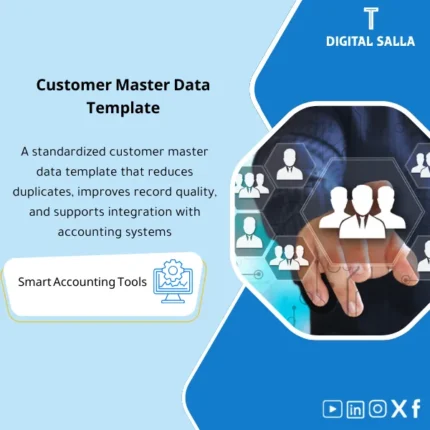
Customer Master Data Template: Captures VAT/Commercial Registration (CR), addresses, contacts, payment terms, and credit limits with duplicate checks and mandatory fields. Delivers an ERP- and e-invoicing-ready Customer Master for receivables reporting and compliance.
Customer Master Data Template
Customer Master Data Template for preparing customer data for electronic invoicing: VAT + Customer payment terms + Duplicate customer prevention + Ready-to-upload ERP file
Value Proposition: Customer Master Data Template addresses the issues that arise immediately after Go‑Live or during the first billing cycle: duplicate customers with multiple codes, incomplete/unified VAT numbers, differing payment terms between sales and accounts, and incomplete billing addresses—resulting in invoices that are rejected or aging that is unmanageable. The template transforms Customer Master Data into a “ready-to-upload” and reviewed file: mandatory fields + validation rules + duplicate detection + approval workflow + change log.
In 20 Seconds: What Will You Get?
- Customer Master Data Excel with a ready Master sheet: standard fields + mandatory fields for invoicing.
- Validation Rules: Check for address completeness, email, country/city, currency, payment terms, Tax flags.
- VAT number for customers: VAT fields + input and consistency checks (Format/Length) + status (Provided/Missing).
- Customer payment terms: Unified payment terms (Net 30/45/60… etc.) + optional Credit limit/hold fields.
- Duplicate customer prevention: Matching rules + duplicate detection (Name/Commercial reg/VAT/Phone/Email) with merge decision.
- ERP upload file: Output sheet “Ready to Import” + Mapping for field names.
- Approval Workflow: Prepared/Reviewed/Approved for each customer/update + signature log.
CTA related to outputs: You will receive Customer Master Upload File + Duplicate Report + Validation Exceptions + Approval Log ready.
Suitable For
- AR / Billing: Standardizing billing data and customer addresses and payment terms before issuing invoices.
- ERP Finance Ops / Master Data: Preparing Customer Master Data for upload with an approval log and documentation of changes.
- Tax / e‑Invoicing: Adjusting VAT fields and customer data requirements for electronic invoicing and reducing exceptions.
Not Suitable For
- If you are looking for a CRM system to manage opportunities and sales—the template is dedicated to Master Data for invoicing and ERP.
- If you need automated/API integration to prevent duplicates in real-time—there is duplicate detection and workflow here, but implementation within ERP depends on your permissions.
Without the Template / With the Template (Short Comparison)
| Item | Without Master Data Adjustment | With Customer Master Data Template |
|---|---|---|
| Duplication | Duplicate customer with multiple codes → Aging is scattered | Duplicate report + merge decision + duplicate prevention before upload |
| Electronic Invoicing | Incomplete VAT/Address → Invoices are rejected or need reissuance | Mandatory fields + Validation + List of deficiencies before issuance |
| Payment Terms | Non-standard payment terms → Difficult collections/settlements | Unified customer payment terms + Approval log for changes |
Before Use: 5 Symptoms That Customer Data Is Not Ready for Invoicing
- A customer appears two or three times (different name/spelling/branch) causing the receivables to be spread across multiple codes.
- The VAT number for customers is incomplete or stored in a different format across files.
- Billing/shipping addresses are incomplete (city/postal code/country) leading to errors in the invoice or invoicing platform.
- Payment terms are entered as free text (Net30/30Days/30) causing reports to be lost and collections relying on “effort”.
- No record: Who requested the creation/modification of a customer? Who reviewed? Who approved? (making Master Data changes a control weakness).
How to Use the Customer Master Data Template Practically Before Uploading to ERP?
The goal is not a “data file” but an operational process: gather customer sources, clean duplicates, standardize payment terms and VAT data, then approve customers before entering/uploading them into the system. In the end, you get a Ready-to-Import file + exceptions log + approval guides attached to the closing pack or governance file.
Application Method (3 Steps)
Step 1: Preparation and Report Gathering
- Gather customer lists from sources (ERP/CRM/Excel) and identify the “source of truth” for each field (legal name, billing address, VAT, payment terms).
- Define classification policies: B2B/B2C, local/export, VAT liable/non-liable (based on your activity and tax policy).
- Establish a payment terms dictionary: Approved payment terms list (standard values) instead of free entry.
Step 2: Cleaning + Verification + Duplicate Prevention
- Upload data into Customer Master Data sheet and run validation rules (completeness/format/consistency).
- Run the Duplicate Customer Prevention check: Match by (VAT/Email/Phone/Name) and output duplicate candidates with a decision (Merge/Keep separate).
- Prepare an “Exceptions list”: Customers missing VAT/address/payment terms or having conflicting data to be resolved before upload.
Step 3: Approval + Upload File + Operational Impact
- Pass each customer/update through the approval workflow (Prepared → Reviewed → Approved) and log who approved and when.
- Output a “Ready to Import” file with clearly defined fields that can be aligned with your ERP import template.
- Close the version: Archive a copy of the month/project + duplicate report + exceptions report as Evidence for Master Data governance.
Template Components (Clear Inventory)
-
Customer Master Sheet (The Core Template)
- Practical Purpose: Input/aggregate customer data in a standardized manner (legal name, address, currency, payment terms, Tax flags).
- When to Use: When creating new customers or cleaning the current customer base.
- Resulting Guide: A unified master file that can be reviewed line by line.
-
E‑Invoicing Readiness Fields (Customer Data for Electronic Invoicing)
- Practical Purpose: Establish required fields for invoicing (billing data/address/tax identification/customer classification).
- When to Use: Before activating electronic invoicing or when facing rejections/exceptions in invoices.
- Resulting Guide: Completeness list showing ready and not ready customers.
-
VAT & Tax Validation (VAT Number for Customers)
- Practical Purpose: Adjust VAT fields and ensure their presence/format and link them to customer classification.
- When to Use: Before issuing B2B invoices or when preparing Master Data for tax requirements.
- Resulting Guide: VAT exceptions report + customer status (Provided/Missing/To verify).
-
Payment Terms & Credit Profile (Customer Payment Terms)
- Practical Purpose: Standardize payment terms (Net days/partial payments) and optionally link them to credit limits/holds.
- When to Use: When adjusting collection policy and improving Aging and Customer statements.
- Resulting Guide: Payment terms register + approved change log for payment terms.
-
Dedup & Matching Rules (Duplicate Customer Prevention)
- Practical Purpose: Detect duplicate customers using practical matching methods (VAT/Email/Phone/Name similarity) and output candidates for merging.
- When to Use: Before the first upload of the customer base + periodically (monthly) to prevent accumulation of duplicates.
- Resulting Guide: Duplicate candidates report + decision (Merge/Keep) + Owner.
-
Approval Workflow + Change Log
- Practical Purpose: Implement Master Data controls: Who requested? Who reviewed? Who approved? And what was the reason for the change?
- When to Use: For each new customer or significant modification (VAT/Terms/Addresses).
- Resulting Guide: Reviewable approval log + change request log.
-
Ready‑to‑Import Output + Mapping
- Practical Purpose: Output an upload file prepared for your ERP fields with a mapping sheet for names.
- When to Use: When importing/uploading or when delivering data to the ERP team.
- Resulting Guide: Upload file + mapping sheet demonstrating how the data was transformed.
-
Exception Dashboard (Data Deficiency Dashboard)
- Practical Purpose: Quick summary: How many customers are missing VAT? How many are missing an address? How many have duplicates?
- When to Use: Weekly during the data project + before operations/invoicing.
- Resulting Guide: Archivable snapshot demonstrating the readiness level of the customer base.
What Should Be Included in the Delivery?
- 01-Customer-Master-Data-Template.xlsx: Customer data template (Master sheet) + dropdown lists + mandatory fields.
- 02-EInvoicing-Readiness-Checks.xlsx (or within the same file): Checks for customer data for electronic invoicing + completeness flags.
- 03-VAT-Validation-Report.xlsx: VAT number report for customers (Missing/Format issues/To verify).
- 04-Payment-Terms-Register.xlsx: Customer payment terms register + standard values + change approval policy.
- 05-Dedup-Duplicate-Candidates.xlsx: Duplicate detection + matching rules + Merge/Keep decision.
- 06-Approval-Workflow-Log.xlsx: Approval workflow (Prepared/Reviewed/Approved) + signatures/dates.
- 07-Change-Request-Form.docx: Customer creation/modification request form + reason + attachments.
- 08-ERP-Upload-Output.xlsx: Output “Ready to Import” + fields compatible with ERP import.
- 09-Mapping-Sheet.xlsx: Mapping sheet from internal fields to ERP fields + transformation rules.
- 10-Exception-Dashboard.xlsx: Data deficiency dashboard + customer base readiness indicators.
- 11-Naming-&-Archiving-Guide.docx: Archiving rules for change requests and attachments (CustomerID/Date/RequestID).
- 12-Quick-Guide.pdf: Quick operation guide (Data collection → Cleaning/Verification → Approval → Output upload file).
After Implementation (Two Points Only)
- Operational Outcome for the Team: Invoicing and collections become based on a single foundation: Non-duplicate customer + clear payment terms + complete billing data, thus reducing manual constraints resulting from customer data errors.
- Control/Audit Outcome: You have a complete trail for the Master Data file: Validation → Duplicate decision → Approval → Upload output → Archiving, supporting data governance and reducing notes on “Master Data changes without approval.”
FAQ — Questions Before Purchase
Is it suitable for any ERP?
Yes. The template produces organized Customer master data that can be aligned with any ERP import template via the mapping sheet.
Does it support customer data for electronic invoicing?
Yes: It includes readiness fields and validation rules for completeness and linking VAT and addresses, to reduce exceptions during invoice issuance.
What is the minimum data required to get started?
Customer name/legal name + one contact method (Email/Phone) + basic billing address + Payment terms. VAT is added based on customer type and invoicing/tax requirements.
How does it help in preventing duplicate customers?
By detecting duplicates based on practical matching keys (VAT/Email/Phone/Name) and outputting a list of candidates for merging with a documented decision (Merge/Keep).
Does it include customer payment terms and collection fields?
Yes: Payment terms register with standard values + fields that can be activated such as credit limit/credit hold (optional) based on your company policy.
Does it fully validate VAT numbers for customers?
It provides format/completeness and consistency checks, and issues an exceptions report. Official verification depends on your policies and external sources if needed.
Does it support multi-branch/entity companies?
Yes, through Entity/Branch fields and the ability to output upload files for each entity or a unified file with differentiation.
Is it suitable for cleaning an existing customer base and not just for a new ERP project?
Yes. You can upload the current customer base, extract Duplicate reports and Exceptions, then approve changes and re-upload them as a periodic data cleansing process.
Ready to Receive a Reviewable and Uploadable Customer Master?
Outputs: Upload file + VAT/Terms checks + Duplicate report + Approval workflow + Exceptions dashboard.
| المسمّى الوظيفي | |
|---|---|
| Duration | |
| المستوى | |
| التحديثات | |
| القطاع | |
| الصيغة |


Reviews
Clear filtersThere are no reviews yet.