



Sales Order & Delivery Tracker – Excel Template
34.31 $
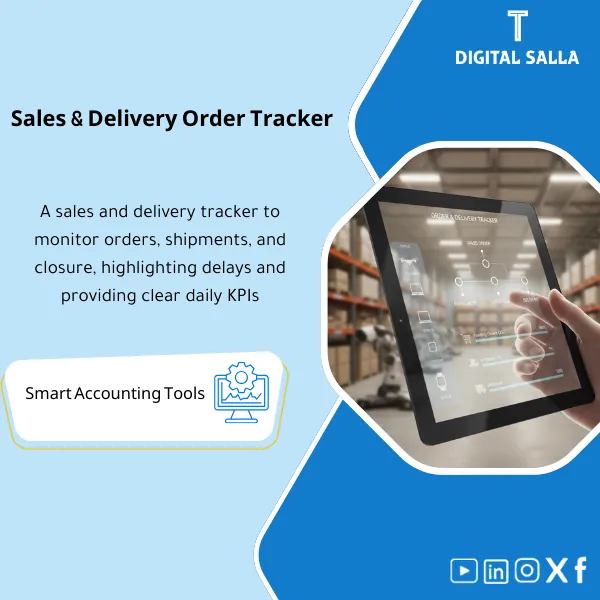
Sales Order & Delivery Tracker: Links sales orders to delivery, invoicing, and collection with late-order statuses and exceptions. Delivers a list of unbilled orders and billed-without-delivery exceptions for sales and finance teams at close.
Sales Order & Delivery Tracking
Sales Order & Delivery Tracker to link orders to deliveries and then invoices — with exception lists (Invoices without Deliveries / Deliveries without Invoices) and Month-End Cut-off guide.
Value Proposition: Sales Order & Delivery Tracking is not a “Sales Tracking File”; it is an operational control that prevents the two most critical issues in O2C: Invoices without Deliveries (Revenue/VAT/disputes risks) and Deliveries without Invoices (Unbilled revenue + AR/Revenue discrepancies). This template transforms the chain into a single record: Sales Order → Delivery → Invoice with clear cases, reasons for exceptions, and a delivery file ready for closure.
In 20 Seconds: What Will You Get?
- Sales Order Tracker: Sales Order record (SO#) with order status (Open/Partial/Closed/Cancelled) and dates.
- Delivery Tracker: Record of Delivery Tracking linking each delivery to the order (Delivery ref + qty/value + delivery date).
- Invoice Linking to Delivery: Linking table (Invoice# ↔ Delivery ref ↔ SO#) prevents reference loss during review.
- “Invoices without Deliveries” List: View ready for revenue/collection exceptions and justification/action needs.
- Late Order Tracking: Aging for open orders + Owner + reason for delay (Stock/Approval/Delivery issues).
- Month‑End Cut‑off Pack: Summary of the closing week (Delivered‑Not‑Invoiced / Invoiced‑Not‑Delivered) with Evidence references.
- Sign‑off: Prepared/Reviewed for each week/month to prove that linking and review occurred before closure.
CTA related to outputs: Receive SO/Delivery Registers + Invoice Linking + Exceptions Views + Cut‑off Pack ready for operations and closure.
Suitable For
- AR / Billing: Prevent invoices without deliveries and link collections to invoices and deliveries with a single reference.
- Controller / Chief Accountant: Control cut-off for revenue and link month-end deliveries to invoices or closing reconciliations.
- Sales Ops / Order Management: Track late orders and raise reasons for delays in a traceable manner.
Not Suitable For
- If you need a Warehouse Management System/WMS to manage Picking/Shipping and inventory paths — this Tracker is supervisory, not logistical execution.
- If you do not have reference numbers for orders/deliveries/invoices or cannot extract them from the system — the product relies on linkable references.
Without Tracker / With Tracker (Brief Comparison)
| Item | Without SO‑Delivery‑Invoice Linking | With Sales Order & Delivery Tracker |
|---|---|---|
| Invoicing | Invoices appear without deliveries and are discovered late | Ready view “Invoices without Deliveries” + reason + action + Owner |
| Closure | Cut‑off relies on manual searching across different reports | Delivered‑Not‑Invoiced / Invoiced‑Not‑Delivered Pack + Evidence refs |
| Tracking | Difficult to establish “which invoice belongs to which delivery/order” | Invoice Linking table (Invoice# ↔ Delivery ref ↔ SO#) |
Before Use: 5 Symptoms That the O2C Cycle Produces Discrepancies
- Invoices issued before delivery or without a clear delivery reference, leading to disputes/review notes.
- Month-end deliveries not invoiced in the same period, resulting in Revenue/AR discrepancies.
- No unified Late Order Tracking; the reason recurs without an Owner and closure.
- Partial deliveries are not clearly documented (what was delivered/what remains), causing discrepancies between sales, warehouse, and accounting figures.
- At Month-End, there is no single file proving the linkage between SO, delivery, and invoice (Evidence for the cut-off).
How Does Sales Order & Delivery Tracking Work Practically Within O2C?
The concept is operational: every day the SO register and its statuses are updated, then deliveries are recorded and linked to the SO, and after the invoice is issued, it is linked to the delivery in a single table. Any case outside the chain becomes an exception: “Invoice without Delivery” or “Delivery without Invoice” or “Late SO”. In Week‑4, this transforms into a cut-off pack: a list of items that must be closed before period lock.
Implementation Method (3 Steps)
Step 1: Preparation and Report Collection
- Identify key linking references: SO#, Delivery ref (Delivery order/Note), Invoice#, Customer, and Branch/Warehouse (if applicable).
- Identify data sources from the system: Open orders report, Deliveries report, Invoices report, and Returns/Cancellations report (if applicable).
- Define status rules: Open/Partial/Closed/Cancelled and how “Delivered” and “Invoiced” are defined in your environment.
Step 2: Reconciliations + Matches + JE Log
- Update Sales Order Tracker daily/weekly, linking deliveries via Delivery Tracker.
- Run matching: Delivery ↔ Invoice and link them in the Invoice Linking to Delivery table (Invoice# ↔ Delivery ref).
- Output exceptions:
- Invoices without Deliveries (need justification/cancellation/corrective action).
- Deliveries without Invoices (need invoice issuance or documentation of the delay reason).
- Late SO (need to follow up on the reason for the delay and close it).
- If the exception leads to financial adjustments (revenue/reversal/reconciliation), record its reference in the JE Log/Adjustment ref within the same file to ensure traceability.
Step 3: Adjusted TB + Lists + Closing Pack
- Before closure: Output the cut-off pack from the Tracker (Delivered‑Not‑Invoiced + Invoiced‑Not‑Delivered) with Evidence references.
- Deliver to Controller/GL: List of items that will affect revenue/AR in the period (or need reconciliation/clarification memo).
- Archive the closure file: Monthly copy of registers + exceptions + sign‑off as part of the Closing Pack.
Product Components (Clear Inventory)
-
Sales Order Register (Sales Order Tracker)
- Practical Purpose: Sales Order record: SO#, customer, date, value, status, and what remains open.
- When to Use: Daily/Weekly to track open orders.
- Resulting Evidence: List of open orders + Aging + Owner for each status.
-
Delivery Register (Delivery Tracker)
- Practical Purpose: Record of Delivery Tracking: Delivery ref, delivery date, quantity/value, and linking to the SO.
- When to Use: Daily with deliveries or at the end of the day.
- Resulting Evidence: Deliveries register filterable by (Customer/Branch/Date) and linked to SO.
-
Invoice Linking Table (Linking Invoice to Delivery)
- Practical Purpose: Link Invoice# to delivery and order (Invoice# ↔ Delivery ref ↔ SO#) to prevent reference loss.
- When to Use: When issuing the invoice or during posting/closure.
- Resulting Evidence: Linking table serves as a reference for review and dispute resolution.
-
Exceptions Log (Invoices without Deliveries / Deliveries without Invoices)
- Practical Purpose: Transform exceptions into cases with Owner, reason, action, and closure.
- When to Use: Daily + Weekly review + Week‑4.
- Resulting Evidence: Exception list deliverable within the closure file.
-
Overdue Orders Aging (Late Order Tracking)
- Practical Purpose: Identify overdue orders by Aging buckets and link them to reasons (Stock/Approval/Delivery).
- When to Use: Weekly in the operations meeting.
- Resulting Evidence: Delay report + reasons + decisions/actions.
-
Month‑End Cut‑off Pack (Delivered/Not Invoiced & Invoiced/Not Delivered)
- Practical Purpose: Extract critical closure lists: what has been delivered but not invoiced, and what has been invoiced without delivery.
- When to Use: Week‑4 and Day‑0 before period closure.
- Resulting Evidence: Cut-off evidence + tie-out notes for delivery to the Controller/auditor.
-
Evidence Index + Sign‑off
- Practical Purpose: Index supporting reports/files (ERP Exports, Delivery lists, Invoice summaries) and record Prepared/Reviewed.
- When to Use: Weekly and within the monthly closure file.
- Resulting Evidence: Evidence index + signatures proving the execution of linking and review.
What Should Be Included in the Delivery?
- 01-Sales-Order-Tracker.xlsx: Sales Order register + status + aging + owners.
- 02-Delivery-Tracker.xlsx: Delivery register + linking delivery to SO + dates/quantities/values.
- 03-Invoice-Linking-Table.xlsx: Linking invoice to delivery (Invoice# ↔ Delivery ref ↔ SO#) + validation fields.
- 04-Exceptions-Log.xlsx: Invoices without deliveries + deliveries without invoices + reasons + actions + closure.
- 05-Overdue-Orders-Aging.xlsx: Late order tracking + reasons for delay + SLA/escalation.
- 06-MonthEnd-Cutoff-Pack.xlsx: Delivered‑Not‑Invoiced / Invoiced‑Not‑Delivered + monthly summary.
- 07-Tieout-Notes.xlsx: Tie-out notes (Sales → Delivery → Invoice) + any references for adjustments/JE refs if available.
- 08-Evidence-Index.xlsx: Evidence index (ERP exports / delivery lists / invoice lists) + links/trails.
- 09-Signoff-Page.docx: Prepared/Reviewed for the month + approval of the exception list + closure date.
- 10-Runbook.pdf: Quick run (Daily update → weekly review → month-end cut‑off).
- 11-Archiving-Map.docx: Monthly archiving tree (Year/Month/O2C/SO‑Delivery‑Invoice) + Naming convention.
After Implementation (Two Points Only)
- Operational Outcome for the Team: You have a daily/weekly list showing where the chain broke: Open order without delivery, delivery without invoice, or invoice without delivery — with Owner, action, and closure.
- Control/Audit Outcome: Cut‑off becomes verifiable: Delivered/Not Invoiced and Invoiced/Not Delivered with Evidence references and signatures, instead of verbal justifications during review.
FAQ — Questions Before Purchase
Is the template suitable for any ERP?
Yes. It relies on extractable references (SO/Delivery/Invoice) and can be populated from system reports or CSV.
Does it support partial delivery?
Yes. Each delivery is recorded as a separate row and linked to the SO, allowing tracking of the remaining and showing orders as Partially fulfilled.
How does it handle “an invoice covering multiple deliveries” or “a delivery covering multiple invoices”?
Through the linking table that allows 1:N or N:1 relationships using multiple references, with an “Allocation/Notes” field if needed.
Is it suitable for multi-branch/warehouse companies?
Yes, by adding Branch/Warehouse as a mandatory field, then extracting reports for each branch and cut-off pack for each entity.
Does it handle returns or cancellations?
Cancelled/Returned cases can be entered as a status within the records and linked to references. If you have separate CN/DN, their references can be added in Notes/Refs to link them to the O2C chain.
What is the minimum data required to get started?
SO# + Delivery ref + Invoice# (if available) + dates + amounts + customer. Without the key references, you will not be able to build the linkage or extract exceptions accurately.
Does it help with Month-End only or also with daily operations?
For both. In daily operations, it produces a “tracking list” for late orders and exceptions, and in Month-End, it produces a cut-off pack as part of the Closing Pack.
Is it a substitute for the sales/warehouse module in the system?
No. It is a supervisory Tracker to aggregate the chain and show exceptions and provide Evidence; execution (SO/Delivery/Invoice) occurs within the system.
Ready to close the month while managing the SO → Delivery → Invoice chain in one file?
Outputs: Sales Order Tracker + Delivery Tracker + Invoice Linking + Exceptions + Month‑End Cut‑off Pack.
| المسمّى الوظيفي | |
|---|---|
| Duration | |
| المستوى | |
| التحديثات | |
| القطاع | |
| الصيغة |
Related products







Reviews
Clear filtersThere are no reviews yet.