




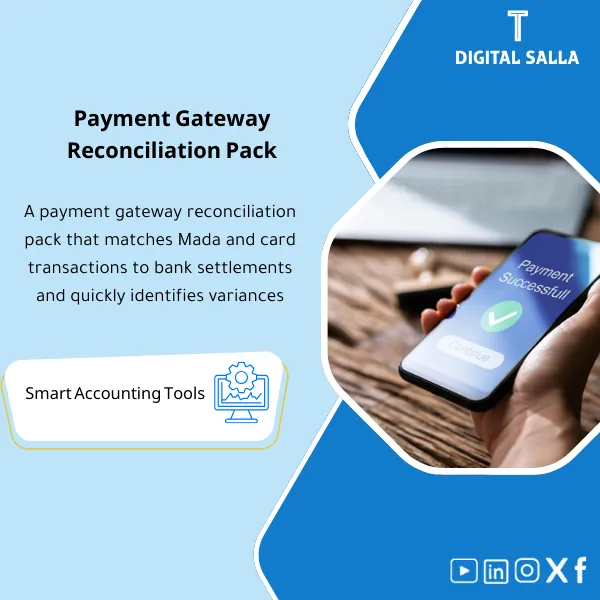
Payment Gateway Reconciliation Pack – Excel Files
84.84 $
Payment Gateway Reconciliation: Matches Mada/Visa/MC/Apple Pay/STC/Stripe transactions to bank settlements, breaking down fees, refunds, and chargebacks. Delivers a close-ready variance and reconciliation report for e-commerce finance teams.
Payment Gateway Reconciliation
Payment Gateway Reconciliation Pack for reconciling (Mada/Visa/MC/ApplePay/STC/Stripe) with bank statements + Payment Gateway Fees + Refunds & Chargebacks — and delivering a reviewable Month-End pack
Value Proposition: Payment Gateway Reconciliation is the missing link between “Sales Completed” and “Cash Deposited in Bank.” The real issue is not in revenue recognition, but in operational discrepancies: gateway reports show Sales, the bank shows aggregated Payouts, and the difference often equals Payment Gateway Fees + Refunds and Chargebacks + timing differences in Settlement. This package builds you a complete reconciliation pathway: Transaction → Settlement/Payout → Bank Statement → Clearing Rollforward → JE Log → Closing Pack, instead of having reconciliation as a “manual search” at month-end.
In 20 Seconds: What Will You Get?
- Multi-Gateway Ledger: A unified ledger for each gateway (Mada/Visa/MC/ApplePay/STC/Stripe) with Transaction IDs and dates.
- Payment Gateway Settlements: Import Settlement/Payout and automatically link to transactions (Gross → Net).
- Bank Matching: Match Payouts with bank statements + list of “Payouts not appearing in the bank” and “Deposits without reference.”
- Clearing Rollforward: Movement of the intermediary account (Payment Gateway Clearing) from opening → movements → closing with explanations for discrepancies.
- Payment Gateway Fees: Fees schedule (MDR/Fixed fees) + processing method (Expense/contra) + JE reference.
- Refunds and Chargebacks: Separate tracker for refunds and disputes linking back to the original transaction and settlement.
- Month‑End Closing Pack: Matching summary + Unmatched aging + JE log + Evidence index for delivery.
CTA related to outputs: Receive Clearing Rollforward + Bank Reconciliation + Fees Schedule + Refunds/Chargebacks Tracker + Closing Pack.
Suitable For
- E‑commerce Finance / AR: Reconciling gateway sales with bank deposits and closing discrepancies before closing.
- Controller / Chief Accountant: Managing Clearing accounts and producing JE Log and reviewable delivery.
- Internal Audit / Compliance: Tracking Refunds/Chargebacks and fees and substantiating settlements and timing (Cut‑off).
Not Suitable For
- If you need automatic API integration and real-time report pulling from gateways — this is an Excel/Runbook package relying on Exports.
- If you do not have a Clearing account or cannot extract Transactions/Payouts/Bank reports — a minimum of data is essential for reconciliation.
Without the Package / With the Package (Brief Comparison)
| Item | Without Organized Reconciliation | With Payment Gateway Reconciliation Pack |
|---|---|---|
| Deposits | Aggregated Payouts + difficult to link to sales | Settlement → Bank matching + clear Unmatched list |
| Clearing Account | “Suspended” balance at month-end without explanation | Clearing rollforward + Aging of discrepancies + documented reasons |
| Refunds/Chargebacks | Show up late as discrepancies or disputes | Tracker linking the original transaction to the settlement and its impact on AR/Revenue |
Before Use: 5 Symptoms That Payment Gateway Settlements Are Consuming the Closing
- The bank statement shows aggregated deposits with no clear linkage to daily/weekly transactions.
- The Payment Gateway Clearing account balance accumulates monthly without rollforward or aging of discrepancies.
- Gateway fees (MDR/Fees) are recorded as a “number” without a schedule linking them to settlement reports.
- Refunds and Chargebacks are discovered late, entering as discrepancies in AR or revenue or intermediary accounts.
- At Month‑End, there is no delivery file explaining: (Gross sales → fees → refunds → net payout → bank) with evidence.
How Payment Gateway Reconciliation Works Practically from Sale to Adjusted TB?
The journey begins with gateway transactions, then the settlement report which shows how transactions converted to net deposits after deducting fees and refunds. Next, the net deposits are matched with the bank statement. Any differences are classified: Timing (Settlement lag), Fee mismatch, Refund/Chargeback pending, or Bank posting difference. Finally, the Clearing rollforward + JE Log are produced to zero out/reconcile what is necessary before closing the period and issuing the Closing Pack.
Application Method (3 Steps)
Step 1: Preparation and Gathering Reports
- Extract gateway reports: Transaction report + Settlement/Payout report + Fee details + Refund/Chargeback report.
- Extract the bank statement (or Bank statement export) for the required period.
- Define linking rules: Transaction ID / Settlement ID / Payout ID / Bank reference, and specify currency/branch/gateway (if applicable).
Step 2: Matches + Classification + JE Log
- Apply Payment Gateway Reconciliation: Link gateway transactions to Settlement files and then calculate Gross/Fees/Refunds/Net.
- Match Net Payouts with the bank statement and generate exception lists:
- Payouts not in Bank: Settlement completed but deposit not shown (Timing/Bank posting).
- Bank deposits without Payout ref: Deposit without a clear reference needing classification/verification.
- Record the impact of discrepancies in JE Log: Fees, fee discrepancies, Chargeback pending, reclassification from/to Clearing, with JE reference within the file.
Step 3: Adjusted TB + Listings + Closing Pack
- Produce Clearing Account Rollforward and explain the closing balance: Opening + movements – bank matched – settled refunds/chargebacks = Closing.
- Perform Tie‑out: Total Net Payouts matching the bank ↔ Bank movements in TB ↔ Clearing/Fees account movements in GL (according to your account structure).
- Compile Closing Pack: Matching summary + Unmatched aging + Fees schedule + Refunds/Chargebacks tracker + Evidence index + Sign‑off.
Package Components (Clear Inventory)
-
Gateway Transactions Import (Mada/Visa/MC/ApplePay/STC/Stripe)
- Practical Purpose: Import gateway transactions and standardize key fields (Transaction ID/Date/Amount/Status).
- When to Use: Daily or weekly depending on transaction volume.
- Resulting Evidence: Unified transaction ledger suitable for reconciliation basis.
-
Settlement/Payout Import (Payment Gateway Settlements)
- Practical Purpose: Load settlement reports and link each Settlement with its transactions, fees, and Refunds.
- When to Use: Weekly + before closing.
- Resulting Evidence: Settlement register showing Gross → Net with clear references.
-
Bank Statement Import & Matching
- Practical Purpose: Match net Payouts with bank deposits and produce matched/unmatched.
- When to Use: Weekly + Week‑4/Month‑End.
- Resulting Evidence: Bank reconciliation view + list of items needing follow-up.
-
Fees Schedule (Payment Gateway Fees)
- Practical Purpose: Detail fees (MDR/Fixed fees/Other) by gateway/period and link to settlements.
- When to Use: Monthly for closing + when actual fees differ from expected.
- Resulting Evidence: Deliverable fees schedule + JE references if fees are recorded separately.
-
Refunds & Chargebacks Tracker
- Practical Purpose: Track refunds and disputes linking them to the original transaction and Settlement and their financial impact.
- When to Use: When a Refund/Chargeback occurs + weekly review until closing.
- Resulting Evidence: Refunds/Chargebacks log with Status/Aging/Outcome (Won/Lost/Settled).
-
Clearing Account Rollforward & Aging
- Practical Purpose: Explain the balance of the Payment Gateway Clearing account and show pending items by age and reason.
- When to Use: Month‑End and Year‑End (especially when pending items accumulate).
- Resulting Evidence: Rollforward + Aging + reasons for discrepancies (Timing/Fee/Refund/Chargeback).
-
Unmatched Exceptions Dashboard
- Practical Purpose: A dashboard summarizing exceptions: Unsettled transactions, settlements without bank, fee discrepancies, pending Refunds.
- When to Use: Weekly to guide the team + Week‑4 to close items before closing.
- Resulting Evidence: Monthly snapshot of exceptions that can be archived within the Closing Pack.
-
JE Log + Closing Pack Section
- Practical Purpose: Document settlement/reclassification entries related to reconciliation (Fees/Reclass/Clearing adjustments) with references.
- When to Use: Month‑End/Year‑End.
- Resulting Evidence: JE references + brief memo for each entry + delivery file for closing.
What Should Be Included in the Delivery?
- 01-Gateway-Transactions-Import.xlsx: Imports for each gateway + standardization of fields + Mapping dictionary.
- 02-Settlements-Payouts-Register.xlsx: Payment Gateway settlements register + IDs + Gross/Fees/Refunds/Net.
- 03-Bank-Statement-Matching.xlsx: Matching Payouts with bank statements + matched/unmatched.
- 04-Fees-Schedule.xlsx: Payment Gateway fees + breakdown by gateway/period + accounting treatment notes.
- 05-Refunds-Chargebacks-Tracker.xlsx: Refunds and Chargebacks + linking to the original transaction + status + aging + outcome.
- 06-Clearing-Rollforward-Aging.xlsx: Movement of the Clearing account + explanation of closing balance + aging by reason.
- 07-Unmatched-Exceptions-Log.xlsx: Exceptions log (Missing settlement / Missing bank / Fee mismatch) + Owner + Action.
- 08-JE-Log.xlsx: Log of JE references (Fees/Reclass/Adjustments) + reason + date + reference.
- 09-MonthEnd-Gateway-Closing-Pack.xlsx: Matching summary + exception lists + tie‑out notes + Sign‑off.
- 10-Evidence-Index.xlsx: Evidence index (Gateway exports / payout reports / bank statements) + links/paths.
- 11-Runbook.pdf: Practical runbook (Weekly reconciliation → month-end rollforward → closing pack).
- 12-Archiving-Map.docx: Archiving tree (Year/Month/Payments/Gateways/Settlements/Bank/Evidence) + Naming convention.
After Implementation (Two Points Only)
- Operational Outcome for the Team: Any day/week you can answer with one record: How much Gross sales? How much Net payout? Where are the discrepancies? And what are the pending items (Timing/Refund/Chargeback/Fee mismatch) with Owner and closure step.
- Audit/Compliance Outcome: Month‑End becomes a “file of evidence” that is traceable: Exports → Matching → Clearing rollforward → JE refs → Sign‑off, supporting Traceability for cash/fees/intermediary accounts instead of verbal explanations.
FAQ — Questions Before Purchase
Is the package suitable for any ERP?
Yes. The package works on Exports from gateways and the bank, producing rollforward and JE log for posting inside ERP according to your account structure.
Does it support multiple gateways at the same time (Stripe + Mada + ApplePay… etc.)?
Yes. There is a unified ledger with a Gateway/Channel field, and separate reports can be generated for each gateway or a consolidated report.
Does it include detailed Payment Gateway Fees?
Yes: Fees schedule linked to settlement reports. Fee classifications (MDR/Fixed/Other) can be added according to the gateway report.
How does the model handle Refunds and Chargebacks?
There is a Tracker linking the original transaction to the Refund/Chargeback and to the settlement/deposit, with status and Aging and Outcome (Won/Lost/Settled).
What is the minimum data required to get started?
Transaction report + Settlement/Payout report + Bank statement for the period. Without Payout IDs or clear bank references, unmatched items will increase.
Is it for daily use or Month‑End only?
It is suitable for weekly/daily use as an operational reconciliation, and at Month‑End it transforms into a Closing Pack with rollforward and Sign‑off.
How does it handle timing differences (Settlement lag)?
By classifying items as Timing pending and showing them in Clearing aging according to transaction date/settlement date so they are not treated as “unjustified” differences.
Is there a delivery template for references?
Yes: Month‑End gateway closing pack + evidence index + rollforward + unmatched aging + JE refs; these are items typically delivered within the closing file.
Ready to Reconcile the Differences Between the Gateway and the Bank with a Clear Clearing Account?
Outputs: Payment Gateway Reconciliation + Fees + Refunds/Chargebacks + Clearing Rollforward + Closing Pack.
| المسمّى الوظيفي | |
|---|---|
| Duration | |
| المستوى | |
| التحديثات | |
| القطاع | |
| الصيغة |
Related products

Chart of Accounts Setup Service

Customer Contracts Register – Excel Template
Customer Contract Management Template is a comprehensive Excel-based program to manage customer contracts effectively, including contract data, payments tracking, completion percentages, delivery dates, and project profitability—supported by automated reports that improve contract oversight and customer relationships.


Reviews
Clear filtersThere are no reviews yet.