



Sales Returns & Allowances – Excel Template
42.29 $
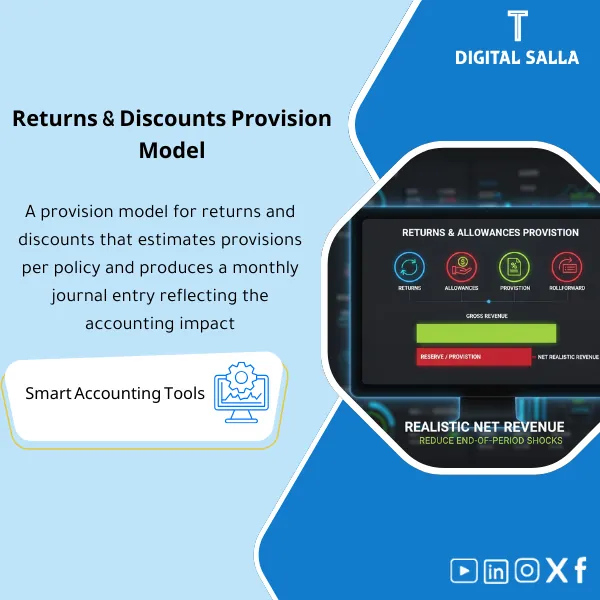
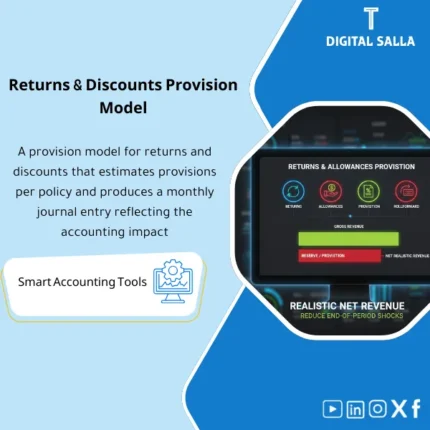
Sales Returns Provision: Calculates allowances based on historical rates, manages provision movements, and links CNs to returns and COGS impact. Delivers a monthly rollforward for net revenue and margin for sales and finance teams.
Sales Returns Provision
Sales Returns & Allowances Pack for monthly provision calculation linked to Net Revenue — with Rollforward + JE Log + reviewable Closing Pack
Value Proposition: Sales Returns Provision is not a “month-end entry”; it is a working file that connects (Gross Sales → Expected Returns/Allowances → Net Revenue) with a clear estimation methodology, actual matching, and Sales Provision Entries with traceable references within Month-End and Year-End.
In 20 Seconds: What Will You Get?
- Sales Returns Allowance Calculator produces the provision estimate based on a clear methodology (Historical + Adjustments) instead of an arbitrary figure.
- Historical Returns Estimation segmented by (Customer/Item/Channel) if your data allows.
- Discounts Provision and Allowances (Price adjustments/Commercial allowances) with a separate log when needed.
- Rollforward for provision calculation: Opening + current estimate − actual returns/CN = Closing.
- Variance analysis: comparing “actual” vs “estimated” to update the methodology instead of repeating the same mistake monthly.
- JE Log for Month‑End entries (including Sales Provision Entries and their references) linked to Adjusted TB.
- Closing Pack: Monthly snapshot + Evidence index + Sign‑off (Prepared/Reviewed) for closure delivery.
CTA linked to outputs: Receive Allowance Rollforward + Variance Analysis + JE Log + Month‑End Closing Pack ready.
Suitable For
- Retail / E‑commerce / Distribution: Presence of actual returns and Credit Notes with a direct impact on Net Revenue.
- Controller / Chief Accountant: Establishing a monthly provision estimation methodology and linking the impact to Adjusted TB and Closing Pack.
- Internal/External Audit readiness: An Evidence file linking sales to the methodology, entry, and final balance.
Not Suitable For
- If there are no significant returns/discounts or a return policy — the provision will not have a substantial practical impact.
- If you cannot extract sales and returns/CN data from the system — without data, the calculations will not be reviewable.
Without the Template / With the Template (Brief Comparison)
| Item | Without Returns Pack | With Sales Returns & Allowances Pack |
|---|---|---|
| Net Revenue | Moves based on CN/returns when they occur (Late impact) | Monthly estimate + Rollforward explaining the period’s impact on Net Revenue |
| Month‑End | Estimation entry “to close the number” without methodology/evidence | Calculator + Variance + JE Log + Sign‑off |
| Review | Request for explanation: “How did you calculate the provision?” every time | Evidence index: Sales → Rate → Estimate → Actual → Closing balance |
Before Use: 5 Symptoms That Returns Provision Is Not Closeable
- Returns appear in later months unexpectedly impacting Net Revenue.
- No Historical Returns Estimation or exists but not updated when policies/campaigns/quality change.
- Credit Notes for returns/discounts issued without a clear link to the period the obligation arose.
- Balance of Returns Provision in GL changes without a Rollforward explaining opening/addition/utilization.
- At Month‑End, there is no file linking: Gross sales → allowance estimate → actual returns → adjustment entry → closing balance (Traceability).
How is Sales Returns Provision Calculated Practically Within Month‑End?
The methodology here is practical, not theoretical: we start with sales data and returns/CN data, then define the return window that creates an “obligation” on the month’s sales. We calculate a historical returns rate (Baseline), then adjust it with operational factors (campaigns/seasonal/policy change/channel/item). The output = Estimate for the month. We then compare the actual to what was estimated (Variance) and produce Sales Provision Entries in the JE Log, followed by Reconciliations and linking the balance to Adjusted TB and Closing Pack.
Application Method (3 Steps)
Step 1: Preparation and Report Gathering
- Extract Sales report for the period (preferably: Invoice date / posting date + Customer + SKU + Channel + Gross amount).
- Extract Returns/Credit Notes (Return/CN date + reference invoice + amount + reason code if available).
- Define the return policy (number of allowed days) and whether there are Returns after 30/60 days affecting the month’s estimate.
- Identify GL accounts: Returns & allowances (contra revenue) + allowance liability (or provision account) + CN/AR accounts (as per your design).
Step 2: Adjustments + Matching + JE Log
- Run Sales Returns Allowance analysis:
- Baseline rate from Historical Returns Estimation (e.g., trailing 3/6/12 months).
- Clear and justified adjustments (seasonal/campaign/policy change/quality issues/channel change).
- Output Estimate for the month at the (total) or (SKU/Channel) level depending on data quality.
- Prepare Variance analysis: actual returns/CN during the month (and later) against what was estimated for the previous period, to update the methodology.
- Prepare JE Log for adjustment entries:
- Provision formation/modification entry: Dr Returns & Allowances (contra revenue) / Cr Sales returns allowance (liability).
- When recording a return/issuing a CN within your company policy: use the provision and link the reference within the file (CN#/Return ref).
- Any reclassification between discounts provision and returns provision should be documented with justification and references.
Step 3: Adjusted TB + Statements + Closing Pack
- Output Rollforward: Opening allowance + current period estimate − actual CN/returns applied ± true‑up = Closing.
- Reconciliations: linking Closing balance to GL (Adjusted TB) with a variance record (Mapping/Timing/Unlinked CN).
- Compile Closing Pack: Sales basis export + rate memo + calculator + rollforward + JE references + evidence index + sign‑off.
Template Components (Clear Inventory)
-
Sales Basis Import
- Practical Purpose: Import sales as a basis for calculating the provision (Gross sales before returns/discounts).
- When Used: Every Month‑End.
- Resulting Evidence: Sales basis export attached as Evidence for the period.
-
Returns & CN Import
- Practical Purpose: Aggregate actual returns/CN and link them to invoices/periods.
- When Used: Monthly + weekly review if the volume of returns is large.
- Resulting Evidence: Register of returns and CN with filterable references.
-
Historical Returns Rate Analysis
- Practical Purpose: Calculate a historical rate by period/channel/item (depending on data availability) and produce Baseline.
- When Used: Monthly (quick update) + Quarterly (method recalibration).
- Resulting Evidence: Rate table + methodological explanation suitable as a working file for review.
-
Allowance Calculator
- Practical Purpose: Convert rates into the month’s provision value and link it to Gross sales, displaying Returns Provision and (optionally) Discounts Provision separately.
- When Used: Month‑End.
- Resulting Evidence: Calculation sheet + outputs ready for linking with JE.
-
Adjustments & Reasoning Log
- Practical Purpose: Document any adjustment to the historical rate (Campaign, Quality issue, policy change) with “why” and “who approved.”
- When Used: When there is a significant deviation from the historical.
- Resulting Evidence: Memo/Log documenting the accounting judgment behind the figure.
-
Variance Analysis
- Practical Purpose: Compare actual to estimated for previous periods to identify Over/Under provision and feed methodology updates.
- When Used: Monthly, especially at Quarter‑End and Year‑End.
- Resulting Evidence: Variance report + adjustment recommendation (True‑up) when necessary.
-
Allowance Rollforward
- Practical Purpose: Demonstrate how we arrived at the closing balance: opening + estimate − utilized (returns/CN) ± adjustments.
- When Used: Month‑End and Year‑End.
- Resulting Evidence: Rollforward deliverable within Closing Pack.
-
JE Generator & JE Log
- Practical Purpose: Prepare entries resulting from the calculation and link them to GL accounts (contra revenue/allowance) with JE references.
- When Used: Every Month‑End.
- Resulting Evidence: JE list + brief explanation + direct link to the calculator.
-
GL Tie‑out + Closing Pack Section
- Practical Purpose: Match the provision balance with TB and produce a delivery file for closure (Adjusted TB support).
- When Used: Week‑4/Month‑End and Year‑End.
- Resulting Evidence: Reconciliation + Evidence index + Sign‑off.
What Should Be Included in the Delivery?
- 01-Sales-Returns-Allowance-Calculator.xlsx: Provision calculation (Returns/Allowances) + Outputs for Net revenue.
- 02-Sales-Basis-Import.xlsx: Sales import templates (Gross sales) + mapping for fields.
- 03-Returns-CN-Import.xlsx: Returns and Credit Notes import templates + linking to invoice/period.
- 04-Historical-Returns-Rate.xlsx: Historical returns estimation + rates by period/channel/item (depending on data).
- 05-Adjustments-Reasoning-Log.xlsx: Log of adjustments and their justifications + Approvals fields.
- 06-Variance-Actual-vs-Estimate.xlsx: Comparison of actual to estimate + True‑up recommendations.
- 07-Allowance-Rollforward.xlsx: Provision movement (opening/estimate/utilized/closing) + aging if necessary.
- 08-JE-Generator-JE-Log.xlsx: Sales provision entries + JE references + linking to accounts.
- 09-GL-Tieout-Reconciliation.xlsx: Matching provision balance with TB + variance record and reasons.
- 10-MonthEnd-Returns-Closing-Pack.xlsx: Closing summary (Net revenue impact + rollforward + unmatched) + Sign‑off.
- 11-Evidence-Index.xlsx: Evidence index (Sales exports/Returns reports/CN copies) + links/trails.
- 12-Policy-Runbook.pdf: Runbook (Monthly workflow + assumptions + controls + review points).
- 13-Signoff-Page.docx: Prepared/Reviewed/Approved + period scope + closure date.
- 14-Archiving-Map.docx: Archiving tree (Year/Month/Revenue/Returns-Allowance/Evidence) + Naming convention.
After Implementation (Two Points Only)
- Operational Outcome for the Team: Net Revenue becomes “based on a consistent methodology” with a monthly Rollforward explaining why the provision increased/decreased, instead of reacting when returns/CN are issued.
- Control/Audit Outcome: You have complete Traceability: Sales basis → historical rate → adjustments → allowance estimate → actual returns/CN → JE references → GL tie‑out → Closing Pack, making the review traceable rather than a discussion.
FAQ — Questions Before Purchase
Is the template suitable for any ERP system?
Yes. The requirement is Exports for sales and returns/Credit Notes. The template calculates the provision and outputs JE Log and Reconciliations for recording within ERP.
Does it cover “Discounts Provision” or just returns?
It covers both when needed: Returns Provision and Discounts Provision/Allowances, and they can be separated or combined depending on the presentation policy in the statements.
How is the historical returns estimation built?
Through historical rates (Trailing periods) with the option to segment by SKU/Channel/Customer if data is available, then documenting any Adjustments clearly.
Does it support seasonal adjustments or promotional campaigns affecting returns?
Yes, through the “Adjustments & Reasoning log” to record the reason for the adjustment, its impact, and who approved it, ensuring the accounting judgment is documented.
What is the minimum data required to get started?
Gross sales for the period + Returns/CN for returns/discounts + Return policy (Return window). Having Reason codes improves analysis but is not mandatory.
Is it suitable for Month‑End only or Year‑End as well?
For both. Running it monthly produces a consistent Rollforward, and at Year‑End, it provides a clear True‑up and actual comparison against the estimate throughout the year.
Does it include detailed treatment under IFRS 15 such as Right to recover asset?
The file focuses on the provision as an impact on Net revenue. If your company applies detailed treatment (like recovery asset rights), fields/tabs can be added for that within the provision, but the judgment and policy are determined by your team.
Is there a delivery template for reviewers?
Yes, within the Closing Pack: sales basis + rate memo + calculator + rollforward + JE log + GL tie‑out + evidence index + sign‑off.
Ready to Close Net Revenue with an Explained Provision Matching the GL?
Outputs: Sales Returns Allowance + Rollforward + Variance Analysis + JE Log + Closing Pack.
| المسمّى الوظيفي | |
|---|---|
| Duration | |
| المستوى | |
| التحديثات | |
| القطاع | |
| الصيغة |






Reviews
Clear filtersThere are no reviews yet.