


AP Aging & Payables Plan – Excel Template
42.29 $
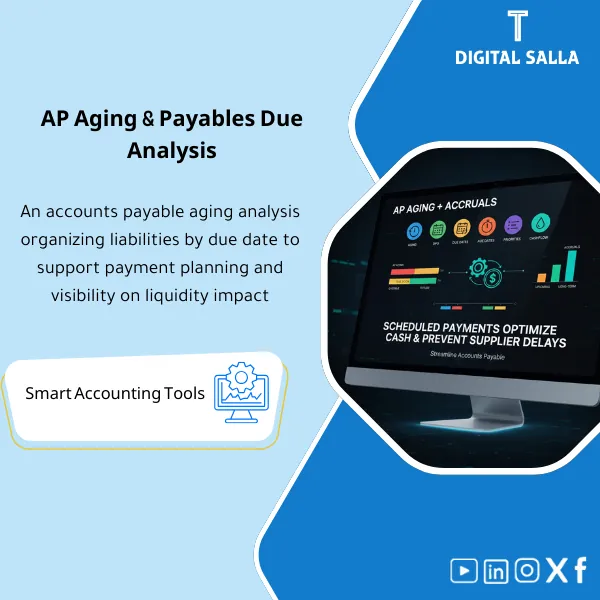
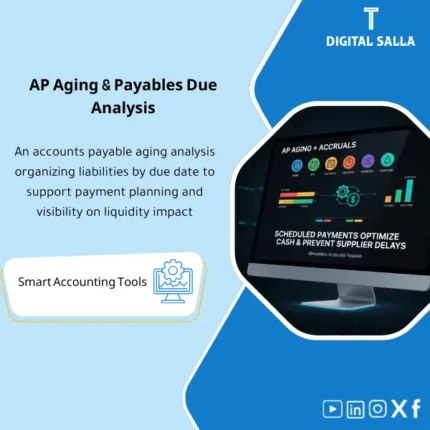
Accounts Payable (AP) Aging: Buckets supplier invoices by aging and converts them into a weekly/monthly due schedule tied to liquidity. Delivers a prioritized payments list to help finance manage cash and avoid supplier delays.
Accounts Payable Aging
Accounts Payable Aging Template + Vendor Due Schedule — Accounts Payable Aging Report + List of Invoices Payable + DPO Calculation + Month-End Tie-out for Review
Value Proposition: Accounts Payable Aging Template cannot be resolved with a “system-generated report” alone, as the issue often lies not in extracting invoices… but in: (1) Invoices recorded without a correct due date, (2) Partial payments and Credit Notes distorting the balance, (3) Vendor statement discrepancies, and (4) Payment scheduling without clear prioritization leading to repeated instances of “critical invoice discovered too late.” This template transforms the file into a Closing and Operating Workflow: cleaning due date data, building an AP Aging Template at the invoice level, extracting Invoices Payable by priority, then tying out with GL/AP Subledger and producing a deliverable Control Pack.
In 20 Seconds: What Will You Get?
- Accounts Payable Aging Report at the invoice level (Open items) with clear time segmentation (Current/Overdue).
- Vendor Due Schedule that outputs “what needs to be paid within 7/14/30 days” based on actual due dates.
- List of Invoices Payable with priority (Critical/Overdue/Postponable) and justifications for exceptions.
- AP Aging Template with cleaning rules: Terms, Due date, Partial payments, CN, Unapplied credits.
- Vendor statement reconciliation (optional): Discrepancies between vendor statement and your records with a log of reasons/actions.
- DPO Calculation (Indicator + Trend) supported by AP and COGS/Spend figures as you provide to the file.
- Month-End Tie-out Pack: Tying total AP Aging with GL/AP Control account + list of discrepancies for delivery.
CTA related to outputs: Receive AP Aging + Due Schedule + Payment List + GL Tie-out ready for operation and delivery.
Suitable for
- Accounts Payable + Treasury: Managing vendor payments based on actual due dates, not “urgent by phone.”
- Head of Accounting / Controller: Month-End AP tie-out + variance processing + preparing a reviewable Closing Pack.
- Internal Audit / External Audit readiness: Evidence and tracking: Invoice → Payment/Reconciliation → Open balance → Matching with GL.
Not Suitable for
- If your company does not operate on an Open items system and does not record due dates/terms systematically — you will first need to improve source data before the template can show its effect.
- If you are looking for complete automation for executing bank payments (Payment execution/Bank integration) — this template prepares a “Payment List” and is not a transfer platform.
Without the Template / With the Template (Short Comparison)
| Item | Without Adjusted AP Aging | With Accounts Payable Aging Template |
|---|---|---|
| Due Schedule | “Estimated” or “Who Claims” payment list | Due schedule + Priority + Documented exceptions |
| Month-End | AP/GL discrepancies appear late | Tie-out + exception log + evidence pack for delivery |
| Vendor Statements | “You paid/You didn’t pay” disputes without tracking | Clear Reconciliation: statement vs ledger + reasons for discrepancies |
Before Use: 5 Symptoms That the Accounts Payable File Causes Daily Stress and Repeated Closures
- Invoices recorded without a correct due date (or due date = invoice date) misleadingly appear as “Overdue.”
- Partial payments and Unapplied Credit Notes distort the open balance for each vendor.
- No Accounts Payable Aging Report at the invoice level, only a total by vendor, leading to lost priorities.
- Month-End: AP balance in TB does not equal total AP subledger, and no one quickly knows the source of the difference.
- Vendor statement disputes recur because you lack a Reconciliation template that clarifies “what we have and what they have” and why.
How to Build Accounts Payable Aging Practically from Open Items to Payment List?
The file starts by uploading Open items from the system (invoices/notes/credit memos) with due date and payment terms data. Next, it cleans the points that distort the aging (due date, partial payments, Unapplied CN) and then segments the balance into Current and Overdue based on “due date” rather than entry date. After that, a Vendor Due Schedule is built, and a list of Invoices Payable is extracted by clear priority. Finally, a Tie-out is executed between the total aging and AP accounts in TB with an exception log suitable for delivery within the Closing Pack.
Implementation Method (3 Steps)
Step 1: Preparation and Report Collection
- Extract Open items/AP aging from ERP (Invoice#, Vendor, Posting date, Due date, Amount, Currency, Payment terms, Open balance).
- Extract Payments/clearing report (for partial payments and reconciliations) + Credit notes/unapplied credits.
- Extract Trial Balance for AP control accounts + (optional) vendor statements for matching.
Step 2: Cleaning + Matching + Exception Log
- Apply data quality rules: verify Terms and Due dates and highlight invoices “without logical due dates.”
- Process partial payments and apply CN/credits to the correct invoices (or log them as exceptions until resolved).
- Produce a final AP Aging Template + exception list: unmatched payments, unapplied credits, disputed invoices.
- Prepare the payment list: Invoices Payable + reasons for exclusion (Hold/Dispute/Missing docs) with Owner and follow-up date.
Step 3: Tie-out + Adjusted TB + Month-End Pack
- GL tie-out: Total open AP according to the template ↔ AP account balance in TB (with currency/branch/AP account discrepancies).
- Output indicators: DPO Calculation + Trend + overdue distribution by vendor/channel/branch (based on your data).
- Compile Month-End pack: Aging snapshot + due schedule + exceptions + tie-out notes + sign-off (Prepared/Reviewed).
Template Components (Clear Inventory)
-
Open Items Import
- Practical Purpose: Input open vendor invoices as the basis for Accounts Payable Aging.
- When to Use: Weekly + before Month-End.
- Resulting Evidence: Open items register dated for the period.
-
Terms & Due Date Validation
- Practical Purpose: Identify invoices with unreasonable due dates or unapplied Terms.
- When to Use: Every update cycle of the file and before generating the payment list.
- Resulting Evidence: Report of data errors/omissions with Owner for correction.
-
Payments & Clearing Module
- Practical Purpose: Handle partial payments and reconciliations to ensure that the “open balance” is accurate.
- When to Use: Weekly + Week-4.
- Resulting Evidence: Clearing log showing what has been applied and what remains open.
-
Credit Notes & Unapplied Credits
- Practical Purpose: Track Unapplied CN/credits and assess their impact on the balance and payment.
- When to Use: Weekly, especially before Payment run.
- Resulting Evidence: List of Unapplied Credits + required action (Apply/Refund/Investigate).
-
AP Aging Engine
- Practical Purpose: Build an Accounts Payable Aging Report at the invoice level by due date (Current/Overdue buckets).
- When to Use: Weekly + Month-End snapshot.
- Resulting Evidence: Aging report ready for delivery and tracking.
-
Vendor Due Schedule
- Practical Purpose: Convert aging into a “due within” list (7/14/30 days) to support cash planning.
- When to Use: Weekly and link it to the liquidity plan (Treasury).
- Resulting Evidence: Due schedule with totals by vendor/branch/currency.
-
Payment Proposal List
- Practical Purpose: Extract invoices payable with Prioritization + Hold/Dispute flags.
- When to Use: Before each Payment run.
- Resulting Evidence: Payment list + approvals fields + reason for item exclusions.
-
Vendor Statement Reconciliation
- Practical Purpose: Compare vendor statement with your books and explain discrepancies (missing invoice/GR/credit/pending payment).
- When to Use: Monthly for key vendors + Year-End.
- Resulting Evidence: Reconciliation sheet + action log for discrepancies.
-
DPO KPI
- Practical Purpose: Calculate DPO and track its trend based on AP and COGS/Spend (as provided by your data).
- When to Use: Monthly/Quarterly within Reporting pack.
- Resulting Evidence: KPI trend + explanation of changes (large items/changes in Terms/postponed payments).
-
GL Tie-out & Month-End Pack
- Practical Purpose: Tie total AP Aging with TB and produce a deliverable Control file (Closing Pack section).
- When to Use: Week-4/Month-End and Year-End.
- Resulting Evidence: Tie-out notes + exception list + sign-off.
What Should Be Included in the Delivery?
- 01-AP-Aging-Template.xlsx: Accounts Payable Aging Template (Buckets + Vendor/Site/Currency).
- 02-Open-Items-Import.xlsx: Template for uploading open invoices (Open items) + Mapping.
- 03-Payments-Clearing-Import.xlsx: Upload for payments/reconciliations for partial payments + clearing refs.
- 04-Credit-Notes-Unapplied-Credits.xlsx: CN/credits + application status + required action.
- 05-Due-Date-Terms-Validation.xlsx: Validate payment terms and due dates + error list.
- 06-Vendor-Due-Schedule.xlsx: Vendor Due Schedule (List of Due) + Aggregates.
- 07-Payment-Proposal-List.xlsx: Invoices Payable + Priority + Holds/Disputes + Approvals.
- 08-AP-Dispute-Hold-Log.xlsx: Log of disputed/held invoices + reason + Owner + follow-up date.
- 09-Vendor-Statement-Recon.xlsx: Vendor statement reconciliation (Statement vs Ledger) + action plan.
- 10-DPO-KPI-Tracker.xlsx: DPO Calculation + Trend + Monthly change explanation.
- 11-GL-Tieout-Reconciliation.xlsx: Tie-out between total aging and AP accounts in TB + notes.
- 12-MonthEnd-AP-Closing-Pack.xlsx: Month-End snapshot + exceptions + sign-off + evidence index.
- 13-Runbook.pdf: Weekly/Monthly operational run (Import → validate → aging → due schedule → pay list → tie-out).
- 14-Archiving-Map.docx: Archiving tree (Year/Month/AP/Aging/Payments/Reconciliations) + Naming convention.
- 15-Signoff-Page.docx: Prepared/Reviewed/Approved + period scope.
After Implementation (Two Points Only)
- Operational Outcome for the Team: Vendor payment management becomes an organized list: Invoices Payable by due date, with clear priority, and Hold/Dispute items having an Owner and closure plan instead of random chasing.
- Control/Audit Outcome: You have a ready audit trail: Open invoice → due date/terms → partial payment/CN → open balance → aging bucket → GL tie-out → Month-End pack + sign-off, reducing review inquiries about AP completeness and cut-off.
FAQ — Questions Before Purchase
Is the template suitable for any ERP system?
Yes. The primary requirement is the ability to extract Open items/AP subledger and reconciliations/payments. The template works over any system via Exports.
Does it support multi-branch companies or multiple currencies?
Yes, if the export data includes (Company/Branch/Site/Currency). The template allows separate aggregations and then a unified total with currency discrepancy explanations.
Does it cover GR/IR and accruals?
It focuses on AP open items. If you have GR/IR (goods receipt without invoice), you can link its outputs as a supporting file from the P2P/GRIR package to show unbilled liabilities alongside AP.
How does it handle partial payments and Credit Notes?
There are Modules for partial payments and CN/unapplied credits to ensure that the aging does not appear “inflated” due to unapplied items or unlinked reconciliations.
What is the minimum data required to get started?
Invoice number + Vendor + Posting date + Due date/Terms + Open amount + Currency. Having payment/clearing and CN improves the accuracy of the open balance.
Does it calculate DPO in an “audit-acceptable” manner?
It calculates DPO Calculation based on AP and COGS/Spend data you provide within the template, and outputs Trend and explanation. The final calculation method (COGS vs purchases) is adjusted according to your company policy.
Is it suitable for weekly operations or just for closing?
For both: Weekly for managing due items and payment lists, and monthly for producing snapshots + tie-out + pack for delivery within Month-End.
Is there a template for reconciling Vendor statements?
Yes, there is a Vendor statement reconciliation sheet that shows discrepancies between statement and ledger with reasons and actions (Missing invoice/Unapplied credit/Pending payment).
Is the template an alternative to Treasury or Payment run systems within ERP?
No. It supports preparing a “Payment List” and a Control file, while banking execution/Workflow remains within your system or treasury tools.
Ready to Generate a Payment List Based on Due Dates and Deliver AP Tie-out in Month-End?
Outputs: Accounts Payable Aging Report + Due Schedule + Invoices Payable + DPO tracker + GL tie-out + Month-End pack.
| المسمّى الوظيفي | |
|---|---|
| Duration | |
| المستوى | |
| التحديثات | |
| القطاع | |
| الصيغة |
Related products

3-Way Match Toolkit – Excel File

Reviews
Clear filtersThere are no reviews yet.