




Payment Request Workflow – Excel Template
55.59 $
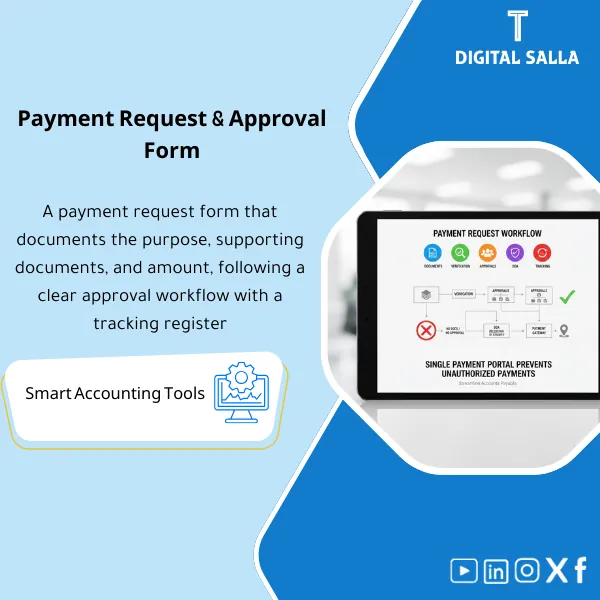
Payment Request Template: Standardizes payment requests with required documents and checks (PO/receipt/invoice) and DOA approval routing. Delivers a status-tracked payment request register through settlement—reducing undocumented payments in AP.
Payment Request Form
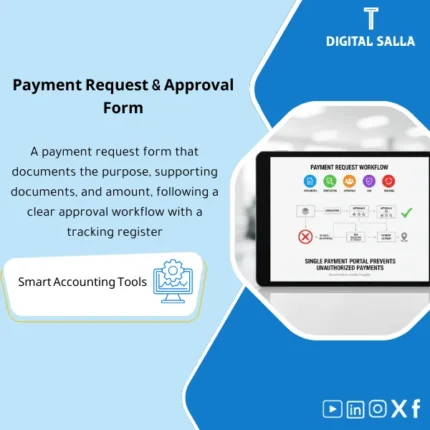
Payment Request Workflow for managing payment requests from receipt to approval, then scheduling and execution — with DOA + Documentation + Payment Status Tracking
Value Proposition: Payment Request Form addresses a clear operational gap: payment requests reaching AP/Treasury without documentation, or without a reference number, or without applying DOA payment approvals that can be reviewed later. Instead of an untraceable “Payment Decision,” you receive a standardized Payment Request Form + Payment Approval Workflow with fixed stages + a log showing where the request stalled and why, then the request is closed with preserved execution evidence within a deliverable evidence file.
In 20 Seconds: What Will You Get?
- A standardized Payment Request Form that reduces incomplete requests (mandatory fields + request number + references).
- A Payment Approval Workflow with clear stages (Submitted → Reviewed → Approved → Scheduled → Paid / Hold / Rejected).
- DOA Payment Approvals with approval thresholds + required approval level based on payment amount/type.
- Payment Request Documentation as a checklist based on request type (Invoice/Contract/GRN/Service acceptance… etc.).
- Payment Status Tracking via Tracker: Owner + SLA + Hold reason + Last follow-up.
- Exceptions Log for urgent/out-of-policy requests with documented reason and approval.
- Payment Request Portal operationally: Inbox/Queue within the file showing “what needs review today.”
CTA related to outputs: Receive a ready-to-implement Form + DOA + Tracker + Evidence Pack.
Suitable For
- Treasury: Transforming payment requests into a schedulable Queue before Payment Run instead of ad-hoc decisions.
- Accounts Payable (AP): Placing incomplete requests on Hold with standardized reasons and linking them to required documentation.
- Controller / CFO: Approving payments per DOA with an evidence file explaining exceptions and changes.
Not Suitable For
- If you have a Portal within your ERP with a complete Workflow and ready Audit trail and only need report formats — you may need a Reporting Pack instead of a new form.
- If there is no commitment to approvals and documentation within the company — it is first necessary to enforce a DOA policy and implement oversight.
Without Workflow / With Workflow (Short Comparison)
| Item | Without Portal/Log | With Payment Request Workflow |
|---|---|---|
| Approval | Scattered approvals (email/message) without a clear threshold | DOA with thresholds + Approval trail + Sign-off |
| Documentation | Missing attachments appear on payment day | Checklist for payment request documentation + Standardized Hold reason |
| Tracking | No “Where did the request stop?” | Payment status tracking + Owner + SLA + Closure date |
Before Use: 5 Symptoms That Payment Requests Are Managed Under Daily Pressure
- Payment requests arrive without a fixed reference number, and the same request is sent multiple times.
- There is no standardized definition for Payment Request Documentation by type (Invoice/Contract/Receipt/Service acceptance).
- Ambiguity or bypassing of DOA Payment Approvals (Who approves? What is the threshold?) during urgent payments.
- Frequent question: “Has the payment been made?” because there is no Payment Status Tracking or clear Owner.
- Month-End: Difficult to deliver a list of open/pending requests and their reasons within the Closing Pack.
How Does the Payment Request Form Work Practically from Receipt to Closure?
The process begins with submitting the request via the Payment Request Form with references and attachments. The request then undergoes AP/Treasury review to verify the completeness of data and documentation, before moving on to approval according to the Payment Approval Workflow based on DOA Payment Approvals. After approval, the request is placed in the payment schedule (Scheduled) and an execution file is generated, then the request is closed upon execution by attaching Bank advice/Payment doc and updating the status to Paid within the Tracker.
Implementation Method (3 Steps)
Step 1: Preparation and Data Collection
- Define types of payment requests (Vendor invoice / Advance / Refund / Settlement / Expense) and link each type to its documentation.
- Determine DOA: Approval thresholds + Review levels + Who owns the exception decision.
- Define Hold Policy: When do we return the request? When do we put it on hold? What is required to reopen it?
Step 2: Request + Review + Approvals
- Create the request and fill in its key fields: Beneficiary/Vendor + Amount/Currency + Due date + Purpose + References (Invoice/PO/Contract).
- AP/Treasury Review:
- Checklist for payment request documentation (Complete/Incomplete) and record the Hold reason.
- Verify beneficiary/IBAN data (according to your policies and link to Vendor master if available).
- Check for duplicates (Duplicate request / duplicate invoice) before approval.
- Pass the request for approval according to DOA and record the decision (Approved/Rejected/Returned) with the reason and date/time.
Step 3: Scheduling + Execution + Evidence
- Convert approved requests to Scheduled and prepare an “Execution list” linked to request numbers.
- After execution: Update the status to Paid and attach Bank advice/ERP payment doc in the Evidence index.
- Generate Weekly/Month-End Payment Requests Pack: Executed/Pending requests + Reasons + Exceptions + Sign-off.
Workflow Components (Clear Inventory)
-
Payment Request Form
- Practical Purpose: Standardize the payment request and establish a reference number for the request linked to references and attachments.
- When to Use: When creating any payment request before entering it into the Payment Run.
- Resulting Evidence: Request ID + Request copy + List of attachments.
-
Documents Checklist (Payment Request Documentation)
- Practical Purpose: Identify what is needed to complete the request by type (Invoice/Contract/GRN/Service acceptance).
- When to Use: In the Review stage before sending the request for approval.
- Resulting Evidence: Complete/Incomplete checklist with Hold reason.
-
DOA Matrix (DOA Payment Approvals)
- Practical Purpose: Link the amount/type of request to the required approval level and define the approval path.
- When to Use: For each request when it moves to the Approval stage.
- Resulting Evidence: Documented approval level + Signature/Approval + Exceptions log if needed.
-
Status Tracker (Payment Status Tracking)
- Practical Purpose: Instant visibility: What needs review? What is awaiting approval? What is scheduled?
- When to Use: Daily + before the weekly payment run.
- Resulting Evidence: Status history + Owner + SLA for each request.
-
Approval Log (Payment Approval Workflow)
- Practical Purpose: Document approval/rejection/return decisions with reasons and dates.
- When to Use: With each approval decision.
- Resulting Evidence: Reviewable and deliverable approval trail.
-
Exceptions Log
- Practical Purpose: Record urgent or out-of-policy requests and the reason for the exception and who approved it.
- When to Use: For any DOA/documentation/priority bypass.
- Resulting Evidence: Exceptions log explaining “why the payment/request was made.”
-
Payment Execution List
- Practical Purpose: Convert approved requests into an execution file that can be passed to the ERP/bank.
- When to Use: Weekly before the Payment Run.
- Resulting Evidence: Execution list linked to request numbers and references.
-
Evidence Index + Payment Requests Pack
- Practical Purpose: Link the request with attachments and payment evidence and generate a weekly/monthly pack for delivery.
- When to Use: Weekly + Month-End within the Closing Pack.
- Resulting Evidence: Reviewable pack showing open/executed requests and their reasons.
What Should Be Included in the Delivery?
- 01-Payment-Request-Form.docx: Payment request form (mandatory fields + request number + references + attachments section).
- 02-Payment-Request-Workflow.xlsx: Main workflow file (Inbox/Queue + statuses + dashboards).
- 03-Payments-DOA-Matrix.xlsx: DOA for payments (thresholds + levels + exceptions + payment type).
- 04-Documents-Checklist.xlsx: Payment request documentation checklist by type + Reviewer sign.
- 05-Status-Tracker.xlsx: Payment status tracking (Owner + SLA + last follow-up + Hold reason).
- 06-Approval-Log.xlsx: Approval log (Reviewed/Approved/Rejected/Returned) + reason + time.
- 07-Exceptions-Log.xlsx: Exceptions log (Urgent/Out-of-policy) + who approved + justification.
- 08-Change-Log.xlsx: Change log (amount/IBAN/date) + change approval.
- 09-Payment-Execution-List.xlsx: Execution file (Beneficiary/Vendor + IBAN + Amount + Refs).
- 10-Evidence-Index.xlsx: Evidence index (Invoices/Contracts/GRN/Approvals/Bank advice) + links/paths.
- 11-Weekly-Payment-Requests-Pack.xlsx: Weekly pack for delivery and follow-up.
- 12-MonthEnd-Payment-Requests-Pack.xlsx: Monthly pack within the Closing Pack (Snapshot + outstanding + reasons).
- 13-Runbook.pdf: Practical step-by-step operation (Submit → Review → Approve → Schedule → Paid).
- 14-Controls-Checklist.pdf: Control points before execution (DOA/Docs/Duplicates/IBAN changes).
- 15-Archiving-Map.docx: Archiving tree (Year/Month/Payments/Requests/Evidence) + Naming convention.
- 16-Signoff-Page.docx: Prepared/Reviewed/Approved + scope of the week/month.
After Implementation (Two Points Only)
- Operational Outcome for the Team: Requests are transformed into a Queue with clear procedures: what is reviewed, what is awaiting approval, what is returned for documentation completion, and what enters the Payment Run; thus reducing “urgent” unsubstantiated requests.
- Oversight/Audit Outcome: Each payment is linked to its request, approvals, attachments, history, and change status, with an Evidence index and pack for delivery—making Authorization and Supporting docs traceable.
FAQ — Questions Before Purchase
Is it suitable for any ERP system?
Yes. This Workflow adjusts the request before execution. Execution occurs in the ERP or bank portal after the request is approved.
Can it be considered a “Payment Request Portal”?
Operationally yes (Queue + Status + Owners), but it is not a web Portal; it is a file-based workflow that can be run on Drive/SharePoint.
Does it actually implement DOA Payment Approvals?
It documents DOA and specifies the required approval level for each request and records the approval decision. The application of names and titles is according to your company’s structure.
What is the minimum documentation required to start a payment request?
A clear reference (Invoice/Contract/Settlement) + reason for payment + beneficiary details + supporting document as per type (such as PO/GRN or proof of service).
Does it support partial payments or installments?
Yes, through fields (Requested vs Approved vs Scheduled amount) with a reason for partial payment and a completion plan.
Does it handle IBAN changes or request amount modifications?
Yes, through Change log + request for approval of the modification + showing the change as an exception that can be reviewed.
Can it be linked with the Payment Run Planner?
Yes: approved requests are issued as an Execution list to feed the weekly payment plan, while requests on Hold are not included until completed.
Is there a delivery template for internal review?
Yes: Weekly/Month-End Pack + Evidence index + Sign-off showing executed/open requests and their reasons.
Ready to Transform Payment Requests into a Traceable and Approved Workflow?
Outputs: Payment Request Form + Payment Approval Workflow + DOA + Payment Status Tracking + Evidence Pack.
| المسمّى الوظيفي | |
|---|---|
| Duration | |
| المستوى | |
| التحديثات | |
| القطاع | |
| الصيغة |
Related products



Reviews
Clear filtersThere are no reviews yet.