





Accrued Purchases Template – Excel Template
42.29 $
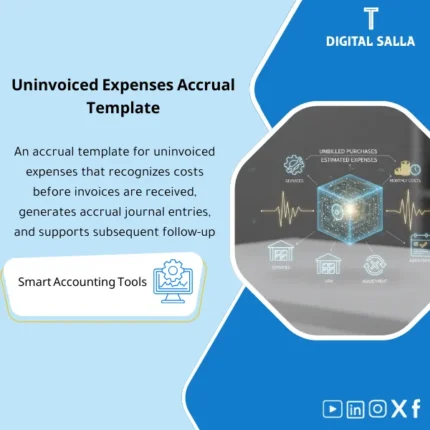
Uninvoiced Purchases Accrual: Recognizes executed services/purchases without invoices via accruals with reversing entries and settlement upon invoice receipt. Delivers more realistic monthly expenses and fewer close surprises for AP and chief accountants.
Accrued Purchases Provision
Accrued Purchases (Accrual Template) to record accrued expenses without an invoice at Month-End — including accrual entries for purchases + Reversal of accruals + Deliverable evidence file
Value Proposition: Accrued Purchases Provision is the difference between a “formal” close and a close based on a true cut-off: goods/services received or accepted during the period, but the invoice has not arrived by the closing date. If left unaddressed, there will be missing expenses in the current month followed by a “jump” in the next month, and the auditor’s question will remain: Where are the unbilled expenses for the period? This Accrued Purchases establishes an operational pathway from extracting unbilled items → calculating accrual based on evidence (GRN/Service acceptance/PO) → preparing accrual entries for purchases → then Reversal of accruals and matching the invoice upon its arrival.
In 20 Seconds: What Will You Get?
- Accrual Template aggregates unbilled items (Goods/Services) and converts them into a Schedule for closing.
- Accrued expenses without an invoice: Clear classification (Service/Supply/Contractor/Operating expense) with reference evidence.
- Accrual entries for purchases ready for posting (JE lines) with Mapping for accounts and cost centers.
- Reversal of accruals at the beginning of the following period with a Reversal date schedule and reference to the original entry.
- True-up Tracker upon invoice arrival: matching the difference (invoice vs accrual) and documenting the reason for the difference.
- Evidence Index: Indexing GRN/Service acceptance/PO/Correspondence/Estimates supporting the entry.
- Month-End Pack: A concise delivery within the Closing Pack detailing: what has been accrued, what has been reversed, and what remains open.
CTA related to outputs: Receive Accrual schedule + JE log + Reversal schedule + Evidence pack ready for Month-End.
Suitable For
- GL / Controller: Establishing cut-off for closing and producing documented accrual entries that directly impact the TB.
- Accounts Payable (AP): Separating unbilled items from items due for payment and tracking invoice arrival.
- Procurement / Operations: Linking accruals to receiving/acceptance evidence and identifying owners for open items.
Not Suitable For
- If there is no receiving/acceptance evidence (GRN/Service acceptance) and it cannot be determined what occurred during the period — the accrual will become “an unsupported estimate.”
- If your company operates on a cash basis and does not close on an accrual basis — using it will create entries that do not align with your policy.
Without Provision / With Provision (Brief Comparison)
| Item | Without Accrued Purchases | With Accrual Template |
|---|---|---|
| Cut-off | Monthly expenses are incomplete and then rise in the following month | Accrued expenses without an invoice are recorded in the same period with evidence |
| Entries | Unrecorded or delayed accrual entry that is untraceable | Accrual entries for purchases + JE log + Evidence index |
| The Following Period | The invoice arrives and the expense is recorded twice or an unexplained true-up occurs | Reversal of accruals + matching the invoice and recording the difference |
Before Use: 5 Symptoms That Accrued Purchases Provision Causes Closing Issues
- Significant differences in service/contractor expenses between months due to late invoice arrivals.
- A GRN/Service acceptance list exists but does not translate into an accounting accrual at Month-End.
- No record indicating “what has been accrued” and “when it will be reversed” and “when the invoice arrived.”
- During audits: No evidence linking the accrual entry to PO/receiving/service acceptance (Weak traceability).
- In the following month: Duplicate expense or unexplained true-up occurs when recording the invoice.
How is Accrued Purchases Provision Managed Practically at Month-End?
The practical idea: Any item received or service accepted before the closing date, but not yet invoiced, should appear as an accrual (Liability) against the expense/COGS in the same period. This template starts from operational sources (GRN/Service acceptance/PO open receipts) then identifies what qualifies for accrual, calculates the value (based on quantity/agreed price or a justifiable estimate), and then produces accrual entries for purchases in the JE log. After that, it places Reversal of accruals on the first day of the following period, and then upon invoice arrival, it matches it with the accrual and records any difference as a documented true-up.
Implementation Method (3 Steps)
Step 1: Preparation and Gathering Reports
- Extract period evidence: GRN (for goods) + Service acceptance minutes/Timesheets (for Unbilled Services).
- Extract open/unbilled PO lines + recorded AP invoice list up to the closing date.
- Define cut-off policy: Closing date, Materiality thresholds, and what is considered “received/accepted” internally.
- Prepare account mapping: Expense/COGS/Inventory/Accrued liabilities + Cost centers/Projects.
Step 2: Calculate Accrued Purchases + JE Log
- Record each unbilled item in the Schedule: Vendor/PO/GRN or Service acceptance + period + GL/CC + accrual amount.
- Determine the calculation method:
- Goods: Based on quantity received × PO/agreed price.
- Services: Based on completion percentage/hours/service acceptance up to the closing date.
- Tax: Typically, VAT input is not recorded without an invoice (per policy and regulation), and this is noted as a rule within the template.
- Produce accrual entries for purchases:
- Dr Expense/COGS (or Inventory as applicable)
- Cr Accrued purchases / Accrued liabilities
- Document Prepared/Reviewed/Approved + evidence reference for each line.
Step 3: Reversal + Invoice Matching + True-up
- Create a Reversal schedule (automatic reversal date at the beginning of the next month) and link it to the original entry number.
- Upon invoice arrival:
- Match the invoice against the same reference (PO/GRN/Service acceptance/Project).
- Close the item in the tracker (Accrued → Invoiced).
- If the invoice amount differs from the accrual: Record true-up with reason (price/quantity/attachments/tax).
- Produce Month-End Pack: List of accrued items + what has been reversed + what has been invoiced + open items with their reasons.
Template Components (Clear Inventory)
-
Accrued Purchases Schedule
- Practical Purpose: Record of unbilled items eligible for accrual with their references.
- When to Use: At Month-End before preparing JE.
- Resulting Evidence: Schedule linking each amount to a reference (GRN/Service acceptance/PO).
-
Unbilled Services Intake
- Practical Purpose: Consolidate inputs of services received without an invoice (acceptance minutes/hours/completion percentage).
- When to Use: Week 4 + Month-End.
- Resulting Evidence: Service acceptance/estimate file with Owner and approval.
-
Accrual Rules & Assumptions
- Practical Purpose: Establish accrual rules (PO price/completion percentage/materiality) instead of undocumented estimates.
- When to Use: At the start of implementation + update when policy changes.
- Resulting Evidence: Assumptions log delivered for review as needed.
-
JE Log (Accrual Entries for Purchases)
- Practical Purpose: Produce entries ready for posting within ERP with GL/CC/Project and references.
- When to Use: Closing day (Month-End JE batch).
- Resulting Evidence: Signed JE log (Prepared/Reviewed) and traceable.
-
Reversal Schedule
- Practical Purpose: Ensure the accrual is reversed in the following period in an organized manner and linked to the original entry.
- When to Use: First day of the following month or when opening the period.
- Resulting Evidence: Reversal schedule + reference JE numbers.
-
Invoice Matching & True-up Tracker
- Practical Purpose: Match the invoice upon arrival, close the accrual, and document any difference.
- When to Use: During the following month (Daily/Weekly in AP).
- Resulting Evidence: Closure record (Accrued → Invoiced) + reason for differences.
-
Evidence Index
- Practical Purpose: Indexing accrual evidence (GRN/Service acceptance/PO/Correspondence) and linking it to each line.
- When to Use: When preparing Month-End pack.
- Resulting Evidence: Evidence index deliverable for internal and external use.
-
Month-End Accrual Pack
- Practical Purpose: Unified delivery within the Closing Pack: what was accrued, what was reversed, what was invoiced, and what remains open.
- When to Use: Month-End and Year-End.
- Resulting Evidence: Signed pack explaining the impact of accrual and traceability.
What Should Be Included in the Delivery?
- 01-Accrued-Purchases-Template.xlsx: The main file (Schedule + JE log + Reversal + Dashboards).
- 02-GRN-Unbilled-Import.xlsx: Template for importing unbilled receipts (GRN/receipts).
- 03-Unbilled-Services-Intake.xlsx: Unbilled services (Service acceptance/hours/completion percentage) + Owners.
- 04-Accrual-Rules-Assumptions.xlsx: Accrual rules + Materiality thresholds + VAT/WHT policy within accrual.
- 05-JE-Log-Accruals.xlsx: Accrual entries for purchases (Dr/Cr + GL/CC/Project + refs).
- 06-Reversal-Schedule.xlsx: Reversal of accruals (reversal date + reference to the original entry).
- 07-Invoice-Matching-TrueUp-Tracker.xlsx: Invoice matching/accrual closure + documenting differences.
- 08-Open-Accruals-Aging.xlsx: Aging for open items (0–30/31–60/60+ days) to identify risks.
- 09-Evidence-Index.xlsx: Evidence index (GRN/Service acceptance/PO/Correspondence) + links/storage paths.
- 10-MonthEnd-Accrual-Pack.xlsx: Pack for delivery within Closing Pack + Sign‑off.
- 11-Runbook.pdf: Practical operation (Extract → Calculate → JE → Reversal → Match → True‑up → Pack).
- 12-Controls-Checklist.pdf: Month-End control points (Completeness/Cut‑off/Approval/VAT handling/Duplicates).
- 13-Archiving-Map.docx: Archiving tree (Year/Month/Accruals/Inputs/Outputs/Evidence) + Naming convention.
- 14-Signoff-Page.docx: Prepared/Reviewed/Approved + period scope (e.g., Nov-2025).
After Implementation (Two Points Only)
- Operational Outcome for the Team: At Month-End, you have a defined list: what needs to be accrued now, what will automatically reverse, and how it will be closed upon invoice arrival—instead of scattered estimates on the last day.
- Control/Audit Outcome: Each accrual entry linked to a receiving/service acceptance reference and a log of assumptions, with an Evidence index and True-up tracker explaining any difference between the accrual and the invoice.
FAQ — Questions Before Purchase
Is it suitable for any ERP system?
Yes. You only need to extract GRN/Service acceptance and/or PO receipts and/or AP open items. The posting occurs with an entry within the ERP according to your chart of accounts.
Does it cover goods (GRN) and unbilled services?
Yes. For goods, it relies on receiving (GRN/receipts), and for services, it relies on proof of service acceptance or completion percentage or hours as available.
How does it handle VAT when accrued without an invoice?
By default: expenses/liabilities are recorded without VAT input until the invoice arrives (according to many companies’ policies). The template allows documenting the applied rule within the Assumptions log.
What is the minimum data required to create an accrual?
Receiving/service acceptance reference + item description + estimated amount or quantity and price + vendor/beneficiary + GL/Cost center. Without a receiving/acceptance reference, the accrual becomes difficult to defend.
Does it support automatic Reversal of accruals?
It supports a clear “Reversal schedule” and produces reversal entries. The execution of the reversal itself occurs within the ERP (Reversal entry/Auto reversal according to your settings).
What if the invoice arrives with a different amount than the accrual?
The difference is recorded in the True-up tracker and the reason documented (price/quantity/attachments/tax), then accounted for according to your policy (difference entry or adjustment to the expense).
Is it suitable for Month-End only or Year-End as well?
Suitable for both. Year-End typically requires stronger documentation and aging for open items, and the template produces Month-End/Year-End packs with the same logic.
Can it be linked with GR/IR Reconciliation or 3-Way match?
Yes. Unbilled items often intersect with GR/IR or 3-Way match discrepancies. The template allows placing a reference GR/IR/PO/GRN to facilitate linking in the Reconciliations file.
Does it have a clear impact on the TB?
Yes: it produces JE lines that clarify the expense/COGS account against Accrued liabilities. Its effect appears in the TB after posting (with the possibility of linking it to entry number/Batch ID).
Ready to establish cut-off and manage accruals with an evidence file instead of “estimates”?
Outputs: Accrued Purchases schedule + accrual entries + Reversal + True-up + Evidence pack.
| المسمّى الوظيفي | |
|---|---|
| Duration | |
| المستوى | |
| التحديثات | |
| القطاع | |
| الصيغة |


Reviews
Clear filtersThere are no reviews yet.