




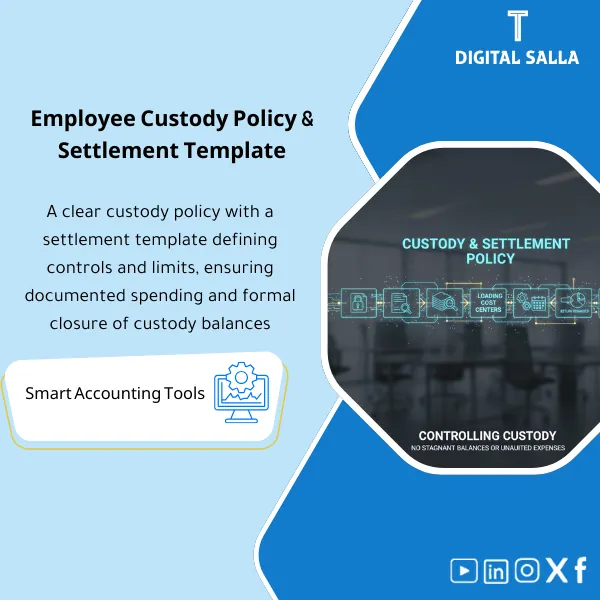
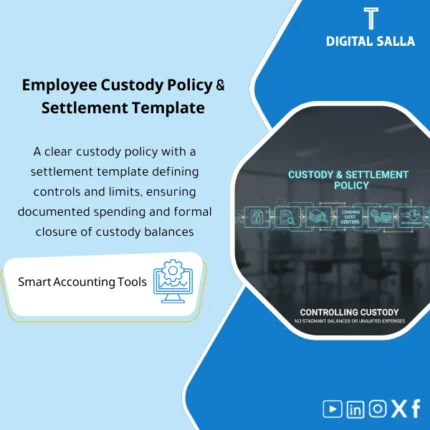
Employee Custody Policy & Settlement – Word & Excel Files
55.59 $
Imprest/Advance Settlement Template: Captures expenses with receipts, allocates them to cost centers, and records refunds of unspent balances with settlement limits and deadlines. Delivers settlement journals and an open-advances register for expenses and treasury teams before month-end close.
Advances Reconciliation Template
Policy + Templates for Managing Advances (Employee Advances + Petty Cash) from Disbursement to Reconciliation and Posting to Centers, with Aging and Month-End Pack for Delivery
Value Proposition: Advances Reconciliation Template is used when advances become a “stuck balance” in the GL: amounts are disbursed to employees or petty cash, then closed with correspondence or missing invoices, and at Month-End, one question arises: what is the open advance balance? And why hasn’t it been settled? This Pack establishes the rules of Advance Policy and transforms every advance into a documented operational state: Disbursement → Expenses supported by documents → Employee Advances Reconciliation → Refund of Remaining Advances or completion of deficiencies → Posting expenses to accounts and centers → Reconciliations that are deliverable.
In 20 Seconds: What Will You Get?
- Advance Policy is clear: types of advances, spending limits, settlement deadlines, and what is accepted as evidence.
- Advances Reconciliation Template produces a signed reconciliation + attachments + posting to account/center.
- petty cash template (cash book + disbursement vouchers + cash count) under Imprest/Replenishment system.
- Posting expenses to centers: Expense distribution sheet to Cost Centers/Projects with a reference for each receipt.
- Refund of Remaining Advances: Cash refund/deposit form + automatic update of the open balance in the register.
- Aging for open advances (0–30/31–60/60+ days) with Owner and escalation.
- Month-End Pack: Tie-out with TB + List of Open advances + Evidence index for delivery within Closing Pack.
CTA linked to outputs: Receive Policy + Registers + Settlement forms + Aging + Month-End Pack ready for application.
Suitable For
- GL / AP: Recording advances and tracking reconciliation linked to entries (JE Log) and Month-End Reconciliations.
- Admin / Petty Cash Custodian: Operating petty cash with vouchers and documented inventory and replenishment.
- Controller / Internal Audit: Financial controls for advances + Traceability from disbursement to reconciliation and posting to centers.
Not Suitable For
- If your company does not use advances at all (all expenses via cards/direct suppliers) — the value will be limited.
- If you have an Expense Management System that enforces Workflows and a complete Audit trail — you may only need to modify the Policy, not a full Template.
Without the Pack / With the Pack (Short Comparison)
| Item | Without Policy + Template | With Policy + Template |
|---|---|---|
| Advances Reconciliation | Scattered receipts + no standardized template | Employee advances reconciliation with template + attachments + signatures |
| Posting to Centers | Total or incorrect posting without distribution | Posting expenses to centers with Allocation sheet and reference for each item |
| Month-End | Open advance balance without Aging or explanation | Aging + Tie-out with TB + Month-End pack within Closing Pack |
Before Use: 5 Symptoms That Advances Are Turning into Stuck Balances and Audit Issues
- Advances disbursed without an approved request or without specifying the purpose and expected settlement period.
- Missing or unreadable receipts, yet the advance is “settled” verbally without a template.
- Lack of Aging for open advances, showing very old advances within the TB without a clear Owner.
- Unclear mechanism for Refund of Remaining Advances (cash/deposit/deduction from salary) thus the balance remains open.
- Expenses are posted to a single general account instead of Posting expenses to centers or projects, failing expense/budget analysis.
How the Advances Reconciliation Template Works Practically from Disbursement to Month-End?
The journey begins before disbursement: no advance is paid without an approved reference (Request) specifying the amount, purpose, duration, and acceptable expense limits. During use, documents are collected, and each receipt is linked to a cost center/project. Upon reconciliation, the reconciliation template is used to document: total accepted expenses + rejected/missing items + remaining amount to be refunded or cleared. Then, the reconciliation entries are prepared in the JE Log (according to your company policy: Clearing account/Advances account) and the advances register is updated, producing a Month-End pack that links the open balance in the TB to a list of explained open advances.
Application Method (3 Steps)
Step 1: Preparation and Report Collection
- Extract the current advances/loans list from ERP/GL (Opening + Movements + Closing) if available.
- Collect disbursement vouchers/payment references for each advance.
- Identify approved cost centers/projects for posting + rules for allowed expenses.
- For petty cash: prepare an inventory report (Cash count) and define the Imprest value and disbursement authorities.
Step 2: Reconciliations + Documents + Posting to Centers
- Record advances in the register: Employee/Entity + Amount + Date + Due date for reconciliation + Owner.
- Upon reconciliation: enter expense items line by line and link them to Posting expenses to centers (CC/Project/GL).
- Document missing/unacceptable items as exceptions (Missing receipt / Not allowed per policy) with a decision (Correct/Reject/Deduct).
- Manage Refund of Remaining Advances: Cash refund/deposit/deduction form (as per company policy) with reference.
Step 3: JE Log + Reconciliations + Pack for Delivery
- Produce the JE Log for reconciliation (ready for posting within ERP) linking each entry to the template references and attachments.
- Produce Aging for open advances with reasons for delays and a closure plan (Invoice pending / missing docs / refund expected).
- Month-End tie-out: Match the balance of the Advances/Petty cash account in the TB with the register + discrepancies (Timing/Posting/Classification).
- Prepare the Month-End pack for delivery within the Closing Pack: Reconciliation + Open items list + Evidence index + Sign-off.
Pack Components (Clear Inventory)
-
Advance Policy (Policy)
- Practical Purpose: Define the rules for advances: spending limits, durations, mandatory documents, allowed/prohibited expenses, and exception pathways.
- When to Use: Permanent reference + invoked in any dispute or missing item.
- Resulting Evidence: Approved Policy (Version/Effective date/Approvals).
-
Advance Request Form
- Practical Purpose: Prevent disbursement of advances “without reference” and establish purpose and Due date for reconciliation.
- When to Use: Before any disbursement (Cash/Bank transfer).
- Resulting Evidence: Approved request + reference number for disbursement.
-
Advances Register + Aging
- Practical Purpose: Unified view of all open/closed advances, what remains, who the owner is, and the age of the balance.
- When to Use: Daily for recording + Weekly for follow-up + Month-End for delivery.
- Resulting Evidence: Register + Aging report that can be linked to GL account.
-
Employee Advances Settlement Form
- Practical Purpose: Convert receipts into accounting reconciliation: accepted expenses + exceptions + remaining amount to be refunded/cleared.
- When to Use: At the end of a task/travel/purchase or before the Due date for reconciliation.
- Resulting Evidence: Signed reconciliation form (Prepared/Reviewed) + list of attachments.
-
petty cash template (cash book + disbursement vouchers + inventory)
- Practical Purpose: Operate petty cash under Imprest system: every disbursement with a voucher + periodic inventory + replenishment request based on vouchers.
- When to Use: Daily for disbursement + Weekly/Monthly for inventory + during Replenishment.
- Resulting Evidence: Petty cash vouchers + Cash count sheet + Replenishment request.
-
Cost Center Allocation Sheet
- Practical Purpose: Distribute settlement expenses to CC/Projects/Departments instead of non-analytical general posting.
- When to Use: During reconciliation and before preparing the JE Log.
- Resulting Evidence: Allocation schedule linked to receipts and their references.
-
Refund / Return Form
- Practical Purpose: Close the remaining balance with evidence (Cash returned/Bank deposit/Payroll deduction authorization).
- When to Use: When there is a remaining balance after reconciliation.
- Resulting Evidence: Refund/deposit voucher + update the balance in the register.
-
JE Log + Month-End Reconciliation Pack
- Practical Purpose: Produce reconciliation entries ready for posting + Tie-out with TB + List of open items explained for delivery.
- When to Use: Week-4/Month-End and Year-End within Closing Pack.
- Resulting Evidence: JE log + Reconciliation + Evidence index + Sign-off.
-
Financial Controls Checklist for Advances
- Practical Purpose: Control exceptions: missing receipts, delayed reconciliations, limit breaches, and identify who approves the exceptions.
- When to Use: Weekly + at Month-End before closing the period.
- Resulting Evidence: Exceptions log + decisions and approvals that are reviewable.
What Should Be Included in the Delivery?
- 01-Employee-Advances-Policy.docx: Advance Policy (scope/limits/deadlines/allowed expenses/approvals/exceptions).
- 02-Advance-Request-Form.docx: Advance Request Form + Approvals + Due date for reconciliation.
- 03-Advances-Register-Aging.xlsx: Advances Register + Aging + owners + status (Open/Settled/Overdue).
- 04-Settlement-Form.xlsx: Employee Advances Settlement Form (line items + attachments list + sign-off).
- 05-Receipt-Checklist.pdf: List of accepted/unaccepted documents + requirements for each type of expense.
- 06-CostCenter-Allocation.xlsx: Posting expenses to centers/projects + linked to receipt.
- 07-Refund-Return-Form.docx: Refund of Remaining Advances (cash/bank deposit/payroll deduction authorization).
- 08-PettyCash-Template.xlsx: petty cash template (cash book + vouchers + cash count + replenishment request).
- 09-PettyCash-CashCount-Sheet.xlsx: Petty cash inventory report + signature of the custodian and reviewer.
- 10-JE-Log-Advances-Settlement.xlsx: JE Log for reconciliation entries/reclassifications with references.
- 11-Exceptions-Log.xlsx: Exceptions log (missing receipts/overdue/limit override) + approvals.
- 12-MonthEnd-Advances-Recon-Pack.xlsx: Tie-out with TB + open items list + aging + sign-off.
- 13-Evidence-Index.xlsx: Evidence index (requests/receipts/approvals/refunds) + links/trails.
- 14-Runbook.pdf: Step-by-step operation (Request → Pay → Spend → Settle → Post → Month-End pack).
- 15-Archiving-Map.docx: Archiving tree (Year/Month/Advances/PettyCash/Settlements/Evidence) + Naming convention.
- 16-Signoff-Page.docx: Prepared/Reviewed/Approved + Effective date + Version control.
After Implementation (Two Points Only)
- Operational Outcome for the Team: Any advance with a Due date and typical reconciliation: accepted/rejected expenses, refund of remaining balance, and status update (Open/Settled/Overdue) instead of an “unknown” open balance.
- Control/Audit Outcome: Month-End: Clear tie-out between the balance of the advances/cash account in the TB and the Register, with an Evidence index linking every movement to a disbursement/voucher/request/reconciliation/refund—making the Audit trail deliverable within the Closing Pack.
FAQ — Questions Before Purchase
Is it suitable for any ERP system?
Yes. The templates work above the system: you extract the movement (Payments/GL) and document the reconciliations, then post the entries within the ERP according to your chart of accounts.
Does it cover petty cash and individual employee advances together?
Yes. Petty cash has a book and vouchers and inventory/Replenishment, and employee advances have request/disbursement/reconciliation/refund and aging register.
Can it be used for multi-branch or project companies?
Yes, through Company/Branch/Project/Cost center fields, and produce Aging and Tie-out reports for each entity then Consolidated.
What is the minimum data required to reconcile an advance?
Disbursement number/reference + Employee/Entity name + Amount and Date + Receipts or proof of expense + Cost center/Project + Review/Approval signatures.
How are expenses posted to centers in an auditable manner?
Through the Allocation sheet: each receipt linked to GL/Cost center/Project with a reference (Receipt #) then posted as an entry or as a Batch within the system.
What do we do with overdue advances or missing receipts?
They are recorded in the Exceptions log with an approved decision (complete documents/reject part/deduct) and appear in Aging as an Overdue item until closed.
Is it suitable for Month-End only or Year-End as well?
Suitable for both. Year-End often requires detailing old advances and stronger evidence, and the template produces Aging + open items + evidence index within the Pack.
Is there a delivery template for internal/external auditors?
Yes: Month-End advances & petty cash pack + Tie-out with TB + Evidence index + Sign-off.
Does it support spending limits and approval authorities?
Yes, within the advance policy: limits on amount/type of expense/settlement duration + exception pathways with documented approvals (can be linked to DOA if you have one).
Ready to Stop Stuck Advance Balances and Get a Deliverable Month-End Pack?
Outputs: Policy + Settlement forms + Registers/Aging + JE Log + Reconciliation pack + Evidence index.
| المسمّى الوظيفي | |
|---|---|
| Duration | |
| المستوى | |
| التحديثات | |
| القطاع | |
| الصيغة |
Related products

Sales Controls Template – Excel Template
Sales Control Template is an effective Excel tool to manage and monitor sales invoices and revenue contracts with automated workflows, analytical reports, and charts to help you understand sales performance. Highly flexible and editable to fit your needs—strengthening sales controls and improving performance.

Reviews
Clear filtersThere are no reviews yet.