




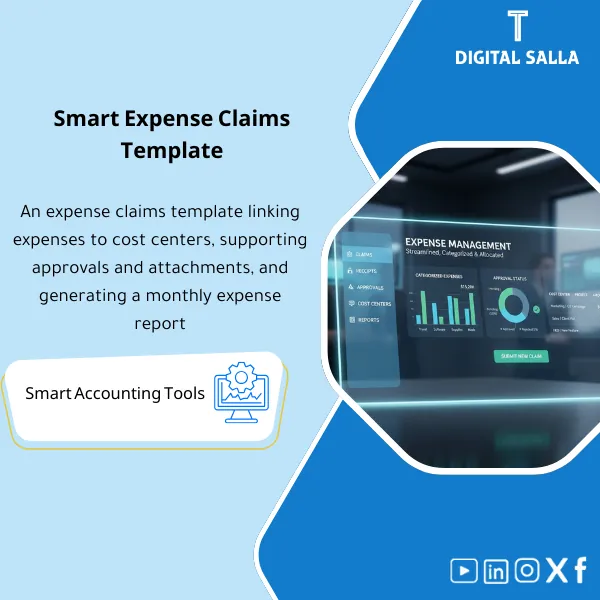
Expense Claims Template – Excel Template
42.29 $
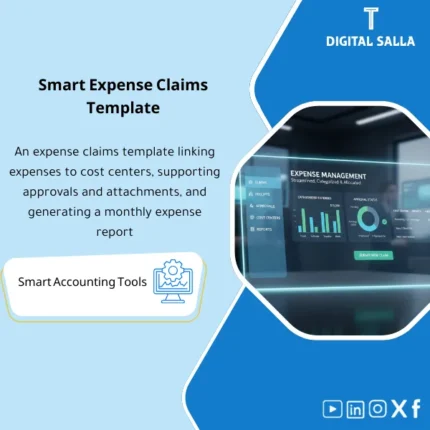
Employee Expense Claims Template: Manages claims with receipts, categorization, cost center/project allocation, and an approval workflow. Delivers approved claim reports and allocation journals to control travel, hospitality, and petty purchases.
Employee Expense Template
Expense Claim Template for managing expense claims and linking them to Cost Centers/Projects — with expense approvals + JE Log + Month-End delivery Pack
Value Proposition: Employee Expense Template is used when expense claims turn into “emails + receipt images” that do not produce a traceable accounting effect: missing receipts, travel and hospitality expenses charged to a general account, inconsistent approvals, and then Month-End closes on numbers that cannot be tied to specific claims. This Expense Claim Template transforms expenses into a clear operational path from claim submission → document review → expense approvals → linking expenses to Cost Center → posting traceable accounting entries → a delivery file (Evidence Pack) that can be included in the Closing Pack.
In 20 Seconds: What Will You Get?
- Expense Claim Template enforces mandatory fields: Expense purpose + Date + Amount + Currency + Cost Center/Project.
- Expense Claims as a Register showing status: Submitted/Reviewed/Approved/Rejected/Paid.
- Expense Approvals with a clear trail + Approval Log instead of “WhatsApp approval”.
- Travel and Hospitality Expenses categorized into operational items (Travel/Accommodation/Meals/Transport) that are reviewable.
- Linking Expenses to Cost Center via Allocation Sheet that ties each item to a Center/Project/Department.
- JE Log ready for posting: Batch entries closing on expense accounts against employee liability/payment.
- Delivery Pack: Receipt index + approvals + JE batch + tie-out to be included in Month-End.
CTA related to outputs: Receive Claim Form + Approvals + Cost Center Allocation + JE Log + Evidence Pack ready for application.
Suitable For
- Accounts / GL: Compiling expense claims into a documented JE batch and linking them to cost centers.
- HR/Administration: Operating employee expense reimbursements according to a clear policy with limits and mandatory attachments.
- Controller / Internal Audit: Testing expense approvals and tracking expenses from receipt to entry.
Not Suitable For
- If you have an Expense Management System enforcing Workflow + OCR + automatic Audit trail — you may only need to update the expense reimbursement policy.
- If there are no expense claims at all (all through suppliers/central cards with automatic reconciliation) — the operational value will be limited.
Without the Template / With the Template (Short Comparison)
| Item | Without Expense Claim Template | With Employee Expense Template |
|---|---|---|
| Approval | Scattered decision without a record | Expense approvals + Approval log + reason codes |
| Allocation | Charged to a general account/center | Linking expenses to Cost Center via Allocation sheet |
| Month-End | Difficult to provide evidence/Trace for entries | JE Log + Evidence index + Pack for delivery within Closing Pack |
Before Use: 5 Symptoms That Expense Claims Are Uncloseable
- Expense claims arrive without a clear purpose or without a Cost Center/Project.
- Travel and hospitality expenses are submitted with missing receipts or without names/dates/business purpose.
- Expense approvals are done verbally or via messages without a decision record.
- No Register showing what has been approved, rejected, or paid.
- Month-End: the entry is posted as a total without an Evidence index or reviewable JE log.
How Does the Employee Expense Template Work Practically from Claim to Posting?
The goal is not to “record an expense” but to produce a chain of evidence that can be traced: the employee submits the claim via Expense Claim Template with receipts, then the review is conducted (Completeness & eligibility) according to the Expense Reimbursement Policy, after which expense approvals are recorded in the Approval log, then linking expenses to Cost Center and preparing the JE batch. After payment/reconciliation, the claim is closed, and the payment reference is documented and attached to the Month-End pack.
Implementation Method (3 Steps)
Step 1: Preparation and Data Gathering
- Gather data sources: Claims (manually/email) + receipts + travel orders/assignments (if any).
- Identify approved cost centers/projects and an expense item dictionary (Travel/Meals/Accommodation/Transport/Other).
- Establish policy rules: limits, mandatory documents, and when an item is rejected or requires completion.
Step 2: Claims + Review + Approvals + Allocation
- Input the claim line-by-line: Date/Description/Purpose/Amount/Currency/Attachment/Cost Center.
- Review documents: Receipt checklist + classification of travel and hospitality expenses and determining accepted/rejected with reason code.
- Record approvals: Reviewer sign-off then Approver sign-off within Approval Log.
- Prepare linking expenses to Cost Center: Allocation sheet produces a traceable distribution for each item.
Step 3: JE Log + Payment + Delivery Pack
- Produce JE Log for posting within ERP:
- Dr Expenses (by item + CC/Project)
- Cr Employee Payable / Cash / Bank (by payment mechanism)
- Output Reimbursement run list (amounts due to employees + claim reference).
- Prepare Month-End pack: Summary + approval trail + receipt index + JE batch reference + tie-out on expense/liability accounts.
Product Components (Clear Inventory)
-
Expense Claim Form (Expense Claim Template)
- Practical Purpose: A standardized claim form that establishes the purpose, items, and required attachments for each claim.
- When to Use: Throughout the month when submitting claims (then closes before Month-End).
- Resulting Evidence: Claim ID + item list + attachment list.
-
Expense Reimbursement Policy (Policy)
- Practical Purpose: To define what is accepted and what is rejected (especially travel and hospitality expenses) and limits on spending and mandatory documents.
- When to Use: As a permanent reference + when reviewing any controversial/missing item.
- Resulting Evidence: Approved Policy (Version/Effective date/Approvals).
-
Receipt Index & Naming Convention
- Practical Purpose: Indexing receipts and linking them to each item in the claim instead of “unknown images”.
- When to Use: When receiving the claim and before approval.
- Resulting Evidence: Evidence index linking Receipt/Invoice to Claim line.
-
Approval Workflow + Log (Expense Approvals)
- Practical Purpose: Documenting the review and approval decision (Approved/Rejected/Returned) with reason.
- When to Use: For each claim before entering it into JE or payment.
- Resulting Evidence: Auditable Approval trail (Reviewer/Approver + timestamps + reason codes).
-
Cost Center Allocation Sheet (Linking Expenses to Cost Center)
- Practical Purpose: Distributing items to CC/Project/Department and linking them to expense items in GL.
- When to Use: When the claim is approved and before preparing the JE batch.
- Resulting Evidence: Reviewable Allocation schedule (Trace from claim line to CC/GL).
-
JE Log (Posting Batch)
- Practical Purpose: Producing traceable accounting entries (Dr expense / Cr employee payable or cash) with references.
- When to Use: Weekly or at Month-End (according to company policy).
- Resulting Evidence: JE batch + reference numbers + supporting schedules.
-
Reimbursement Run Planner
- Practical Purpose: A payment run list: what will be paid, when, and with what reference (Claim ID/Employee).
- When to Use: Weekly/Bi-weekly according to the reimbursement cycle.
- Resulting Evidence: Paid list + payment reference + status update for each claim.
-
Month-End Expense Claims Pack
- Practical Purpose: A unified delivery within the Closing Pack: Summary + approvals + receipt index + JE refs + tie-out.
- When to Use: Month-End and Year-End.
- Resulting Evidence: Signed Pack (Prepared/Reviewed) ready for internal/external delivery.
What Should Be Included in the Delivery?
- 01-Expense-Claim-Template.xlsx: Claim template (Header + Line items + attachment list).
- 02-Expense-Policy.docx: Expense reimbursement policy (allowed/required docs/limits/violations).
- 03-Travel-Hospitality-Guidelines.pdf: Travel and hospitality expense guidelines (limits/requirements/acceptance/rejection examples).
- 04-Claims-Register.xlsx: Expense claims register (Status workflow + IDs + owners).
- 05-Approval-Log.xlsx: Expense approvals (Reviewer/Approver/Decision/Reason codes).
- 06-Receipt-Index.xlsx: Receipt index + Naming convention + links/trails.
- 07-CostCenter-Allocation.xlsx: Linking expenses to Cost Center/Project + Mapping to GL.
- 08-JE-Log-Expense-Claims.xlsx: JE Log (traceable) + Batch references.
- 09-Reimbursement-Run-Planner.xlsx: Reimbursement payment plan + Paid status + payment refs.
- 10-Exceptions-Log.xlsx: Exceptions (missing receipts/over limits/non-business) + decision and approval.
- 11-MonthEnd-Claims-Pack.xlsx: Month-End Pack (Summary + tie-out + JE refs + sign-off).
- 12-Evidence-Index.xlsx: Comprehensive evidence index (Claims/Receipts/Approvals/Payments) for delivery.
- 13-Runbook.pdf: Step-by-step operation (Submit → Review → Approve → Allocate → Post → Pay → Pack).
- 14-Controls-Checklist.pdf: Control points: completeness/approval/CC mapping/duplicate claims/receipt quality.
- 15-Archiving-Map.docx: Archiving tree (Year/Month/ExpenseClaims/Inputs/Outputs/Evidence) + Naming.
- 16-Signoff-Page.docx: Prepared/Reviewed/Approved + period scope (e.g., Dec‑2025).
After Implementation (Two Points Only)
- Operational Outcome for the Team: Each claim has a clear Status, its attachments are complete or returned for completion, and it is charged to the correct Cost Center before payment/posting—instead of a total entry at month-end.
- Control/Audit Outcome: You have Traceability: Claim → Receipts → Approvals → Allocation → JE batch → Payment reference, and it can be delivered as an evidence folder within the Closing Pack without manual reassembly.
FAQ — Questions Before Purchase
Is it suitable for any ERP system?
Yes. The templates produce JE Log and evidence files; posting and payment are done within your ERP/bank according to your procedures.
Does it cover travel and hospitality expenses in detail?
Yes, as an operational classification + document requirements and limits and acceptance/rejection policies, with reason codes in the Exceptions log.
Does it support linking expenses to a Cost Center or Project?
Yes, via the Allocation sheet it can distribute a single item across multiple CC/Projects with a reference for each division.
What is the minimum data required to accept an expense claim?
Business purpose + Date + Amount/Currency + Cost Center/Project + Receipt/Invoice (or a documented reason for the absence of the receipt according to policy) + Approval.
How do we handle missing receipts or expenses over the limit?
They are recorded as exceptions (Missing receipt/Over limit/Non-business) in the Exceptions log with an approved decision (Reject/Partial approve/Return for completion).
Can payment be made via Payroll instead of AP?
Yes. The JE Log supports multiple paths: Cr Employee payable (then settled in Payroll) or Cr Cash/Bank for direct payment.
Does it support multiple branches and entities?
Yes, by adding Company/Branch fields and filtering reports and producing Month-End packs for each entity then Consolidated.
Does it include the expense reimbursement policy or just the template?
It includes both: Policy + claim template + approval and allocation records and posting and delivery evidence.
Ready to Transform Expense Claims into JE Batch and Deliverable Month-End Evidence?
Outputs: Expense Claim Template + Approval Log + CC Allocation + JE Log + Evidence Pack.
| المسمّى الوظيفي | |
|---|---|
| Duration | |
| المستوى | |
| التحديثات | |
| القطاع | |
| الصيغة |
Related products

3-Way Match Toolkit – Excel File



Reviews
Clear filtersThere are no reviews yet.