




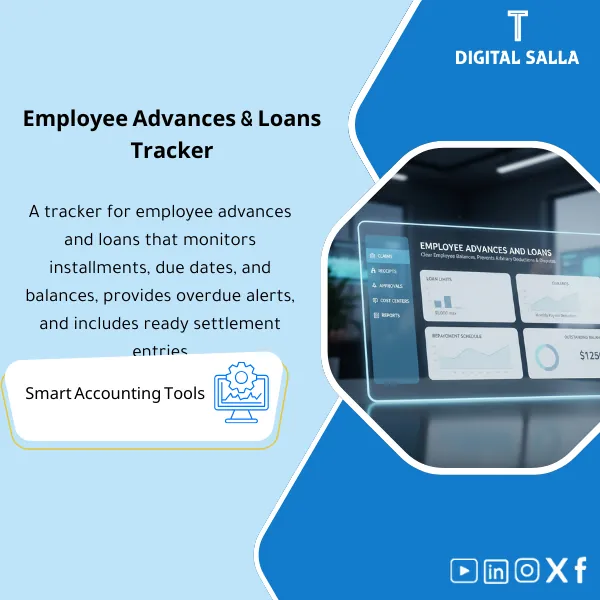
Employee Advances & Loans Tracker – Excel Template
34.31 $
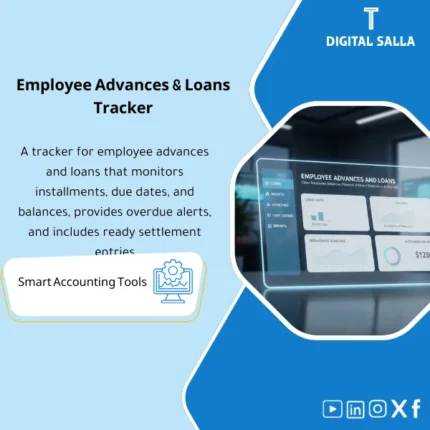
Employee Loans/Advances Register: Records loan/advance amounts, repayment schedules, payroll deductions, and remaining balances per employee. Delivers an employee receivables register and monthly settlement journals for payroll/finance—supporting EOS settlements as well.
Employee Advances
Employee Loan Template for managing employee advances/loans from approval to repayment schedule and payroll deductions — with Reconciliation and Aging included in the Closing Pack
Value Proposition: Employee Advances become a Month-End issue when managed as cash payments “then deducted later” without a repayment schedule and linkage to Payroll: the balance of employee advances accumulates in the TB, installments are partially deducted or halted with vacations/resignations, and there is no file showing: for each employee how much is the principal of the loan? How much has been repaid? What remains? This Employee Loan Template establishes an operational pathway from advance/loan request → approval and terms → disbursement and payment reference linkage → Employee Loan Repayment Schedule → Payroll Deductions and matching deductions → Reconciliation linking the loan record to the GL account at Month-End.
In 20 Seconds: What Will You Get?
- Employee Loan Template as a unified record for each employee advance/loan (amount, term, installments, remaining).
- Employee Loan Repayment Schedule shows the monthly installment, deduction date, and balance after each deduction.
- Payroll Deductions: Payroll deductions tracker matches “expected deductions” with “actual deductions made.”
- Employee Advances Balance: Monthly report linking total remaining to GL account + variance report (Timing/Payroll holds).
- Employee Loans Excel with special cases: unpaid leave, salary change, resignation, final settlement.
- Controls & Evidence: Employee agreement/acknowledgment + approvals + disbursement references + deduction references.
- Month‑End Pack: Loan register + aging + payroll tie‑out + sign‑off within Closing Pack.
CTA related to outputs: Receive Loan register + repayment schedule + payroll deduction tracker + GL tie‑out pack.
Suitable For
- Payroll + HR: Adjusting payroll deductions for advances and linking special cases (leave/resignation) to the settlement plan.
- GL / Controller: Month‑End tie‑out for Employee advances/loans account and producing a deliverable file.
- Internal Audit: Testing approvals, advance limits, and tracking deductions against contracts/policies.
Not Suitable For
- If your company completely prohibits advances/loans — the product will not be used effectively.
- If you have an HR/Payroll system with a complete Loan module with amortization, Audit trail, and GL integration — you may only need a simple Reconciliation pack.
Without Schedule / With Schedule (Brief Comparison)
| Item | Without Employee Loan Template | With Employee Loan Template |
|---|---|---|
| Repayment | Irregular deductions with no clear remaining balance | Employee Loan Repayment Schedule + balance after each installment |
| Payroll | Deduction relies on “reminder” and is lost with vacations/resignations | Payroll deductions with Tracker capturing any missed deduction |
| Month‑End | Employee advances balance in TB without explanation/aging | Register + Aging + GL tie‑out + evidence pack for delivery |
Before Use: 5 Symptoms That Employee Advances Balance Will Remain Stuck
- An employee advance is disbursed without a written agreement or clear repayment term.
- No Employee Loan Repayment Schedule; thus, it is impossible to know “what should have been deducted” this month.
- Payroll Deductions stop during leave or salary change and no catch-up is made.
- Upon resignation/termination, there is no mechanism to settle the remaining balance within the Final settlement.
- Month-End: No Tie‑out between the loan register and the GL account, resulting in unexplained variances.
How Are Employee Advances Managed Practically from Disbursement to Final Settlement?
Managing advances is not “one entry”; it is a contract + repayment schedule + monthly reconciliation with Payroll. The process begins with an advance request specifying the reason, amount, and term, followed by approval based on authority, then disbursement and payment reference linkage. After disbursement, a repayment schedule (installment/date/remaining) is created and this schedule is used monthly to match actual deductions in Payroll. Any discrepancies appear immediately as missed/partial deductions with a reason (leave, insufficient salary, temporary halt) and a remediation plan. At Month-End, a Reconciliation is performed linking the total remaining in the register to the “Employee advances/loans” account in the TB, and upon resignation, the remaining balance is converted to final settlement or direct collection according to policy.
Implementation Method (3 Steps)
Step 1: Preparation and Report Gathering
- Extract the balance of the employee advances account from GL + monthly activity.
- Obtain Payroll deductions data for the month (Employee ID, deduction amount, period).
- Compile advance decisions/approvals and disbursement references (bank transfer/cash voucher).
- Define company policy: advance limits, maximum term, what happens upon resignation, and approval method.
Step 2: Registration + Repayment Schedule + Payroll Deductions
- Record each employee advance in Employee Loan Template (Principal, term, start date, installment).
- Create a monthly Employee Loan Repayment Schedule showing: Opening, Deduction, Closing for each period.
- Match Payroll Deductions: compare schedule against actual Payroll and extract missed/partial deductions.
- Update employee statuses: Active/On leave/Terminated and their impact on the repayment plan (pause/catch-up/final settlement).
Step 3: Month‑End Reconciliation + Closure/Settlement
- Generate Employee Advances Balance report (by employee) + Aging (0–30/31–60/60+ or by periods).
- Perform GL tie‑out: total Closing balances in the register = balance of the employee advances account in the TB (with variance report).
- Close fully repaid advances and document the reference for the last deduction/settlement reference.
- In cases of resignation: prepare “remaining advance” for entry into the Final settlement or external collection according to policy.
Product Components (Clear Inventory)
-
Loan/Advance Policy
- Practical Purpose: Define advance limits, terms, approval conditions, and handling mechanisms for defaults/resignation.
- When Used: Before approving any advance + as a reference for exceptions.
- Resulting Evidence: Approved Policy (Version/Approvals/Effective date).
-
Employee Loan Agreement / Undertaking
- Practical Purpose: Document the employee’s commitment to repayment and the mechanism for payroll deduction or final settlement.
- When Used: Before disbursement as a condition of execution.
- Resulting Evidence: Signed agreement + advance reference.
-
Employee Loan Template
- Practical Purpose: Loan record by employee (Principal/Term/Installment/Status) with disbursement reference.
- When Used: When disbursing the advance + monthly updates after Payroll.
- Resulting Evidence: Deliverable Loan register.
-
Repayment Schedule
- Practical Purpose: Installment schedule showing the balance after each deduction and overdue periods.
- When Used: Monthly with Payroll + upon any modification (pause/catch-up).
- Resulting Evidence: Schedule by employee + summary totals.
-
Payroll Deductions Reconciliation
- Practical Purpose: Match actual deductions with the schedule and show missed deductions early.
- When Used: Immediately after Payroll closure each month.
- Resulting Evidence: Deduction variance report + reasons for variances.
-
Aging & Exceptions Log
- Practical Purpose: Manage overdue or irregular advances (leave/default/resignation) as a task list.
- When Used: Weekly + Month‑End.
- Resulting Evidence: Aging report + exceptions decisions/approvals.
-
Month‑End GL Tie‑Out Pack
- Practical Purpose: Link the register to the GL account and produce a deliverable file for review.
- When Used: Month‑End and Year‑End.
- Resulting Evidence: Tie‑out + open balance listing + sign‑off + evidence index.
What Should Be Included in the Delivery?
- 01-Employee-Advances-Loans-Template.xlsx: Main file (Register + Schedules + Reconciliation + Reports).
- 02-Loan-Policy.docx: Employee Loan Policy (limits/terms/approvals/termination handling).
- 03-Loan-Agreement-Template.docx: Employee Loan Agreement/Acknowledgment + mechanism for payroll deductions.
- 04-Disbursement-Log.xlsx: Disbursement log (Payment ref/Date/Amount/Employee) linked to the advance.
- 05-Repayment-Schedule.xlsx: Employee Loan Repayment Schedule (installments + opening/closing balance).
- 06-Payroll-Deductions-Import.xlsx: Template for importing monthly Payroll deductions.
- 07-Payroll-Reconciliation-Tracker.xlsx: Matching deductions (Expected vs Actual) + missed deductions.
- 08-Aging-Exceptions-Log.xlsx: Aging + exceptions (leave/termination/catch‑up/waiver) + approvals.
- 09-GL-TieOut-Pack.xlsx: Month‑End tie‑out between the register balance and the GL account balance + differences.
- 10-Final-Settlement-Worksheet.xlsx: Final settlement worksheet upon resignation (remaining advance + repayment/deduction plan).
- 11-Evidence-Index.xlsx: Evidence index (requests/approvals/agreements/payments/payroll refs).
- 12-Runbook.pdf: Operational runbook (Request → Approve → Pay → Schedule → Payroll match → Month‑End pack).
- 13-Controls-Checklist.pdf: Control points: approvals/limits/duplicate loans/missed deductions/termination handling.
- 14-Archiving-Map.docx: Archiving tree (Year/Month/EmployeeLoans/Agreements/Payroll/Pack).
- 15-Signoff-Page.docx: Prepared/Reviewed/Approved + period scope (e.g., Dec‑2025).
After Implementation (Two Points Only)
- Operational Outcome for the Team: Each advance has a clear repayment schedule, and any missed deduction appears immediately after Payroll as a task list instead of being discovered months later.
- Control/Audit Outcome: Month‑End: Employee advances balance in the TB becomes traceable to employee records + agreements + payroll deduction references, with tie‑out and evidence index within the Closing Pack.
FAQ — Questions Before Purchase
Is it compatible with any Payroll/ERP system?
Yes. It only requires exporting payroll deductions monthly and linking them to the schedule. The posting within your system is done according to your accounts.
Does it support short-term and long-term employee loans?
Yes. The repayment term and number of installments can be defined, and a repayment schedule is generated for each employee, with the ability to reschedule.
Can advances be deducted from payroll automatically?
The template does not execute deductions within Payroll, but it specifies “expected deductions” and matches them with actual deductions made to ensure installments are not lost.
How is resignation or termination handled?
The remaining balance is extracted and entered into the Final settlement worksheet to determine the collection method (final deduction/direct collection) according to company policy.
What is the minimum data required to get started?
Employee ID/Name + advance amount + disbursement date + repayment term + payment reference + monthly payroll deductions.
Does it support multiple branches/entities?
Yes, by adding Company/Branch fields and generating reports for each entity then Consolidated.
Is there a ready Tie-out for Month-End?
Yes: the GL tie‑out pack matches the total remaining in the register with the balance of the employee advances account in the TB with a variance report.
Can it be used as “Employee Loans Excel” without a Policy?
Yes, but having a policy and agreement reduces exceptions and provides clear evidence in cases of missed deductions or when terminating employment.
Ready to Stop Accumulating Advance Balances and Produce a Deliverable Tie‑out Monthly?
Outputs: Employee Loan Template + Repayment Schedule + Payroll matching + GL tie‑out + Closing Pack.
| المسمّى الوظيفي | |
|---|---|
| Duration | |
| المستوى | |
| التحديثات | |
| القطاع | |
| الصيغة |



Reviews
Clear filtersThere are no reviews yet.