




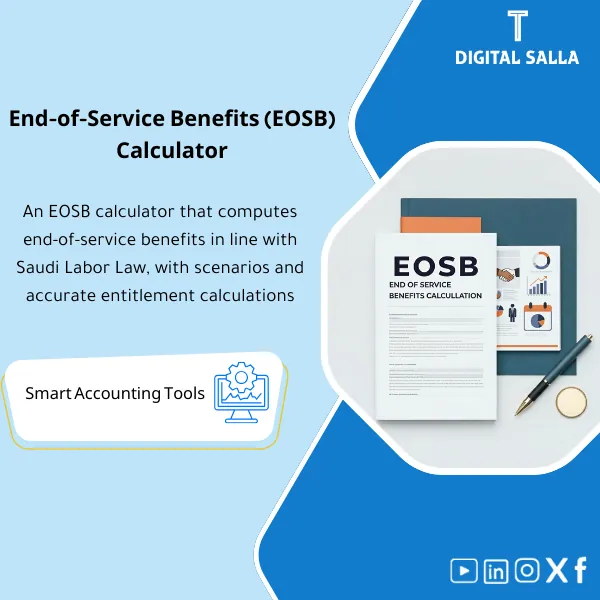
EOSB Calculator – Excel Template
34.31 $
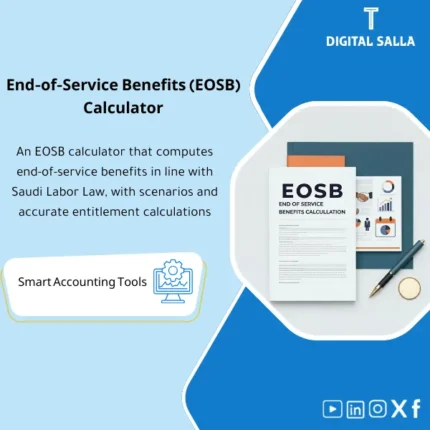
| End-of-Service Benefit (EOSB) Calculator is an easy-to-use Excel tool to calculate EOSB accurately under Saudi Labor Law. Simply enter key employee details, and the template calculates the entitlement automatically, considering different termination scenarios. |
End of Service Calculator
Excel for calculating End of Service benefits + EOS Provision Schedule + Payroll/GL Tie-out — within a reviewable Closing Pack
Value Proposition: The End of Service Calculator is not just a “number calculated” and that’s it; it is an operational file that demonstrates the calculation methodology (Assumptions) + service data + exit scenarios + outputs ready for posting: EOS Provision Schedule + Reconciliation Memo + JE Template with clear linkage within the JE Log. The practical goal: at Month-End/Year-End, the End of Service file does not turn into a “different End of Service calculation” from person to person, but rather into a worksheet that can be reviewed and tracked.
In 20 Seconds: What Will You Get?
- End of Service Calculation Template in Excel: Clear inputs + Automatic calculation + Printable results page.
- Exit Scenarios: Resignation/Termination/Contract expiration (with fields to adjust methodology per your policy).
- EOS Provision Schedule Monthly/Yearly: Provision movement (Opening + Expense + Paid/Settled + Closing).
- JE Template: Expense/Provision entry for End of Service + Settlement entry upon payment, with Reference linked to the JE Log.
- Reconciliation to GL: Matching the provision balance in the ledger to TB/GL before approving the Adjusted TB.
- Termination Pack: Employee Reconciliation Memo (Supporting memo) + Inventory of required documents for an auditable delivery.
- Pack Index + Sign-off: Month-End/Year-End delivery index that verifies the calculation version.
CTA related to outputs: Receive EOS Calculation + Provision Schedule + JE Template + Reconciliation within a review-ready Closing Pack.
Suitable For
- Payroll / HR Finance: You need a stable file to issue and deliver End of Service settlements to finance/payroll with documentation.
- Chief Accountant / Controller: You need a Provision Schedule + clear entry + Tie-out to TB before Month-End/Year-End.
- Internal Audit / External Audit: You need Traceability: Service data → Methodology → Result → Entry → GL.
Not Suitable For
- Those looking for a “final legal answer” or interpretation of regulatory materials; the product is a calculation and operational template, not legal advice.
- Those wanting a complete HR system for managing contracts, claims, and approval workflows automatically; the product is an Excel file for audit delivery.
Without the calculator / With the calculator (short comparison)
| Item | Without Operational File | With End of Service Calculator |
|---|---|---|
| Calculation Methodology | End of Service calculation varies by person/file | Assumptions sheet + Version + clear impact on the result |
| Month-End / Year-End | No traceable EOS provision schedule | Provision schedule + Reconciliations + Adjusted TB tie-out |
| Entries | Entry recorded without a clear reference for the calculation | JE Template linked to the calculation page + Reference within JE Log |
| Audit | Repeated document requests + Difficulty tracing assumptions | Termination pack + Pack index + Sign-off (Traceability) |
Before Use: 5 Symptoms That End of Service Benefits Are “Not Deliverable”
- Every time a different number comes out for the same employee because the “End of Service calculation” relies on a non-standard file or unverified assumptions.
- There is no schedule linking the balance of the End of Service provision in GL to a detailed source (Schedule) before closing approval.
- Settlements are paid but not recorded correctly against the provision, resulting in discrepancies at Year-End.
- There is no Termination memo outlining: service data, type of exit, salary components used, and supporting documents.
- The auditor’s question recurs: “What is the basis of the calculation?” and there is no Assumptions sheet or Version control.
End of Service Calculator: Implementation Method (3 Steps Without Gaps)
Step 1: Preparation and Data Collection Before Any Calculation
- Gather employee data: Hire/Termination date, contract type, cost center/branch (if needed for accounting distribution).
- Define “Basis of Pay” according to company policy (which salary components are used in the calculation) and document it in the Assumptions sheet.
- Collect related payroll/HR outputs: Last salary, monthly changes, and any related liabilities/entitlements (vacation/advances… if they are included in your settlement package).
Step 2: Calculation + Review + Document Exceptions
- Fill out the case form: Resignation/Termination/Contract expiration, and record any factors affecting the calculation methodology within the file (without writing a “story” outside the system).
- Run the End of Service Calculator and issue a printable results page, then record it as a Termination memo within the evidence.
- Update the Exceptions log (if any): Missing data, inconsistent dates, or discrepancies between HR and payroll.
Step 3: Month-End / Year-End Outputs (Provision + JE + Closing Pack)
- Update the EOS Provision Schedule and output the provision movement for the month (Opening/Expense/Paid/Closing).
- Issue the JE Template for the provision or settlement upon payment, linking it to the JE Log and the reconciliation memo.
- Perform Reconciliation to TB/GL and approve the delivery within the Closing Pack before finalizing the Adjusted TB.
Product Components (Clear Inventory)
-
EOS Calculator (End of Service calculation excel Saudi Arabia)
- Practical Purpose: To issue a single reviewable calculation result instead of a manual “End of Service calculation.”
- When to Use: For every termination/resignation case, and also during estimation/review at Year-End.
- Resulting Evidence: Calculation page + Result + Employee reference + Version.
-
Assumptions & Policy Parameters (Methodology/Assumptions)
- Practical Purpose: To document what has been approved in the “Basis of calculation” so it can be audited.
- When to Use: When setting up the template for the first time, and when changing internal policy or updating methodology.
- Resulting Evidence: Assumptions sheet + Update log (Version/Date/Owner).
-
Employee Service Data Sheet (Service Data)
- Practical Purpose: To standardize start/end data, periods of interruption (if any), and link them to the calculation result.
- When to Use: For each case + as a source for the annual Schedule.
- Resulting Evidence: Service record for each employee + HR document references.
-
Termination Case Form (Exit Case Form)
- Practical Purpose: To document the type of exit and inputs affecting the calculation in an organized manner.
- When to Use: Upon termination/resignation, and before issuing the final memo to finance/payroll.
- Resulting Evidence: Case form + Approval/Owner + Employee file link.
-
EOS Provision Schedule (End of Service Provision Schedule)
- Practical Purpose: To output the provision movement and link it to the closing (Month-End/Year-End) instead of an unexplained GL number.
- When to Use: Monthly for updates + Annually for aggregation and delivery.
- Resulting Evidence: Schedule (Opening/Expense/Paid/Closing) + Tie-outs.
-
JE Template + JE Log References (Entry/Reference)
- Practical Purpose: To standardize the expense/provision entry and settlement entry and link them to the calculator outputs.
- When to Use: Within Month-End/Year-End and upon actual payment.
- Resulting Evidence: JE template + Entry number after posting + Reference ID.
-
Reconciliation to GL/TB (Reconciliation to the Trial Balance)
- Practical Purpose: To demonstrate that the provision balance in TB matches the Schedule or explain the difference (Paid not posted / timing).
- When to Use: Monthly before approving the Adjusted TB, and annually within the Closing Pack.
- Resulting Evidence: Reconciliation schedule + Classified differences + Closing plan.
-
Closing Pack Index + Sign-off (Delivery Index)
- Practical Purpose: Systematic delivery: What was done? Where is the evidence? Who reviewed?
- When to Use: Month-End and Year-End.
- Resulting Evidence: Pack index + Prepared/Reviewed/Approved + Version.
What Should Be Included in the Delivery?
- 01-Pack Index: Delivery index (Owners + Version + Sign-off).
- 02-Calculator.xlsx: End of Service Calculator + Assumptions + Printable results.
- 03-Termination Memos: Memo for each case (Data + Assumptions snapshot + Result).
- 04-EOS Provision Schedule: Provision movement for the month/year + Tie-outs.
- 05-JE Templates & JE Log: Provision/settlement entries + Posting numbers + References.
- 06-GL/TB Reconciliation: Matching the End of Service provision balance in TB with Schedule + Explanation of differences.
- 07-Approvals: Internal approvals on methodology/cases (as needed per RACI).
- 08-Archiving Map: Archiving structure and links (Employee file → case → calc → JE).
After Implementation (Two Points Only)
- Operational Result for the Team: Each exit case turns into a single file (Case + Calculation + Memo) instead of exchanging numbers, and the monthly provision update becomes a stable Schedule.
- Control/Audit Result: Traceability: Service data → Assumptions → Result → Entry → GL/TB, within the Closing Pack can be tested by sample.
FAQ — Questions Before Purchase
Is this “End of Service Calculator” compliant with Saudi Labor Law?
It is a End of Service Calculator designed with an adjustable calculation methodology to align with the recognized requirements in the Saudi work environment and your company policy. Important: The template is not legal advice; consult HR/Legal for special cases or regulatory updates.
Is this the ready “End of Service calculation excel Saudi Arabia”?
Yes. The Excel file is ready for input and outputs a calculation result + memo + provision/entry outputs, allowing you to use it as an End of Service calculation template for the month and cases.
Does it support resignation, termination, and contract expiration?
Yes, via the Termination Case Form, with fields to adjust the type of exit and document the basis used in the calculation within the same file.
Does it include accounting linkage (Provision + JE) or just a number for the employee?
It includes accounting linkage: EOS Provision Schedule + JE Template + Reconciliation to GL/TB within Month-End/Year-End.
Can it be used for Year-End within the Closing Pack?
Yes. The outputs are designed for Year-End delivery: Schedule + Reconciliations + JE references + Pack Index before approving the Adjusted TB.
What is the minimum data required to get started?
Hire/Termination date, type of exit, basis of pay used in the calculation (according to your policy), and any salary components affecting the last month. For the provision: GL/TB balance for the calculation.
Is it suitable for multi-branch or cost center companies?
Yes, by adding Branch/Cost Center within employee data to allocate the provision expense or track cases by branch within the Schedule.
Does it cover vacations or other entitlements besides End of Service?
The primary focus is on End of Service benefits and provisions. If your company delivers a “settlement package” that includes vacations/advances, it can be linked within the Termination pack as additional sections without mixing the EOS results themselves.
Ready to Turn the End of Service Calculation into a Reviewable Delivery File?
Outputs: Calculator + EOS Provision Schedule + JE Template + GL/TB Reconciliation + Pack Index with Sign-off.
| المسمّى الوظيفي | |
|---|---|
| Duration | |
| المستوى | |
| التحديثات | |
| القطاع | |
| متوافق مع | |
| الصيغة |
Related products




Sales Controls Template – Excel Template
Sales Control Template is an effective Excel tool to manage and monitor sales invoices and revenue contracts with automated workflows, analytical reports, and charts to help you understand sales performance. Highly flexible and editable to fit your needs—strengthening sales controls and improving performance.
Reviews
Clear filtersThere are no reviews yet.