



Serial/Lot/Expiry Tracker – Excel Template
42.29 $
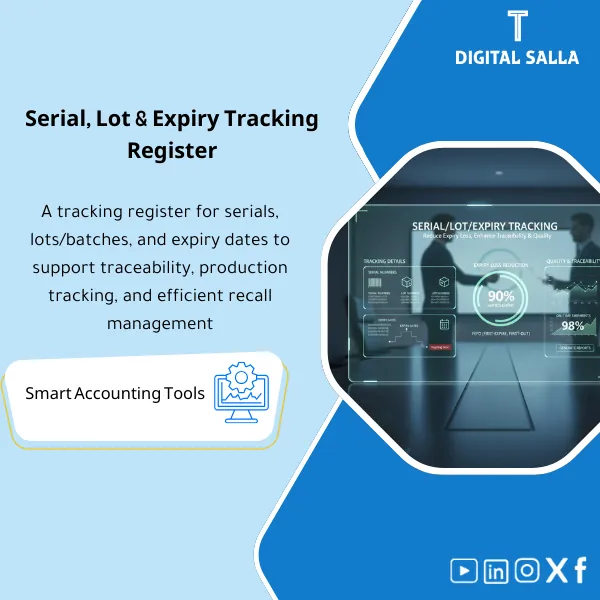
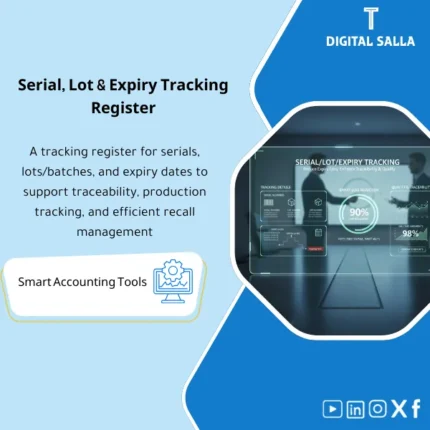
Lot & Expiry Tracking: Records batch/serial numbers and expiry dates with near-expiry reporting and FEFO application. Delivers batch traceability and lot-level movement tracking for inventory and quality control of sensitive items.
Lot and Expiry Tracking
Serial/Lot/Expiry Tracking Template for documenting inventory operations and managing shelf life (FEFO) and generating near-expiry reports (Excel)
Value Proposition: Lot and Expiry Tracking is not an operational luxury — it is a necessary “guide” for any inventory with batches or expiry dates. The real-world scenario: multiple receipts of the same item across different batches, some nearing expiry. Then problems begin: issuing FIFO instead of FEFO, returns due to expiry, inventory discrepancies because the issuance does not close on the correct Lot, or an internal audit asking: “Which batches were issued to the customer? And where were they before issuance?” This product provides you with a Lot Tracking Template and Expiry Date Tracking in one file that links receipt/transfer/issuance for each batch or Serial, and generates near-expiry reports and alerts based on Days to Expiry, with FEFO shelf life management rules to determine what should be issued first. The outcome is not a “general improvement”; the result is a traceable batch record, ready exception reports, and an issuance trail that proves you followed FEFO and not just an effort.
In 20 Seconds: What Will You Get?
- Lot Tracking Template records each batch with receipt date and balance.
- Serial Number Tracking for individual items (unit by unit) as needed.
- Expiry Date Tracking with Days-to-Expiry and classification of Near/At risk/Expired.
- FEFO shelf life management through a suggested issuance list based on nearest expiry.
- Near-expiry reports by warehouse/location/item/batch.
- Inventory operations movement log (receipt/issuance/transfer/return/scrap).
- Exception logs: issuance from a non-FEFO batch, expired batches, batches without expiry dates.
CTA related to outputs: you will receive Lot/Serial ledger + FEFO pick list + Near-expiry reports + Exception logs.
Suitable For
- Warehouses (FMCG/Pharma/Food): Inventory with shelf life and operations that require FEFO.
- Inventory Control: Tracking inventory operations and reviewing exceptions before they turn into inventory discrepancies/returns.
- Quality / Compliance: Proving traceability (lot/serial) during internal audits or recall requests.
Not Suitable For
- If all your items are not subject to expiry and do not track operations/Serial — general inventory movement logs will suffice.
- If you have a WMS implementing FEFO and tracking Lot/Serial automatically with ready expiry reports — the template becomes just additional documentation.
Without Tracking / With Tracking (Short Comparison)
| Item | Without Lot/Expiry Tracking | With Lot and Expiry Tracking Template |
|---|---|---|
| Issuance | FIFO/Effort | FEFO pick list based on nearest expiry |
| Expiry Reports | Not available or manual | Near-expiry reports + alerts |
| Traceability | Difficult to prove batches issued/received | Movement log for each Lot/Serial with document references |
Before Use: 5 Symptoms That Expiry Will Turn Into Losses and Discrepancies
- Issuance occurs without specifying Lot/Serial on the issuance document.
- No actionable near-expiry reports weekly.
- There are batches without an Expiry date or illogical dates.
- Repeated returns due to incorrect expiry/batch.
- Internal audit asks about traceability and there is no unified inventory operations tracking.
How Lot and Expiry Tracking Works Practically from Receipt to Issuance According to FEFO?
The application starts at receipt: for each item subject to batch/shelf life, the Lot or Serial number is recorded along with the expiry date and storage location. Then any movement (transfer/issuance/return/scrap) is recorded against the same batch/serial, resulting in a “Ledger” that shows the available balance for each Lot with Days-to-Expiry. Before any issuance, the FEFO shelf life management list is run to determine which batches should be issued first (nearest expiry). If an issuance occurs outside of FEFO or from an expired/nearly expired batch without justification, it appears in the Exception log. At the end of the period, batch/serial balances in the template can be matched with the system balance or inventory results (Cycle count) and any discrepancies documented with their reasons.
Implementation Method (3 Steps)
Step 1: Preparation and Report Collection
- Item master identifying items requiring Lot/Serial/Expiry.
- On‑Hand report by warehouse/location/bin (from ERP/WMS if available).
- Receipt/issuance/transfer documents (GRN/Issue/Transfer).
- Setting expiry alert thresholds (e.g., 30/60/90 days based on the product).
Step 2: Recording Batches and Expiry Dates + Movements
- Input Lot/Serial for each receipt and link it to Expiry Date Tracking.
- Record transfers between locations and In‑Transit storage if necessary.
- Record issuance/returns/scrap against the same batch.
Step 3: FEFO + Near-expiry Reports + Period-End Reconciliation
- Run the FEFO pick list before issuance to identify the correct batch.
- Extract near-expiry reports weekly and determine actions for each item.
- Match batch balances with the system/inventory and close exceptions.
Product Components (Clear Inventory)
-
Lot Master Register (Lot Tracking Template)
- Practical Purpose: Record each Lot and link it to the item, receipt reference, and quantity.
- When to Use: At each receipt.
- Resulting Evidence: Reviewable Lot register.
-
Serial Register (Serial Number Tracking)
- Practical Purpose: Track individual units (Serial) for sensitive devices/products.
- When to Use: At receipt/issuance for serialized units.
- Resulting Evidence: Serial ledger with document references.
-
Expiry Date Tracking Module
- Practical Purpose: Link Lot/Serial with expiry date and calculate Days-to-Expiry.
- When to Use: With receipt and during weekly follow-ups.
- Resulting Evidence: expiry status (Near/At risk/Expired).
-
Movements Register (Inventory Operations Tracking)
- Practical Purpose: Record every movement at the Lot/Serial level (receipt/issuance/transfer/return/scrap).
- When to Use: Daily.
- Resulting Evidence: Traceable movement ledger.
-
FEFO Pick List (FEFO shelf life management)
- Practical Purpose: Suggested issuance list for nearest expiry based on available balance.
- When to Use: Before issuance/delivery.
- Resulting Evidence: FEFO justification list.
-
Near‑Expiry Report (Near-expiry Reports)
- Practical Purpose: Reveal batches nearing expiry based on specified thresholds.
- When to Use: Weekly.
- Resulting Evidence: action list (sell/transfer/return/discount/hold).
-
Exceptions & Controls Log
- Practical Purpose: Document non-FEFO issuance cases, expired batches, or batches without expiry.
- When to Use: When exceptions occur and review monthly.
- Resulting Evidence: exception tracker + sign‑off.
-
Reconciliation & Sign‑off
- Practical Purpose: Match lot/serial balances with the system/inventory and document discrepancies.
- When to Use: Within Month‑End or after Cycle count.
- Resulting Evidence: reconciliation + approvals.
What Should Be Included in the Delivery?
- 01-Lot-Serial-Expiry-Pack.xlsx: The main file (Registers + Movements + Reports + Alerts).
- 02-Lot-Register.xlsx: Lot Tracking Template (Lot master + GRN refs).
- 03-Serial-Register.xlsx: Serial Number Tracking (unit-level tracking).
- 04-Expiry-Tracking.xlsx: Expiry Date Tracking + Days-to-Expiry thresholds.
- 05-Movements-Ledger.xlsx: Inventory operations tracking (Receipt/Issue/Transfer/Return/Scrap).
- 06-FEFO-Pick-List.xlsx: FEFO issuance list based on nearest expiry.
- 07-Near-Expiry-Report.xlsx: Near-expiry reports by warehouse/location/item.
- 08-Expired-Stock-Report.xlsx: Expired batches + proposed action (Hold/Dispose/Write‑off).
- 09-Exceptions-Log.xlsx: Non-FEFO issuance/missing logs/illogical dates.
- 10-Recall-Trace-Report.xlsx: Trace report for batches (where issued and when) if needed.
- 11-Reconciliation-Sheet.xlsx: Match lot/serial balances with the system/inventory.
- 12-Assumptions-Log.xlsx: thresholds + FEFO rules + update responsibilities.
- 13-Signoff-Page.docx: Prepared/Reviewed/Approved for expiry reports and closure.
- 14-Runbook.pdf: Step-by-step operation (Receive → Track → FEFO → Report → Reconcile).
- 15-Archiving-Map.docx: Tree for archiving operation and expiry evidence.
After Implementation (Two Points Only)
- Operational Outcome for the Team: Issuance according to FEFO with a clear list, and weekly reports for items nearing expiry instead of surprises in inventory.
- Control/Audit Outcome: Traceability at the Lot/Serial level: every movement has a document, reference, and date, with an Exception log and approvals.
FAQ — Questions Before Purchase
Does it support Lot and Serial together?
Yes: there is a Register for Lot and another for Serial, and either can be activated based on the nature of the item.
Does it include FEFO shelf life management?
Yes, through the FEFO pick list and near-expiry reports linking issuance to nearest expiry.
Can a near-expiry report be extracted by warehouse?
Yes: reports work by warehouse/location/bin and item.
What is the minimum data required?
Item + Lot/Serial + Expiry date + quantity + storage location + movement document (GRN/Issue/Transfer).
Is it suitable for any ERP?
Yes, as long as you can export on-hand and movements or record them within the template. No direct integration is needed.
How do I handle batches without expiry dates?
They appear in the Exceptions log as Missing expiry, and are closed by updating data or holding the batch until verification.
Does it assist in investigations during a Recall?
Yes, through a Trace report linking the batch to issuance/movement and where it was/where it went.
Is there a ready delivery for reviewers?
Yes: registers + movements ledger + near-expiry report + exception log + sign‑off + archiving map.
Ready to Prevent Issuance of Expired Batches and Generate Actionable Expiry Reports?
Outputs: FEFO pick list + near-expiry reports + Lot/Serial ledger + Exceptions + Reconciliation.
| المسمّى الوظيفي | |
|---|---|
| Duration | |
| المستوى | |
| التحديثات | |
| القطاع | |
| الصيغة |
Related products

Chart of Accounts Setup Service

Customer Contracts Register – Excel Template
Customer Contract Management Template is a comprehensive Excel-based program to manage customer contracts effectively, including contract data, payments tracking, completion percentages, delivery dates, and project profitability—supported by automated reports that improve contract oversight and customer relationships.


Reviews
Clear filtersThere are no reviews yet.