




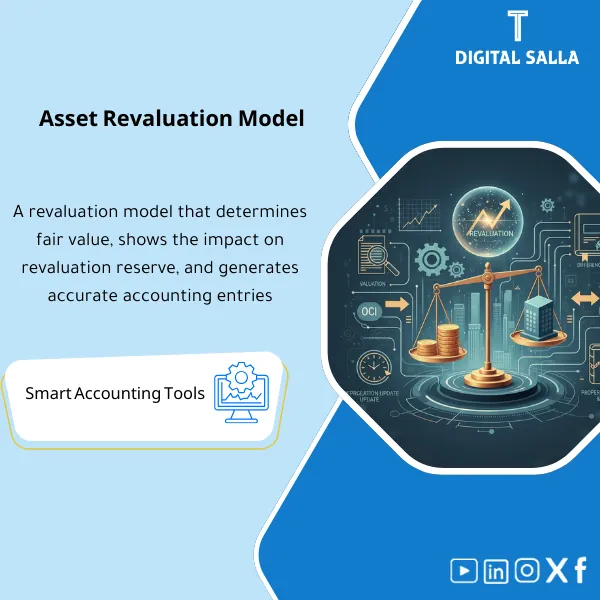
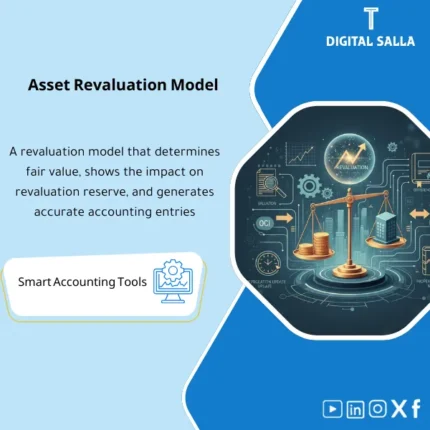
Asset Revaluation Model – Excel Template
63.56 $
Asset Revaluation Register: Records revalued amounts and revaluation differences, updates depreciation post-revaluation, and prepares journals (OCI/P&L) with supporting schedules. Delivers revaluation workpapers ready for review and audit.
Asset Revaluation Template (Revaluation) + Entries
Practical Excel template for managing Asset Revaluation according to Revaluation Model (IAS 16), tracking Revaluation Surplus (OCI), preparing Asset Revaluation Entries for increases/decreases, and updating depreciation post-valuation in an auditable manner.
Value Proposition:
Revaluation is not just a “new number” written in the record; it is a complete accounting cycle:
Carrying Amount before revaluation → Fair Value (from appraiser’s report) → Surplus/Deficit → OCI/P&L impact → Depreciation Reset → JE Pack.
This template ensures that you do not confuse the increase with OCI, do not overlook the treatment of a decrease if there is a prior surplus, and do not incorrectly update depreciation.
In 20 Seconds: What Will You Get?
- Asset Revaluation Sheet: Input asset data and carrying amount before revaluation (Cost/Accumulated Depreciation/Carrying Amount).
- Fair Value Capture: Enter the new valuation amount + valuation date + appraiser’s report reference.
- Revaluation Surplus/Deficit: Calculate the increase/decrease and determine its direction (OCI or P&L) based on the existence of a prior surplus.
- OCI Reserve Ledger: Track revaluation surplus for each asset/class (Opening/Movement/Closing).
- Accumulated Depreciation Treatment: Support two methods:
(1) Proportionate restatement of accumulated depreciation or
(2) Elimination of accumulated depreciation against the asset. - Updated Depreciation: Update depreciation after revaluation (Remaining useful life + residual value) and derive the new installment.
- JE Pack: Ready entries for increases/decreases + transfer of the impact of decrease/increase as per the rule.
- Disclosure Notes: Concise disclosure points (valuation date/method/OCI surplus movement).
- Controls: Alerts: Fair Value without reference, zero remaining life, unexplained negative OCI, revaluation of an asset outside its class.
Suitable For
- Companies applying the revaluation model under IAS 16 for specific classes (e.g., land/buildings).
- Entities subject to external audit that require a clear evidence file (Report Reference) and OCI Ledger.
- Finance teams looking to standardize the treatment of increases/decreases and update depreciation after revaluation.
Not Suitable For
- Entities that only apply the cost model and do not implement the Revaluation Model.
- Cases where reliable Fair Value or a verifiable valuation report is not available.
Without the Template / With the Template
| Item | Without the Template | With the Template |
|---|---|---|
| OCI Surplus | Unclear ledger/scattered numbers | OCI Ledger (Opening/Movement/Closing) for each asset |
| Decrease Treatment | All goes to P&L erroneously | First deducted from OCI surplus then P&L for the remainder (if necessary) |
| Depreciation after Revaluation | Unsystematic update | Reset from new Carrying Amount ÷ remaining life |
| Entries | Inconsistent entries across assets | Unified JE Pack for increases/decreases + OCI/P&L impact |
Before Use: 5 Symptoms of Uncontrolled Revaluation
- Revaluation surplus is unknown in balance and movement (Weak OCI Tracking).
- Decreases are recorded directly in P&L despite the existence of a prior surplus for the same asset/class.
- Depreciation after revaluation is not recalculated from the new value and remaining life.
- Lack of clarity on how to handle accumulated depreciation during revaluation.
- Difficulty in preparing disclosures or audit files linking numbers to the valuation report.
After Application (Two Points Only)
- Accounting Consistency: Same treatment for increases/decreases with clear OCI Ledger and calculated depreciation update.
- Auditability: Fair Value Reference + JE Pack + Disclosure Notes ready for review.
How Does the Template Work Practically?
1) Define the Scope of Revaluation (Class of PPE)
- The application is on a complete class of assets (e.g., Buildings) and not selectively on an individual asset.
- Document the valuation date, method, and report reference.
2) Calculate the Increase/Decrease (Surplus/Deficit)
- Carrying Amount before revaluation versus Fair Value after revaluation.
- The increase is recorded in OCI (Revaluation surplus) unless it reflects a prior decrease in P&L for the same asset.
- The decrease is first deducted from the related OCI surplus (if available for the same asset/class) and then any remaining amount is recorded in P&L.
3) Handle Accumulated Depreciation
- Select a method: Elimination or Proportionate Restatement and document it within the template.
- Update Cost/Accumulated Depreciation to arrive at a new Carrying Amount consistent with Fair Value.
4) Update Depreciation after Revaluation
- Depreciable amount = New Carrying Amount − Residual Value.
- New installment = Depreciable amount ÷ Remaining Useful Life.
- Preserve the impact of the change in installment as part of the internal disclosure file.
5) Prepare Entries (JE Pack)
- Increase entry (Asset / OCI) or decrease entry (OCI / Asset) or (P&L / Asset) as applicable.
- Entries to update accumulated depreciation according to the chosen method.
- (Optional) Transfer OCI surplus to retained earnings upon disposal according to the entity’s policy.
Template Components
- Asset Revaluation Input: Asset data before revaluation.
- Fair Value & Reference: Valuation amount + report reference.
- OCI Reserve Ledger: Balance of revaluation surplus and its movement.
- Accumulated Depreciation Treatment: Handling of accumulated depreciation.
- Depreciation Reset: Update installment after revaluation.
- Journal Entries: Entries for increases/decreases + brief memos.
- Disclosure Notes: Concise disclosure points.
- Controls: Data validity alerts.
If You Want “Managed” Revaluation (Correct OCI + Updated Depreciation + Consistent Entries)
| المسمّى الوظيفي | |
|---|---|
| Duration | |
| المستوى | |
| التحديثات | |
| القطاع | |
| الصيغة |





Reviews
Clear filtersThere are no reviews yet.