



AR Provision Rollforward – Excel Template
42.29 $
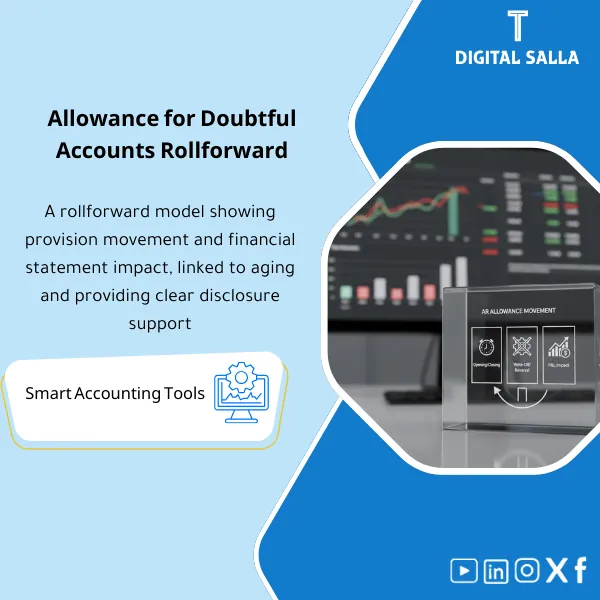
AR Provision Rollforward: Presents a full rollforward (Opening/Provision/Reversal/Write-off) with direct linkage to P&L and balance sheet impacts. Delivers disclosure- and audit-ready schedules explaining period-to-period movements.
Accounts Receivable Provision Rollforward
Rollforward Schedule + TB Tie-out + JE Templates + Impact of Provision on Financial Statements + Closing Pack Insert
Value Proposition: A working file that documents the Accounts Receivable Provision Movement from an opening balance to a closing balance, effectively linking it to Reconciliations + JE Log → Adjusted TB → Closing Pack with a direct view of the provision’s impact on the financial statements and disclosures.
In 20 Seconds: What Will You Get?
- A Accounts Receivable Provision Rollforward schedule showing: Opening → Provision/Increase → Write-off → Recoveries → Reclass/Other → Closing.
- A direct Tie-out linking the provision balance (Closing) to the provision account in TB/GL.
- A template for “Impact of Provision on Financial Statements”: P&L (Bad debts/Impairment) + BS (AR Net & Allowance) + linking it to the TB.
- Ready JE Templates (Provision / Write-off against allowance / Recovery / Reclass) + inserting them into the JE Log.
- A short checklist to adjust capture points: Write-offs against allowance or expense? Where are recoveries recorded?
- A ready section within the Closing Pack: Rollforward + Tie-out + entries + indexing of attachments.
CTA related to deliverables: You will receive Rollforward + Tie-out + JE Pack to establish the provision balance within the Adjusted TB and prepare it for inclusion in the Closing Pack.
Suitable For
- Financial Controller needing a Workpaper that explains the provision movement and converts it into a disclosure for Year-End delivery.
- Head of Accounts / GL Lead wanting a clear Tie-out between Rollforward and the provision account in TB + a ready JE Log.
- AR Accountant working on Aging and needing a template that links Write-offs/Recoveries to the provision instead of scattered figures.
Not Suitable For
- Those looking for a “complete provision policy + write-off and credit controls” as a primary product (this product is a Workpaper for movement and impact).
- Those without AR Aging or unable to extract Write-offs/Recoveries for the period (without it, the movement will not be complete).
Without the File / With the File (Quick Comparison)
| Item | Without the File | With the File |
|---|---|---|
| Provision Movement | The “Closing” number appears in TB without an explanation of the period’s movement | Complete Rollforward: Opening/Provision/Write-off/Recoveries/Reclass/Closing |
| Link to TB | Discrepancies recur between an internal schedule and the provision account in GL | Tie-out linking the Closing in the movement to the provision account balance in TB |
| Impact on Financial Statements | Difficulty in interpreting the provision’s impact on P&L and AR Net | FS Impact Sheet linking expense/reversal to TB and showing AR Net |
| Year-End / Audit | Delayed compilation for disclosing the movement + searching for entries/documents | Closing Pack Insert: Movement + Tie-out + JE Log references + indexing |
Before Use: 5 Symptoms of Provision Movement
- The provision balance changes monthly without a schedule showing the composition and reversal of the provision and reasons for the movement.
- Write-offs are sometimes recorded as expenses and sometimes write-offs against the provision without consistency or documentation within the JE Log.
- Recoveries after write-off are recorded as separate items and do not appear within the provision movement.
- When preparing financial statements: Difficulty linking expense/reversal of the provision in P&L to the provision movement in BS.
- At Year-End: There is no single Workpaper linking Aging + entries + provision account balance in TB + disclosing the movement.
Accounts Receivable Provision Movement: Application Method (3 Steps Without Gaps)
Step 1: Preparation and Gathering Reports
- Extract AR Aging (by customer + Buckets) + Customer Ledger for the period.
- Extract TB/GL for accounts: AR Control / Allowance / Bad Debts (or Impairment) / Write-off / Recoveries (according to your chart).
- Compile movements for the period: Write-offs, Recoveries, any Reclassifications related to receivables.
Step 2: Reconciliations + Movement Entries + JE Log
- Perform Reconciliations: AR Subledger ↔ GL (to ensure that the movement base is correct).
- Fill in the Rollforward: Opening + period movements (Provision/Reverse/Write-off/Recovery/Reclass) and output Closing.
- Prepare reconciliation entries using JE Templates and record them in the JE Log (reason + supporting + approval + impact).
Step 3: Adjusted TB + Impact on Financial Statements + Closing Pack
- Issue Adjusted TB after recording the provision/write-off/recoveries after write-off.
- Output “Impact of Provision on Financial Statements”: Expense/Reversal in P&L + Allowance balance and AR Net in BS (linked to TB).
- Compile Closing Pack for the receivables section: Rollforward + Tie-out + JE Log + Reconciliations + indexing of attachments.
Package Components (Clear Inventory)
-
AR Provision Rollforward Template (Provision Movement Schedule)
- Practical Purpose: Documenting the provision movement as an auditable item (Opening/Provision/Write-off/Recoveries/Reclass/Closing).
- When to Use: Month-End for periodic updates + Year-End for issuing an annual version for disclosures and audits.
- Resulting Evidence: A signed/internal approved movement schedule (according to your system) showing the components of the closing balance.
-
TB Tie-out Sheet (Linking Movement to Provision Account in TB)
- Practical Purpose: Prevent discrepancies between “Closing in the movement” and “Provision account balance in GL.”
- When to Use: At the end of each closing cycle after recording entries and before finalizing Adjusted TB.
- Resulting Evidence: Tie-out showing the balance in GL + any discrepancies + how they were closed (Reclass/JE).
-
FS Impact Sheet (Impact of Provision on Financial Statements)
- Practical Purpose: Linking the provision movement to expense/reversal for the period in P&L and to AR Net in BS.
- When to Use: Monthly when preparing management reports + annually when preparing financial statements/disclosures.
- Resulting Evidence: A sheet showing the period’s impact and linking it to TB accounts (without relying on “verbal explanations”).
-
JE Templates + JE Log Lines (Entry Templates + Ready Lines for JE Log)
- Practical Purpose: Standardizing recurring entries: Provision / Reversal / Write-off against allowance / Recovery / Reclass.
- When to Use: During Month-End/Year-End when recording movements or correcting classifications.
- Resulting Evidence: Documented entries + a reference JE Log linking each entry to attachments (Traceability).
-
Inputs Pack (Movement Input Package)
- Practical Purpose: Compiling movement inputs in one place: Opening Allowance + Write-offs + Recoveries + Aging Snapshot + any Reclass.
- When to Use: At the beginning of the closing process and before calculating movements and recording entries.
- Resulting Evidence: Input Tabs showing the source of each number (report/statement/log) and its date.
-
Closing Pack Insert + Evidence Index (Delivery and Indexing Section)
- Practical Purpose: Placing the movement, impact, entries, and reconciliations in “one section” ready for delivery.
- When to Use: Monthly as an internal delivery + annually as part of the audit file (Year-End Closing Pack).
- Resulting Evidence: An index linking the movement to the TB, the entries, and the documents for Aging/Write-offs/Recoveries.
CTA related to deliverables: Rollforward + Tie-out + JE Pack + FS Impact + Closing Pack Insert.
What Should Be Included in the Delivery?
- Main Workbook (Excel): Tabs for Inputs + Rollforward + TB Tie-out + FS Impact + JE Templates.
- AR Aging Snapshot: The Aging file/report used as a base (with extraction date and report issuance).
- Write-off & Recoveries Listing: A list of movements during the period (from the system or sub-ledger) used within the movement.
- JE Pack: Final entries (numbers/dates/accounts) + reference for inclusion in JE Log + supporting document for each entry.
- Reconciliations: Linking AR Subledger ↔ GL + linking provision account balance ↔ Closing in the movement.
- Disclosure/Note Section: A textual/tabular section for disclosure (Year-End) derived from Rollforward and linked to TB.
- Evidence Index: Indexing of attachments (Support Index) linking each number (Opening/Provision/Write-off/Recovery) to its source.
- Closing Pack Insert: An organized compilation ready to be attached within the monthly/annual Closing Pack.
After Application (Two Key Points)
- Operational Outcome for the Team: Updating the provision becomes a “fixed monthly task”: Input Aging/movements → Rollforward → Standardized entries → Finalizing Adjusted TB instead of Plug entries on the last day.
- Control/Audit Outcome (Evidence & Traceability): Any question about the provision number is answered from the same file: Source of movement + Tie-out with TB + Entry within JE Log + Attachments within Closing Pack.
FAQ — Questions Before Purchase
Is the package suitable for any accounting system?
Yes. It relies on AR Aging and TB/GL and movements of Write-offs/Recoveries. The only difference is in the report format and export source.
Does it replace the provision policy?
No. This product focuses on the provision movement (Rollforward) and linking it to the TB and its impact on the financial statements. The method for calculating the provision percentage/rate comes from your company’s policy or management decision.
Does it include write-offs against the provision?
Yes, as part of the movement: there is a Write-off line and an entry template for recording write-offs against the provision account. However, “approval controls” and the approval process are not within the scope of this product.
Is it suitable for multi-branch or entity companies?
Yes, if Aging and TB are available for each branch/entity/Dimension. You can perform Rollforward for each unit and then compile them into a single file for delivery.
What is the minimum data required to get started?
Opening Allowance + AR Aging + TB/GL for provision and receivable accounts + a list of Write-offs/Recoveries during the period.
Is it suitable for monthly closing only or also for annual closing?
For both: Monthly for finalizing the movement and its entries, and annually for producing a Rollforward + Tie-out + Note within the Closing Pack for auditing.
Is there a template for disclosing the provision movement within the financial statements?
Yes. There is a Disclosure/Note Section derived from the Rollforward, linked to TB accounts for inclusion in the financial statements/disclosures.
What if the Closing in the movement does not equal the provision account balance in TB?
The discrepancy appears within the TB Tie-out and is recorded as a case: (Reclassification/Classification/Entry missing) and then the treatment is determined via JE Template and documented in the JE Log.
Ready to establish the provision movement and link it to the TB and financial statements?
You will receive: Rollforward + Tie-out + FS Impact + JE Pack + Closing Pack Insert as a deliverable working file for Month-End and Year-End.
| المسمّى الوظيفي | |
|---|---|
| Duration | |
| المستوى | |
| التحديثات | |
| القطاع | |
| الصيغة |
Related products

Chart of Accounts Setup Service

Customer Contracts Register – Excel Template
Customer Contract Management Template is a comprehensive Excel-based program to manage customer contracts effectively, including contract data, payments tracking, completion percentages, delivery dates, and project profitability—supported by automated reports that improve contract oversight and customer relationships.




Reviews
Clear filtersThere are no reviews yet.