




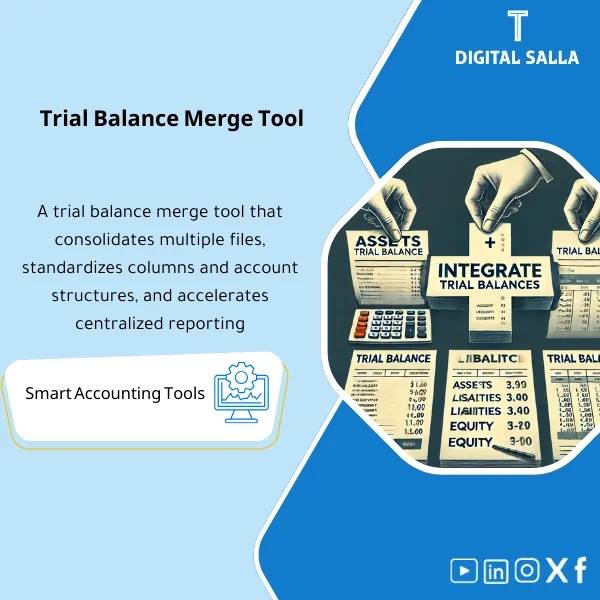
Trial Balance Merge Tool – Excel File
63.56 $
Trial Balance Merge Program is an effective Excel tool to combine multiple trial balances for the same entity into one, with the ability to reconcile intercompany accounts—simplifying consolidated reporting for companies with branches and subsidiaries.
Trial Balance Merging
TB Merge Tool: Import Templates + Mapping + Validation Checks + Combined TB + Adjusted TB + Closing Pack (Excel)
Value Proposition: Trial Balance Merging becomes a Month-End challenge when you receive 5–20 TB files from branches/companies in different formats, leading to a Copy/Paste process that results in Debit/Credit errors, duplicate accounts, mismatched accounts, and difficulty in interpreting “where the number came from” during the audit. This product acts as a workflow: before merging (TB preparation) → during merging (Import + Mapping + Checks) → after merging (Combined TB + Adjusted TB + Reconciliations + Closing Pack) so that you have a deliverable that is internally and externally testable.
In 20 Seconds: What Will You Get?
- Unified Import Template to import all TBs with the same columns (Account/Entity/Period/Dr/Cr) instead of varying formats.
- Mapping Sheet to group similar accounts under a unified code/item (COA Normalization) with an “Unmapped” record.
- Validation Checks for each entity: Debits=Credits, Duplicate accounts, Reversed signs, Rounding differences.
- Combined TB Output total + analysis by entity/branch (Pivot-ready) for report preparation.
- Adjustments Input + Adjusted TB for entering merging/reclassification adjustments and then outputting the final Adjusted TB.
- Reconciliations Pack links the combined totals to TB/GL balances and substantiates the impact of adjustments.
- Closing Pack Index + Sign-off for delivering the “month-end copy” including evidence (Traceability).
CTA related to outputs: Receive Combined TB + Adjusted TB + Import/Mapping Logs + Exception Report + Reconciliations + Closing Pack.
Suitable For
- Chief Accountant / Reporting: Quickly merge branch/company TBs with deliverable Adjusted TB.
- Financial Controller: Prepare Month-End/Year-End with a file of evidence instead of “manual aggregation.”
- Internal Audit / Internal Audit Management: Obtain Traceability and Logs that align with internal audit standards in testing.
Not Suitable For
- Those seeking a complete financial consolidation system (Intercompany/Eliminations/CTA/Group consolidation) — this is a different product; here we focus on TB merging and closing adjustments.
- Those looking for tracking “request status” or “audit result review under study” or information on entities such as Saudi Accounting and Auditing Association — the product is operational accounting and does not provide inquiry/services.
Without the Tool / With the Tool (Brief Comparison)
| Item | Without Merge Tool | With Trial Balance Merge Tool |
|---|---|---|
| Data Source | Different TB files + Copy/Paste + Difficulty tracking the version | Import template + Import log verifies the source of each number |
| Merging Quality | Sign errors/duplicates/misaggregated accounts | Validation checks + Exception report before merging approval |
| Adjustments | “In-file” adjustments without a reference JE | Adjustments input + Adjusted TB + clear impact of adjustments |
| Internal Audit | Difficult to sample test (Weak Traceability) | Logs + Pack index + Tie-outs are testable |
Before Use: 5 Symptoms That Merging Will Exhaust You in Month-End
- Each branch sends Trial Balance differently (columns/names/format), wasting hours on “formatting” before merging.
- Dr/Cr discrepancies appear after merging due to reversed signs or duplicate lines or hidden rows.
- No clear Mapping for similar accounts (same meaning with different codes), resulting in scattered items in reports.
- Merging adjustments are written inside cells without a record; during the audit, you cannot link them to a JE or memo.
- When internal audit requests evidence, there is no Import log, no Exception report, and no version of the file.
How is Trial Balance Merging Done Practically?
Step 1: Preparation and Report Collection
- Identify the list of entities/branches + Cut-off period and then request a consistent TB Export (same date and same basis).
- Prepare a file for each entity: entity name, currency (if any), and special notes (Accounts reclass/Local COA).
- Establish “column definitions” within the Import template so that any TB enters with the same structure.
Step 2: Import + Mapping + Validation Checks
- Import each TB into the Import template and then log its source in the Import log (File name / Period / Owner).
- Map accounts to a unified COA or logical grouping (Normalization) while highlighting Unmapped accounts as a worklist.
- Run Checks automatically: Balance per entity, Duplicate accounts, Sign issues, any discrepancies needing correction before merging.
Step 3: Combined TB + Adjusted TB + Closing Pack
- Output Combined TB (total + by entity/branch) ready for reporting.
- Enter merging/reclassification adjustments in Adjustments input then output the final Adjusted TB.
- Compile Closing Pack: Combined/Adjusted TB + Logs + Exception report + Reconciliations + Sign-off for Month-End/Year-End delivery.
Product Components (Clear Inventory)
-
Entity/Branch Register
- Practical Purpose: Identify who is included in the merge (Entity list) + Cut-off period + responsible for sending TB.
- When Used: At the beginning of each Month-End and updated at Year-End.
- Resulting Evidence: Register that verifies the Scope of the merge (who entered/who did not and why).
-
TB Import Template
- Practical Purpose: Convert all TBs to the same columns to avoid formatting discrepancies.
- When Used: Upon receiving TB for each entity (monthly).
- Resulting Evidence: Raw TB snapshot for each entity within the same structure.
-
Import Log
- Practical Purpose: Document the data source (file/version/owner/date) instead of “who sent the last version?”.
- When Used: With every import/update.
- Resulting Evidence: Reviewable Import log as part of the Closing Pack.
-
COA Normalization & Mapping Sheet
- Practical Purpose: Group similar accounts under a unified code/item without duplication, highlighting Unmapped accounts.
- When Used: At first run + updated when new accounts appear or COA changes.
- Resulting Evidence: Mapping log + Unmapped list used as remaining work before closing.
-
Validation Checks Dashboard
- Practical Purpose: Prevent “wrong” merging before it becomes a reporting issue.
- When Used: Before outputting Combined TB and at every update.
- Resulting Evidence: Check results + Exception report (list of discrepancies and their reasons).
-
Combined TB Output
- Practical Purpose: Output a consolidated Trial Balance total + analysis by entity/branch.
- When Used: Month-End for management reports + Year-End for preparing statements.
- Resulting Evidence: Versioned Combined TB with the month version number.
-
Adjustments Input + Adjusted TB
- Practical Purpose: Enter reclassifications/adjustments related to merging and then output a clear Adjusted TB.
- When Used: Before approving Adjusted TB in Month-End/Year-End.
- Resulting Evidence: Adjustments record + their impact on Combined TB + Adjusted TB version.
-
Reconciliations Pack
- Practical Purpose: Prove that the combined totals/adjustments match the approved TB/GL or explain discrepancies.
- When Used: Monthly before closing approval + annually for delivery.
- Resulting Evidence: Reconciliation schedule + explanation of discrepancies + correction plan.
-
Closing Pack Index + Sign-off
- Practical Purpose: Organized delivery that helps internal and external audits test without repeated requests.
- When Used: Month-End and Year-End.
- Resulting Evidence: Pack Index + Prepared/Reviewed + version control.
What Should Be Included in the Delivery?
- 01-ReadMe & Runbook: Operational steps (Import → Mapping → Checks → Outputs) + control points.
- 02-Entity Register: List of entities/branches + Period/Cut-off + Owners.
- 03-Source TBs (Snapshots): Original TB copies for each entity (Export) + extraction dates.
- 04-Import Template: Unified column TB after input + Import log.
- 05-Mapping: COA normalization + Mapping log + Unmapped accounts list.
- 06-Validation & Exceptions: Check results + Exception report + what was corrected.
- 07-Combined TB Output: Combined TB (Versioned) + analysis by entity/branch.
- 08-Adjustments: Adjustments/reclassification record + impact of each adjustment + Adjusted TB.
- 09-Reconciliations: Reconciliation of Combined/Adjusted TB to TB/GL + explanation of discrepancies.
- 10-Pack Index & Sign-off: Delivery index + Prepared/Reviewed + month/year version.
- 11-Archiving Map: Folder structure and file naming linking version to storage location.
After Implementation (Two Points Only)
- Operational Result for the Team: Merging becomes a fixed step within Month-End: Import → Checks → Combined TB → Adjusted TB, instead of delayed manual aggregation that disrupts reporting.
- Control/Audit Result: Full Traceability according to internal audit requirements: Source TB → Mapping → Exception resolution → Outputs → Reconciliations, with Index and Sign-off.
FAQ — Questions Before Purchase
Does the tool work with any ERP?
Yes. It relies on Exports (TB/GL) and converts them into a unified Import template, then outputs Combined/Adjusted TB and reconciliations without technical integration.
What is a Trial Balance and is the tool suitable for it?
Trial Balance is a summary of account balances (Debit/Credit) at Cut-off. The tool is designed to merge multiple TBs into one file with checks, reconciliations, and delivery evidence.
Does the tool consolidate financial statements (Eliminations/Intercompany)?
No. The tool merges TBs and manages Mapping/Checks and merging adjustments (Reclass/Adjustments). Full consolidation with Eliminations requires a separate consolidation/intercompany package.
Does it support multiple branches and different currencies?
It supports multiple entities and branches. Currencies can be managed as a field within the import, but advanced currency conversion (FX translation) if required is managed according to company policy and may need an additional package.
Can it be used in Month-End and Year-End?
Yes. In Month-End for quickly issuing Combined/Adjusted TB, and in Year-End for producing a file of evidence (Closing Pack) that supports the audit.
Does it assist internal audit management and internal audit standards?
Yes, practically: it produces Logs, Exception reports, Reconciliations, and versioned copies, which are testable elements that support the required Traceability in audits.
Is the product related to the “Saudi Accounting and Auditing Association” or inquiry about “request status”?
No. These are general search terms. The product is not a service entity and does not provide tracking of requests or audit results under study.
What is the minimum data required to get started?
TB for each entity/branch for the same period (Cut-off), with account code/name/Dr/Cr. To improve accuracy: define entity/branch and initial Mapping of accounts.
Ready to Stop Copy/Paste and Receive a Reviewable Combined TB?
Outputs: Combined TB + Adjusted TB + Import/Mapping Logs + Exception Report + Reconciliations + Closing Pack Index.
| المسمّى الوظيفي | |
|---|---|
| Duration | |
| المستوى | |
| التحديثات | |
| القطاع | |
| الصيغة |
Related products








Reviews
Clear filtersThere are no reviews yet.