



FS Draft Workbook – Excel File
1,345.48 $
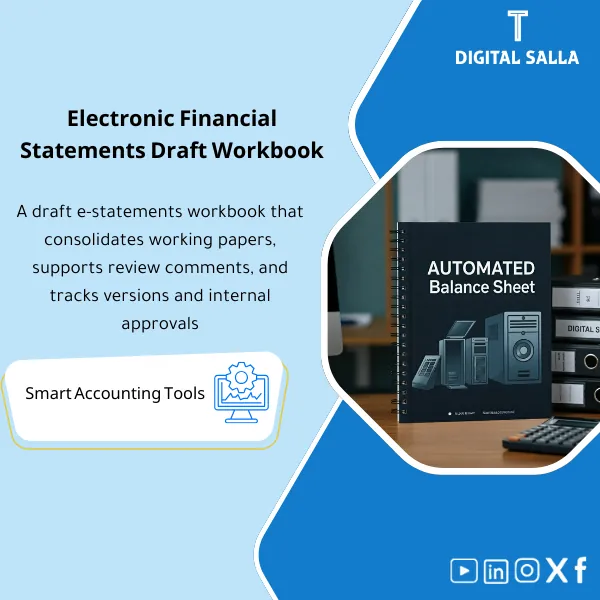
Electronic Draft Financial Statements is an Excel tool designed to create dynamic financial statement drafts quickly by importing the trial balance and classifying accounts—making updates and revisions faster and improving the efficiency of preparation and review.
Draft Financial Statements
Electronic Draft with Copy and Review Management: Draft FS + Notes Index + Tie-out + Review Log + Closing Pack — to be delivered before the final release
Value Proposition: Electronic Draft of financial statements that prevents you from the chaos of “final_v7_revised”: it links Adjusted TB to line items and notes, and is managed as an official review (Comments → Corrections → Approval) within a single deliverable file that is traceable.
In 20 Seconds: What Will You Get?
- Draft FS (Word): Draft statements (P&L / Balance Sheet / Cash Flow) with a fixed presentation structure.
- Notes Index: An index of notes linking each Note to an item/number within the statements (Ready cross-references).
- Tie-out Sheet: Linking statement items to Adjusted TB (FS Mapping) with a variance report.
- Review Log: Log of reviewer/management notes (Open/Closed) with Owner and Due date.
- Change Log: Record of number changes between versions (What changed? Why? And what is the reference?).
- Release Checklist: A checklist before “releasing the version” (totals/cross-references/notes completeness).
- Closing Pack Index + Sign-off: Delivery index + Prepared/Reviewed/Approved + Version control.
CTA related to outputs: You will receive Draft FS + Tie-out + Review Log + Change Log + Pack Index ready for delivery.
Suitable For
- Chief Accountant / Controller: You want a “Draft Copy” that is controlled before the final release, with Tie-out and Sign-off.
- Financial Reporting: You want to manage Notes and their references linked to numbers instead of random edits in Word.
- Internal Audit / Reviewers: You want Traceability: statement number → TB → Reconciliations → reason for change (Change log).
Not Suitable For
- Those looking for Enjaz Electronic Visa Services or electronic visas or any electronic services office — this is an accounting product for statements only.
- Those wanting to build an actual electronic portal or a complete Workflow system — this is an operational and delivery Pack (Templates + Logs) that works within any file-sharing platform.
Without the Draft / With the Draft (Short Comparison)
| Item | Without Draft Path | With Draft Financial Statements |
|---|---|---|
| Versions | Multiple files (final/final2/revised) without Version | Version control + Sign-off + Release checklist |
| Link to TB | Numbers copied without a clear Tie-out | Tie-out sheet verifies the source of each number from Adjusted TB |
| Review | Scattered comments in email/WhatsApp | Review log (Open/Closed) + Owner + Change reference |
Before Use: 5 Symptoms That the “Draft” Will Waste Closing Time
- Statements change every day, and you don’t know which version is approved (No versioning).
- The reviewer asks: “Where did this number come from?” and there is no Tie-out between statement items and Adjusted TB.
- Notes are written and then lose Cross-references due to changes in order/numbering.
- Review comments are closed verbally, but there is no Review log documenting what was closed, when, and who is responsible.
- Last-minute adjustments affect the statements without a Change log linking “reason for change” to Reconciliation or JE reference.
How Does the Electronic Draft of Financial Statements Work Practically?
Step 1: Preparation and Gathering Reports
- Approve Adjusted TB after closing Month-End/Year-End and essential Reconciliations.
- Establish FS Lines/Mapping (statement items) and link them to accounts; if you have entity consolidation, use Combined TB first.
- Prepare supporting sources: Summary JE Log, Reconciliation files, and any support schedules for disclosures (Notes support).
Step 2: Building the Draft + Tie-out + Managing Notes
- Fill the Draft FS with numbers according to FS Mapping, then run Tie-out to prove that the total items match Adjusted TB.
- Fill Notes according to the structure, and update the Notes Index with Cross-references (each Note linked to a clear item).
- Open Review log: Record management/auditor notes (Point → Owner → Due date → Status).
Step 3: Review and Release Version + Closing Pack
- Close Review log points one by one with documentation of the amendment within Change log (What changed/Why/Where).
- Run Release checklist: totals, cross-references, completeness of Notes, and link any changes to JE/Recon reference.
- Compile Closing Pack: Draft vX + Tie-out + Logs + Sign-off + (optional) final PDF for archiving/delivery.
Product Components (Clear Inventory)
-
Draft Financial Statements (Word)
- Practical Purpose: Draft statements in Word format ready for presentation and internal delivery before the final release.
- When Used: Quarter-End/Year-End after approving Adjusted TB.
- Resulting Output: Draft versioned (v1/v2/…) with a Sign-off page.
-
Notes Pack + Notes Index
- Practical Purpose: Establish numbering of notes and link them to statement items to avoid notes like “I can’t find Note X.”
- When Used: During draft preparation and before release.
- Resulting Output: Notes index + Cross-reference table.
-
TB Tie-out & FS Mapping Sheet
- Practical Purpose: Prove the source of each number (FS line ↔ TB accounts) and produce a variance report if any.
- When Used: In every draft version before sending for review.
- Resulting Output: Tie-out report + Unmapped accounts list + Presentation decisions.
-
Review Log (Open/Closed Points)
- Practical Purpose: Manage the review as a list of points that can be closed instead of scattered comments.
- When Used: From the first draft submission until release.
- Resulting Output: Points log + Owner + Closing date + Change reference.
-
Change Log (Numbers & Notes Changes)
- Practical Purpose: Document changes between versions and link them to reasons (JE/Reconciliation/Presentation reclass).
- When Used: With every update that changes a number or Note.
- Resulting Output: Auditable Change register.
-
Release Checklist (Before Approving the Version)
- Practical Purpose: Prevent releasing a version with errors in totals or links to Notes or inconsistencies between statements.
- When Used: Before sending vFinal or before producing PDF.
- Resulting Output: Signed checklist (Prepared/Reviewed).
-
Closing Pack Index + Sign-off
- Practical Purpose: Compile the delivery: Draft + Tie-out + Logs + source references in one Pack.
- When Used: When finalizing the approved version (Release).
- Resulting Output: Pack index + Prepared/Reviewed/Approved + Version.
-
Archiving Map (Folder Structure + Naming)
- Practical Purpose: Run the draft within any electronic portal or electronic services for file sharing (SharePoint/Drive/ERP Attachments) without losing versions.
- When Used: From the beginning of the cycle until final archiving.
- Resulting Output: Folder tree + Naming convention + Reference IDs.
What Should Be Included in the Delivery?
- 01-Draft FS (DOCX): Draft statements (vX) with a Version/Sign-off page.
- 02-TB Tie-out (XLSX): FS Mapping + Tie-out report + Unmapped list + Presentation decisions.
- 03-Notes Pack: Notes structure + Notes Index + Cross-references.
- 04-Review Log: Review points (Open/Closed) + Owner + Closing date + Change reference.
- 05-Change Log: Record of number/note changes between versions + reason for change + Reference.
- 06-Release Checklist: Checklist before release + results (Pass/Fail) and corrective actions.
- 07-Reconciliation References: Index of Reconciliation references and JE Log used to explain changes.
- 08-Closing Pack Index: Pack index + Prepared/Reviewed/Approved + Version.
- 09-Final PDF (optional): PDF version for archiving/delivery after approval of the release.
- 10-Archiving Map: Folder tree + Naming convention within the sharing/archiving platform.
After Implementation (Two Points Only)
- Operational Result for the Team: The review transforms into a clear path: Draft → Review log → Change log → Release, instead of scattered edits and unknown copies.
- Control/Audit Result: Traceability: statement item ↔ Adjusted TB ↔ reason for change (JE/Recon/Presentation) with Logs and Sign-off within the Closing Pack.
FAQ — Questions Before Purchase
Does the “Electronic Draft” mean a government portal or visa services?
No. It has no relation to Enjaz Electronic Visa Services or electronic visas. The product is specific to the draft financial statements within companies.
Does it work with any ERP?
Yes. Because the core inputs are Adjusted TB and Exports, and the outputs are Tie-out/Logs/Word version deliverable without technical integration.
Is it an alternative to issuing final statements?
It is an organized phase before the final release: it produces Draft versioned + review guides (Review/Change logs) and then helps you issue a “Release” version that is archivable/deliverable.
Does it automatically generate statements from TB like an Excel generator?
The focus here is on managing the draft and review and linking (Tie-out/Logs). If you need an Excel statement generator from TB, you likely need a separate “Excel Financial Statements Templates” package.
Does it support multi-branch/entity companies?
Yes, provided you have a unified TB (or Combined TB). After that, Tie-out and review workflow work in the same methodology.
What is the minimum data required to get started?
Adjusted TB for the period + FS lines/Mapping + Comparison numbers (Prior year) + Basic Notes content + Important Reconciliation references.
Is it suitable for e-commerce companies?
Yes, as a delivery methodology: the same path works for any activity including e-commerce as long as you have Adjusted TB and Notes content. The product does not build a store or provide e-commerce operational services.
Are “electronic services” and “electronic services” part of the product?
They are general expressions: you can run the package within any file-sharing platform (SharePoint/Drive) as part of internal “electronic services,” but the product itself is Templates + Accounting Logs.
Ready to Close the Draft Phase with Review Guides Instead of Untraceable “Final” Copies?
Outputs: Draft FS (DOCX) + Tie-out (XLSX) + Review/Change Logs + Release Checklist + Closing Pack Index.
| المسمّى الوظيفي | |
|---|---|
| Duration | |
| المستوى | |
| التحديثات | |
| القطاع | |
| الصيغة |
Related products

3-Way Match Toolkit – Excel File

Reviews
Clear filtersThere are no reviews yet.