




FX Translation for Consolidation – Excel File
84.84 $
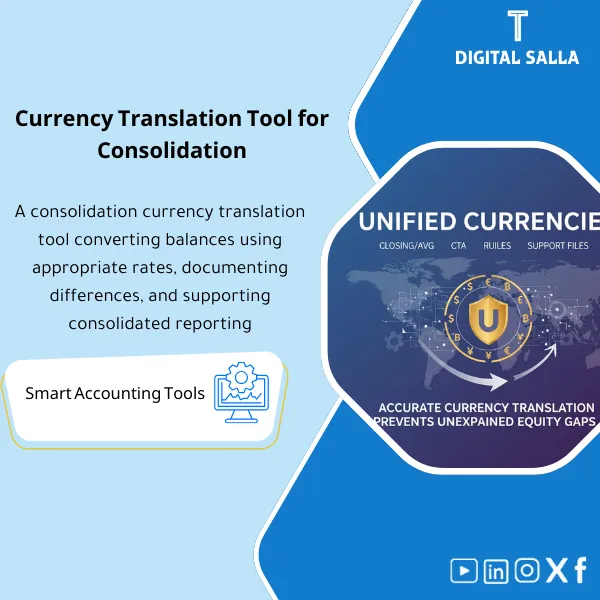
Currency Translation for Consolidation: Applies closing and average rates to subsidiaries’ TBs, calculates CTA, and prepares a translated TB before eliminations. Delivers an auditable translation file for multi-currency groups.
Currency Translation in Consolidation
FX Translation Schedule + Closing/Average/Historical Rates + CTA Translation Reserve + Translated TB + Consolidation Pack
Value Proposition: A workbook for translating Trial Balance of subsidiaries from functional currency to group presentation currency, specifying the rate type for each item (Closing / Average / Historical) and outputting CTA Translation Reserve as a movement within equity: Entity TB + Rate Types + FX Rates → Translated TB → CTA Rollforward → JE Log → Consolidation Pack.
In 20 Seconds: What Will You Get?
- FX Rates Table (Closing / Average / Historical) with a source rate column and approval date.
- Rate Type Mapping at the account/item level (which account is translated with which rate type?).
- Translated TB resulting from the translation of TB for each company in the consolidated currency, showing the translation impact.
- CTA Translation Reserve Schedule: Opening + Movement = Closing, linked to the Equity line.
- Equity Historical Tracker to stabilize Equity items translated at Historical (per presentation policy).
- Translation Tie-outs (Reconciliations): Translation differences and balance sheet reconciliation post-translation.
- Closing Pack Insert: Delivery index linking FX rates, Mapping, Translated TB, CTA, and JE Log.
CTA related to outputs: Receive Translated TB + CTA Rollforward + FX Tie-outs to include in the Consolidation Pack and link to the JE Log and consolidation entry.
Suitable For
- Consolidation Accountant needs TB translation for entities with different currencies before Eliminations and outputting Consolidated TB.
- Group Reporting wants CTA Translation Reserve as a traceable movement within Equity instead of a “Plug” number.
- Group Financial Controller needs a clear delivery Pack for the auditor: FX rates + Mapping + Tie-outs + JE Log.
Not Suitable For
- Those expecting “automatic currency rate pulls” or direct integration with ERP (the product is a Workpaper; you input FX rates and document their source).
- Highly complex special cases without supporting data (Hyperinflation/IAS 29 or complex Acquisition/PPA) — results can be recorded as entries in the JE Log but may require additional templates.
Without Template / With Template (Quick Comparison)
| Item | Without Template | With Template |
|---|---|---|
| Rate Selection | Closing used for everything or inconsistently | Rate type mapping (Closing/Average/Historical) for each account/item |
| CTA | CTA total number with no movement or explanation | CTA rollforward: Opening + Movement = Closing + linked to Equity |
| Tie-out | Translation does not balance with the balance sheet or varies between file versions | Reconciliations: Translated TB + FX differences + Equity tie-out |
| Delivery | FX rates and translation decisions undocumented | Pack: FX rates (source) + mapping + outputs + JE Log + sign-off |
Before Use: 5 Symptoms of Currency Translation Issues
- Lack of clarity: which items are translated at closing rate and which at average/historical (decisions vary by person).
- CTA is unexplainable: appears as a difference to balance the sheet without rollforward or reference.
- Equity is translated without tracking historical rates (Share capital/Reserves), leading to illogical changes.
- Translated TB does not pass a clear tie-out (Assets ≠ Liabilities + Equity) or there remains a “Plug”.
- At Year-End: no delivery file specifies the source of FX rates or the reference version used in translation.
Currency Translation in Consolidation: Application Method (3 Steps Without Gaps)
Step 1: Preparation and Gathering Reports
- Stabilize Entity TB for each entity in functional currency (reference version for the period) + specify the group presentation currency.
- Update/approve Mapping to Group COA (to ensure Translated TB outputs in group structure).
- Prepare FX rates for the period: Closing rate + Average rate + any Historical rates required for Equity items (with documentation of the source rate).
Step 2: FX Translation + CTA + JE Log
- Determine Rate Type for each account/item (Closing/Average/Historical) based on group policy.
- Execute Translation on TB: output Translated TB + translation impact for each item.
- Calculate CTA Translation Reserve and output CTA rollforward linking it to Equity, documenting any translation/consolidation entries within JE Log (if recorded as consolidation entries).
Step 3: Tie-outs + Consolidation Pack
- Execute Reconciliations/Tie-outs: balance sheet after translation + link CTA to its place in Equity + match changes with the period.
- Output Translated TB as an official input for the consolidation phase (Eliminations/NCI) then Consolidated TB.
- Compile Consolidation Pack for FX: rates + mapping + outputs + tie-outs + sign-off.
Product Components (Clear Inventory)
-
FX Rates Table (Closing / Average / Historical)
- Practical Purpose: Stabilize the exchange rates used for the period with a source rate column and approval date.
- When Used: At every Month-End/Year-End when starting the translation.
- Resulting Evidence: Approved rates table that can be attached in the Pack as a source for the figures.
-
Rate Type Mapping (Account-level)
- Practical Purpose: Identify which accounts are translated at Closing, which at Average, and which at Historical (to avoid processing confusion).
- When Used: Established once + reviewed when changing COA/policy + used periodically each period.
- Resulting Evidence: Approved mapping showing the logic of translation for each item.
-
Entity TB Import + Translation Engine
- Practical Purpose: Import TB for each entity in functional currency and translate it according to Rate types to output Translated TB.
- When Used: Each period before starting Eliminations and consolidation.
- Resulting Evidence: Translated TB for each entity + summary of translation differences.
-
Equity Historical Tracker
- Practical Purpose: Track Equity items requiring Historical rates (per group policy) and stabilize the basis of translation across periods.
- When Used: At initial setup + updated with changes in Equity (capital increases/distributions/restructuring).
- Resulting Evidence: Historical record showing the rate/date for each Equity item and how it was translated.
-
CTA Translation Reserve Schedule (Rollforward)
- Practical Purpose: Calculate CTA and show the movement of the balance instead of a “plug” number for the balance sheet.
- When Used: Each period when there is currency translation in consolidation.
- Resulting Evidence: CTA rollforward: Opening + Movement = Closing + linking it to the Equity line.
-
FX Tie-outs (Reconciliations)
- Practical Purpose: Closing tests: balance sheet after translation + verify changes + link CTA.
- When Used: Before approving Translated TB and before issuing Consolidated TB.
- Resulting Evidence: Tie-out sheets showing where differences were closed and how.
-
Translation JE Log (if translation is recorded as consolidation entries)
- Practical Purpose: Document any translation/consolidation entries related to FX/CTA (reason + support + approval + impact).
- When Used: During Month-End/Year-End before finalizing Consolidated TB.
- Resulting Evidence: JE Log that can be delivered to the auditor as a reference for the entries.
-
FX Section for Consolidation Pack (Index + Sign-off)
- Practical Purpose: Compile all FX files into one delivery section within the Consolidation Pack.
- When Used: At the end of each period (especially Year-End).
- Resulting Evidence: Pack index + sign-off indicating the reference version for the translation and its contents.
CTA related to outputs: Translated TB + CTA rollforward + FX reconciliations for FX delivery within Consolidation Pack.
What Should Be Included in the Delivery?
- 01 – Inputs (Entity TBs): TB for each entity (Excel/PDF export) + extraction date + functional currency.
- 02 – FX Rates Evidence: File of exchange rates (Closing/Average/Historical) + documentation of source rates (snapshot/link/internal memo) + approval date.
- 03 – Rate Type Mapping: Mapping file showing rate type for each account/item + any exceptions.
- 04 – Translation Workbook: The main file containing import, translation, CTA, and Tie-outs.
- 05 – Outputs (Translated TB): Outputs of the translated TB for each entity + consolidated version on Group COA if needed.
- 06 – CTA Rollforward: CTA movement schedule (Opening/Movement/Closing) linking it to the Equity line.
- 07 – FX Tie-outs: Reconciliation sheets proving balance sheet reconciliation after translation and reasons for any differences if present.
- 08 – Translation JE Log: Log of translation/consolidation entries (if used) with support and approval.
- 09 – Pack Index & Sign-off: Index of files + reference version + who reviewed/approved + approval date.
After Application (Two Key Outcomes)
- Operational Outcome for the Team: Currency translation becomes a fixed step before consolidation: stable TB + approved FX rates + Mapping + Translated TB, instead of “manually translating” that varies each period.
- Control/Audit Outcome (Evidence & Traceability): CTA has movement, FX rates have a source, and Translated TB has Tie-outs and a delivery file within the Consolidation Pack, with JE Log for any related entries.
FAQ — Questions Before Purchase
Is this product part of the consolidation program (DIS127) or standalone?
Standalone and can be used separately or as a component within the consolidation cycle. Its primary output is Translated TB + CTA, which are direct inputs for the Eliminations/NCI phase and outputting Consolidated TB.
Is it suitable for any accounting system?
Yes. The only requirement is the ability to extract Trial Balance for each entity and specify its functional currency, then map to Group COA.
Does it provide exchange rates automatically?
No. You input the rates and document their source within FX rates evidence. This is important because the delivery requires “used rate + source” and not an unknown origin rate.
What is the minimum data required to get started?
TB for each entity + Closing rate + Average rate + identification of items needing Historical rates (usually Equity) + Mapping for accounts.
Does it automatically calculate CTA Translation Reserve?
Yes, as a Schedule: it calculates CTA and outputs Rollforward (Opening/Movement/Closing) based on translation results and links to Equity, with the ability to document any adjustments/exceptions.
Does it support multiple subsidiaries with different currencies?
Yes. You can translate TB for each entity separately with the same FX policy and then consolidate outputs at the group level before Consolidated TB.
Is it suitable for Month-End or Year-End only?
For both. Monthly to stabilize group figures early, and annually for delivering a comprehensive audit file (FX section within Consolidation Pack).
Does it cover special cases like Hyperinflation or PPA?
No as a comprehensive solution. The product covers TB and CTA translation per translation policy. Special cases may require separate templates, and their impact can be recorded as consolidation entries within JE Log and attached as support within the Pack.
Ready to Translate Subsidiaries’ TB with Accurate Rates and Traceable CTA?
You will receive: FX rates table + Rate mapping + Translated TB + CTA rollforward + Tie-outs + Pack index to prepare Month-End/Year-End at the group level.
| المسمّى الوظيفي | |
|---|---|
| Duration | |
| المستوى | |
| التحديثات | |
| القطاع | |
| الصيغة |
Related products




Finance SOPs – Detailed Steps


Sales Controls Template – Excel Template
Sales Control Template is an effective Excel tool to manage and monitor sales invoices and revenue contracts with automated workflows, analytical reports, and charts to help you understand sales performance. Highly flexible and editable to fit your needs—strengthening sales controls and improving performance.

Reviews
Clear filtersThere are no reviews yet.