



VAT Return Template – Excel File
42.29 $
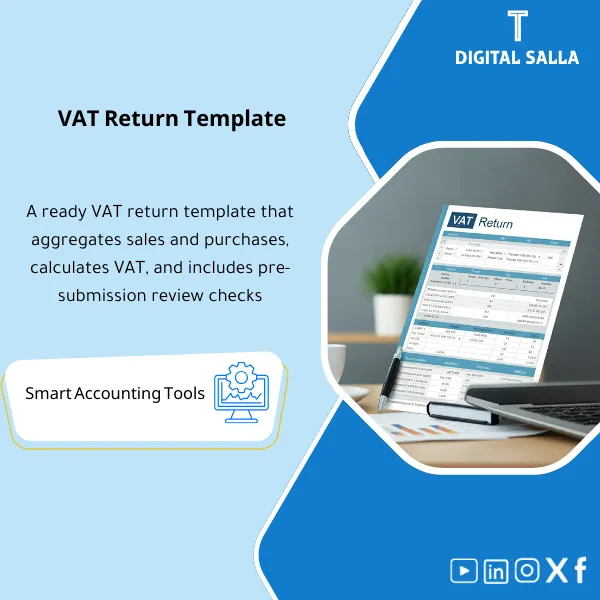
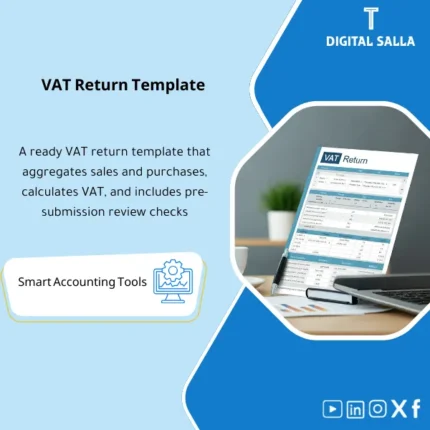
VAT Return Preparation Template is a comprehensive Excel workbook aligned with the Executive Regulations of VAT, including summary and detailed schedules to prepare returns accurately, with a guidance manual to avoid filing errors and ensure correct VAT settlement.
VAT Return Declaration
VAT Return Pack: Sales/Purchases Ledgers + VAT Control Reconciliation + Adjustments Register + Return Summary + Submission Pack (Excel)
Value Proposition: Preparing VAT does not fail due to a “lack of sheet,” but due to the absence of a file that links: Sales/Purchase invoices → VAT classification (Standard/Zero/Exempt/RC) → Declaration totals → VAT account matching in GL → Adjusting entries (JE) → A deliverable file that can be internally reviewed and withstands scrutiny. This template is designed as an operational pathway for the declaration, not as a theoretical explanation.
In 20 Seconds: What Will You Get?
- Sales VAT Ledger: Tax sales record (Invoice-level) with VAT classification and data source.
- Purchases VAT Ledger: Tax purchases record proving deductible/non-deductible input VAT.
- Reverse Charge Schedule: Schedule of Reverse Charge transactions (if any) linked to documents.
- VAT Return Summary: Summary of declaration figures (Boxes/Summary) ready for review before submission.
- VAT Control Reconciliation: Matching declaration totals with VAT accounts in GL/TB + variance disclosure.
- Adjustments & Corrections Register: Record of corrections/adjustments (Credit Notes, prior period corrections) with reason and reference.
- JE Templates + JE Log: VAT adjusting entries and their reference within JE Log + Pack Index for submission.
CTA related to outputs: Receive VAT Return Summary + Ledgers + GL Reconciliation + Adjustments + JE Pack + Submission Pack.
Suitable For
- VAT Accountant / Tax: Preparing the declaration based on invoices and ERP outputs with a ledger record.
- Controller / Chief Accountant: Closing the VAT cycle as part of Month-End with Reconciliations and clear entries.
- Internal Audit / Compliance: Testing samples (Invoices) and linking them to ledger/declaration/GL through Traceability.
Not Suitable For
- Those looking for a “portal” for VAT Declaration Submission or an electronic submission service — the product is not a submission platform.
- Those wanting a “general calculator” without invoice/GL data; VAT calculation here is based on invoices and reviewable records, not an estimated figure.
Without the file / With the file (Brief Comparison)
| Item | Without Operating Template | With VAT Return Preparation Template |
|---|---|---|
| Source of Declaration Figures | Totals from ERP without Ledgers or clear classification | Sales/Purchases ledgers + VAT classification + Exceptions |
| Matching with GL | VAT Control variances show on the last day without explanation | VAT Control reconciliation + JE pack to settle variances |
| Inspection/Review | Repeated document requests because there is no Pack | Submission pack index + Traceability invoice → ledger → return → GL |
Before Use: 5 Symptoms That the VAT Declaration is Not “Ready for Review”
- No Sales/Purchases ledgers at the invoice level; only totals that are difficult to test by sample.
- VAT control accounts in GL do not match the declaration figures, and there is no reconciliation explaining “why.”
- Reverse Charge or Credit Notes are treated as manual figures without a correction record and document reference.
- VAT classification is inconsistent (Standard/Zero/Exempt) across invoices, leading to unexplained discrepancies in the declaration.
- When auditors/compliance ask for “the evidence,” there is no Pack index, no Version, and no JE references.
How to Prepare VAT Practically?
Step 1: Preparation and Report Gathering
- Determine the declaration period (Monthly/Quarterly) and establish a cut-off that matches the closing.
- Pull Reports from ERP: Sales VAT report + Purchases VAT report (Invoice-level as much as possible) + GL/TB for the period.
- Identify VAT control accounts in the ledger (Output VAT / Input VAT / VAT payable/receivable) and link them to the file.
Step 2: Ledgers + Reconciliations + JE Log
- Build/update Sales & Purchases ledgers within the file with VAT classification and produce an Exceptions list (incomplete data invoices/illogical classification).
- Prepare Reverse Charge schedule (if any) and link each item to the document/supplier/invoice.
- Conduct VAT control matching: Total VAT from ledgers ↔ VAT accounts in GL, then prepare JE Templates to settle variances and record them within JE Log.
Step 3: Return Summary + Submission Pack
- Generate VAT Return Summary (Boxes/Summary) after approving classifications and adjustments.
- Run the final tie-out: (Return ↔ Ledgers ↔ GL) + document exceptions that need addressing in the next cycle.
- Compile Submission pack: Ledgers + Reconciliations + Adjustments + JE references + Pack index + Sign-off before submission.
Template Components (Clear Inventory)
-
VAT Runbook (Operational Workflow)
- Practical Purpose: Transforming the declaration preparation into fixed steps (Gather → Ledgers → Recs → Return → Pack).
- When to Use: First application + Training new staff + When changing the declaration cycle.
- Resulting Guide: Runbook attached within the closing file as a reference for methodology.
-
Sales VAT Ledger
- Practical Purpose: Proving Output VAT at the invoice level (can be tested by sample).
- When to Use: Every declaration period before issuing the summary.
- Resulting Guide: Ledger versioned + Exception list for incomplete invoices.
-
Purchases VAT Ledger
- Practical Purpose: Proving deductible Input VAT and distinguishing non-deductible if applicable.
- When to Use: Every declaration period concurrently with Month-End.
- Resulting Guide: Ledger + VAT classifications + document references.
-
Reverse Charge & Special Cases Schedule
- Practical Purpose: Organizing items that cause recurring errors (RC/adjustments/notes).
- When to Use: When there are transactions with special tax treatment.
- Resulting Guide: Schedule linking each item to its source, description, and tax amount.
-
Adjustments & Corrections Register
- Practical Purpose: Documenting corrections (Credit Notes / prior period correction / manual adjustments) instead of adjusting the declaration figure without reason.
- When to Use: Before approving Return Summary, and sometimes after discovering an error in internal review.
- Resulting Guide: Register containing: description + reason + reference + impact on the declaration.
-
VAT Control Reconciliation
- Practical Purpose: Linking Output/Input VAT in ledgers with VAT control accounts in GL/TB and showing variances.
- When to Use: Every declaration period before submission (preferably within Month-End).
- Resulting Guide: Reconciliation schedule + variance explanation + closure plan.
-
JE Templates + JE Log References
- Practical Purpose: Issuing VAT adjusting entries (Payable/Receivable) and linking them to the reconciliation instead of undocumented entries.
- When to Use: When there are variances or when reclassifying/settling before closing the period.
- Resulting Guide: JE pack + entry within JE Log with reference for reconciliation.
-
VAT Return Summary
- Practical Purpose: Producing a final figure ready for review (Before submission) with a clear breakdown.
- When to Use: After completing ledgers and reconciliations.
- Resulting Guide: Summary + link for each figure to ledger/recon.
-
Submission Pack Index + Sign-off
- Practical Purpose: Delivering the declaration as a package: What was done? Who reviewed? What version?
- When to Use: Before submission and after final version approval.
- Resulting Guide: Pack index + Prepared/Reviewed/Approved + Version control.
What Should Be Included in the Delivery?
- 01-VAT Return Summary: Declaration summary (Boxes/Summary) + period copy + approval status.
- 02-Sales VAT Ledger: Sales ledger (Invoice-level) + VAT classifications + Exception list.
- 03-Purchases VAT Ledger: Purchases ledger + distinguishing deductible/non-deductible (if applicable).
- 04-Reverse Charge Schedule: (if applicable) RC schedule + invoice/supplier/impact references.
- 05-Adjustments & Corrections: Corrections register + Credit notes + prior period corrections + reason/reference.
- 06-VAT Control Reconciliation: Matching Output/Input VAT to GL/TB + variance explanation and closure plan.
- 07-JE Pack: JE templates + JE Log references + entry numbers after posting (if recorded in ERP).
- 08-Sampling File (optional): Sample invoice list for internal review: Invoice number/Client/VAT classification/Document reference.
- 09-Approval & Sign-off: Prepared/Reviewed/Approved page + date + responsibilities.
- 10-Pack Index: Pack index + Version + internal links/references for easy retrieval.
- 11-Archiving Map: Folder structure + Naming convention for the period (Year/Quarter/Month/Version) to secure the declaration copy.
After Implementation (Two Points Only)
- Operational Outcome for the Team: The declaration cycle becomes part of the closing: Ledgers → Reconciliations → JE → Return summary, instead of preparing a figure on the last day.
- Control/Inspection Outcome: Traceability: Invoice → Ledger → Declaration number → VAT account in GL + Corrections record and Version/Sign-off within Submission Pack.
FAQ — Questions Before Purchase
Is the template suitable for any accounting/ERP system?
Yes. It relies on Exports (VAT reports / invoices / GL/TB) and then produces Ledgers and reconciliations within Excel without technical integration.
Is it suitable for “VAT in Saudi Arabia”?
Yes, as an operational methodology: Ledgers + Reconciliations + Adjustments + Pack. Item details/box requirements follow current regulations, so the template focuses on the working paper and linking evidence.
Does it include Reverse Charge?
Yes, there is a Reverse Charge schedule as an optional part when transactions require it, linked to documents.
Does it produce a “VAT Certificate”?
No. The VAT Certificate (if intended as a registration/proof certificate) is issued by official authorities/platforms. The template produces the declaration preparation file and working papers only.
What is the minimum data required to get started?
Sales invoices/VAT report + Purchase invoices/VAT report for the period + GL/TB + identification of VAT control accounts. The more invoice-level data, the better for review.
Is it suitable for monthly and quarterly declarations?
Yes. The declaration period is defined within the file, and the same steps (Ledgers → Recs → Return summary) are managed for any cycle.
Is this “What is VAT” as an educational article?
It is not general educational content. There is an operational Runbook that illustrates how to prepare the declaration practically as an accountant, with reviewable outputs.
Does it support correcting prior periods?
Yes, through the Adjustments & Corrections register to document corrections/variances from prior periods and link them to their impact on the current declaration (according to your company policy and regulatory requirements).
Ready to submit your VAT declaration with a file of evidence instead of a number without matching?
Outputs: VAT Ledgers + Return Summary + VAT Control Reconciliation + Adjustments Register + JE Pack + Submission Pack Index.
| المسمّى الوظيفي | |
|---|---|
| Duration | |
| المستوى | |
| التحديثات | |
| القطاع | |
| متوافق مع | |
| الصيغة |



Reviews
Clear filtersThere are no reviews yet.