


Budget vs Actual Variance Analysis – Excel File
84.84 $
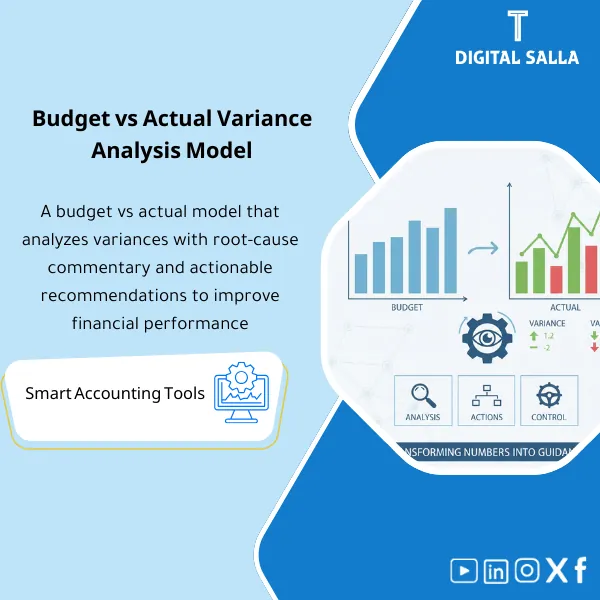
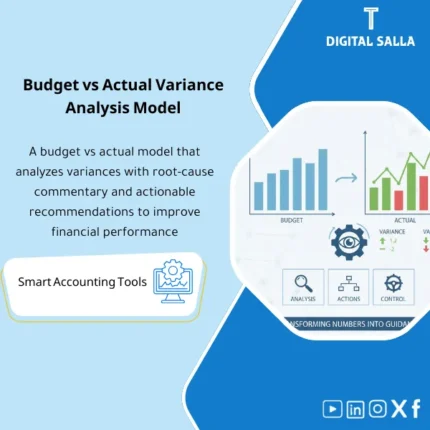
Budget vs Actual Template: Compares budget to actual by cost center and line item, capturing variance explanations, action owner, and resolution date. Delivers monthly cost control reporting for finance governance.
Budget vs Actual + Variance Explanation
Budget vs Actual Template + Variance Drivers + Cost Center Tracking + Action Log + Sign-off
Value Proposition: The Budget vs Actual template transforms the comparison from “numbers only” into a trackable document: Actual (TB/GL) + Budget → Variances (Value/% ) → Driver Tags → Commentary → Corrective Actions → Monthly Sign-off instead of a report that ends with presenting differences without explanation or action.
In 20 Seconds: What Will You Get?
- Budget vs Actual Monthly + YTD with (Value / % / Trend) for each account or report item.
- Cost Center View: The same comparison by Cost Centers/Departments/Branches.
- Variance Driver Tags: Classification of the reason for the variance (Price/Volume/Mix/One-off/Timing/FX/Policy).
- Commentary Template: Short explanation fields linked to the variance (What happened? Why?).
- Corrective Action Log: Corrective action + Owner + Deadline + Status (Open/Closed).
- Reforecast Flag: Tagging items that need a Forecast update instead of just a “note”.
- Sign-off: Monthly approval (Prepared/Reviewed/Approved + Version/Date).
CTA related to deliverables: Receive Variance report + Explanation + Action log to close the month’s variances with actual follow-up instead of just presenting numbers.
Suitable For
- FP&A wants a solid framework for explaining variances and linking them to actions.
- Financial Controller wants a monthly report highlighting the largest variances and the closure owner.
- Cost Center Owners need a responsibility report with an action log.
Not Suitable For
- A company that does not have an organized Budget or cannot extract Actuals by Cost center/Account (the comparison will not work correctly).
- Anyone looking for an interactive BI Dashboard instead of Excel—this is an Excel template for monthly delivery.
Without the Template / With the Template (Quick Comparison)
| Item | Without Template | With Template |
|---|---|---|
| Variance Explanation | Numbers without reason or general commentary | Driver tags + commentary linked to each major variance |
| Follow-up Responsibility | No owner for the variances | Action log: owner + deadline + status |
| Cost Centers | Comparison at the company level only | View by CC/Department/Branch with accountability |
Before Use: 5 Symptoms Present in Budget vs Actual
- The Budget vs Actual report is sent as a table of numbers without a clear explanation of significant variances.
- Expense variances recur monthly because there is no Action log or closure owner.
- There is no distinction between “operational” variances and “one-off” and “timing” variances.
- Cost centers are not monitored; variances appear at the company level only without accountability.
- The report changes format every month, and there is no Version/Sign-off to confirm the sent version.
Budget vs Actual: Implementation Method (3 Steps Without Gaps)
Step 1: Preparation and Data Collection
- Input/Import Budget by (Account/Cost center/Month) according to your template.
- Import Actual from TB/GL for the period with the same structure (Account/CC/Month).
- Establish Mapping: Link GL accounts to report items + link CC to departments/branches (if necessary).
Step 2: Calculate Variances + Classify Reasons
- Calculate variance (Value/% ) monthly and YTD, and identify Top variances according to internal threshold.
- Apply Driver tags for each major variance (Price/Volume/Mix/One-off/Timing/FX/Policy).
- Write a brief explanation linked to the variance + determine if it needs a Reforecast or corrective action.
Step 3: Action Log + Follow-up + Sign-off
- Record corrective actions in the Corrective action log (Owner/Deadline/Status).
- Review the report with cost center owners and close open items or establish a plan.
- Sign Sign-off on the month’s version (Version/Date) before sending it to management.
Product Components (Clear Inventory)
-
Budget vs Actual Report (Monthly + YTD)
- Practical Purpose: Compare Budget and Actual and show the variance in value, percentage, and trend.
- When Used: Monthly after confirming Actual (Adjusted TB or Final TB for management).
- Resulting Evidence: BvA report organized by report items or GL accounts.
-
Cost Center Tracking
- Practical Purpose: Transform variance into “responsibility” by displaying variance by department/branch.
- When Used: Monthly in performance meetings.
- Resulting Evidence: CC report showing where the variance came from and where follow-up is needed.
-
Variance Driver Tags
- Practical Purpose: Standardize the language for explaining variances (one-off vs timing vs operational).
- When Used: When analyzing Top variances for each month.
- Resulting Evidence: List of reasons linked to each major variance.
-
Commentary Template
- Practical Purpose: Write a practical explanation: What happened? What is the reason? What decision is needed?
- When Used: Before sending the report to management.
- Resulting Evidence: Ready Commentary that can be copied into the Management pack.
-
Corrective Actions Tracker
- Practical Purpose: Transform variance explanation into action with an owner, deadline, and status.
- When Used: After the monthly review meeting until items are closed.
- Resulting Evidence: Follow-up log showing what has been done and what has not.
-
Reforecast Flag & Follow-up
- Practical Purpose: Tag items that need a Forecast adjustment instead of considering them “operational issues”.
- When Used: When market/price/sales changes affect the rest of the year.
- Resulting Evidence: List of items flagged for reforecasting.
-
Sign-off & Version Control
- Practical Purpose: Establish the reference version that was sent (Version/Date) and who reviewed and approved it.
- When Used: When issuing the monthly report.
- Resulting Evidence: Signature and approval that confirms the version and prevents version discrepancies within the team.
CTA related to deliverables: BvA + Explanation + Actions to close the month’s variances with a follow-up plan.
What Should Be Included in the Delivery?
- 01 – Budget Input: Budget file by account/CC/Month + Date of version approval.
- 02 – Actual Input: TB/GL export for the period (with CC if available) + Reference version.
- 03 – Mapping: Link GL accounts to report items + link CC to departments/branches.
- 04 – BvA Report: Monthly comparison + YTD + Top variances (by value and percentage).
- 05 – Variance Commentary: Explanation of major variances + driver tags for each item.
- 06 – Actions Log: Corrective actions + Owner + Deadline + Status + Closure outcome.
- 07 – Reforecast List: Items flagged for updating Forecast (if necessary) with reasons.
- 08 – Sign-off: Prepared/Reviewed/Approved + Version/Date for the sent version.
After Implementation (Two Points Only)
- Operational Outcome for the Team: Variances turn into a “follow-up list” with an owner and deadline, instead of a report that is read once and then forgotten.
- Management Outcome: Management sees Top drivers monthly (price/volume/one-off) and knows what needs a decision and what needs reforecasting.
FAQ — Questions Before Purchase
Does it work without Cost Centers?
Yes. It can operate at the account/report item level only. Having Cost centers adds “responsibility” and higher accuracy but is not a requirement.
Does the Budget need to be detailed?
The more detailed the budget (account/CC), the more accurate the comparison. If you have an aggregate budget, you can map it to report items, but the analysis accuracy will decrease.
Can it be used as part of a Management Pack?
Yes. Outputs of variance commentary and Top variances can be directly included in the monthly Management pack.
What is the best Threshold for determining “Top variances”?
It is determined internally (e.g., value + percentage). The template allows setting a threshold and automatically generating a list of items that exceed it.
Does it include specific expense variance explanations?
Yes. There are driver tags and brief explanations and corrective actions, making it very suitable for tracking expenses by CC.
Does it support MoM and YTD?
Yes. It displays Month/Month and shows YTD against YTD Budget, and can include a comparison to the same month of the previous year if available.
Does it produce a ready-to-send file?
Yes, after updating the data, it can be easily exported (Excel/PDF). A version can be established via sign-off.
Can it be used for forecasting?
It is not a complete Forecast model, but it sets a Reforecast flag and a list of items needing forecast updates based on recurring variances.
Ready to Close the Month’s Variances with a Follow-up Plan?
You will receive: BvA report + driver tags + commentary + corrective actions tracker + sign-off as a consistent monthly report for tracking variances.
| المسمّى الوظيفي | |
|---|---|
| Duration | |
| المستوى | |
| التحديثات | |
| القطاع | |
| الصيغة |





Reviews
Clear filtersThere are no reviews yet.