




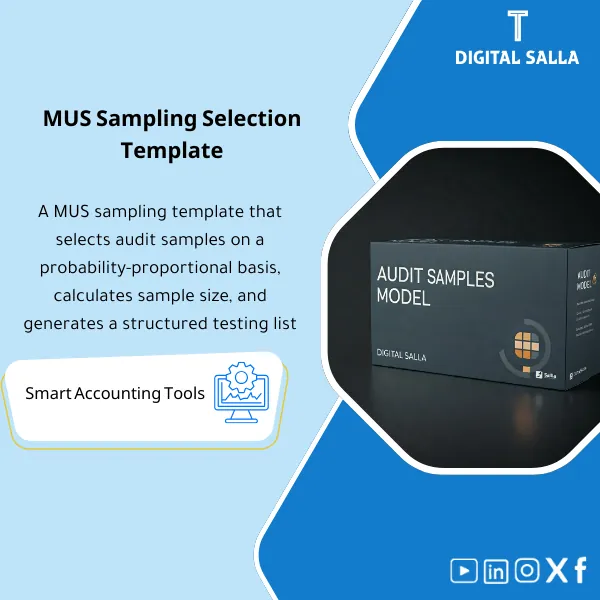
MUS Sampling Model – Excel File
42.29 $
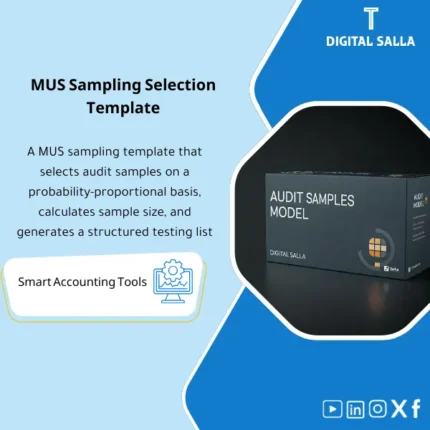
MUS Audit Sampling Template is an advanced Excel tool for audit firms to select samples accurately based on confidence factors and performance materiality—enhancing coverage, audit quality, and reliability.
MUS Audit Sample
MUS (Monetary Unit Sampling) Workbook: Population Import + Parameters + Sample Selection + Projection + Working Paper Pack (Excel)
Value Proposition: Audit Working Paper Templates often fail at one critical point: sample selection is done “by experience” without clear parameters or an audit trail. This template transforms MUS into an auditable workbook: from defining the population → setting tolerable/expected misstatement → sample selection → documenting tests → projection & conclusion → a deliverable file (Working Paper Pack) that any internal/external auditor can follow.
In 20 Seconds: What Will You Get?
- Population Import Template: A standardized template for entering the population (Document ID / Date / Amount / Description / Entity).
- MUS Parameters: A page to set tolerable misstatement / expected misstatement / confidence (or risk) + basis for sample selection.
- Sample Selection: Random start + sampling interval + sample items list with each number and currency unit.
- Selection Audit Trail: A record that proves “how and why” the sample was selected (signable).
- Testing Tracker: Track the status of each test item (Requested/Received/Tested/Exception) + notes.
- Projection & Conclusion: Misstatement projection + a summary that can be included in working papers.
- Working Paper Pack Index: Delivery index + version/sign-off reduces the debate of “who changed the formula?”.
CTA related to outputs: you will receive Sample List + Parameters + Selection Log + Projection + Working Paper Pack ready for documentation.
Suitable For
- Internal Audit / Internal Audit Management: Selecting substantive test samples with documentation that facilitates review and oversight.
- External Audit Teams: MUS/PPS for high-value balance/transaction tests (AR, Revenue, AP, FA, JEs).
- Controllers & Finance Governance: Preparing a “traceable” sample file to support external examination without improvisation.
Not Suitable For
- Those seeking a “theoretical definition” of what is Trial Balance without application and sample selection — this is an operational and testing template.
- Those looking for Audit Request Status Under Review or any inquiries from entities — the product is not a platform or service.
Without the Template / With the Template (Brief Comparison)
| Item | Without MUS Working Paper | With MUS Sample Selection Template |
|---|---|---|
| Sample Basis | “Experience” sample without parameters | Documented parameters (tolerable/expected/confidence) + audit trail |
| Traceability | Difficult to explain why these items were selected | Selection log shows random start/interval/selection |
| Outcome | Exceptions noted as bullet points without clear numerical projection | Projection + conclusion that is auditable and can be included in the working file |
Before Use: 5 Symptoms That Sample Selection Is Defensible
- The population is undocumented (where did it come from? From the ERP report? From the Trial Balance? From the JE Log?) and there is no import snapshot.
- There is no clear definition of tolerable misstatement and expected misstatement or confidence level, making it impossible to justify the sample size.
- The sample was “manually selected” without random start/interval, making the selection method easy to challenge.
- There is no tracker for the test status (Requested/Received/Tested/Exception), leading to lost document follow-up.
- Test results are not projected (projection) or translated into a conclusion, leaving exceptions as a “list” without numerical impact.
How to Use Audit Working Paper Templates for Practical MUS Sample Selection?
Step 1: Preparation and Report Gathering
- Define the test objective: balance (AR/AP/FA) or transactions (Revenue/Payments) or entries (JE Log).
- Extract the population from the system report with key columns (ID/Date/Amount/Description/Entity) and set the period (cut-off).
- Confirm the total population and ensure it aligns logically (e.g., total AR listing ↔ AR balance in Adjusted TB if testing the balance).
Step 2: Set Parameters + MUS Sample Selection
- Input tolerable misstatement and expected misstatement and confidence/risk level according to the test plan.
- Run MUS: determine sampling interval + random start, then automatically generate the sample list.
- Output selection audit trail: version number, selection date, source of the population, and parameters used.
Step 3: Execute Test + Projection + Conclusion (Working Paper Pack)
- Record the test status of each item within the testing tracker (documents, result, exception).
- Input errors/deviations for each item and then run projection to project them onto the population.
- Output conclusion memo + pack index + sign-off (Prepared/Reviewed) to deliver a completed working paper.
Template Components (Clear Inventory)
-
Population Import Template
- Practical Purpose: Standardize population data into one format instead of copying multiple reports.
- When to Use: Directly before sample selection (Planning/Fieldwork).
- Resulting Evidence: Population snapshot + report source + extraction date.
-
Population Tie-out (Optional)
- Practical Purpose: Tie the total population to a balance/item in the Trial Balance or Adjusted TB to prevent selecting a sample from “incomplete” data.
- When to Use: During balance tests or when there are completeness/accuracy risks.
- Resulting Evidence: Tie-out worksheet + documented discrepancies (if any).
-
MUS Parameters Sheet
- Practical Purpose: Document MUS inputs (tolerable/expected/confidence) as a systematic basis.
- When to Use: Before generating the sample and after any change in scope/materiality.
- Resulting Evidence: Parameters snapshot that is signable and auditable.
-
Sample Selection Engine (Random Start + Interval)
- Practical Purpose: Generate MUS samples (PPS) consistently and documented instead of manual selection.
- When to Use: After completing the population and parameters.
- Resulting Evidence: Sample list + selection log + selection details.
-
Selection Audit Trail
- Practical Purpose: Prove “how the sample was selected” in compliance with documentation requirements in Internal Audit Standards and quality oversight.
- When to Use: When relying on/internal reviewing the file.
- Resulting Evidence: Audit trail page (Prepared/Reviewed + version + date).
-
Testing Tracker (Request/Receive/Test/Exception)
- Practical Purpose: Track the execution of the test for each item instead of scattered follow-ups via email.
- When to Use: During fieldwork until all items are closed.
- Resulting Evidence: Tracker with open/closed statuses + notes and document reference.
-
Misstatement Evaluation & Projection
- Practical Purpose: Convert exceptions into a projected numerical impact on the population (projection) instead of a “list of notes.”
- When to Use: After completing the sample test or when significant exceptions arise.
- Resulting Evidence: Projection summary + upper misstatement limit (according to your settings) + interpretation.
-
Conclusion Memo + Sign-off
- Practical Purpose: Document the conclusion: is the result acceptable? What is the action? Does it require expanding the sample/alternative procedures?
- When to Use: When closing the paper and before delivering the file for review.
- Resulting Evidence: Conclusion memo + prepared/reviewed/approved.
-
Working Paper Pack Index
- Practical Purpose: Deliver an organized file (contents/links/references) instead of a single incomprehensible Excel file.
- When to Use: When issuing the final version of the working paper.
- Resulting Evidence: Pack index + version control for archiving.
What Should Be Included in the Delivery?
- 01-Population Snapshot: Population file/sheet + report source + extraction date.
- 02-Parameters: Tolerable/Expected/Confidence + any documented assumptions.
- 03-Sample List: Sample list with Document IDs + Amounts + MUS selection.
- 04-Selection Log: Random start + sampling interval + version + sign-off prepared/reviewed.
- 05-Testing Tracker: Status of each item + received documents + test result + exceptions.
- 06-Exceptions Details: Details of errors for each item (misstatement type/value) + paper/document reference.
- 07-Projection Output: Projected errors on the population + impact summary.
- 08-Conclusion Memo: Summary of the paper + decision on the next action (if any).
- 09-Pack Index & Sign-off: Index + prepared/reviewed + date + version.
- 10-Archiving Map: File naming and archiving path (Engagement/Year/Section/Version).
After Implementation (Two Points Only)
- Operational Outcome for the Team: Sample selection and execution becomes a fixed workflow: Population → Parameters → Sample → Testing tracker → Projection → Conclusion instead of scattered files.
- Oversight/Audit Outcome: Complete traceability: from the source of the population to the selection method to the test result and error projection, with version/sign-off supporting the quality of the internal or external audit file.
FAQ — Questions Before Purchase
Is the template suitable for internal or external audits?
Both. It is a MUS Sample Selection Template with documentation and outputs suitable for an internal audit file or external substantive testing.
Is MUS suitable for all tests?
It is suitable when you have a population with monetary amounts and want to focus on higher values (PPS). It is not used for everything (like purely attribute tests) unless your approach supports it.
Do I need a Trial Balance to run it?
Not necessarily. You need a population listing. However, for balance tests, it is preferable to tie-out to the Trial Balance or Adjusted TB for completeness documentation.
Does it support multi-branch/entity companies?
Yes, if the population contains an Entity/Branch field. Samples can be extracted on the total or divided by entity with a separate pack for each entity.
What is the minimum data required?
A population list (ID/Amount at minimum), total population, and parameter definitions (tolerable/expected/confidence). The more you add Date/Description, the better the traceability.
Does it produce an “auditable” file according to internal audit standards?
It produces a working paper with essential documentation components: data source, parameters, selection method, sample list, test follow-up, projection, and conclusion with sign-off. Detailed application of internal audit standards remains your team’s responsibility according to departmental policies.
Is it related to the Saudi Accounting and Auditing Group or inquiry requests?
No. These are general search terms. The template does not provide inquiry services and is not affiliated with any entity.
Can it be used on journal entries (JE Log)?
Yes: if you have a listing of entries or manual entries, it can be considered a population and run MUS to select higher-impact entries.
Ready to Establish Sample Selection Instead of “Experience Sample” Without Defense?
Outputs: Parameters + Sample List + Audit Trail + Testing Tracker + Projection + Conclusion + Pack Index.
| المسمّى الوظيفي | |
|---|---|
| Duration | |
| المستوى | |
| التحديثات | |
| القطاع | |
| الصيغة |
Related products



Reviews
Clear filtersThere are no reviews yet.