



Observations Logbook – Excel Template
318.88 $
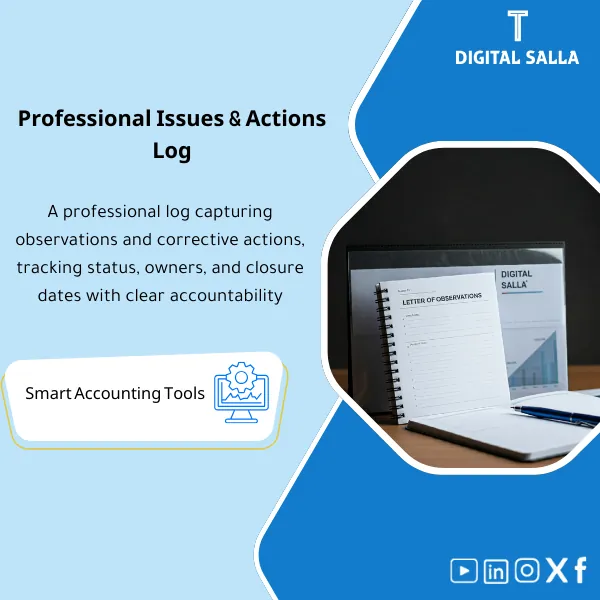
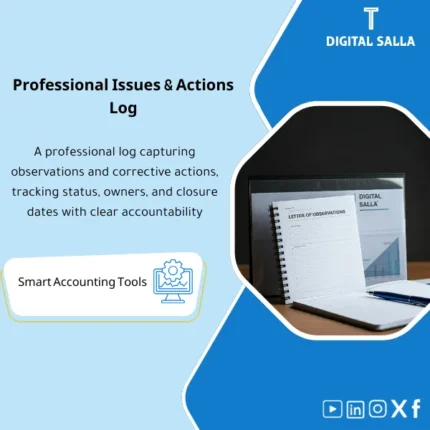
Audit Findings Book Template (Word) is a professional tool with a comprehensive list of common accounting errors. It helps auditors produce accurate reports and helps accountants recognize and avoid those errors—improving the quality of accounting systems and financial reporting.
Notes Book
Subtitle: Notebook Template for Accountants and Auditors: Meeting Notes + Issue Log + Action Tracker + Sign-off + Archiving — in a deliverable digital format
Value Proposition: Notes Book is not just a “writing pad”; it is an operational template that documents your financial and audit notes in a traceable manner: from observation → reason/reference → action → closure → archiving within a single file instead of scattered files/messages.
In 20 Seconds: What Will You Get?
- Notes Book in an organized format (printable/shareable) instead of random pages.
- Review Notes Pages: Review notes pages linked to Reference (Invoice/JE/Report).
- Issue Log: Numbered notes log (Open/Closed) with Owner and Due date.
- Action Tracker: Who will do what and when + Closure evidence.
- Notes Board inside the file: Quick visual aggregation “To do / In review / Closed”.
- Writing Background Pages: Fixed layout for quick note-taking (for printing or PDF annotation).
- Sign-off & Version: Copy/Date/Prepared-Reviewed to establish the “approved version”.
CTA related to outputs: Receive Notes Pages + Issue Log + Action Tracker + Board + Sign-off as a ready-to-use package.
Suitable For
- Chief Accountant / Controller: Recording closing notes (Accruals/Reclasses) and linking them to entries/documents.
- Internal Audit: Managing audit notes (Findings) as an Issue log with closure evidence.
- External Audit Support: Documenting responses to auditor inquiries (PBC) and linking each point to its reference.
Not Suitable For
- Those looking for a “notes app” on their phone with automatic syncing and notifications — this is a file template (Doc/PDF/Excel) for documentation.
- Those seeking a Notes Book in paper/printed form or “writing backgrounds” as a design only without a documentation system — the focus here is on operation and the audit trail.
Without the Template / With the Template (Short Comparison)
| Item | Without Organized Notes Book | With Notes Book |
|---|---|---|
| Tracking | Notes in WhatsApp/Email without Reference | Issue log + Reference + Owner + Due date |
| Closure | “Done” without closure evidence | Action tracker + Closure evidence + Sign-off |
| Archiving | Difficult to refer back to notes from previous month/year | Version + Index + Fixed saving path (Audit trail) |
Before Use: 5 Symptoms That Note-taking “Will Not Serve You During Closure/Audit”
- Observation without Reference (Entry/Invoice/Report number) turns into a debate “What did you mean?”.
- No Owner/Due date, leading to points piling up and reappearing in Month-End/Year-End.
- No status record (Open/Closed) or closure evidence, resulting in the same observation being repeated each cycle.
- Notes scattered across files, making it impossible to summarize for management or auditors quickly.
- No approved version (Version/Sign-off) leading to “latest update” getting lost among multiple edits.
How to Use the Notes Book Practically?
Step 1: Prepare and Define the Context of the Note
- Select the type of note: Closure (Close) / Audit / Operational Follow-up (Ops).
- Record a clear Reference: Document/Entry/Report number + period + entity/branch.
- Define the classification: High/Medium/Low or Financial/Compliance/Process according to your policies.
Step 2: Document the Note as a Closeable Issue
- Write the “issue” in an interrogative format: What did you observe? Where? What is its impact (numerically if possible)?
- Define Action: what needs to be done + Owner + Due date.
- Record expected closure evidence: Document/Report/Entry/Official email.
Step 3: Close Points + Summarize + Archive
- Update the status: Open → In review → Closed with closure date and reference evidence.
- Use the summary page to prepare a “Monthly Summary” or “Review Task Summary”.
- Establish a Version/Sign-off copy and save it in a fixed archiving path (Year/Month/Engagement).
Practical Note: If your goal is a quick summary for management, use the “Summary” page within the template — this practically answers a search like: Note-taking strategy aids summarization because summarization here is part of the design, not general tips.
Template Components (Clear Inventory)
-
Notes Pages (Organized Writing Pages)
- Practical Purpose: Transforming the “Notes Book” into pages with fixed fields: Subject/Reference/Date/Note/Impact.
- When to Use: Daily during financial/audit operations.
- Resulting Evidence: Notes that are archivable and traceable (Traceable by reference).
-
Issue Log (Notes Log)
- Practical Purpose: Managing notes as a task list: Open/Closed + Owner + Due date.
- When to Use: Throughout the cycle + Weekly/Monthly review.
- Resulting Evidence: Points log with closure status and brief evidence.
-
Action Tracker (Action Log)
- Practical Purpose: Linking each note to a specific action and proving execution.
- When to Use: When converting the note into a follow-up task.
- Resulting Evidence: Action register + Closure evidence reference.
-
Evidence Index
- Practical Purpose: Storing evidence references: File name/link/folder/document number (without distraction).
- When to Use: When closing points or preparing a delivery for the auditor.
- Resulting Evidence: Index linking Issue → Evidence quickly.
-
Notes Board (Board View)
- Practical Purpose: Quick visual view of notes: To do / In review / Closed.
- When to Use: In weekly follow-up meetings or financial daily stand-ups.
- Resulting Evidence: Snapshot for follow-up that can be saved within the Pack.
-
Summary Page
- Practical Purpose: Summarizing key points, decisions, and actions for the week/month without rewriting everything.
- When to Use: Before CFO/Controller meeting or before Month-End review.
- Resulting Evidence: Management/Review summary linked to the notes log.
-
Design Sheets (Writing Backgrounds)
- Practical Purpose: Organized pages with writing backgrounds (Print-friendly) for those who prefer manual note-taking then archiving PDF.
- When to Use: During fieldwork/branch visits/extended meetings.
- Resulting Evidence: Printed pages or annotated PDF saved within the archive.
-
Version & Sign-off
- Practical Purpose: Establishing a version: Prepared/Reviewed + Date + Scope of period/task.
- When to Use: When issuing a delivery version or closing an audit/month cycle.
- Resulting Evidence: Approved version reducing the debate “Is this the latest version?”.
What Should Be Included in the Delivery?
- 01-Notebook Template (DOCX): The “Notes Book” file (Notes Pages + Summary + Sign-off).
- 02-Issue Log: Notes table (within DOCX or as a separate XLSX as per your choice).
- 03-Action Tracker: Action log + Dates + Owners + Closure status.
- 04-Evidence Index: Evidence index: Name/Link/Folder/Reference for each point.
- 05-Board View: Notes Board (To do / In review / Closed) within the file.
- 06-Summary Page: Weekly/Monthly summary page with links to open points.
- 07-Printable Pages (PDF): Pages with writing backgrounds for printing or PDF annotation.
- 08-Version & Sign-off: Version and sign-off page (Prepared/Reviewed) + Date/Scope.
- 09-Archiving Map: Suggested saving path: Finance/Notes/YYYY/MM + Naming convention for versions.
After Implementation (Two Points Only)
- Operational Result for the Team: Notes become a “task list” with an Owner, Due date, and Status instead of a personal notebook that cannot be tracked.
- Control/Audit Result: Traceability: Each note is linked to a Reference, closure evidence, and an approved version (Sign-off) suitable for archiving and internal inspection.
FAQ — Questions Before Purchase
Is this a “general” notes book or designed for the accounting and auditing environment?
It is a Notes Book designed for professional documentation: Reference + Issue log + Action tracker + Evidence index. It can be used generally, but its strength lies in the finance/audit environment.
Is it suitable as a notes book for internal audit?
Yes. Because it contains an Issue log, Evidence index, and Sign-off, it facilitates converting notes into Findings and then closing them with evidence.
Does “note-taking” actually help in summarization?
Yes, because the template includes a Summary page linked to the log of open/closed points, producing a summary that can be sent without rewriting.
Is there a “notes board” like Kanban?
Yes, as a Board View within the file: To do / In review / Closed. The goal is to track status, not just to gather sticky notes.
Does it provide “writing backgrounds” for printing?
Yes, there are Print-friendly pages with writing backgrounds. However, the core part is the system (Logs/References), not just the design.
Is it a paper book that gets shipped?
No. This is a digital product (Template). If you want a paper/printed notebook, that is outside its scope.
Does it work with any system/ERP?
Yes. Because you do not need integration; you just write a Reference (Document/Entry/Report number) and link it to evidence within your archive.
What is the best way to start using it?
Start by establishing a simple dictionary for classifications (Close/Audit/Ops) and then use the Issue log daily, dedicating 15 minutes weekly to review the Board and close or escalate points.
Ready to Transform “Notes” into a Closeable and Archivable Follow-up File?
Outputs: Notes Pages + Issue Log + Action Tracker + Evidence Index + Board + Summary + Sign-off.
| المسمّى الوظيفي | |
|---|---|
| Duration | |
| المستوى | |
| التحديثات | |
| القطاع | |
| الصيغة |
Related products

Chart of Accounts Setup Service

Customer Contracts Register – Excel Template
Customer Contract Management Template is a comprehensive Excel-based program to manage customer contracts effectively, including contract data, payments tracking, completion percentages, delivery dates, and project profitability—supported by automated reports that improve contract oversight and customer relationships.


Reviews
Clear filtersThere are no reviews yet.