


CAPA Tracker – Excel Template
34.31 $
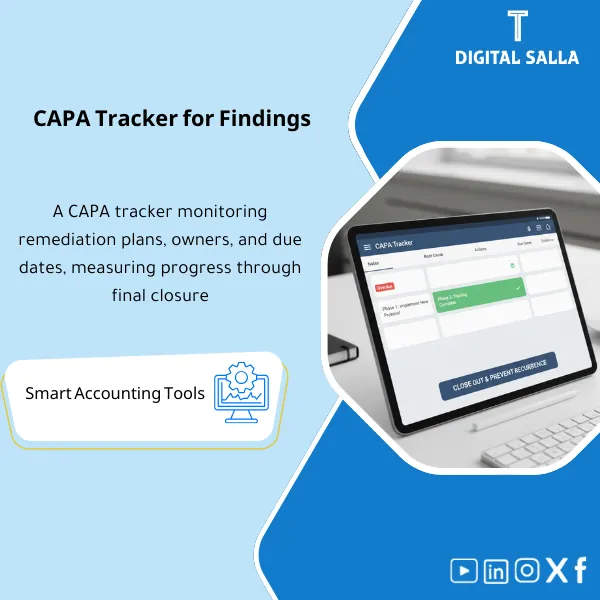
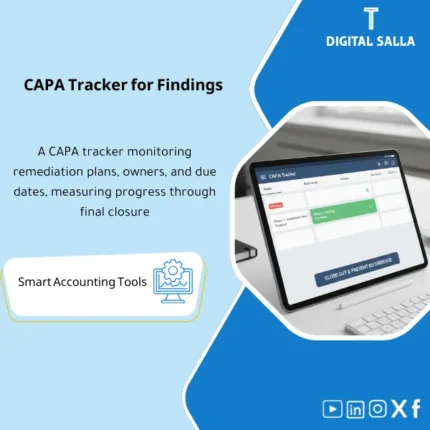
CAPA Tracker: Records audit observations, root cause, corrective action plan, owner, due date, and evidence until closure. Delivers a closure tracking log for internal audit and finance teams.
CAPA Tracker
Corrective & Preventive Action Plan + Follow-up on Closing Observations + Root Cause + Evidence + Validation + Sign-off
Value Proposition: The CAPA template transforms audit findings into a closeable implementation plan: Finding → Root Cause → Corrective Action → Preventive Action → Owner/Due Date → Evidence → Validation → Closure instead of a “list of observations” that recurs due to lack of ownership and verification steps to prove closure.
In 20 Seconds: What Will You Get?
- CAPA Register: Each observation with a unique number + description + classification (Process/IT/Compliance).
- Root Cause: Field for root cause + method of identification (5 Whys / Fishbone) if desired.
- Corrective Action: A corrective action that closes the observation’s cause (not just “we will review”).
- Preventive Action: A preventive action that prevents recurrence (Policy/Control/System change/Training).
- Owner / Due Date: Clear owner + deadline + status (Open/In progress/Implemented/Validated/Closed).
- Evidence Index: Linking each action to its evidence (Policy, system snapshot, report, training log…)
- Validation & Re-test: Verification/re-testing field + result + date + closure sign-off.
CTA related to deliverables: Receive Register + Evidence + Validation to close observations with proof instead of repeating them in the next cycle.
Suitable For
- Internal Audit to follow up on the implementation of recommendations and audit reports and prove closure.
- Compliance/Risk to manage improvement plans across departments with escalation of overdue items.
- Process Owners to break down actions and identify evidence and dates.
Not Suitable For
- Those looking for a “simple To-do list template” without root cause/validation (the value here is in auditable closure).
- Those without a system for evidence or who cannot save attachments (observations will not be convincingly closed).
Without CAPA / With CAPA (Quick Comparison)
| Item | Without CAPA Tracker | With CAPA Tracker |
|---|---|---|
| Responsibility | No clear owner for each recommendation | Owner + Due date + status for each item |
| Closure | Verbal closure or without evidence | Evidence + validation + re-test before closure |
| Preventing Recurrence | Repetition of the same observation in the next report | Preventive actions + controls + monitoring |
Before Use: 5 Symptoms
- Audit observations recur because the “action” was a superficial correction.
- Implementation is delayed due to lack of due date and clear escalation.
- No evidence of closure (document/report/snapshot).
- Mixing observations between multiple departments without specific accountability.
- No re-testing, leaving the risk unresolved.
CAPA Tracker: Implementation Method (3 Steps)
Step 1: Record the Observation and Identify the Root Cause
- Enter the observation (Finding) + classification + impact/severity level.
- Clearly identify the Root Cause (Process gap / System / People / Data).
- Determine if you need Corrective only or Corrective + Preventive.
Step 2: Execution Plan and Follow-up
- Enter actions (CAPA) + owner + closure date + milestones if any.
- Upload/link evidence in the Evidence index (Policy, report, system setup, training…)
- Monitor status and highlight overdue items for escalation.
Step 3: Verify and Close the Observation
- Conduct Validation/Re-test: Is the control working? Did the action prevent recurrence?
- Record the verification result and who approved the closure.
- Establish Sign-off for the reference version of the CAPA register for the period.
Product Components
- CAPA Register — Observation number, description, classification, severity, owner.
- Root Cause — Root cause + analysis method.
- Corrective / Preventive Actions — Actions + verifiable outputs.
- Milestones & Due Dates — Follow-up points and escalation of overdue items.
- Evidence Index — Linking documents and evidence.
- Validation & Re-test — Verification result and re-testing.
- Sign-off — Reference version and closure.
Delivery Contents
- CAPA register + execution cases.
- Evidence log + links/folders.
- Validation/Re-test + closure approval.
- Overdue log + summary Dashboard.
After Implementation
- Operationally: Each observation has a plan, owner, evidence, and re-test.
- Supervisory: Clear follow-up reports for management on overdue items and their risks.
FAQ
Is it suitable for external auditor observations?
Yes. The source can be classified (Internal/External/ISO/IT) and evidence can be linked to prove closure.
Does it support escalation of overdue items?
Yes, through due date/status fields and Overdue log, and escalation levels can be specified (Dept head/CFO).
Does it include re-testing?
Yes, it does.
| المسمّى الوظيفي | |
|---|---|
| Duration | |
| المستوى | |
| التحديثات | |
| القطاع | |
| الصيغة |
Related products

Customer Contracts Register – Excel Template
Customer Contract Management Template is a comprehensive Excel-based program to manage customer contracts effectively, including contract data, payments tracking, completion percentages, delivery dates, and project profitability—supported by automated reports that improve contract oversight and customer relationships.





Reviews
Clear filtersThere are no reviews yet.