


Financial Modeling & Valuation

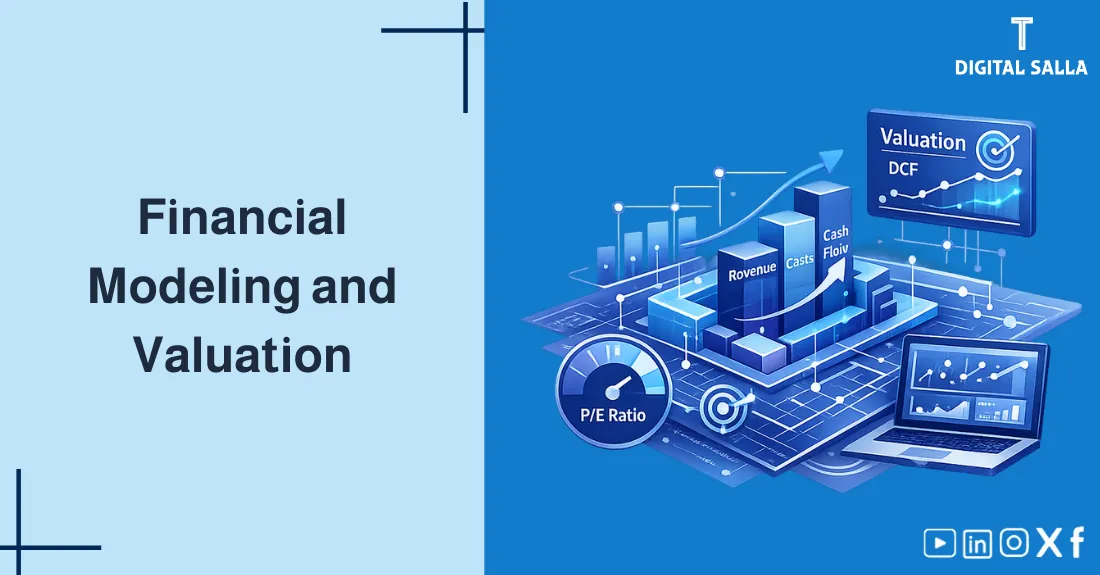
Financial Modeling & Valuation: Comprehensive Guide
Financial Modeling: A comprehensive introduction to Financial Modeling & Valuation, from building financial models and Excel Modeling to feasibility studies and financial planning, with a practical framework preparing you for investment decisions.
- Clear understanding of Financial Modeling and how it differs from Valuation.
- Professional model structure: Assumptions → Drivers → Schedules → Outputs.
- Comparison of valuation methods: DCF vs Market Multiples and when to use each.
- Checklist to reduce Excel Modeling errors + Checks to ensure integrity.
- Simplified DCF calculator helping you build a quick “starting point” for valuation.
1) What is Financial Modeling and why is it used?
Financial Modeling is building a digital model — usually in Excel — that converts historical data + assumptions into forecasts for financial statements and performance indicators. The goal isn’t “absolute accuracy” prediction, but rather understanding drivers and testing decisions under different scenarios.
2) Use Cases: Investment, Financing, Planning, Feasibility
The same concept of building financial models serves different goals. Defining the goal from the start saves immense design time.
| Case | Decision Question | Key Outputs |
|---|---|---|
| Investment/Acquisition Valuation | Is the price fair? What is the value range? | DCF, Multiples, Sensitivity, EV/Equity |
| Financing/Debt | Do flows cover debt service? | Coverage, Covenants, Liquidity Scenarios |
| Financial Planning | How do we reach the goal? What is the path? | Budget/Forecast, KPIs, Action Plan |
| Feasibility Study | Is the project economically viable? | NPV, IRR, Payback Period, Sensitivity |
3) Anatomy of a Professional Financial Model
Whatever the model type, there is a consistent structure that aids clarity and reduces Excel Modeling errors. Make the model “layers”: Inputs → Calculations → Outputs.
4) Excel Modeling: Best Practices to Reduce Errors
Excel errors are the number one enemy in Financial Modeling. Good news: most errors can be prevented with a clear structure and simple checks.
4.1 Structure Rules
- Separate Sheets: Inputs / Calculations / Outputs.
- Use Consistent Colors: Inputs one color, Formulas another (even if you are alone).
- Reduce Complexity: Better to use simpler formulas + clear supporting schedules than “one complex formula”.
- Don’t Copy Blindly: Use correct references (Relative/Absolute) and verify consistency across years.
4.2 Indispensable Checks
- Balance Check: Assets = Liabilities + Equity (every year).
- Cash Check: Ending Cash = Beginning Cash + Net Cash Flow.
- Sign Check: Capex usually negative, Debt: Drawdown positive/Repayment negative (with consistent logic).
- Reasonableness: Margin/Growth/Inventory Turnover within logical sector range.
5) Step-by-Step Model Building Framework
To build a robust model, follow a consistent methodology. The goal is for the model to be “updatable” not a “one-off project”.
Break-even & Sensitivity Model - Excel File
Break-Even Model: Calculates break-even point, margin of safety, and sensitivity to price/volume and...
5.1 Execution Steps (Workflow)
- Gather Historical Data (3–5 years) and identify non-recurring items if any.
- Identify Revenue & Cost Drivers (Volume/Price/Mix) instead of assuming general growth only.
- Build Income Statement Forecasts then review margins and operational logic.
- Build Balance Sheet via supporting schedules (NWC, Assets, Debt) then check balance.
- Build Cash Flows and ensure cash “moves” logically.
- Add Scenarios & Sensitivity and provide a range of results instead of a single number.
- Design Outputs (KPIs/Charts/Executive Summary) to be presentation-ready.
6) Valuation: DCF vs Market Multiples
After the model becomes logical, comes Valuation. Practically you will use at least two methods for cross-verification: DCF (Discounted Cash Flow) and Market Multiples (Comparable Companies).
| Method | Concept | Strength | Limitations |
|---|---|---|---|
| DCF | Estimating value from future Free Cash Flows and discounting them | Linked to company fundamentals | Sensitive to assumptions (WACC/Terminal Growth/FCF) |
| Multiples | Comparing with similar company multiples (P/E, EV/EBITDA…) | Fast and useful for market verification | Depends on selection of comparables and market quality |
| NPV/IRR | Evaluating project/investment via Net Value and Rate of Return | Excellent for feasibility studies and investment decisions | Requires realistic flow/risk assumptions |
7) Uncertainty: Sensitivity & Scenarios
There is no “certain” model. There is a model showing how sensitive results are to key assumptions. So make Sensitivity a core part of Financial Modeling.
7.1 Assumptions that usually “Change the Game”
- Growth (Revenue Growth) and Mix.
- Margin (Gross/EBITDA Margin) and input costs.
- Working Capital (NWC) especially Receivables and Inventory.
- Discount Rate (WACC) and Terminal Growth.
8) Management-Ready Deliverables
The model isn’t measured by beauty… but by its ability to produce understandable and quick-to-read outputs. Design clear Outputs:
8.1 What should you output from the model?
- Dashboard showing: Revenue, Margins, EBITDA, Net Income, CFO, Cash.
- Bridge/Variance explaining changes (Price/Volume/Cost).
- Valuation Summary showing EV/Equity, Range, and Key Assumptions.
- Scenario Pack (Base/Downside/Upside) with recommendations.
9) Pre-Delivery Checklist
| Axis | Review Question | Success Sign |
|---|---|---|
| Assumptions | Are assumptions documented and justified (Source/Logic)? | Clear Inputs sheet + Notes |
| Linkage | Are statements logically linked without “plugs”? | Balanced BS + Consistent Cash |
| Checks | Are there Checks for every year/quarter? | No Errors/Warnings |
| Operational Logic | Are indicators within sector range? | Reasonableness Pass |
| Sensitivity | Did you test key assumptions and output a range? | Base/Downside/Upside |
| Outputs | Are outputs presentable in 3 minutes? | Ready Dashboard + Summary |
10) Simplified DCF Calculator (Interactive) — Valuation Starting Point
This calculator provides a simplified model to estimate Enterprise Value via free cash flows derived from revenue and margin. Use it as a start, then develop your model with more detail depending on the company and sector.
Default values are for trial only. Adjust according to your data and Financial Planning assumptions.
11) Frequently Asked Questions (FAQ)
What is Financial Modeling?
Financial Modeling is building a digital model that converts data and assumptions into forecasts and indicators to support decision-making (investment/financing/planning).
What is the difference between Financial Modeling and Valuation?
Modeling builds forecasts and financial logic, while Valuation uses these outputs to estimate company value via DCF or market multiples, etc.
What are the key components of a professional financial model?
Clear inputs, drivers, supporting schedules/statements, Checks, and presentable outputs, along with documented assumptions.
What are best practices in Excel Modeling to reduce errors?
Separate inputs from calculations from outputs, enable balance and cash checks, minimize unnecessary complexity, and document copying and assumptions.
When should I use DCF vs Market Multiples?
DCF is suitable when you can build defensible forecasts and free cash flows, while Market Multiples are useful for comparison and market verification. Best to combine both.
How do I handle uncertainty in Financial Modeling?
Through Sensitivity and Scenarios: Change key assumptions and provide a range of results, clarifying what must happen for the optimistic scenario to materialize.
12) Conclusion & Next Steps
Financial Modeling is not an end in itself; it is a tool to convert assumptions into measurable results, then translate those results into a decision. Start with a clear structure (Inputs/Calculations/Outputs), enable balance checks, then use Valuation (DCF + Multiples) as a subsequent stage — always with Sensitivity.