
Taxes, Payroll & Sectors Payroll Reconciliation • Settlement • Bank Matching • Payroll Review • Variances
Payroll Reconciliation: How to Match HR Records with Accounting and Bank Statements?
Payroll reconciliation is not just a "post-event" step for the accountant; it is a safety valve that prevents erroneous payments and uncovers discrepancies before they turn into disputes or audit findings. To understand the full payroll cycle (before and during reconciliation): Your essential reference: Payroll Accounting.
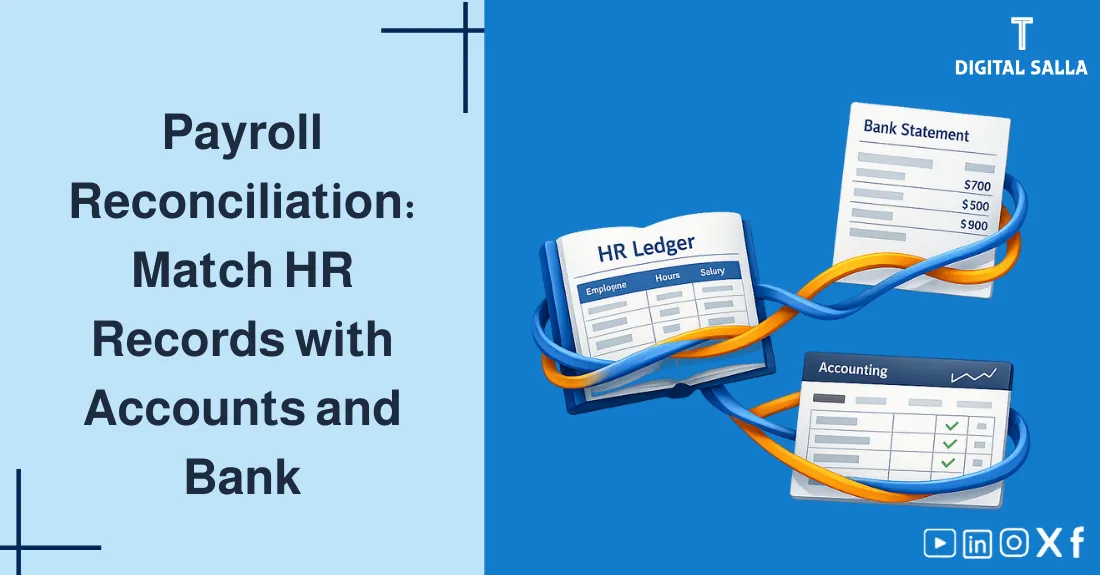
The goal of this guide: Transform payroll reconciliation into a consistent, evidence-based monthly process linking HR, the payroll register, entries, and the bank.
What will you learn in this article?
- What is Payroll Reconciliation and why is it a core part of a Payroll Review.
- Triple Reconciliation: Register ↔ GL ↔ Bank/Transfer + How to document it.
- How to detect and interpret variances (Cut-offs, retroactive adjustments, deductions, etc.) instead of just "patching" them.
- When you need additional reconciliation with Social Insurance/WPS files, and how to build a consistent Checklist.
Practical Note: Successful reconciliation doesn't rely on "individual skill" but on designing consistent documents and evidence trails. The more organized the payroll register, the shorter the reconciliation time and the higher the quality of results.
Table of Contents Automatically updates while scrolling
1) What is Payroll Reconciliation? 2) Triple Reconciliation: Register ↔ GL ↔ Bank 3) Required Data Before Starting 4) Monthly Payroll Reconciliation Steps (Workflow) 5) Reconciling Bank Statements & Transfers 6) Reconciling Accounting Entries (GL Tie-out) 7) Reconciling Deductions & Social Insurance 8) Reconciling WPS Files & Mudad (If applicable) 9) Variance Analysis: "Explain" Before You "Settle" 10) Internal Controls & Audit-Ready File 11) Beyond Payroll: Triple Match, GR/IR, and Intercompany 12) Frequently Asked Questions 13) Conclusion & Next Step
1) What is Payroll Reconciliation?
Payroll Reconciliation is a monthly verification process ensuring that: What was calculated in the payroll register matches what was recorded in the accounting entries and matches what was actually paid via the bank. This is the heart of Payroll Settlement and Payroll Review.
Payroll Reconciliation - Excel Template
Golden Rule: It’s not enough for the "Net Pay" to be correct inside the register—it must also be correct in the GL and the bank, with documentary evidence for any variance.
2) Triple Reconciliation: Register ↔ GL ↔ Bank
Instead of scattered checks, adopt the following "Reconciliation Triangle" as a fixed framework: (1) Approved Register, (2) General Ledger (GL), (3) Bank Statement/Transfer File. Every side has evidence, and every variance has an explanation.
Diagram showing the reconciliation of the payroll register with accounting entries and bank statements. Payroll Reconciliation Triangle Payroll Register Gross / Deductions / Net Bank Statement / Transfer Net Paid + Rejected General Ledger (GL) Payroll JE + Liabilities Variance = Analysis + Document + Adjusting Entry Outputs Variance Report + Checklist + Approvals + Evidence Pack
Triple reconciliation reduces errors and shows the real cause instead of just "plugging a number."
3) Required Data Before Starting
The most common reason for failed reconciliation is "weak data." Before you begin matching the register with the GL and Bank, prepare the following monthly file:
3.1 HR File (Master + Changes)
- Employee List with (ID/Bank/IBAN/Role/Cost Center).
- Change Log: Hire/Termination/Promotion/Salary Change/Allowances—with effective dates.
- Attendance & Leave + Absences + Overtime (if applicable).
3.2 Payroll Pack
- Approved Payroll Register (Gross + Deductions + Net) + Summary totals for each item.
- Deductions Report separately: (Social Insurance/Taxes/Loans/Penalties/Others) for component-level matching.
- Bank Transfer File (Net) + Rejection/Return status.
If you want a system that links compliance, payroll, and governance in one ecosystem: Download Mudad Compliance & Payroll System
4) Monthly Payroll Reconciliation Steps (Workflow)
These are practical steps you can adopt as a Standard Operating Procedure (SOP). To see the "payroll journey" before the reconciliation stage: You may also like: Payroll Register.
Summary Workflow for Payroll Reconciliation (From Approval to Closing)
| Stage | What to Match? | Evidence | Owner |
|---|---|---|---|
| Pre-Approval | HR Changes + Attendance + Variable Items | Change Log + Attendance Report | HR |
| Upon Approval | Total Items + Outlier Tests | Payroll Summary + Variance vs Prior Month | Payroll/Finance |
| Post-Entry | Register ↔ Payroll Journal Entry (GL) | JE + GL Extract + Tie-out Sheet | Finance |
| Post-Transfer | Net Pay ↔ Transfer File / Bank Statement | Bank File + Bank Statement + Rejections | Treasury |
| Month Closing | Deduction Liabilities ↔ GL Balances | Liabilities Rollforward + Supporting Schedules | Finance |
To speed up implementation without building from scratch: Ready-to-use Payroll, GL, and Bank Reconciliation Template
5) Reconciling Bank Statements & Transfers
Bank Statement Reconciliation for payroll starts with "Net Pay," not Gross. The goal is to ensure that: Net from Register = Amount Transferred ± Rejected/Returned/Held.
5.1 Practical Equation for Variance Explanation
Approved Net Payroll (Register) − Rejected/Returned Transfers − Suspended Employees / Payment Holds ± Bank Account Corrections = Total Amount to appear as Executed in Bank
Common Error: Matching the total transfer with Gross payroll. The correct approach is typically Net + justified variances.
If you also have bank reconciliations linked to payment gateways/collections: Payment Gateway & Bank Reconciliation Template
6) Reconciling Accounting Entries (GL Tie-out)
Here we prove that the "Register" was accurately reflected in the books. Your company may record a Gross entry or a Net entry with detailed deductions. Either way, a clear Tie-out is required:
Matching Principles between Register and GL
| Payroll Element | Where it appears in GL? | Account Type | Audit Note |
|---|---|---|---|
| Gross Salaries/Wages | Payroll Expense (by Cost Center) | Expense | Verify distribution across departments/projects |
| Net Salaries | Accrued Payroll / Clearing / Bank | Liability/Asset | Ensure Cut-off (Accrual vs Payment entry) |
| Deductions | Liabilities (Insurance/Taxes/Loans) | Liability | Monthly Rollforward of liabilities is required |
7) Reconciling Deductions & Social Insurance (Reconciliation by Component)
The best way to reduce variances is "Component Matching": Instead of matching one giant number, match each liability separately: Social Insurance, Taxes, Loans, Penalties, etc. This makes Payroll Settlement fast and accurate.
Because Social Insurance is a high-variance item (due to base/rates/retroactive changes): You may also like: Calculating Social Insurance
Simple Rollforward for each Liability (Component Template)
| Item | Equation | Why it matters? |
|---|---|---|
| Opening Balance | Previous Month's Closing | Prevents "forgetting" old variances |
| Accrued for Month | From Approved Register | Links the Register to the Books |
| Payments/Adjustments | Payment to Agency / Loan deduction | Links Liability to the Bank |
| Closing Balance | Opening + Accrued − Paid | Must equal the GL balance |
8) Reconciling WPS Files & Mudad (If applicable)
In some environments (e.g., Saudi Arabia), an extra reconciliation path appears: Wage Protection System (WPS) files and uploading to Mudad. Here, there are two goals:
- The WPS file is built on the Approved Payroll Register (not a different version).
- What was uploaded/accepted matches the Bank Transfer and Net Pay.
If you need to generate WPS files automatically with error checking: WPS Generator for Mudad with Validation Tool
9) Variance Analysis: "Explain" Before You "Settle"
The biggest mistake in Payroll Reconciliation is recording an adjustment entry without explanation. Variances usually fall into 5 families:
Quick Classification of Variances + Diagnostic Questions
| Variance Type | Examples | Diagnostic Question | Required Document |
|---|---|---|---|
| Cut-off | New hire/Leaver mid-month | Is the effective date correct? | Hiring/Termination Action + Day count |
| Retroactive | Prior months' differences | Is the adjustment documented? | Memo + Variance Calculation |
| Bank/Transfer | Rejected/Returned transfer | Is there a Rejection List? | Bank Rejection Report |
| GL Entry | Duplicate entry / Wrong account | Does the Tie-out pinpoint the account? | JE + GL Extract |
10) Internal Controls & Audit-Ready File
The quality of a Payroll Review isn't just about math; it's about governance: Who changes employee master data? Who approves the register? Who generates the transfer file? Who records the entry?
Minimum Controls for Payroll Reconciliation
| Area | Control | Outcome |
|---|---|---|
| Master Data | Limited access + Change Log | Proof of every change and approval |
| Approval | Formal sign-off + Monthly Variance | Approved Register + Variance Report |
| Posting | Standard JE + Tie-out + Liability review | JE + Tie-out + Rollforward |
12) Frequently Asked Questions
What is Payroll Reconciliation?
It is a monthly verification process linking the approved payroll register with HR data, accounting entries, and bank transfers/WPS to ensure what was calculated = recorded = paid.
What is Triple Payroll Reconciliation?
Matching 3 sources: (Payroll Register) ↔ (GL) ↔ (Bank/Transfer). Any variance is analyzed and documented (Cut-offs, retro-adjustments, bank rejections, etc.).
What are the most common causes of variances?
Undocumented data changes, retroactive adjustments, cut-off differences, wrong allowance classification, bank rejections, or duplicate GL entries.
13) Conclusion & Next Step
Successful Payroll Reconciliation = (Approved Register + Clear Entry + Documented Bank) with evidence-based variance analysis. When you make reconciliation a fixed monthly process, you move from "chasing errors" to a "control system" that prevents errors at the source.
Tools to Help You Apply Fast
Ready Payroll/GL/Bank Template • Social Insurance Matching Template • Download Payroll Adjustments & Impact Pack
Back to Top • Article Link • Back to Steps
© Digital Salla Articles — General educational content. Details may vary based on company systems and compliance tools used.