
Practical Guide Beginning of Period Entries • Interactive TOC
Reversing Entries (Reversing Entries): When to Use Them to Simplify the New Month's Workflow?
Reversing entries (Reversing Entries) help you simplify recording at the beginning of a new period after making accrual adjusting entries at the end of the month/year. The idea is simple: we reverse the appropriate adjusting entry on the first day of the following period so you don't record the same expense or revenue twice when the invoice arrives or payment is executed.
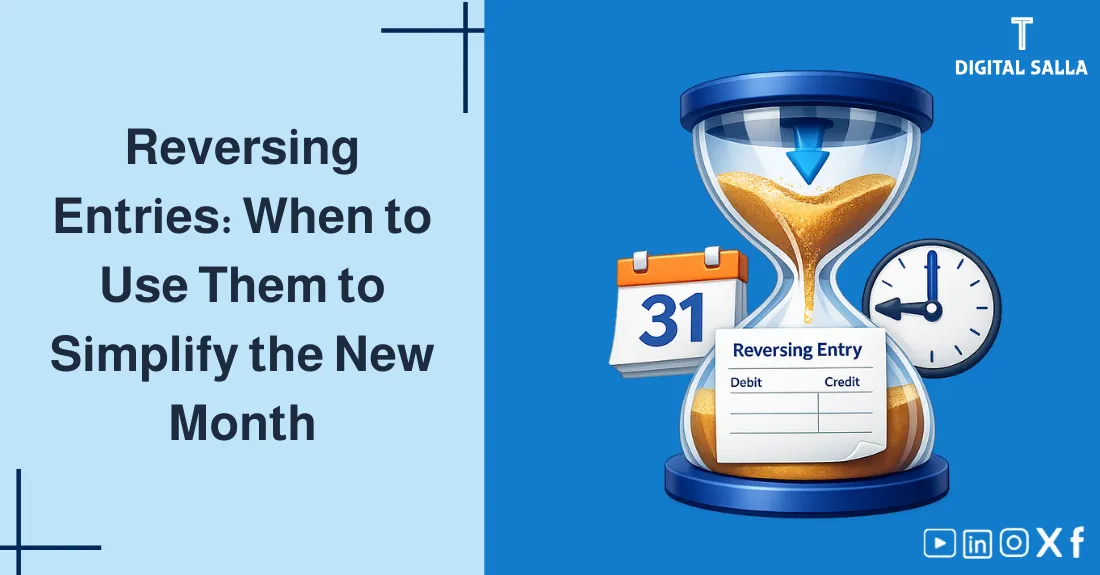
Visual summary of the Reversing Entries concept: Reversing an accrual entry at the start of the period to facilitate daily recording without duplication.
What will you gain from this article?
- Understand when reversing entries are useful and when they are not recommended.
- Apply them to common cases: accrued expenses and accrued revenues.
- Identify the difference between "Adjusting Entry" and "Reversing Entry" and how it prevents duplication.
- Quick checklist to ensure accurate beginning of period/year entries.
Table of Contents Click to jump — Section determines automatically during scroll
1) Quick Introduction 2) What are Reversing Entries? 3) When to Use Them (And When Not To)? 4) Steps to Prepare a Reversing Entry 5) Practical Numerical Examples 6) In Accounting Software and ERP 7) Common Mistakes and How to Avoid Them 8) Quick Checklist 9) Frequently Asked Questions 10) Conclusion
1) Quick Introduction: Where does the problem appear?
At the end of the month, companies (on an accrual basis) record adjusting entries to ensure that revenues and expenses belong to the correct period even if not yet paid/collected. The problem arises at the start of the new month: an invoice arrives or payment is made, and the accountant records the "normal" entry again... resulting in unintentional duplication.
Before the details: If you want the theoretical and practical foundation for adjusting entries themselves, then your primary reference here is: Adjusting Entries.
This is where Reversing Entries or beginning of period/year entries come in: a simple entry recorded (usually) on the first day of the following period to cancel the effect of a specific adjusting entry, allowing the normal daily entry to happen without duplication.
Accounting Templates Library - Excel & Word Files
2) What are Reversing Entries? (Practical Definition)
A reversing entry is a journal entry recorded at the beginning of the new period to reverse a specific adjusting entry recorded at the end of the previous period. "Reversal" here means swapping the sides of the entry: Debit becomes Credit and vice versa, with the same amount (unless you choose a partial reversal).
How do Reversing Entries prevent duplication? (The Big Picture)
| Scene | What happens without reversal? | What happens with reversal? |
|---|---|---|
| Month-end adjusting entry (Accrual) | Recognizes expense/revenue in the correct period ✅ | Same thing ✅ |
| Daily entry when invoice arrives/paid | May record expense/revenue a second time ❌ | Recorded only once because the reversing entry "zeroed out" the accrual effect on temporary accounts ✅ |
| Result | Risk of inflating expenses/revenues | Simplifying accounting work and reducing errors |
Important Note: We don't reverse "any entry" just because it's an adjustment. We only reverse entries that will mostly be followed by a normal daily entry in the following period that could cause duplication.
3) When to Use Them (And When Not To)?
A) Cases where reversal is recommended
- Accrued Expenses: Accrued salaries, electricity/water bills that haven't arrived yet, accrued commissions...
- Accrued Revenues: Services rendered but not yet invoiced, or revenue accrued for collection...
- Estimates/Accruals expected to close automatically when the invoice/payment is recorded.
B) Cases where reversal is generally not recommended
- Depreciation and its allowances: A periodic entry that does not result in a "subsequent invoice" that duplicates the same expense.
- Inventory/Count entries reflecting actual variances that need tracking, not "zeroing out".
- Provisions entries (such as Allowance for Doubtful Accounts) if there is no subsequent daily entry that will repeat.
Important interconnection in the same cycle: Reversing entries are often managed within closing procedures. See: You might also be interested in: Year-end Closing.
Quick decision rule: If you expect "the same event" will be recorded again automatically when an invoice arrives or payment is made in the next period, then reversal is mostly appropriate. If the entry represents a periodic estimate/policy not repeated by a subsequent invoice, then reversal is mostly inappropriate.
4) Steps to Prepare a Reversing Entry (Professionally)
- Identify eligible adjusting entries: Review the end-of-period adjustments list and select accrual entries prone to duplication.
- Decide on full or partial reversal: Full reversal is most common; partial is useful when only a part will be recorded later.
- Set the reversal date: Usually the first day of the following period (or the first business day).
- Link the reversing entry to the original entry: In systems that support this, to facilitate audit and tracking.
- Approval and review: Ensure the reversing entry passes through the same approval path as adjustments (especially in multi-branch companies).
- Documentation with internal policy: Write a clear rule in the policy manual: "What is reversed? Why? And who approves?"
Control Advice: Use a "Tag" or a standardized reference number (e.g., REV-YYYYMM) on reversing entries to make them easy to extract and review during closing audits.
5) Practical Numerical Examples (The 3 Most Common Scenarios)
Example 1: Accrued Salary Expense at Month-End
On 01/31, salaries worth 10,000 have not been paid yet. We record an accrual entry so the expense appears in January. Then on 02/01, we reverse the entry so the payment can be recorded normally without duplicating the expense.
Example (1): Accrued Expense + Reversing Entry + Payment Entry
| Date | Entry Type | Debit | Credit | Amount |
|---|---|---|---|---|
| 01/31 | Adjusting (Accrual) | Salaries Expense | Salaries Payable | 10,000 |
| 02/01 | Reversing Entry | Salaries Payable | Salaries Expense | 10,000 |
| Upon Payment | Normal Daily Entry | Salaries Expense | Cash/Bank | 10,000 |
The Result: Salaries expense appears only once in February (at payment), while January received its share through the adjusting entry. Reversal prevented the duplication.
Example 2: Accrued Service Revenue (Service provided before invoice)
On 01/31, the company provided a service worth 5,000 and has not issued an invoice yet. We record accrued revenue. On 02/01, we reverse the entry, then upon issuing the invoice, the usual entry is recorded.
Example (2): Accrued Revenue + Reversing Entry + Invoice Entry
| Date | Entry Type | Debit | Credit | Amount |
|---|---|---|---|---|
| 01/31 | Adjusting (Accrual) | Accounts Receivable | Service Revenue | 5,000 |
| 02/01 | Reversing Entry | Service Revenue | Accounts Receivable | 5,000 |
| Upon Invoice | Normal Daily Entry | Accounts Receivable | Service Revenue | 5,000 |
Example 3: Partial Reversal (When you don't want to cancel the entire adjustment)
Sometimes you want to reverse only a part to avoid duplicating a specific portion of the expense/revenue, while another part remains as a fixed estimate until a certain event occurs. The idea: Reverse only the part expected to be recorded daily.
A tool to help you organize and follow up: If you manage a group of recurring adjustments every month and need to track "Executed/Reviewed/Approved", download the Month-End Adjustments Scheduler — (Month-End Adjustments Scheduler - Excel File).
The adjustments table organizes recurring entries by frequency, owner, execution date, review, and approval, while linking attachments. It produces a follow-up dashboard.
6) Reversing Entries in Accounting Software and ERP
Most systems provide two options for managing reversing entries: Auto-Reverse upon posting the adjusting entry, or Manual Reverse by creating a new entry linked to the original one.
- Auto-Reverse: You specify the reversal date (e.g., 02/01) in the same adjustment entry screen.
- Linking: The system links both entries to facilitate tracking the reason for reversal during review.
- Workflows: The reversing entry passes through approvals/permissions similar to adjustments.
- Reports: You can extract an "Adjustments + Reversing Entries" report for month-end closing audits.
Important: If your system uses "Recurring Journals," set them to produce the adjusting entry with the reversal flag, rather than relying on remembering to reverse manually.
7) Common Mistakes and How to Avoid Them
1) Reversing inappropriate entries
Such as reversing depreciation or periodic provisions without a subsequent normal daily entry. Result: noise in reports or unjustified gaps.
2) Forgetting or delaying the reversal
Increases the likelihood of duplication when recording invoices/payments in the following period. Solution: Adopt the Auto-Reverse option or create a monthly checklist.
3) Reversing with wrong amounts or without a document
Especially with estimates. Solution: Link the reversal to the original entry and an adjustment note/memo explaining the basis (Calculation).
For comparison with an entry that is usually not reversed: Next step: Depreciation Entries.
Quick indicator: If you find an expense/revenue account showing a large "negative movement" on the first day of the month — this is usually the effect of reversing entries. Ensure this is expected and documented.
8) Quick Checklist (Before approving reversing entries)
- Is the adjusting entry an accrual that will have a subsequent daily entry?
- Is the reversal date clearly defined (first day/first business day)?
- Is there a link between the adjusting entry and the reversing entry + an explanatory memo?
- Is the reversal full or partial? And is the reason documented?
- Has the month-end adjustments list been updated with what was reversed?
- Has the impact on reports (expense/revenue) been tested to ensure no duplication exists?
For the Auditor/Reviewer: During testing, monitor the path "Month-end adjustment" → "Reversing entry" → "Invoice/Payment entry" and ensure the net impact is correct across both periods.
9) Frequently Asked Questions
What is meant by Reversing Entries?
They are journal entries recorded at the beginning of a new period to cancel the effects of certain adjusting/accrual entries recorded at the end of the previous period, aiming to avoid duplication and facilitate daily recording.
When is it recommended to use reversing entries?
Typically with accrual entries that will have a "normal" corresponding entry in the following period (such as accrued expenses to be paid later or accrued revenues to be invoiced/collected later).
Are reversing entries mandatory according to IFRS or accounting policies?
They are not mandatory in themselves; they are a practical method for managing entries. The decision depends on the company's policy and system, provided that the accuracy of revenue/expense recognition and the reliability of documents are maintained.
Are reversing entries used for prepaid expenses or unearned revenue?
Mostly, deferral entries (Prepayments/Unearned) are not fully reversed because they do not usually result in a duplicate daily entry in the following period. Only specific parts can be reversed if the daily recording method would lead to duplication.
What happens if I forget to make a reversing entry?
This may lead to recording the expense/revenue twice when the invoice/payment is proven later. The solution: examine the adjustments list and make a correcting entry to handle the duplication while documenting the reason.
Can accounting systems execute reversing entries automatically?
Yes, many systems provide a "Reverse on" option to specify the reversal date (usually the first day of the next period) while linking it to the original adjusting entry for better control and oversight.
10) Conclusion
Reversing entries are not a "mandatory procedure" as much as they are a smart method to reduce errors and speed up work: reversing some accrual entries at the start of the new period allows the normal daily entry to happen without duplication. Use them when you expect a subsequent entry that will repeat the same recognition, and avoid them in periodic entries that do not have a duplicate daily event.
Your next step: Create a "Month-end Adjustments List" that includes a column named Reverse? and the reversal date, then test 2-3 entries in a pilot month and ensure their impact on expense/revenue across the two months.
© Digital Salla Articles — General educational content. Treatment may vary depending on your accounting system and company policies. For real-world application or tax/legal decisions, consulting a specialist is preferred.