



Finance SOPs – Detailed Steps
111.44 $
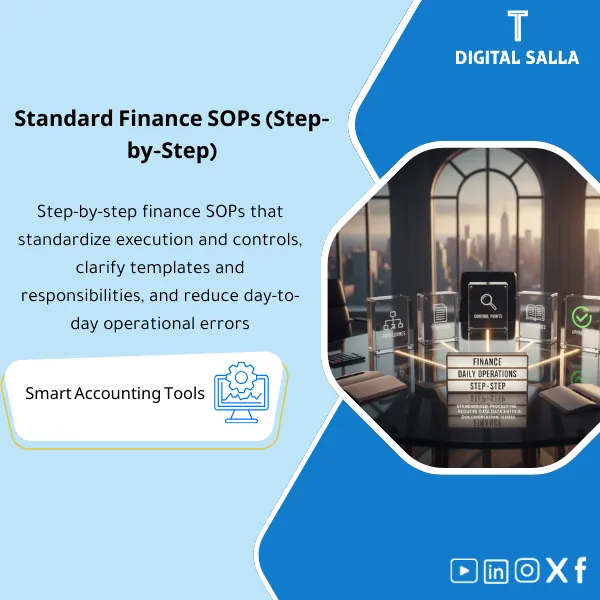
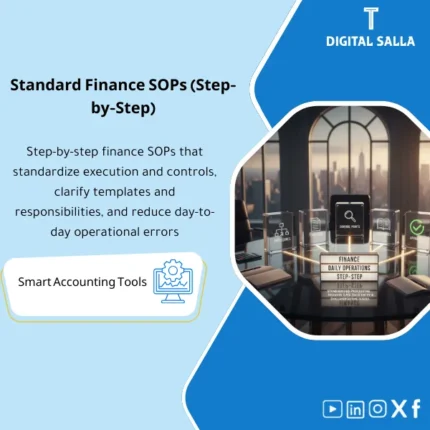
Finance SOPs: Documents daily execution steps—posting journals, reviewing support, performing reconciliations, and approving payments by workflow. Delivers trainable SOPs with clear outputs for ERP or Excel-based operations.
Finance SOP Procedures
Finance SOPs Step by Step + Month-End + JEs + Reconciliations + P2P/Payments (Deliverable Operation)
Value Proposition: Finance SOP Procedures are utilized when the issue is not the “absence of an employee” but rather the “absence of a consistent operating method.” This Finance Department Operating Manual establishes Accounting SOPs as actionable steps: What report is pulled? What documentation is required? Where is it stored? What is the output of each step? It covers daily procedures (JEs/Purchases/Payments) and month-end closing procedures and reconciliations, enabling delivery among team members without reinventing the method each month.
In 20 Seconds: What Will You Get?
- A step-by-step Finance SOPs library: each SOP defines Inputs → Steps → Outputs → Evidence.
- Month-End Procedures: Clear sequence (Cut-off → Recs → Accruals → JE log → Adjusted TB → Closing pack).
- Daily Journal Entry Procedures: Creation/Review/Approval/Post + mandatory attachments based on entry type.
- Reconciliation Procedures: Bank/AR/AP/Inventory/FA with Tie-outs and linkage to GL.
- Purchasing and Payment Procedures: Core AP cycle (3-way match, Payment run, Bank release evidence).
- Ready-to-use templates: JE form, Reconciliation template, Payment approval sheet, Exception log.
- Pack index + Sign-off: Establishing the approved version of SOPs and linking them to monthly evidence.
CTA related to outputs: Receive SOPs + Templates + Evidence Points + Sign-off as a ready-to-use operating manual for the team.
Suitable For
- Financial Controller: Seeks to standardize operations and link each step to a manual before Month-End.
- Chief Accountant: Desires clear procedures for entries and reconciliations instead of relying on “individual expertise.”
- Growing Company: Wants quick onboarding for new accountants without recurring operational errors.
Not Suitable For
- Those looking for “standard accounting policies” (IFRS manual) — this is an operational product (SOPs) and not a standard Accounting manual.
- Those wanting SOPs tailored for highly specialized operations (such as regulated sectors) without additional customization per regulatory requirements.
Without SOPs / With SOPs (Brief Comparison)
| Item | Without Operating Manual | With Operating Manual |
|---|---|---|
| Entries | Entry without attachment or without fixed Review | Daily Journal Entry Procedures (Prepared/Reviewed/Approved + Required evidence) |
| Reconciliations | Recs by person and without clear Tie-out | Reconciliation Procedures linking Sub-ledger/External statement with GL |
| Month-End | Closing is delayed because steps are not fixed | Month-End Procedures linked to outputs (Adjusted TB/Closing pack) |
| Delivery | Difficult to deliver tasks during vacations/handovers | SOPs + Templates + Evidence points facilitate Handover |
Before Use: 5 Symptoms That Operations Are “Undocumented”
- The same process varies from one accountant to another (especially entries and reconciliations).
- Entry attachments are inconsistent, making them difficult to review or reconstruct later.
- Bank reconciliations are closed “by difference” without variance analysis and documentation.
- Month-End is delayed because Cut-off/Accruals/JE log are not linked to a fixed schedule.
- During audits: there is no SOP outlining “how the process was done” and where its evidence is.
Finance SOP Procedures: Implementation Method (3 Steps Without Gaps)
Step 1: Identify Processes, Reports, and Inputs
- Identify the list of processes: GL/JEs, Reconciliations, Month-End, AP/Payments, (and AR controls if needed).
- Catalog the ERP reports used as evidence: TB/GL details, AP aging, AR aging, bank statements, inventory movement…
- Define Roles: who executes (R), who reviews (Reviewer), and who approves (Approver) for each SOP.
Step 2: Execute SOPs + Templates + Control Points
- Implement Accounting SOP as steps: Inputs → Steps → Outputs → Evidence.
- Mandate the use of Templates: JE form, Reconciliation template, Payment approval sheet, Exception log.
- Define Control points: task separation, mandatory attachments, Tie-outs, independent review.
Step 3: Link SOPs to Closing and Delivery
- Link each SOP to a monthly output within the Closing pack (Adjusted TB/JE log/Recs pack).
- Compile Evidence index: where each process evidence is stored and under what name and version.
- Issue an approved version: Version + Sign-off + date of next review to update SOPs.
What Does the Manual Cover? (Examples of SOPs Inside the Package)
Accounting SOP — Daily Journal Entry Procedures
- Journal Entry Request + classification of entry type (Accrual/Reclass/Manual correction).
- Required evidence by type (Invoice/Contract/Calculation/Report extract).
- Review & Approval + Posting + archiving the entry within the JE log.
Reconciliation Procedures
- Bank reconciliation: Bank statement ↔ GL + variance analysis + Closing status.
- AR/AP: Aging ↔ Control account + items in transit + Write-off approvals.
- Inventory/FA (if applicable): movement/reports ↔ GL + adjustments approvals.
Month-End Procedures
- Cut-off checklist + preventing entries after a specified date.
- Accruals/Prepaids schedule + JE log + Adjusted TB.
- Closing pack delivery + Sign-off + open items register.
Purchasing and Payment Procedures (P2P/Payments Basics)
- 3-way match (PO/GRN/Invoice) + exception rules.
- Payment run: prepare → review → approve → bank release evidence.
- AP aging tie-out + GRNI reconciliation (if applicable).
Components of the Manual (Clear Inventory)
-
SOPs Step-by-Step (Finance Department Operating Manual)
- Practical Purpose: Describing the execution of the process step by step with Inputs/Outputs and defining responsibilities.
- When to Use: Daily + during training + when receiving/handover tasks.
- Resulting Manual: SOP for each process + Control points + Required evidence.
-
Templates & Workpapers (Work Templates)
- Practical Purpose: Standardizing the format of entries, reconciliations, and payments instead of multiple files.
- When to Use: With every execution of a process (JE/Rec/Payment).
- Resulting Manual: Ready-to-use templates (JE form, Rec template, Payment approval, Exception log).
-
Checklists
- Practical Purpose: Preventing the omission of critical steps (Cut-off/Accruals/Bank rec/GRNI).
- When to Use: Weekly/Monthly especially before Month-End.
- Resulting Manual: Completed Checklists + Review signature.
-
Evidence Points & Index
- Practical Purpose: Identifying where the evidence for each step is (Report name/export/date) to facilitate auditing.
- When to Use: Monthly when compiling the Closing pack.
- Resulting Manual: Evidence index + storage paths + Version.
-
Version Control + Sign-off
- Practical Purpose: Establishing the approved version of procedures and preventing multiple operational copies.
- When to Use: When approving SOPs for the first time and with any modification.
- Resulting Manual: Version register + Change log + Approval page.
Delivery: SOPs + Templates + Checklists + Evidence Index with Sign-off and Version control.
What Should Be Included in the Delivery?
- 01-SOP Library: Finance SOP Procedures for each process (JEs/Recs/Month-End/P2P-Payments) step by step.
- 02-Templates: JE form + Reconciliation templates + Payment approval + Exception log.
- 03-Checklists: Monthly close checklist + cut-off checklist + bank rec checklist + JE review checklist.
- 04-Evidence Index: List of required evidence for each SOP (Report names/exports/date) + storage paths.
- 05-Sign-off: Approval page + Responsible/Reviewer/Approver + date of next review.
- 06-Versioning: Version register + Change log + distribution of copies (Distribution list).
After Implementation (Two Key Points)
- Operational Outcome for the Team: The same process is executed with the same steps and templates, reducing rework and speeding up task handover.
- Control/Audit Outcome: Each step has a defined manual and specific storage location, and with Version/Sign-off, the procedures become testable and reviewable.
FAQ — Questions Before Purchase
Is the manual suitable for any ERP?
Yes. Because it specifies “what reports are required” and “what evidence” rather than the settings of a specific system. You only need to extract reports from your system.
Does it cover the month-end closing procedures comprehensively?
It covers the closing process practically (Cut-off → Recs → Accruals → JE log → Adjusted TB → Closing pack) with outputs and evidence for each step.
Does it include daily journal entry procedures and manual entries?
Yes. With classification of entry types, mandatory attachments, and a Review/Approval path before posting, linked within the JE log.
Does it cover reconciliations for sensitive items?
Yes: Bank/AR/AP and extends to inventory/assets if within your scope, with Tie-outs and linkage to GL.
Does it fully cover purchasing and payment procedures?
It covers the basics of P2P/Payments affecting AP/Bank (3-way match, Payment run, Bank release evidence). Expanding the cycle for complex contracts or advanced inventory may require a separate full cycle package.
Is this a substitute for policy documents?
No. These are SOPs (how we execute). Policies define the rules (when/why/limits). The two products complement each other.
How do I prevent multiple copies and conflicting procedures?
Through a Version register, Sign-off, and Distribution list: one approved copy + a change log for any updates.
What is the minimum input required to get started?
A list of processes + names of available ERP reports + Roles within the department + closing calendar (deadlines) + approval rules (if any).
Ready to operate finance on deliverable SOPs instead of relying on individuals?
Outputs: Month-End Procedures + Daily Journal Entry Procedures + Reconciliation Procedures + Purchasing and Payment Procedures within the Finance Department Operating Manual with Templates, Evidence Index, and Sign-off.
| المسمّى الوظيفي | |
|---|---|
| Duration | |
| المستوى | |
| التحديثات | |
| القطاع | |
| الصيغة |
Related products


Expected Credit Losses Assessment Service (IFRS 9)

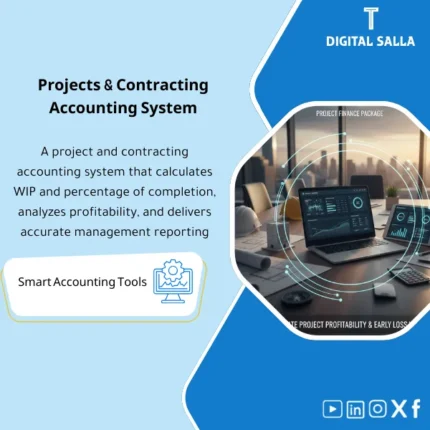
Projects Finance & WIP – Excel File
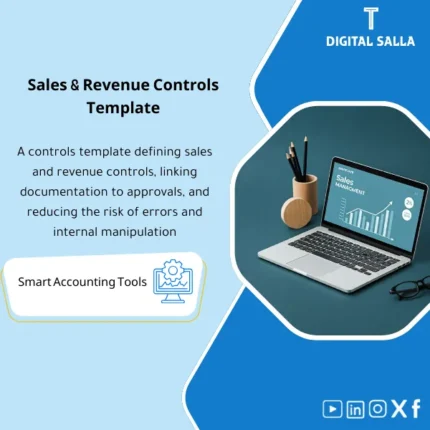
Sales Controls Template – Excel Template
Sales Control Template is an effective Excel tool to manage and monitor sales invoices and revenue contracts with automated workflows, analytical reports, and charts to help you understand sales performance. Highly flexible and editable to fit your needs—strengthening sales controls and improving performance.
Reviews
Clear filtersThere are no reviews yet.