



Indirect/Direct Cash Flow Model – Excel File
63.56 $
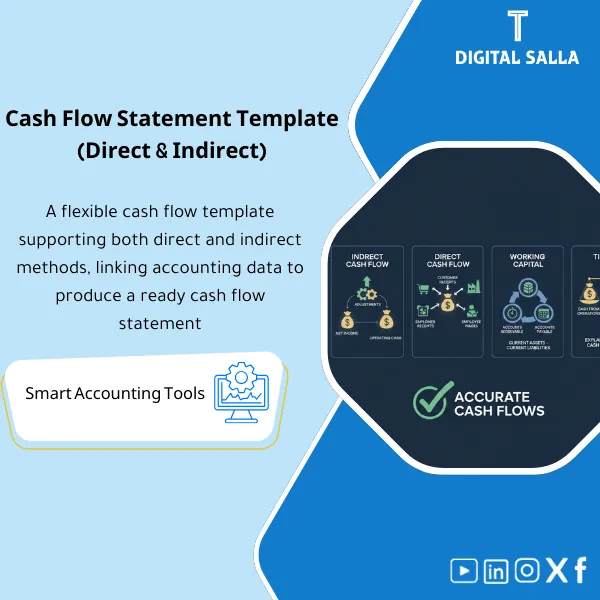
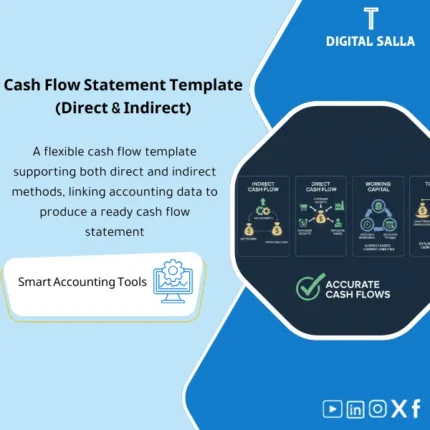
Cash Flow Statement Template: Builds cash flows (Indirect/Direct) from TB and balance sheet, including working capital adjustments and operating/investing/financing classification. Delivers a cash flow statement with a cash tie-out for monthly/annual reporting.
Cash Flow Statement Template
Subline: Indirect/Direct + Working Capital Adjustments + BS Tie-out + Cash Reconciliation + Closing Pack Insert
Value Proposition: A working file that produces a Cash Flow Statement (Indirect/Direct) and verifies its linkage to the Adjusted TB and the balance sheet: Working Capital Adjustments + Non-cash Items → Net Change in Cash → Cash & Cash Equivalents Reconciliation → Closing Pack.
In 20 seconds: What will you get?
- Indirect Cash Flow template with pre-filled lines for Working Capital Adjustments and Non-cash items.
- Direct Cash Flow template (Cash receipts/payments) when collection/payment data or cash statement is available.
- Working Capital Schedule: ΔAR / ΔInventory / ΔAP / ΔOther current items with Tie-out to the balance sheet.
- Non-cash Adjustments Schedule: Depreciation/Amortization/Provisions/ECL, etc., with source for each number (Schedule/JE Log).
- Investing & Financing Mapping: Linking changes in assets/liabilities/equity to cash flows (CFI/CFF) instead of guessing classification.
- Cash & Cash Equivalents Reconciliation: Opening + Net change = Closing + linking to cash accounts in the BS and bank accounts.
- Closing Pack Insert: Index of number sources + Tie-outs + Reviewable delivery copy.
CTA related to deliverables: Receive CFS + Working Capital Schedule + Cash Reconciliation to include in the Closing Pack with Tie-out to the balance sheet.
Suitable for
- Financial Controller looking to deliver Year-End with CFS linked to the BS and Adjusted TB.
- Head of Accounting / GL Lead needing a Workpaper that explains “why cash changed” instead of untraceable numbers.
- Reporting/GL Accountant preparing statements and needing Schedules to close Tie-outs and clarify sources of numbers.
Not suitable for
- Those without a Comparative Balance Sheet (Opening/Closing) or unable to establish an Adjusted TB for the period.
- Those wanting to produce a Direct Method without any collection/payment data or Cash Book/Bank data (in this case, use Indirect or provide data first).
Without the template / With the template (Quick Comparison)
| Item | Without the template | With the template |
|---|---|---|
| Working Capital | General adjustments not linked to the BS | Schedule calculating Δ and performing Tie-out to balance sheet lines |
| Non-cash items | Unsubstantiated or unlinked numbers | Non-cash Schedule + source for each number (Schedule/JE Log) |
| Cash Tie-out | Net change does not equal cash change in the BS | Cash reconciliation: Opening + Net change = Closing + linking to cash accounts |
| Delivery | Separate CFS file without Evidence/References | Closing Pack Insert: CFS + Tie-outs + Evidence Index |
Before use: 5 symptoms appearing in cash flow preparation
- The cash flow statement is written at the last stage because there is no Schedule linking it to the BS.
- Working Capital adjustments are entered as estimated figures without Tie-out to balance changes.
- Non-cash items (Depreciation/Provisions/ECL) appear without a clear reference for the source of the number.
- Net change in cash does not equal the cash difference between Opening/Closing in the balance sheet.
- When reviewing Year-End: there is no single Workpaper that clarifies the classification (Operating/Investing/Financing) and source of each item.
Cash Flow Statement Template: Application Method (3 Steps Without Gaps)
Step 1: Preparation and Gathering Reports
- Establish the Adjusted TB for the period (or final TB) + extract Comparative BS (Opening/Closing).
- Gather core Schedules: FA/Capex, Debt/Financing, Equity/Distributions, Taxes, and any Rollforwards (ECL/Provisions) as applicable.
- Define the scope of Cash & Cash Equivalents (which accounts fall under cash?) and prepare bank/cash statements to verify the balance.
Step 2: Working Capital + Non-cash + CFI/CFF Classification
- Fill in the Working Capital Schedule from the balance sheet: calculate Δ for each item (AR/Inventory/AP/Other) with Tie-out to BS lines.
- Fill in the Non-cash Schedule and link each number to its source (FA schedule/JE Log/Rollforward) instead of entering a number without support.
- Identify Investing/Financing items from changes in assets/liabilities/equity (linking them to movement records or supporting schedules).
Step 3: Produce CFS + Cash Reconciliation + Closing Pack
- Produce the cash flow statement (Indirect or Direct as available) and establish the Net change in cash.
- Perform Cash Reconciliation: Opening cash + Net change = Closing cash, linking Closing to cash accounts in the BS (and bank accounts as needed).
- Compile the Closing Pack: CFS + Working capital schedule + Non-cash schedule + Cash tie-out + Evidence Index (a review/audit delivery copy).
Product Components (Clear Inventory)
-
Indirect Cash Flow Statement Template
- Practical Purpose: Build CFO from profit (Profit/Operating result) then input Non-cash and Working capital and classification until reaching Net change in cash.
- When to Use: Year-End as a primary list, and possibly Month-End for internal reporting when a comparative BS is available.
- Resulting Output: Final Cash Flow (Indirect) + linking items to their schedules (Cross-links within the file).
-
Direct Cash Flow Statement Template
- Practical Purpose: Produce CFO directly from Cash receipts/payments (collections from customers/payments to suppliers/salaries/taxes…) when data is available.
- When to Use: When you can extract collection/payment data or Cash book or summarize bank payments.
- Resulting Output: Cash Flow (Direct) + Schedule of sources of collection/payment data used.
-
Working Capital Adjustments Schedule
- Practical Purpose: Calculate changes (Δ) in working capital items and link them directly to the difference between Opening/Closing in the balance sheet.
- When to Use: Every time an Indirect method is prepared (Year-End or Month-End).
- Resulting Output: Schedule showing Opening/Movement/Closing for each item + Tie-out to BS lines.
-
Non-cash Items Schedule (JE/Schedules Source)
- Practical Purpose: Aggregate non-cash items (Depreciation/Amortization/Provisions/ECL… as per your activity) with a clear source for each number.
- When to Use: Year-End and useful monthly if Non-cash items are reviewed periodically.
- Resulting Output: Non-cash Schedule signed/approved internally (as per your system) linking the number to FA schedule or JE Log or Rollforward.
-
Investing & Financing Mapping (CFI/CFF)
- Practical Purpose: Convert changes in assets, financing, and equity into CFI/CFF flows without mixing operational items with financing/investment items.
- When to Use: Always at Year-End, and possibly Month-End when there is significant monthly Capex/financing.
- Resulting Output: Mapping linking each item (Asset/Debt/Equity movement) to its source and its position in the CFS.
-
Cash & Cash Equivalents Reconciliation (BS Tie-out)
- Practical Purpose: Demonstrate that Net change in cash equals the cash difference in the balance sheet, and define the scope of accounts included in cash.
- When to Use: A mandatory step before finalizing the version (Year-End/Month-End).
- Resulting Output: Reconciliation: Opening cash + Net change = Closing cash + Tie-out for cash accounts in the BS.
-
Closing Pack Insert + Evidence Index
- Practical Purpose: Compile supporting documents for the statement (TB/BS/Schedules/JE Log references) into a single index for delivery.
- When to Use: At final closure Year-End (and possibly monthly for internal delivery).
- Resulting Output: Evidence Index + delivery copy of the statements and schedules with reference version (Version/Date) specified.
CTA related to deliverables: CFS + Working Capital Schedule + Cash Reconciliation + Evidence Index as a Workpaper package for delivery within the Closing Pack.
What should be included in the delivery?
- Excel Workbook (Main file): Tabs for Indirect + Direct + Working capital + Non-cash + CFI/CFF mapping + Cash reconciliation + Evidence index.
- Comparative BS: Opening/Closing balance sheet used in Δ calculations (PDF/Excel export or Report from the system).
- Adjusted TB / P&L Export: Reference TB for the period (with extraction date) to identify sources of Non-cash and classifications of items.
- Schedules Folder: FA/Capex schedule, Debt schedule, Equity movements, Leases/Interest/Taxes schedules (as applicable).
- Cash Accounts Support: List of cash accounts included in Cash & equivalents + balance for each account in Opening/Closing + (Bank statements/Bank reconciliation as needed).
- Mapping Memo (optional but practical): A brief memo outlining sensitive classification decisions (Interest/Taxes/Distributions) and their rationale within your company.
- Closing Pack Section: Folder/section titled “Cash Flow” containing: final CFS + Schedules + Tie-outs + Evidence Index.
- Sign-off/Version: Date of final version approval + who reviewed/approved + reference version upon which delivery was based.
After application (only two points)
- Operational result for the team: Cash flow preparation becomes an organized step: (BS Δ + Non-cash + CFI/CFF) then Cash tie-out, instead of rebuilding the statement from scratch every year.
- Control/Audit result (Evidence & Traceability): Every number in the CFS has a clear source (TB/BS/Schedule/JE Log reference) and the cash equation (Opening + Net change = Closing) is shown within the Closing Pack.
FAQ — Questions Before Purchase
Is the template suitable for any accounting system?
Yes. Required: Adjusted TB (or final TB) + Comparative Balance Sheet Opening/Closing + supporting Schedules for major items.
Should I use Indirect or Direct?
Use Indirect when your base data TB/BS/Schedules are available but you do not have details on collections/payments. Use Direct when you can summarize Cash receipts/payments from Cash book or collection/payment reports or summarize bank movements.
Is it suitable for monthly use (Month-End)?
Yes for internal reporting if you have a comparative BS monthly and can establish an Adjusted TB. The most common usage is Year-End.
Does it automatically link Working Capital to the balance sheet?
It provides a Schedule that calculates Δ from Opening/Closing and performs Tie-out to BS lines after identifying components (which accounts fall under AR/AP/Inventory, etc.).
Does it cover items like Leases/IFRS 16 or complex financing?
It contains ready Mapping sections, but you will need Schedules (Lease schedule/Debt schedule) to input numbers and document the source within the Evidence Index.
What is the minimum data required to get started?
Comparative BS + Adjusted TB/P&L + identification of cash accounts. To enhance CFI/CFF: Asset/Capex schedule + Debt/Financing schedule + any equity movement/distributions.
Does the template “guarantee” that Cash tie-out will close on the first attempt?
No. However, it makes discrepancies visible and specifies their location: Is the issue in the scope of cash accounts? In Working capital mapping? In CFI/CFF classification? Then it can be closed by correcting the data source or reclassifying, not by a plug value.
Is there a template for delivering references?
Yes. Closing Pack Insert + Evidence Index compiles the statement and its schedules and links their sources, specifying the reference version and approval date.
Is it suitable for IFRS or IFRS for SMEs?
The Workpaper template is general. Classification of certain items (Interest/Taxes/Distributions) may vary by framework and policies, so there is a place to document the classification decision within the Mapping Memo.
Ready to produce a Cash Flow linked to the balance sheet and cash accounts?
You will receive: CFS + Working Capital Adjustments + Cash Reconciliation + Evidence Index to prepare the delivery within the Closing Pack.
| المسمّى الوظيفي | |
|---|---|
| Duration | |
| المستوى | |
| التحديثات | |
| القطاع | |
| الصيغة |
Related products




CIT & Transfer Pricing – Excel Files

Reviews
Clear filtersThere are no reviews yet.