



ZATCA E-Invoicing Readiness Pack – Word & Excel Files
84.84 $
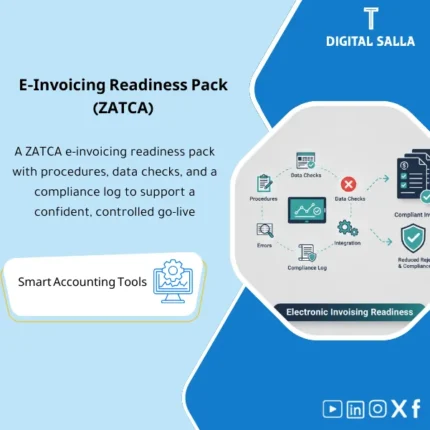
ZATCA E-Invoicing Readiness: Documents issuance/cancellation processes, validates customer/tax/item data, and tracks compliance errors and corrections. Delivers a readiness checklist and rejection/correction reporting for KSA e-invoicing operations.
E-Invoicing Readiness ZATCA
Operating Procedures + Invoice Data Checks + Compliance Log + QR Error Tracking + Delivery Pack
Value Proposition: A readiness package that adjusts “what is sent” before it becomes a compliance issue: Invoice Data Baseline → Data Validation + Issue Log → Compliance Log + Sign-off → E-Invoicing Readiness Pack instead of discovering invoice errors after issuance or when evidence is requested.
In 20 Seconds: What Will You Get?
- SOP Procedures for the invoicing flow: Creation → Review → Issuance → Archiving → Handling Returns/Notices.
- Data Dictionary for e-invoice fields (where each field comes from within the ERP? Who owns it?).
- Data Check Checklist before issuance (Required fields + Formats + Tax codes + Identification numbers).
- QR & Invoice Errors Log to record QR/field/tax errors + reason + action + closure owner.
- Compliance Log documenting periodic checks + reference copies + approvals.
- Sample Testing Tracker to compile invoice samples (sales/returns/notices) with inspection results and attachments.
- Readiness Pack Index for indexing deliverables (for management/auditors/internal compliance).
CTA related to deliverables: Receive Data Validation Report + Issue Tracker + Compliance Log as a documented readiness pack that can be archived and delivered as needed.
Suitable For
- Tax/VAT Accountant looking to adjust Data checks before invoices turn into VAT discrepancies or compliance notes.
- Financial Controller needing a Compliance Log + Sign-off + Clear delivery file.
- ERP/Finance Ops responsible for invoice fields (Master Data/Tax codes) and needing an Issue tracker to close defects.
Not Suitable For
- Those looking for technical integration or API/SDK development or invoicing provider setup as a service (this is not a technical implementation project).
- Those unable to extract invoice data/fields from the system or lacking Master Data permissions (checks and evidence will not be completed).
Without the Pack / With the Pack (Quick Comparison)
| Item | Without the Pack | With the Pack |
|---|---|---|
| Data Check | Manual/Partial review after invoice issuance | Checklist + Repeatable check rules before issuance |
| QR/Field Errors | Errors recur as there is no cause/action log | Issue tracker: Cause + Owner + Action + Closure Date |
| Compliance | No evidence of periodic checks or reference copies | Compliance log + sign-off + pack index |
| Delivery | Scattered documents upon request for evidence | Ready Readiness pack: SOP + Checks + Samples + Evidence |
Before Use: 5 Symptoms in E-Invoicing
- Recurrent errors in invoice fields (address/tax number/branch/issue date) due to unclear data sources.
- Tax codes or rates are unregulated, leading to discrepancies between VAT on the invoice and the entries/VAT ledger.
- QR is generated but its content/format varies between branches or between providers, and there is no inspection log.
- Invoice reference/sequence is repeated or not adjusted upon cancellation/returns.
- When evidence is requested: there is no single file outlining issuance procedures, checks, reference copies, and approvals.
E-Invoicing Readiness: Implementation Method (3 Steps Without Gaps)
Step 1: Preparation and Data Collection
- Extract a sample of invoices representing core cases: Sales Invoice + Credit Note + Debit Note (as available) + Multi-branch cases if any.
- Compile Master Data: Entity/branch data, identification numbers, addresses, Tax code settings.
- Identify “source of each field” within the system: from screen/table/setup (Data dictionary baseline).
Step 2: Data Checks + Logging Defects + Closing Follow-up
- Run Data Validation Checklist on the sample: mandatory fields + formats + consistency between fields (e.g., Tax category ↔ rate ↔ tax amount).
- Log results in QR & Invoice Errors Log: Type of defect, where it appears, its impact, who closes it, and what action (correcting Master Data/Tax code/Process).
- Update Sample Testing Tracker with the status of each sample after modification (before/after) to document the impact of closure.
Step 3: Compliance Log + Approval + Readiness Pack
- Establish Compliance Log: When was the check done? What is the reference version? What was changed? What are the open items if any?
- Sign Sign-off on the reference version (Version/Date/Reviewer/Approver) before considering readiness “internally approved.”
- Compile Readiness Pack (SOP + Data dictionary + Checklists + Logs + Samples) according to a single delivery index.
Product Components (Clear Inventory)
-
E-Invoicing SOP (Process SOP)
- Practical Purpose: Define the flow of issuance, modification, and returns, and who reviews what and when.
- When Used: During establishment + when training the team + when changing ERP/provider.
- Resulting Document: Procedures document with reviewable control points.
-
Invoice Data Dictionary (Field Sources)
- Practical Purpose: Identify “where each field comes from” (Master Data/ERP field) + field owner + formatting rules.
- When Used: For establishment + updated when adding a branch/changing data/changing Tax codes.
- Resulting Document: Data dictionary that facilitates tracing the cause of any invoice error.
-
Data Validation Checklist (Data Check List)
- Practical Purpose: Repeatable checks: Required fields + formats + tax logic + value consistency.
- When Used: Periodically (monthly/quarterly) + before any Go-live/major change.
- Resulting Document: Completed checklist proving that checks were performed on a specific sample/batch.
-
QR & Invoice Errors Log (Error Log)
- Practical Purpose: Record QR/field/tax errors with potential cause, action, owner, and closure date.
- When Used: During processing and after any error discovery from the system/team.
- Resulting Document: Log showing that errors are not closed “verbally” but with documented action.
-
Sample Testing Tracker (Sample Tracking)
- Practical Purpose: Manage invoice samples representing key scenarios (sale/return/discount/branches) and link them to PDF/images.
- When Used: In the readiness phase + as a periodic check to ensure changes have not broken fields.
- Resulting Document: Sample log with inspection results before/after and where the document is stored.
-
Compliance Log + Sign-off (Compliance Log and Approval)
- Practical Purpose: Document that readiness checks were performed on a specific reference version and who reviewed and approved.
- When Used: When closing readiness or after any significant change in data/system.
- Resulting Document: Compliance log + approval page preventing discrepancies in “working version” within the team.
-
Readiness Pack Index (Delivery Index)
- Practical Purpose: Compile all documents into one structure: SOP + Data dictionary + Checklists + Logs + Samples.
- When Used: When delivering to management or when requesting compliance/audit evidence.
- Resulting Document: Pack index that specifies sections, contents, and their locations.
CTA related to deliverables: Checklist + Errors Log + Compliance Log + Pack Index to establish e-invoicing readiness as a delivery file.
What Should Be Included in the Delivery?
- 01 – SOP: Invoicing procedures document (Issuance/Modification/Returns) + Control points + Roles and responsibilities.
- 02 – Data Dictionary: Field dictionary: Source of each field within the system + Formatting rules + Field owner.
- 03 – Validation Checklists: Completed checklists with date/version/specific sample (before/after if modified).
- 04 – Errors & Issues: QR/field error log + closure status + attachments/screenshots as needed.
- 05 – Samples: Sample folder (PDF/images) for invoices/notices organized by numbers + linked to the sample table.
- 06 – Compliance Log: Compliance log for periodic checks + what changed + open items if any.
- 07 – Sign-off: Approval page (Version/Date/Reviewer/Approver) for the reference version of the readiness file.
- 08 – Pack Index: Delivery index linking each section to the file/folder/link (if stored on Drive).
After Implementation (Two Points Only)
- Operational Outcome for the Team: Any change in Master Data or Tax codes or invoice settings goes through clear checks (Checklist + Samples) before being approved, instead of discovering its impact after issuing actual invoices.
- Control/Audit Outcome (Evidence & Traceability): You have a documented readiness file: Data dictionary + Checks + Error log and closure + Compliance log and version approval, which can be delivered or referred to upon any request for evidence.
FAQ — Questions Before Purchase
Does the pack work with any ERP or e-invoicing provider?
Yes, as long as you can extract invoice data and fields (Export/Report/CSV) and update Master Data/Tax codes. The pack does not depend on a specific system.
Is this pack a “technical implementation” or API integration with ZATCA?
No. It is a package of Procedures + Data Checks + Compliance Documentation. Technical integration is done through your provider/technical team, and the pack is used to adjust data and document controls.
What is the minimum data required to start?
A sample of invoices (sale/return/notice if available) + Master Data (entity/branches/customers) + Tax codes/rates + A report outlining the submitted fields.
Does it specifically cover QR errors?
It covers them from the perspective of inspection and tracking: Checklist for QR/field elements + Errors log to document the cause and action. It does not guarantee that any file will be accepted without modification as this depends on implementation and data quality.
Is it suitable for multi-branch companies?
Yes. There is a specific section for branch data within the Data dictionary + multi-branch samples + Error log indicating whether the issue is related to a specific branch or a general setting.
Does it include a Compliance Log that can be submitted for internal review?
Yes. The Compliance log + sign-off proves “when the check was done, on which version, who approved, and what open items exist.”
Is it used once or continuously?
It starts as a baseline and then transitions to periodic checks: any change in data/Tax codes/ERP is logged and tested with samples before being approved.
Can it be linked with VAT reconciliation?
Yes, practically: Adjusting Tax codes and invoice fields reduces VAT discrepancies later. The Readiness pack can be archived alongside VAT reconciliation/VAT audit pack.
Ready to Establish E-Invoicing Readiness as a Delivery File?
You will receive: SOP + Data Dictionary + Validation Checklists + Errors Log + Compliance Log + Samples Tracker + Pack Index to prepare ZATCA e-invoicing readiness as a documented pack that can be updated and archived.
| المسمّى الوظيفي | |
|---|---|
| Duration | |
| المستوى | |
| التحديثات | |
| القطاع | |
| متوافق مع | |
| الصيغة |
Related products

Finance SOPs – Detailed Steps
Sales Controls Template – Excel Template
Sales Control Template is an effective Excel tool to manage and monitor sales invoices and revenue contracts with automated workflows, analytical reports, and charts to help you understand sales performance. Highly flexible and editable to fit your needs—strengthening sales controls and improving performance.
Reviews
Clear filtersThere are no reviews yet.