


CIT Computation & Tax Reconciliation – Excel File
111.44 $
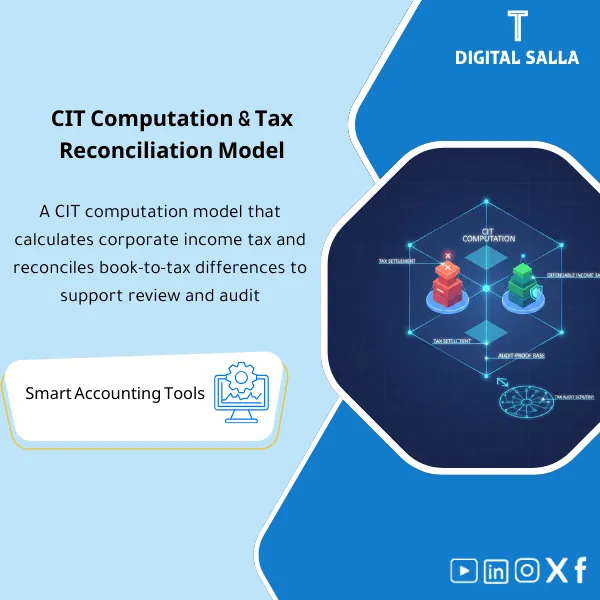
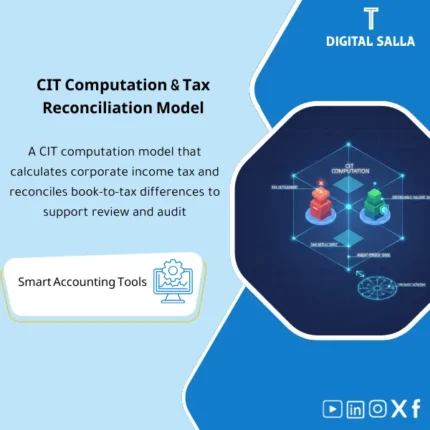
CIT Calculation: Bridges accounting profit to taxable base using permanent/temporary differences and non-deductible items with references. Delivers an audit-ready corporate income tax computation for annual filing.
Income Tax Computation (CIT)
CIT Computation + Tax Reconciliation (Book-to-Tax) + Current/Deferred Tax + JE Templates + Tax Return Pack
Value Proposition: The Income Tax Computation template demonstrates “how we arrived at the taxable profit” and closes the link with the books: Accounting Profit (TB) → Book-to-Tax Reconciliation → Taxable Income → Current/Deferred Tax → JE Log → Tax Return Pack (Index + Sign-off) instead of untraceable tax numbers in the GL during reporting or auditing.
In 20 Seconds: What Will You Get?
- Book-to-Tax Reconciliation links accounting profit to taxable profit (Permanent/Temporary differences).
- Permanent Differences Schedule (Non-deductible / Exempt / Disallowables) with GL references.
- Temporary Differences & Deferred Tax schedule of temporary differences + calculation of Deferred tax (DTL/DTA) as per your definition.
- Tax Depreciation vs Accounting comparison schedule of depreciation/tax basis linked to asset schedules.
- Losses/Carryforwards Tracker (if any) to track losses/carryforward balances and their usage within the period.
- Current Tax Provision + movement of Income Tax Payable linked to the GL.
- JE Templates + Pack Index for recording tax entries (Current/Deferred) and delivering an organized period file (Tax Return Pack).
CTA related to deliverables: Receive Tax Reconciliation + Current/Deferred Tax + JE Templates as a work package + Tax Return Pack indexed for delivery.
Suitable For
- Tax Accountant needs a workpaper to prepare the return number with documentation and tracking of differences.
- Financial Controller wants to link Provision with TB and entries and the movement of tax payable.
- Reporting / GL Lead wants a clear Book-to-Tax that links every difference to a GL line/supporting schedule.
Not Suitable For
- Those looking for “ready-made tax rates” or customized legal treatment—the template requires input of your approved rates/exemptions.
- Those without detailed TB/GL or asset schedules/supporting items (calculating differences will become un-auditable).
Without Template / With Template (Quick Comparison)
| Item | Without CIT Workpaper | With CIT Workpaper |
|---|---|---|
| Book-to-Tax | “Reconciliation” numbers not linked to the GL | Reconciliation links accounting profit to differences and their sources |
| Deferred Tax | Manual estimate or ignored without supporting schedule | Temporary differences schedule + DTA/DTL + linked to the basis |
| Tax Entries | Annual “single number” entry without detail | JE templates (Current/Deferred) + JE log + references |
| Income Tax Payable Movement | Income tax payable balance unexplained | Rollforward + GL tie-out explains the balance and movement |
| Tax Return File | Scattered evidence on demand | Tax Return Pack index + evidence index + sign-off |
Before Use: 5 Symptoms of CIT Calculation Issues
- The “taxable profit” number is built from undocumented items that cannot be linked to a GL line.
- Permanent differences recur annually but without a fixed schedule (Non-deductible / Exempt) and without reference.
- The Deferred tax (if your company recognizes it) is estimated without a Temporary differences schedule and linkage to the tax basis.
- Income tax payable in the GL does not match the calculated tax or the payments made during the year.
- When requesting evidence for the return: there is no single file that includes (reconciliation + schedules + entries + attachments + version approval).
Income Tax Computation: Application Method (3 Steps Without Gaps)
Step 1: Preparation and Gathering Reports
- Extract Final TB / GL for the year + P&L detail (account level or GL line level as available).
- Compile supporting schedules: Fixed Assets schedule + Accounting depreciation + any provisions/liabilities schedules.
- Establish tax inputs: Tax rate + internal processing rules + Carryforwards (if any) + reference from the previous year (if available).
Step 2: Adjustments + Schedules + Tie-outs
- Classify differences into Permanent differences and Temporary differences and link each item to its source (GL/schedule).
- Build Book-to-Tax Reconciliation from accounting profit to Taxable income highlighting material items.
- Prepare Deferred Tax schedule (if within your reporting scope) + review tie-out between schedules and TB/GL.
Step 3: CIT Computation + Provision + Tax Return Pack
- Finalize Current tax + prepare movement of Income Tax Payable and link it to the GL.
- Output JE Templates (Current/Deferred) and update JE Log with references and posting status.
- Compile Tax Return Pack: index evidence + Sign-off + “Final” version for archiving/delivery.
Product Components (Clear Inventory)
-
Book-to-Tax Reconciliation
- Practical Purpose: Transfer accounting profit (TB/P&L) to taxable profit in traceable steps.
- When Used: Year-End + when preparing Provision interim if required.
- Resulting Evidence: Reconciliation shows accounting profit + differences + final Taxable income.
-
Permanent Differences Schedule
- Practical Purpose: Document non-deductible/exempt/disallowable items according to company policy and regulations.
- When Used: During the preparation of the annual reconciliation, with the possibility of repeating it annually in the same manner.
- Resulting Evidence: Schedule of permanent differences with GL/reference document for each item.
-
Temporary Differences & Deferred Tax Schedule
- Practical Purpose: Build temporary differences (Tax base vs Carrying amount) and calculate DTA/DTL according to your definition.
- When Used: Year-End (Core if you recognize Deferred tax) + update when items change.
- Resulting Evidence: Schedule of temporary differences + movement of DTA/DTL + its impact on tax expense (Deferred tax expense).
-
Tax Depreciation vs Accounting
- Practical Purpose: Demonstrate the impact of depreciation/tax basis on the reconciliation and link it to asset schedules instead of manual estimation.
- When Used: Annually with asset closure, and when there are depreciation differences between accounting and tax.
- Resulting Evidence: Comparison schedule showing differences and linking it to FA schedule and reconciliation item.
-
Losses & Carryforwards Tracker
- Practical Purpose: Track carryforward balances (if any) and how they were used or what remains within the year.
- When Used: Annually + when calculating provision interim if it is impactful.
- Resulting Evidence: Movement schedule (Opening/Utilized/Expired/Closing) with reference to the year of origin.
-
Current Tax Provision + Income Tax Payable Rollforward
- Practical Purpose: Calculate current tax and link it to the movement of the tax payable account in the GL.
- When Used: Year-End + when a provision entry is needed during the year.
- Resulting Evidence: Provision sheet + Rollforward explaining the final balance and identifying timing differences/payments.
-
JE Templates + JE Log
- Practical Purpose: Convert computation outputs into entries (Current/Deferred) with clear references and posting status.
- When Used: When closing the year and before issuing statements/closing Year-End.
- Resulting Evidence: JE templates + JE log showing (what was recorded? why? and where is the reference?).
-
Tax Return Pack Index + Evidence Index + Sign-off
- Practical Purpose: Compile the income tax period file as a delivery package: Inputs + Reconciliation + Schedules + JE + Evidence.
- When Used: Before filing the return/approving the number + for annual archiving.
- Resulting Evidence: Pack index + Sign-off (Version/Date/Reviewer/Approver) proving the reference version.
CTA related to deliverables: Book-to-Tax + Deferred/Current tax + Rollforward + JE with Pack Index for delivering a “Final” tax year file.
What Should Be Included in the Delivery?
- 01 – Inputs: Final TB/GL + P&L detail + any supporting reports (FA schedule / provisions listing).
- 02 – Assumptions: Approved tax rate + internal rules/decisions (classification of items/exemptions) + reference from the previous year if available.
- 03 – Book-to-Tax: The main reconciliation file from accounting profit to Taxable income.
- 04 – Permanent Differences: Schedule of permanent differences with GL/reference for each item.
- 05 – Temporary Differences & Deferred: Schedule of temporary differences + calculation of DTA/DTL + movement for the period.
- 06 – Tax Depreciation: Depreciation/tax basis schedules (if within your scope) linked to assets.
- 07 – Carryforwards: Schedule of losses/carryforward balances (if any) with movement for the year.
- 08 – Current Tax & Payable: Calculation of current tax + rollforward for the Income tax payable account linked to the GL.
- 09 – JE Templates & JE Log: Tax entries (Current/Deferred) + posting status + reference of the document.
- 10 – Evidence Folder: Supporting attachments (reports, schedules, internal decisions) with organized naming.
- 11 – Pack Index & Sign-off: Delivery index + “Final” version + who reviewed/approved + approval date.
After Application (Two Key Points)
- Operational Outcome for the Team: The income tax number results from a consistent path: TB → Reconciliation → Provision → JE, not a “personal file” or unlinked estimate.
- Control/Audit Outcome (Evidence & Traceability): Each item in the reconciliation has a reference (GL/schedule) and each balance (Payable/DTA/DTL) has a Rollforward and sign-off within the Tax Return Pack.
FAQ — Questions Before Purchase
Is the template suitable for any country or does it require customization?
It is suitable as a work structure (Book-to-Tax + schedules + tie-outs). However, rates, categories, and exemptions are entered and approved according to your country’s regulations and your return model.
Does it include Deferred Tax (DTA/DTL)?
Yes, there is a Temporary differences schedule and calculation of DTA/DTL if it is within your reporting scope. Recognition decisions and details depend on your financial statement preparation policy.
Does it cover depreciation differences between accounting and tax?
Yes, through Tax depreciation vs accounting and linking it to the Fixed assets schedule, ensuring that the depreciation difference is documented in the reconciliation.
What is the minimum data required to get started?
Final TB/GL + P&L detail + asset schedules (FA schedule) + list of expected differences (Non-deductible/Temporary) + internally approved Tax rate.
Is it suitable for multi-branch/entities companies?
Yes, if TB/GL is available for each Legal Entity. Typically, CIT computation is done at the legal entity level, and a separate file can be maintained for each entity, then an internal summary can be compiled for management.
Is it used monthly or only annually?
Designed primarily for Year-End, it can be used to prepare Tax provision interim (quarterly/semi-annually) provided that updated TB and clear differences are available.
Is there a delivery template for reviewers/auditors?
Yes. The Pack index + evidence index + sign-off produces an organized period file (Inputs → Reconciliation → Schedules → JE → Tie-outs).
Is it a substitute for a tax advisor/audit?
No. It is a workpaper for documentation and linkage to the books. Determining compliance/exemptions and interpreting regulations is the responsibility of your team/consultant according to the regulations.
Ready to Close CIT with a Deliverable Reconciliation File?
You will receive: CIT computation + Book-to-Tax reconciliation + current/deferred tax schedules + rollforward + JE templates + pack index + sign-off to prepare the Tax Return Pack and link it to the books.
| المسمّى الوظيفي | |
|---|---|
| Duration | |
| المستوى | |
| التحديثات | |
| القطاع | |
| متوافق مع | |
| الصيغة |

Reviews
Clear filtersThere are no reviews yet.