




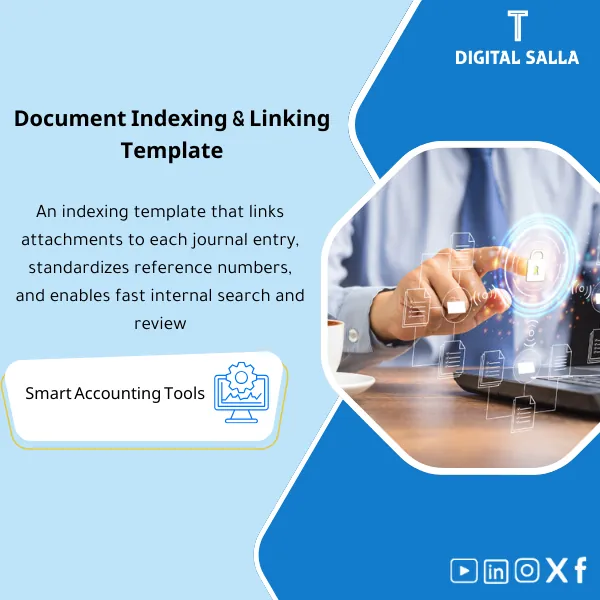
Document Indexing Template – Excel Template
34.31 $
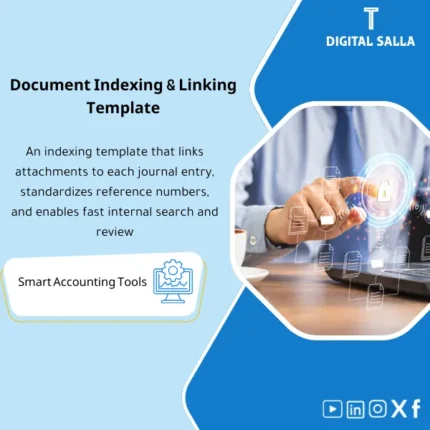
Accounting Document Indexing: Links each invoice/receipt/contract to the JE number, archiving links, and a search key (Doc ID/Period/Account). Delivers a fast evidence index to support close and audit preparation without manual searching.
Indexing Accounting Documents
Indexing Template for invoice and voucher indexing and linking documents to entries (JE/ERP) + Closing Document Search + Evidence Index ready for delivery
Value Proposition: Indexing Accounting Documents is the difference between “a record exists” and “a record is traceable”: instead of searching for an invoice/voucher/bank statement during the review or at Month-End, this Indexing Template builds a document guide linked to each JE (entry number/ERP reference) and the archiving path—allowing you to retrieve Evidence for any entry within minutes and prepare the Closing Pack without chasing files.
In 20 Seconds: What Will You Get?
- Unified Invoice and Voucher Index: Doc ID + Document type + Number + Date + Amount + Party.
- Linking Documents to Entries: Original JE ref / ERP voucher ref + Period + Cost center/Entity (if applicable).
- Closing Document Search: Ready-to-filter Views by (Month-End / Account / Vendor / Entry Number).
- List of Missing Evidence: Missing/incomplete documents before month-end closing.
- Indexing Template with Naming convention and Archiving map (Folders) to standardize saving paths.
- Tracker for Audit Requests: Who requested? What was requested? When was it delivered? Evidence link.
- Closing Pack Index: Ready delivery page to attach with the closing/audit file.
CTA related to outputs: you will receive Evidence Index + Closing Pack Index + Search Views + Audit Request Tracker ready for use.
Suitable For
- Chief Accountant / GL: Linking JE Log to documents and preparing Closing Pack without manual searching.
- Financial Controller: Ensuring Evidence completeness before Month-End and reducing “missing documents”.
- Internal/External Audit Liaison: Delivering audit requests with a single reference (Doc ID ↔ JE ↔ Link).
Not Suitable For
- If you need a complete archiving platform (DMS) with complex permissions and OCR and search within PDF files—this is an indexing template, not a system.
- If your company lacks any structure for file storage (no Drive/Server/SharePoint) and no paths—there must be a minimum storage location.
Without Indexing / With Indexing (Brief Comparison)
| Scenario | Without Indexing | With Indexing Template |
|---|---|---|
| Month-End | Closing Pack = Disparate files + Hard to prove Evidence for each JE | Closing pack index ready + JE ↔ Doc links + List of missing items |
| Auditors | Requests for “get the invoice” turn into email/WhatsApp chases | Doc ID + link + status + Delivery log (Request tracker) |
| Documenting Entries | Entry exists but “the evidence” is unknown where it is | Linking documents to entries within index + Evidence completeness before closing |
Before Use: 5 Symptoms That Accounting Document Archiving Is Inefficient
- You ask “Where is the invoice?” and start a search journey between email/WhatsApp/desktop.
- At Month-End, Manual entries appear without clear Evidence because the document is not linked to the entry.
- The same document is repeatedly saved under different names, with no unified Naming convention.
- Audit requests are managed manually: there is no record showing what was delivered, when, and by whom.
- There is no “Closing Document Search” by entry number/period/account, wasting hours in sorting.
How Indexing Accounting Documents Works Practically Within the Closing Cycle?
The approach here builds a single path: the document enters → indexed by Doc ID → linked to the entry (JE/ERP reference) → saved in a standardized path → appears in ready Views for closing and review. Instead of saying “the document exists,” you say: Doc ID = X, linked to JE# = Y, and located in Folder path/Link = Z.
Implementation Method (3 Steps)
Step 1: Preparation and Report Collection
- Establishing the structure: Document types (Invoice/Receipt/Bank advice/Contract/GRN… etc.) + Doc ID numbering method.
- Defining the archiving path: Drive/SharePoint/Server + Naming convention (Year/Month/DocType/DocID).
- Defining linking fields: Entry number (JE#) or ERP voucher reference + period + entity/branch + account/cycle.
Step 2: Reconciliations + Matches + JE Log
- When recording an entry or receiving a document: it is recorded in the Indexing Template as a single row: Doc ID + Document data + Link/Path.
- Documents are linked to entries via (JE ref / batch / voucher #) and linked to the cycle (AP/AR/Treasury/Inventory).
- Any missing or incomplete document is marked as an “Exception” to prevent closing with incomplete files.
Step 3: Adjusted TB + Lists + Closing Pack
- Before Month-End: Run the “Closing Document Search” View to produce a list of evidence for critical entries (Manual entries / Reclass / Accruals).
- Generate Closing Pack Index as a delivery index: a list of documents linked to the closing file + their paths.
- When auditors request: use the Audit Request Tracker to link the request to Doc ID and prove the delivery date.
Product Components (Clear Inventory)
-
Master Index (Primary Document Index)
- Practical Purpose: Create a unified index for all accounting documents (Doc ID + Type + Number + Date + Amount + Party).
- When to Use: Daily upon receiving the document or immediately after recording the entry.
- Resulting Evidence: A filterable index proving the document’s existence and location.
-
JE Linking Fields (Linking Documents to Entries)
- Practical Purpose: Fixed linking fields: Original JE ref / ERP voucher ref / Batch + Period + Entity.
- When to Use: Immediately upon creating the entry or after posting according to your system.
- Resulting Evidence: Traceability: Doc → JE → Period → Owner.
-
Evidence Completeness Flags
- Practical Purpose: Identify missing documents: Missing file / Missing approval / Missing reference.
- When to Use: Daily + before closing (Week-4).
- Resulting Evidence: List of missing evidence (Blocking list) before Month-End.
-
Search Views (Closing Document Search)
- Practical Purpose: Ready Views for searching by (Month/Account/Vendor/JE#/Doc type/Amount range).
- When to Use: In Week-4 and during audit requests.
- Resulting Evidence: Delivery/Search lists that can be saved within the Closing Pack.
-
Closing Pack Index (Closing Delivery Index)
- Practical Purpose: A delivery page linking closing evidence to closing entries and Reconciliations files and JE log.
- When to Use: Month-End and Year-End.
- Resulting Evidence: A clear index attached to the Closing Pack for delivery to the Chief Accountant/Auditor.
-
Audit Request Tracker
- Practical Purpose: Document audit requests: the request, owner, delivery date, what was delivered, and the link.
- When to Use: During internal/external audits and after closing.
- Resulting Evidence: Delivery log proving response to each request.
-
Naming & Archiving Guide (Practical Accounting Archiving System)
- Practical Purpose: Standardize file and folder names (Year/Month/DocType/DocID) to reduce duplication and loss.
- When to Use: When setting up the archive for the first time, then applied daily.
- Resulting Evidence: Written archiving rules + a folder map that can be adopted.
What Should Be Included in the Delivery?
- 01-Accounting-Indexing-Template.xlsx: Master Index + Doc ID + Type/Number/Date/Amount/Party fields.
- 02-JE-Linking-Register.xlsx (or within the same file): Linking documents to entries (JE/ERP references) + Period/Entity.
- 03-Evidence-Completeness-Checks.xlsx: Flags for missing evidence + Blocking list before closing.
- 04-Search-Views.xlsx: Ready Views for Closing Document Search by account/period/vendor/JE#.
- 05-Closing-Pack-Index.xlsx: Closing delivery index (JE log + Reconciliations + supporting docs).
- 06-Audit-Request-Tracker.xlsx: Audit request log + delivery date + evidence link.
- 07-Naming-&-Archiving-Guide.docx: Naming convention + folder structure for archiving.
- 08-Quick-Guide.pdf: Quick run-through (Daily input → Link JE → Prepare Month-End index).
- 09-Archiving-Map.docx: Proposed folder tree (Year/Month/DocType) + copy rules.
After Implementation (Two Points Only)
- Operational Result for the Team: Closing time is reduced “practically” because you do not start searching for documents in Week-4; evidence is indexed daily and automatically transitions into the Closing Pack index.
- Control/Audit Result: Every entry can be traced: JE ref ↔ Doc ID ↔ Path/Link ↔ Evidence status ↔ who reviewed/delivered, making the examination based on evidence rather than correspondence.
FAQ — Questions Before Purchase
Is it suitable for any ERP system?
Yes. The linking is done via the entry number/voucher/batch reference that you can extract from any ERP.
Is this a complete “Accounting Archiving System”?
It is a template and methodology for indexing and archiving (Index + Naming + Controls). It is not a DMS platform nor does it automatically search within PDF files.
How do I link documents if they are on SharePoint/Google Drive/Server?
You record the Link or Folder path in designated fields. The goal is to prove “the location of the evidence” and link it to Doc ID and JE ref.
Can it be used to index VAT invoices and bank vouchers?
Yes. The “Invoice and Voucher Index” is a core component: invoices/receipts/bank advices/credit notes… with document type and entry reference.
Does it support multiple branches/entities?
Yes, by adding Entity/Branch as a mandatory field; then extracting Search views for each entity and a consolidated Closing pack index.
Is it useful for Month-End only or Year-End as well?
For both. At Year-End, it becomes more relied upon due to the volume of audit requests and evidence details, and having an Audit request tracker provides a clear delivery record.
What is the minimum data required to start?
Doc type + Doc number/date + amount + JE/ERP reference + path/link. Without these fields, you cannot prove the linkage.
Can it be linked with an existing JE Log or Closing Pack?
Yes, using the same reference numbers (JE#/voucher#). The index becomes an “evidence layer” over the JE log and Reconciliations files.
Ready to Exit Closing with a Deliverable Evidence File?
Outputs: Indexing Template + Linking JE ↔ Docs + Search views + Closing Pack Index + Audit Request Tracker.
| المسمّى الوظيفي | |
|---|---|
| Duration | |
| المستوى | |
| التحديثات | |
| القطاع | |
| الصيغة |
Related products

Customer Contracts Register – Excel Template
Customer Contract Management Template is a comprehensive Excel-based program to manage customer contracts effectively, including contract data, payments tracking, completion percentages, delivery dates, and project profitability—supported by automated reports that improve contract oversight and customer relationships.



Reviews
Clear filtersThere are no reviews yet.