



BOM Template with Versioning – Excel Template
55.59 $
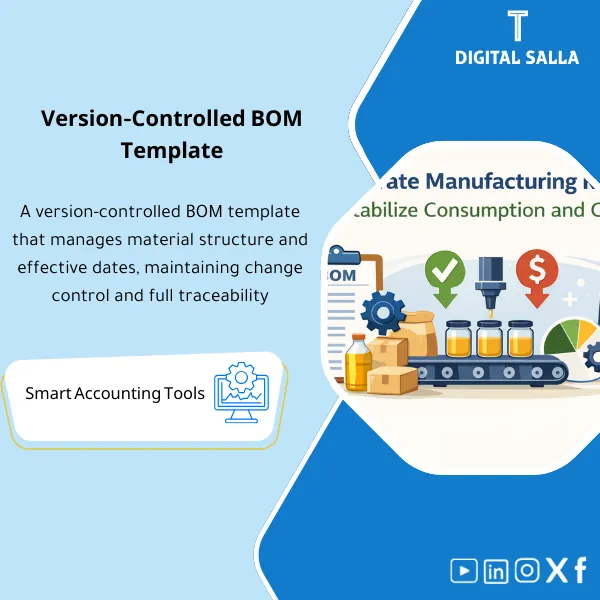
BOM (Bill of Materials) Template: Records components and quantities with versioning, effective dates, material alternatives, and standard scrap rates. Delivers an ERP-ready BOM supporting production orders and standard costing control.
BOM Template (Bill of Materials)
BOM Template on Excel for managing BOM Version and BOM Effective Date and Material Alternatives with a BOM Cost (Cost Roll-up) tab ready for delivery or upload in ERP.
Value Proposition: If production costs are changing “without explanation” or material consumption in production orders does not match reality, it means your BOM is unmanaged (no Version or Effective Date). This template transforms the BOM Template into an auditable record: Version, Effective Date, Alternatives, and cost outputs that can be linked to Standard Cost, inventory entries, and COGS.
Practically, a Bill of Materials (BOM) is not just a list of components.
It is the “source of truth” for three sensitive files: (1) material consumption in production, (2) standard product cost (Standard Cost),
(3) inventory valuation and explanation of COGS and WIP variances.
The problem arises when a company uses an “outdated” BOM or one without an Effective Date, leading to discrepancies: over/under issues, illogical unit costs,
and untraceable production variances.
In 20 seconds: What will you get?
- Excel Bill of Materials Template with a clear structure: BOM Header + BOM Lines + Multi-level.
- Management of BOM Version for each product + a simple Change Log for tracking.
- BOM Effective Date fields (From/To) to prevent running an old version on new production orders.
- Material Alternatives tab with usage rules (Primary/Secondary + Conditions).
- BOM Cost tab: Cost Roll-up of components to produce an auditable unit cost.
- Validation Checklist: UOM mismatch, undefined components, illogical scrap/yield ratios, incomplete BOM.
- Sign-off page for approving the version “Ready for Production / Ready for ERP Upload.”
The button is linked to the outputs: BOM Register + Version/Effective Dates + Alternatives + BOM Cost Roll-up.
Suitable for
- Cost Accountant / Manufacturing Accountant: Needs an interpretable unit cost linked to Standard Cost and COGS.
- ERP Data Migration / Master Data Team: Wants a “organized + verified + approved” BOM upload file instead of scattered sheets.
- Production Planning / Operations (with Finance): Needs an accurate BOM to reduce spending variances and discrepancies.
Not Suitable for
- If there are no standardized Item Codes and no fixed UOM — you will spend time cleaning the Item Master before any BOM.
- If you expect the template to “build” a BOM for you without engineering data/product specifications — the template documents and manages the version, it does not infer components.
Without the Template / With the BOM Template
| Item | Without the Template | With the Template |
|---|---|---|
| Version Management | One BOM “is modified” without a record | BOM Version + Change Log + Sign-off |
| Effective Date | Running an old version on new production | BOM Effective Date prevents using an incorrect version |
| Product Cost | Standard Cost with an unclear source | BOM Cost (Cost Roll-up) is interpretable and auditable |
Before Use: 5 Symptoms That Your BOM is “Causing Variances”
- Recurring material consumption variances (Over/Under Issue) with no consistent explanation for each product.
- Engineering/operational changes occur but there is no clear Version or Effective Date indicating from when the change applies.
- Standard Cost changes upon updating or uploading in ERP without a file detailing cost components.
- Material alternatives are used in the factory but not documented, leading to discrepancies in inventory and COGS.
- UOM mismatch (kg/g/item) results in illogical quantities in production orders or cost calculations.
How to Use the BOM Template Practically?
The idea is not to “record components,” but to build a BOM file used as a reference for operations and costs:
What is the approved version? From what date does it start? What are the allowed alternatives? And what is the product cost resulting from the BOM before it enters Standard Cost or MRP?
Therefore, the template guides you through a pathway: data collection → building the BOM → verification and approval → extracting the upload/delivery file.
Application Method (3 Steps)
Step 1: Preparation and Input Collection
- List of Finished Goods + List of Components (Item Codes) + UOM for each item.
- Quantity policy: Qty per unit + Scrap/Yield if part of the operation.
- Define the application point: BOM Effective Date for each version (Effective From/To).
- Component cost file (Last Price/Standard/Moving Average) if your goal is to activate BOM Cost.
- (If applicable) Material alternatives rules: which component can be substituted and under what conditions.
Step 2: Building the BOM + Version Management
- Fill in the BOM Header (Product/Version/Status: Draft or Released).
- Fill in the BOM Lines: components, quantities, UOM, Scrap/Yield ratios (optional), and Warehouse/Plant (as per your environment).
- Add BOM Version for any significant change instead of modifying the same version.
- Fill in the Material Alternatives tab and specify the priority of the alternative (Primary/Secondary) or operational condition.
- Run Validations (UOM/Completeness/Duplicates) and close exceptions.
Step 3: Extracting Outputs and Approving
- Run BOM Cost (Cost Roll-up) to produce a logical unit cost with detail (Component Cost Breakdown).
- Issue a “ERP Upload View” version with appropriate columns for import (Excel/CSV).
- Sign-off: Approve the version, date, and responsible person, documenting any exceptions or operational notes.
- Use the outputs for: updating Standard Cost, or delivering the BOM file to the factory/planner/ERP team.
Product Components (Clear Inventory)
-
BOM Header Register (Product Definition + Version)
- Practical Purpose: Define each BOM as an independent entity (Finished Good + Version + Status).
- When Used: When creating a new version or preparing for ERP upload.
- Resulting Evidence: BOM Version record with the version status and approval.
-
BOM Lines Sheet (Components and Quantities)
- Practical Purpose: Record components Qty per Unit + UOM + operational properties (optional).
- When Used: During the construction or update of the product structure.
- Resulting Evidence: Auditable BOM Lines matching product/operational documents.
-
Effective Dates Sheet (From/To)
- Practical Purpose: Set the BOM Effective Date for each version to ensure the correct version is used.
- When Used: Before releasing the version and before starting new production orders.
- Resulting Evidence: A validity table preventing version overlaps or running an invalid version.
-
Alternatives / Substitutes (Material Alternatives)
- Practical Purpose: Document approved alternatives and reduce “unrecorded manual consumption.”
- When Used: When there is a material shortage/different supplier/specification change.
- Resulting Evidence: Record of material alternatives with priority of the alternative and usage rules.
-
BOM Cost Roll-up (BOM Cost)
- Practical Purpose: Aggregate component costs to produce an auditable “Unit Cost” before updating Standard Cost.
- When Used: Before approving product cost, or before pricing, or before variance analysis.
- Resulting Evidence: Product cost breakdown by components explaining where the unit cost came from.
-
Validation Checklist + Exceptions Log
- Practical Purpose: Prevent loading errors and running an incomplete BOM (UOM mismatch / Missing components / Duplicates).
- When Used: Before Sign-off and before ERP Upload.
- Resulting Evidence: Closed exceptions log + “Ready for Release” checklist.
-
ERP Upload View (Export)
- Practical Purpose: Produce a structured upload/import file according to ERP requirements.
- When Used: At the time of migration or when updating BOM within the system.
- Resulting Evidence: Clear upload file + archived copy for reference.
What Should Be Included in the Delivery?
- Main Excel File including tabs: BOM Header / BOM Lines / Effective Dates / Alternatives / BOM Cost / Validations / Exceptions / Export View / Sign-off.
- Export Version (CSV Ready) or “ERP Upload View” with columns adaptable to your system.
- Concise Runbook: Version rules, when to open a new Version, how to set Effective Date, and how to approve BOM before running it.
- Archiving Structure: Drafts / Released Versions / Cost Snapshots / Approvals / Exceptions History.
- Cost Reference (if using Cost Roll-up): Source of component costs and its history (Price List / Standard / Avg) to establish auditability.
After Implementation (Two Points Only)
- Operational Result for the Team: Any change in BOM becomes “New Version + Effective Date” instead of random modifications; reducing operational errors, import rejections, and version overlaps.
- Control/Audit Result: Product cost and BOM file have Trace: version components + effective date + alternatives + cost source + Sign-off — deliverable for internal review or ERP audit trail.
FAQ — Questions Before Purchase
Is the template suitable for any ERP?
Yes. The template prepares BOM data on Excel. You only need to adapt the “Export View” columns to match your system’s import interface (Excel/CSV).
Does it support Multi-level BOM (more than one level)?
Yes, multiple levels can be represented by defining Sub-assemblies as intermediate items and linking them in BOM Lines, while maintaining the version and effective date for each level as needed.
Does it officially support BOM Version and BOM Effective Date?
Yes, there are fields for Version + Effective From/To + Status (Draft/Released) + Sign-off to document “which version is active and when.”
Does it include material alternatives?
Yes, there is a Material Alternatives tab to document allowed alternatives and specify their priority or usage conditions.
Can I calculate BOM Cost?
Yes, the BOM Cost tab aggregates component costs (Cost Roll-up) provided it is supplied with cost for each component (Standard/Avg/Price List) according to your policy.
Does it cover Routing, time, labor, and overhead?
The product focuses on BOM (materials). If your environment requires Routing/Times/Overhead as part of Standard Cost, a “Reference” can be added within the template, but the Routing setup itself within ERP is not included in this product.
What is the minimum data required to get started?
Finished Good + Component Codes + Qty per unit + UOM. And if you want Cost Roll-up: cost for each Component + cost date.
Can it be used for migration or just for documentation?
It is suitable for both: internal documentation + preparing an organized BOM upload file (Export View) for ERP Data Migration teams.
If you want a Managed BOM (Version + Effective Date) before paying for production variances
Outputs: BOM Template Excel + BOM Version + BOM Effective Date + Material Alternatives + BOM Cost.
| المسمّى الوظيفي | |
|---|---|
| Duration | |
| المستوى | |
| التحديثات | |
| القطاع | |
| الصيغة |
Related products



Reviews
Clear filtersThere are no reviews yet.