




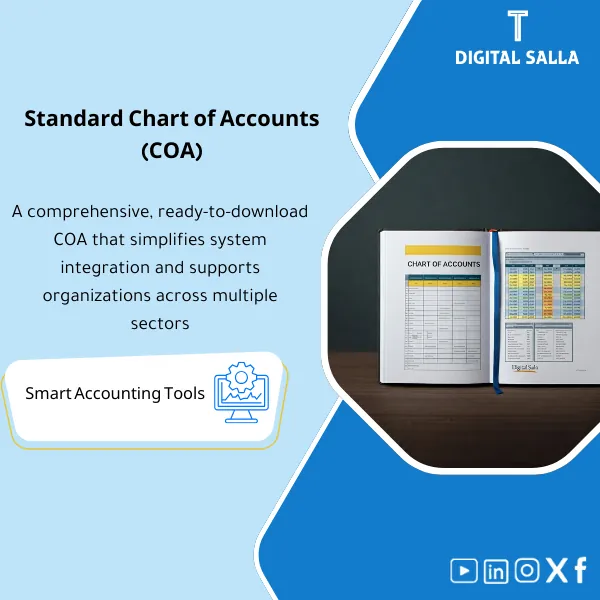
Standard Chart of Accounts – Excel File
318
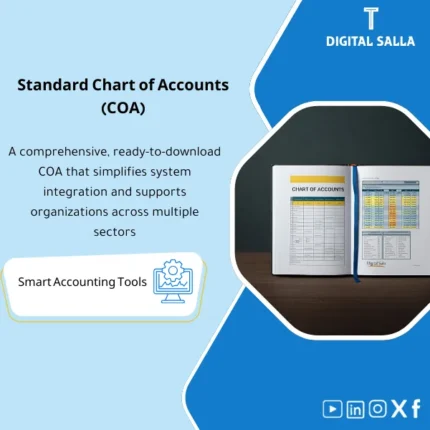
Chart of Accounts Template (Excel): A professionally structured and flexible CoA aligned with IAS/IFRS, including clear guidance and practical use cases for each account. Enables accurate posting, reliable financial statements, and KPI-driven performance analysis.
Still Building Your Chart of Accounts from Scratch? Get It Done in 20 Minutes
Stop wasting weeks designing account structures that may not even comply with international standards. This ready-made Excel file gives you a fully structured, IAS/IFRS-aligned Chart of Accounts with a complete 5-level hierarchy you can customize and import into any ERP — saving you countless hours of manual setup and costly consultant fees.
🛡️ 7-Day Guarantee
📊 IAS/IFRS Compliant
4 Signs You Need a Standard Chart of Accounts Right Now
1Building from Zero Every Time: You spend weeks creating account structures from scratch for each new company or project, duplicating effort that should have been standardized long ago.
2Non-Compliant Account Coding: Your current chart lacks proper alignment with IAS/IFRS, leading to audit findings and financial statement reclassifications every reporting cycle.
3ERP Migration Headaches: Importing your accounts into a new ERP system turns into a nightmare because the data is unstructured, inconsistent, or missing critical mapping fields.
4Inconsistent Reporting: Different departments or branches use different account structures, making consolidation and comparison nearly impossible without manual rework.
What You Get
A comprehensive Excel file packed with everything you need to set up and manage a professional chart of accounts
| 5-Level Account Hierarchy | Complete account tree organized into logical segments with standardized code ranges covering all account categories |
| Posting Rules Sheet | Pre-defined BS vs P&L classification, normal balance indicators, and currency posting rules for every account |
| Financial Statement Mapping | Each account is mapped to its corresponding line item in the Balance Sheet, Income Statement, or Cash Flow Statement |
| Control Accounts Setup | Pre-configured AP/AR/Inventory/Fixed Assets control accounts linked to their subledger modules |
| ERP Import Sheet | An import-ready template formatted for direct upload into any major ERP system without reformatting |
| Change Log & Sign-Off Sheet | Built-in version control and approval tracking to document every modification with full accountability |
How to Use It in 4 Simple Steps
Download & Review the Structure
Open the Excel file and review the 5-level account hierarchy. Familiarize yourself with the segment codes, naming conventions, and the overall organizational logic.
Customize to Your Business
Add, remove, or rename accounts to match your company’s specific operations. Adjust account ranges and sub-categories to reflect your industry and reporting needs.
Verify Posting Rules & Mappings
Review the posting rules, control account linkages, and financial statement mappings to ensure they align with your internal policies and compliance requirements.
Import into Your ERP
Use the ERP Import Sheet to upload the finalized chart directly into your system — whether it is SAP, Oracle, Odoo, or any other platform — and start posting transactions immediately.
Before vs After Using the Standard Chart of Accounts
| Aspect | ❌ Without | ✅ With Product |
|---|---|---|
| Setup Time | 3–6 weeks of manual work | 20 minutes to customize and import |
| IAS/IFRS Compliance | Uncertain — risk of audit issues | Pre-built alignment with international standards |
| ERP Migration | Messy reformatting and errors | Import-ready sheet — plug and play |
| Financial Reporting | Inconsistent and hard to consolidate | Standardized mapping to financial statements |
You are an accountant, financial controller, CFO, or consultant who needs a professional, standards-compliant chart of accounts — whether you are setting up a new company, migrating to a new ERP, or restructuring your current accounting framework.
You are looking for a fully automated accounting software solution, or you need a chart of accounts for a highly specialized regulatory environment that requires government-specific account codes.
Can I add or remove accounts to fit my business?
Absolutely. The file is fully editable in Excel. You can add new accounts, remove ones you do not need, or rename them — the hierarchical structure and coding logic make it easy to extend without breaking anything.
Is it compatible with my ERP system?
Yes. The included ERP Import Sheet is formatted as a standard CSV/Excel template that works with SAP, Oracle, Odoo, QuickBooks, and most other platforms. Minor field mapping may be needed depending on your system.
Does it support subledger integration?
Yes. The file includes pre-configured control accounts for Accounts Payable, Accounts Receivable, Inventory, and Fixed Assets — all designed to link seamlessly with their respective subledger modules.
Is this a one-time purchase or a subscription?
It is a one-time purchase. You pay once and get the file instantly, plus free lifetime updates whenever the template is improved or expanded — no recurring fees, ever.
Ready to Set Up a Professional Chart of Accounts in Minutes?
Stop building from scratch — get a proven, IAS/IFRS-compliant structure that saves you weeks of work
| الفئات | Comprehensive Financial Solutions |
|---|---|
| Job Title | Accountant |
| Level | Intermediate |
| Format | Excel |


Reviews
Clear filtersThere are no reviews yet.