


Chief Accountant Toolkit – KPIs & Control Templates
418
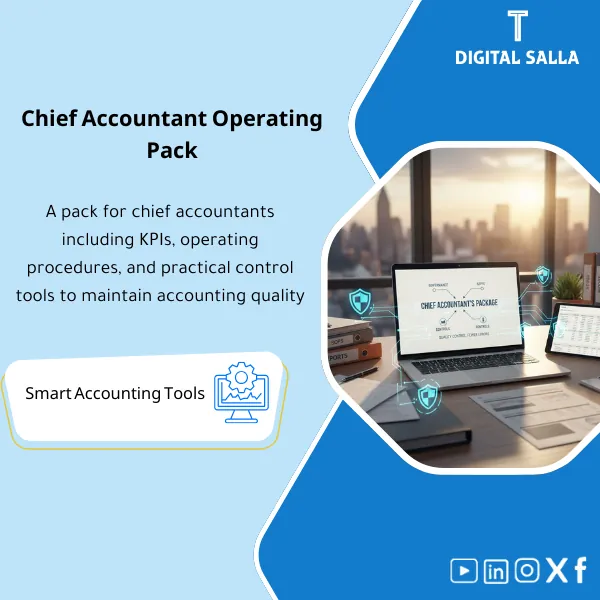
Chief Accountant Operations Pack: Organizes accounting operations through task governance, SOPs, KPIs, and daily control checklists. Delivers a close calendar and accounting quality reports for teams closing monthly with fewer recurring errors.
Still Running Your Accounting Department on Scattered Spreadsheets and Verbal Instructions?
Take full control of your accounting operations with a complete Chief Accountant Toolkit — from a Month-End Closing Runbook and detailed SOPs to a KPI Dashboard and Internal Control Matrix — everything you need to lead your team with confidence, eliminate errors, and pass every audit without breaking a sweat.
🛡️ 7-Day Guarantee
📝 Editable Word File
5 Signs You Desperately Need This Toolkit
1Chaotic Month-End Closings: Your team scrambles every closing cycle with no clear checklist or timeline, leading to missed deadlines and last-minute panic.
2Undocumented Processes: Key procedures for AP, AR, GL, and bank reconciliation live in people’s heads — not in written SOPs — creating risk every time someone is absent.
3No Performance Visibility: You cannot measure your team’s efficiency or spot bottlenecks because there is no dashboard tracking closing timelines, aging, or cycle times.
4Weak Internal Controls: Without a proper Control Matrix, you have no structured way to identify control gaps, assign ownership, or demonstrate compliance to auditors.
5Audit-Readiness Anxiety: You lack sign-off logs and evidence tracking, so every audit request turns into a stressful scramble through emails and folders.
What You Get
Over 20 ready-to-use templates covering every aspect of chief accountant operations
| Month-End Closing Runbook | Step-by-step closing playbook with task sequencing, dependencies, deadlines, and reviewer assignments |
| Accounting SOPs | Standard operating procedures for AP, AR, GL, Bank Reconciliation, and Fixed Assets |
| KPI Dashboard | Visual tracker for Closing Timeline, Reconciliation Aging, AP Cycle Time, and AR Collection metrics |
| Control Matrix | Comprehensive internal control framework mapping risks, controls, owners, and testing frequency |
| Evidence & Sign-off Logs | Structured logs to document review and approval of Trial Balance, Journal Entries, and Reconciliations |
| RACI & Delegation Map | Clear responsibility assignment matrix defining who is Responsible, Accountable, Consulted, and Informed |
| Issue Log | Tracking register for accounting issues with Root Cause Analysis and resolution follow-up |
How to Use It in 4 Simple Steps
Download & Customize
Download the toolkit instantly after purchase. Open the editable Word files and tailor the templates to match your company’s ERP system, chart of accounts, and team structure.
Deploy Your Closing Framework
Roll out the Month-End Closing Runbook to your team. Use the RACI Map to assign clear ownership and distribute the SOPs so every process has a documented standard.
Activate Controls & Tracking
Implement the Control Matrix to formalize your internal controls. Begin using Sign-off Logs for every closing task. Populate the KPI Dashboard to monitor team performance in real time.
Monitor & Improve
Use the Issue Log to capture and resolve accounting exceptions with root cause analysis. Review KPI trends monthly to drive continuous improvement across your department.
Your Department Before vs. After This Toolkit
| Aspect | ❌ Without | ✅ With Toolkit |
|---|---|---|
| Month-End Closing | Disorganized, missed deadlines, firefighting mode | Structured Runbook with clear checklists and timelines |
| Process Documentation | Tribal knowledge, inconsistent execution | Written SOPs ensuring standardized procedures company-wide |
| Performance Tracking | No visibility into team efficiency or bottlenecks | KPI Dashboard with real-time metrics and trend analysis |
| Audit Readiness | Scrambling to find evidence, stressful audits | Control Matrix with documented sign-offs and evidence logs |
You are a Chief Accountant, Accounting Manager, or Financial Controller who wants to professionalize department operations. Whether you are building processes from scratch or upgrading existing ones, this toolkit gives you the proven frameworks to lead with structure, accountability, and measurable results.
You are looking for automated accounting software or an ERP system. This toolkit provides strategic management templates and frameworks — not transactional software. It complements your existing systems, not replaces them.
Will this work with my ERP or accounting software?
Absolutely. The templates are delivered as editable Word files designed to work alongside any ERP system — SAP, Oracle, QuickBooks, Odoo, or any other platform. You simply customize them to match your specific setup.
How quickly can I implement the full toolkit?
The toolkit is designed for fast deployment. Most teams can customize and roll out the core components within 3 to 5 business days. You can also implement in phases starting with the Runbook and SOPs first.
Is this suitable for small accounting teams?
Yes. The toolkit scales to fit teams of any size. Whether you manage 2 people or 20, the frameworks help you establish clear processes, assign responsibilities, and maintain professional standards.
Do I get free updates in the future?
Yes. Your purchase includes free lifetime updates. Whenever we enhance or expand the toolkit, you will receive the updated version at no additional cost.
Ready to Transform Your Accounting Department from Reactive to Proactive?
Get the complete Runbook + KPI Dashboard + Control Matrix and every template you need to lead your team with confidence and precision
| الفئات | Comprehensive Financial Solutions |
|---|---|
| Job Title | Chief Accountant |
| Level | Advanced |
| Format | Bundle |



Reviews
Clear filtersThere are no reviews yet.