
Inventory & COGS Model – Excel File
111.44 $
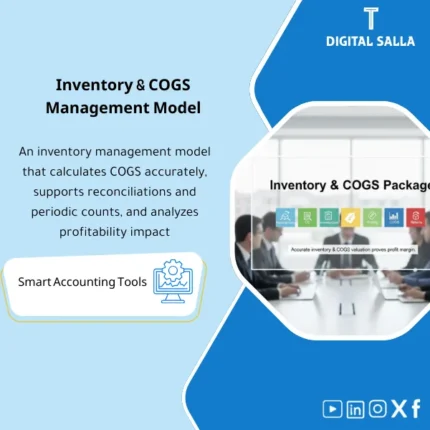
COGS Calculation Pack: Connects inventory movements (receipts, issues, counts, returns) to inventory valuation and pricing entries. Delivers reconciled COGS and gross margin across sales, purchases, and inventory—ideal for retail, e-commerce, and manufacturing.
Inventory Management Package + COGS
Warehouses + Inventory Control + Costing — Retail / E‑com / Manufacturing (Monthly basis for closing inventory and cost of sales)
Value Proposition: The Cost of Goods Sold (COGS) package related to inventory and warehouse movements: links receipts/issues/transfers/returns to the GL, producing Inventory Valuation + COGS Schedule + documented variances + traceable monthly delivery files.
In 20 Seconds: What Will You Get?
- Inventory Movement Ledger (receipts/issues/transfers/returns/reconciliations) at the SKU and Warehouse level.
- Inventory Valuation template that can be linked to month-end closing.
- COGS Schedule to derive cost of sales and link it to sales/issues (based on the adopted method: FIFO / Weighted Avg /… according to your data).
- Reconciliation between inventory balance (Sub-ledger/Reports) and inventory balance in GL + explanation of variances.
- Exception & Variance Log: discrepancies in inventory/damaged goods/incomplete transfers/inconsistent pricing.
- Month-End Checklist for inventory and cost: what to review before approving COGS and inventory at period-end.
- Closing Pack for inventory and cost: indexed delivery (Valuation + COGS + Reconciliations + Support).
CTA related to outputs: use it to close the month with Inventory Valuation and COGS Schedule linked to documented variances (Reconciliation + Variance Log).
Suitable For
- Inventory Accountant managing warehouse movements and seeking a traceable monthly valuation file.
- Head of Accounts needing to link inventory to the GL and produce interpretable COGS during audits.
- Retail/E-commerce Company with multiple SKUs needing to adjust receipts/issues/returns before approving costs.
Not Suitable For
- Complex manufacturing relying on multi-stage BOM + detailed WIP + overhead allocation as a primary methodology (this case requires an advanced manufacturing/cost package).
- Those without movement data at the SKU/Quantity level or unable to extract inventory/sales/purchase reports for the period (COGS will not appear in a traceable manner).
Without the Package / With the Package (Short Comparison)
| Item | Without the Package | With the Package |
|---|---|---|
| Inventory Valuation | Ending balance not documented with a clear movement trail | Inventory Valuation based on movements + support + visible variances |
| COGS | Cost of sales is a “closing” number without linking to quantities/issues | COGS Schedule links issues/sales to costs according to a clear methodology |
| Link to GL | Discrepancies between inventory report and GL balance appear late | Reconciliation + explanation of variances + documented adjustment entries as needed |
| Delivery | Scattered files (movements/inventory/cost) without indexing | Indexed Closing Pack: Valuation + COGS + Reconciliations + Support |
Before Use: 5 Symptoms That Waste COGS in Closing
- Inventory balance in the warehouse report does not match the inventory account balance in the GL at month-end.
- Customer returns/vendor returns are recorded in accounting but do not appear in SKU movement for the same period (Cut-off).
- Transfers between warehouses are incomplete, resulting in “pending” quantities or internal discrepancies.
- Issue pricing is inconsistent (or differing cost methods between branches/channels), resulting in fluctuating COGS without explanation.
- Inventory (Cycle Count/Full Count) results in discrepancies, but there is no Variance Log linking the difference to the entry and support.
Calculating Cost of Goods Sold (COGS): Application Method (3 Steps Without Gaps)
Step 1: Preparation and Report Collection
- Extract opening inventory balance + movements of receipts/issues/transfers/returns according to your system.
- Extract period purchases (PO/GRN or Purchases Report) + sales/shipments for the period (Sales/Shipments) according to the channel.
- Define the scope of work: Warehouses + SKU + closing period + adopted cost method (FIFO / Weighted Average /… according to company policy).
Step 2: Inventory Movement + Reconciliations + Cost Calculation
- Establish the inventory movement (Inventory Movement Ledger) and link each movement to its document (GRN/Issue/Transfer/Return).
- Perform Reconciliations between inventory balance (Sub-ledger/Reports) and GL, compiling variances within the Exception/Variance Log.
- Calculate the cost of issues/sales via COGS Schedule according to available data and the adopted methodology, highlighting any exceptions (Zero Price/Cost Unavailable/Negative Stock).
Step 3: Inventory Valuation + COGS + Closing Pack
- Generate Inventory Valuation (Ending Inventory) supported by movements, quantities, and costs.
- Approve COGS Schedule and link it to monthly results (sales/issues/transfers according to the nature of the activity).
- Compile Closing Pack for inventory and cost: Reconciliations + Valuation + COGS + Variance/Exceptions + Support Index.
Package Components (Clear Inventory)
-
SKU & Warehouses Setup (Foundation of Items and Warehouses)
- Practical Purpose: Standardize SKU definitions (units/categories) + Warehouse codes to avoid item duplication and movement dispersion.
- When Used: Once during setup + updated when adding SKU/Warehouse.
- Resulting Guide: SKU Master + Warehouse Mapping + Naming/Coding Rules.
-
Inventory Movement Ledger (Inventory Movement Record)
- Practical Purpose: Consolidate receipts/issues/transfers/returns/reconciliations in a single ledger at the SKU and Warehouse level.
- When Used: Monthly as a basis for any valuation or COGS.
- Resulting Guide: Movement Ledger + Document References (GRN/Issue/Transfer/Return).
-
Costing & COGS Schedule (COGS Calculation Template)
- Practical Purpose: Calculate the cost of issues/sales and link it to movement quantities, highlighting cost exceptions.
- When Used: Monthly at Month-End before approving monthly results.
- Resulting Guide: COGS Schedule + Layers/References of costs (according to your company’s methodology) + Exception List.
-
Inventory Valuation (Ending Inventory Valuation)
- Practical Purpose: Extract the value of inventory at month-end and link it to movements and costs instead of an unsupported aggregated number.
- When Used: Monthly + year-end when needed for audit delivery.
- Resulting Guide: Valuation Report (Quantity/Cost/Value) by SKU/Warehouse.
-
Reconciliation: Inventory Sub-ledger vs GL
- Practical Purpose: Match the inventory balance (warehouse reports) with the inventory account in GL and show variances before closing approval.
- When Used: Monthly as part of Month-End.
- Resulting Guide: Reconciliation Sheet + Explanation of Variances + Proposed Adjustment Entries (if necessary).
-
Cycle Count & Variance Log (Inventory and Variances)
- Practical Purpose: Document inventory discrepancies and link them to SKU/Warehouse and the supporting accounting entry (Shrinkage/Write-off).
- When Used: Monthly/Quarterly according to inventory policy, strongly at year-end.
- Resulting Guide: Count Sheets + Variance Log + Reference for supporting entries.
-
Slow-moving / Obsolete Review (Slow-moving/Obsolete Review)
- Practical Purpose: Identify slow-moving/obsolete items to issue an accounting recommendation (Provision/Write-down) according to company policy.
- When Used: Monthly as an internal review + annually to support provision items.
- Resulting Guide: Aging/Slow-moving Schedule + Item List + Proposed Financial Impact.
-
Month-End Checklist + Closing Pack Template
- Practical Purpose: Transform inventory and cost closing into a task sequence + indexed delivery.
- When Used: Every Month-End, with expanded files at Year-End.
- Resulting Guide: Completed Checklist + Closing Pack Index + Traceability.
You will receive a monthly pathway ending with Inventory Valuation + COGS Schedule + Reconciliation ready for delivery.
What Should Be Included in the Delivery?
- Setup Section: SKU Master + Warehouse Mapping + Definition of Measurement Units/Categories.
- Movement Section: Inventory Movement Ledger with document references (GRN/Issues/Transfers/Returns/Adjustments).
- Costing Section: COGS Schedule + References for the adopted cost method + Exception List (Zero/Negative/Unknown Cost).
- Valuation Section: Inventory Valuation Report at period-end (Qty/Cost/Value) by SKU/Warehouse.
- Reconciliations Section: Sub-ledger vs GL + Explanation of Variances + (if any) Reconciliation Tables.
- Counts Section: Cycle Count Sheets + Variance Log + Reference for supporting entries for discrepancies.
- Analysis Section: Slow-moving/Obsolete Schedule + Accounting Recommendations (according to company policy).
- Support Section: Attachment Index linking every variance/entry/movement to the supporting document within the archive.
- Sign-off Section: Approved copy (period, who approved, approval date, scope of Warehouses/SKUs).
After Application (Only Two Points)
- Operational Result for the Team: The closing month becomes a fixed pathway: Movement → Cost → Valuation → Reconciliation → Delivery, reducing “surprises” in inventory and COGS before approving results.
- Control/Audit Result: Traceability: Inventory balance and COGS can be traced back to Ledger/Valuation/Reconciliation with Support Index instead of relying on an unsupported aggregated number.
FAQ — Questions Before Purchase
Is the package suitable for any inventory/ERP system?
Yes, if you can extract reports: Inventory Movement (Receipts/Issues/Transfers/Returns) + Inventory Balance + Purchase/Sales Reports or their equivalents. The methodology relies on data, not on the system name.
Is it suitable for E-commerce (Multi-channel)?
Yes. You can handle multiple sales channels provided that shipping/sales quantities are available for each channel or a total monthly figure that can be linked to movement.
Does it support multiple warehouses?
Yes. The package is built at the Warehouse level, and the same methodology for reconciliation and delivery can be repeated for each warehouse and then aggregated into a monthly summary.
What is the minimum data required to get started?
Opening Inventory + Movement of receipts/issues for the period + Purchases + Sales/Shipments (or issues against sales) + Ending inventory balance + Inventory account balance in GL for reconciliation.
Does it fit FIFO or Weighted Average?
It works as a calculation and documentation framework based on your adopted method. The important thing is that quantity and cost data are available (Cost per receipt or average) to form a traceable COGS.
Does it include handling inventory discrepancies (Shrinkage)?
Yes, in terms of Workpapers: Count Sheets + Variance Log + linking the difference to the entry and support. The decision on handling (Write-off/Provision) follows your company’s policy and approvals.
Is it suitable for manufacturing?
Suitable for “basic” manufacturing that requires controlling the movement of materials/final products and linking them to monthly costs. However, complex manufacturing (multi-stage BOM + detailed WIP + overhead allocation) has a separate advanced package.
Is there a delivery/Closing Pack template?
Yes. The Closing Pack Template includes: Valuation + COGS + Reconciliation + Variance/Exceptions + Support Index + Sign-off.
Ready to close the month with traceable inventory and COGS?
Outputs: Inventory Valuation + COGS Schedule + Reconciliation + Variance/Exceptions + Closing Pack.
| المسمّى الوظيفي | |
|---|---|
| Duration | |
| المستوى | |
| التحديثات | |
| القطاع | |
| الصيغة |

Reviews
Clear filtersThere are no reviews yet.